

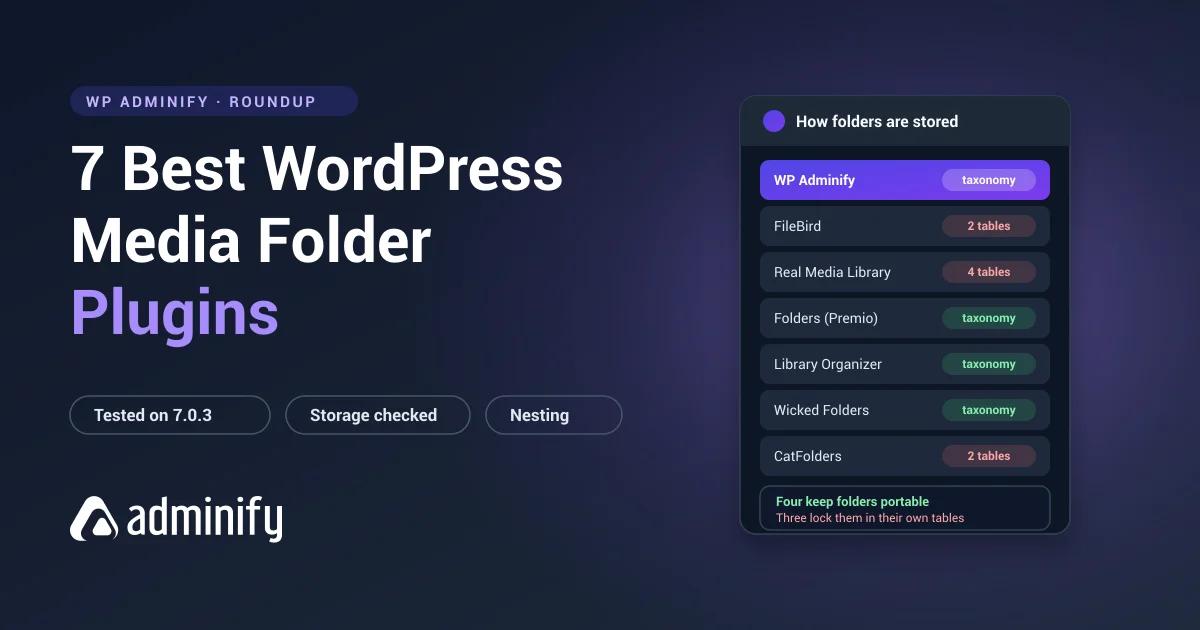

WordPress has no media folders. Every plugin here adds them, and on a feature list they read as interchangeable: folder tree, drag-and-drop, nesting, bulk move. The difference that decides which one you'll regret is invisible until you open the database.
So we opened it. Each plugin went onto a clean WordPress 7.0.3 site, activated on its own, and we recorded what it did to the schema. The results split the field down a line no sales page mentions.
The short answer: FileBird is the most polished if folders are all you need, Folders by Premio is the best-rated free option, and WP Adminify's media folders make the most sense if you want one plugin foldering media, posts, pages and WooCommerce products instead of four. Storage model is what separates them, and it is the one choice you cannot reverse cheaply.
Scope: folder organization only. For the wider category of file replacement and metadata tools, see replacing an image without changing its URL.
What is a WordPress media folder plugin?
A WordPress media folder plugin adds a folder tree to the Media Library so you can group uploads instead of scrolling one endless grid. WordPress itself has no folders, only date-based upload directories. The plugin keeps the folder structure in the database and filters the library view against it, in the list screen and in the media modal.
Virtual folders, not folders on your server
Every plugin on this list builds virtual folders. Not one of them moves a file on disk. Your images stay where WordPress put them, under wp-content/uploads/ in year and month directories, and their URLs never change. Drag an image into a folder in the admin and nothing moves over FTP or SFTP.
That is a deliberate design choice, not a shortcut. Relocating the actual files would break every post, page, theme setting and cached stylesheet pointing at the old URL. The tradeoff is that your folders exist only for as long as something in the database still remembers them, which is why the storage format below decides how much of the work you keep if you ever switch plugins. If you are planning several levels of hierarchy, read the notes on nested media folders in WordPress before you design the tree.
The test that matters
All seven use virtual folders. None of them moves files into real directories, so your images keep their existing URLs no matter how you reshuffle things. That part is universal, and it's why reorganizing a live library is safe.
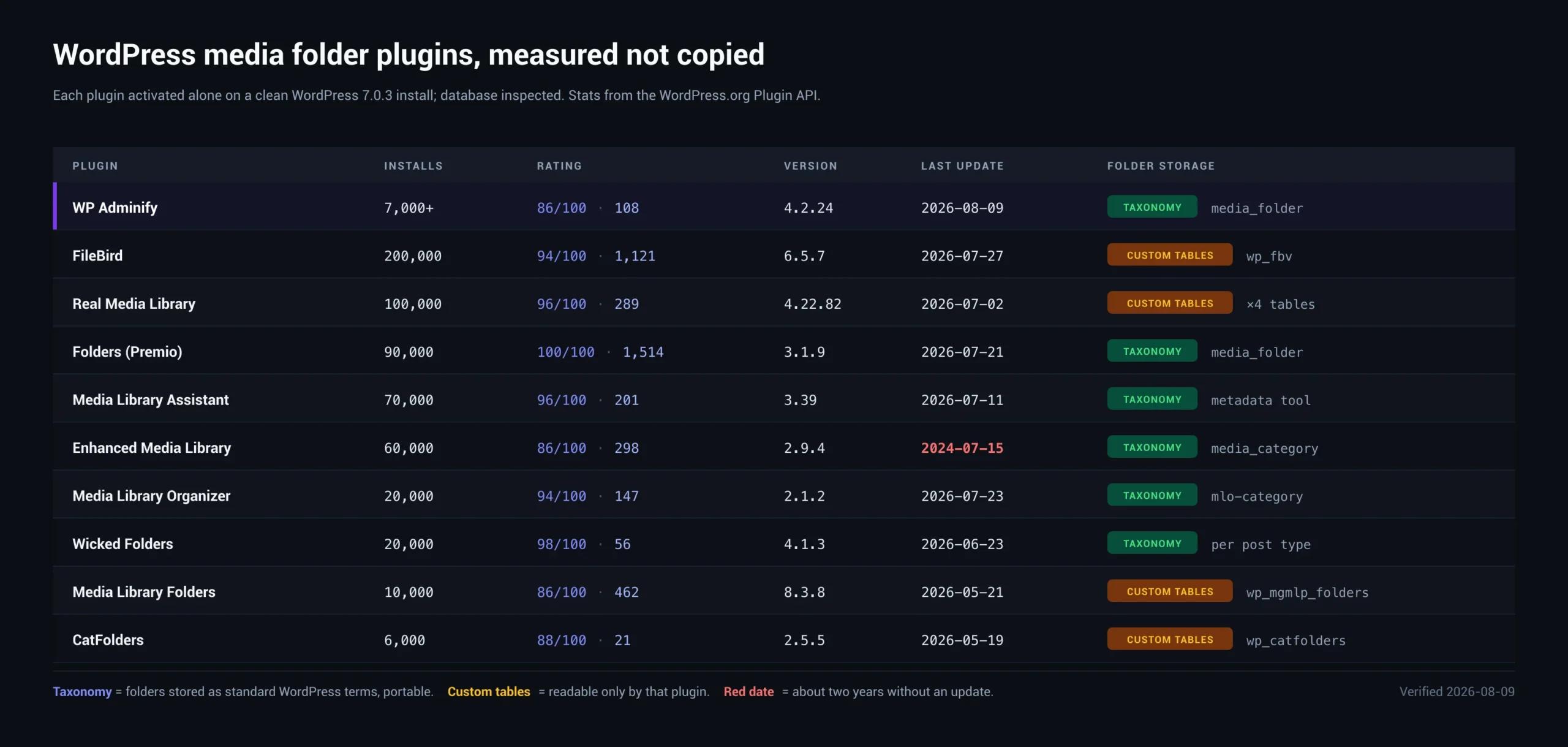
Where they part company is how the folder structure gets stored:
| Plugin | Storage | Verified as |
|---|---|---|
| WP Adminify | Taxonomy | media_folder (hierarchical) |
| Folders (Premio) | Taxonomy | media_folder, folder, post_folder |
| Media Library Organizer | Taxonomy | mlo-category (hierarchical) |
| Wicked Folders | Taxonomy | hierarchical folder taxonomies per post type |
| FileBird | Custom tables | wp_fbv, wp_fbv_attachment_folder |
| Real Media Library | Custom tables | wp_realmedialibrary ×4 tables |
| CatFolders | Custom tables | wp_catfolders, wp_catfolders_posts |
Why it matters: taxonomy folders are ordinary WordPress terms. Any tool can read them, wp term list exports them, and another taxonomy-based plugin can pick them up. Custom-table folders are readable by the plugin that created them and nothing else.
We tested what that means rather than assuming. Built an 11-folder, 2-level structure in FileBird, deactivated the plugin, and looked: all 38 files intact, folder tree gone from the admin, and a different folder plugin activated afterwards showed an empty sidebar. The rows were still sitting in wp_fbv the whole time. Nothing could read them. Background on how portable folders are stored in WordPress media folders explained.
Custom tables aren't a flaw, and we're not going to frame them as one. They perform better at scale and they support manual ordering that the term system handles badly. Just go in knowing which trade you're making, because it's the one you can't undo cheaply.
1. WP Adminify
Verified: 6,000+ installs · 86/100 from 109 ratings · v4.3.1 · updated 20 August 2026
Storage: media_folder, hierarchical, no custom tables
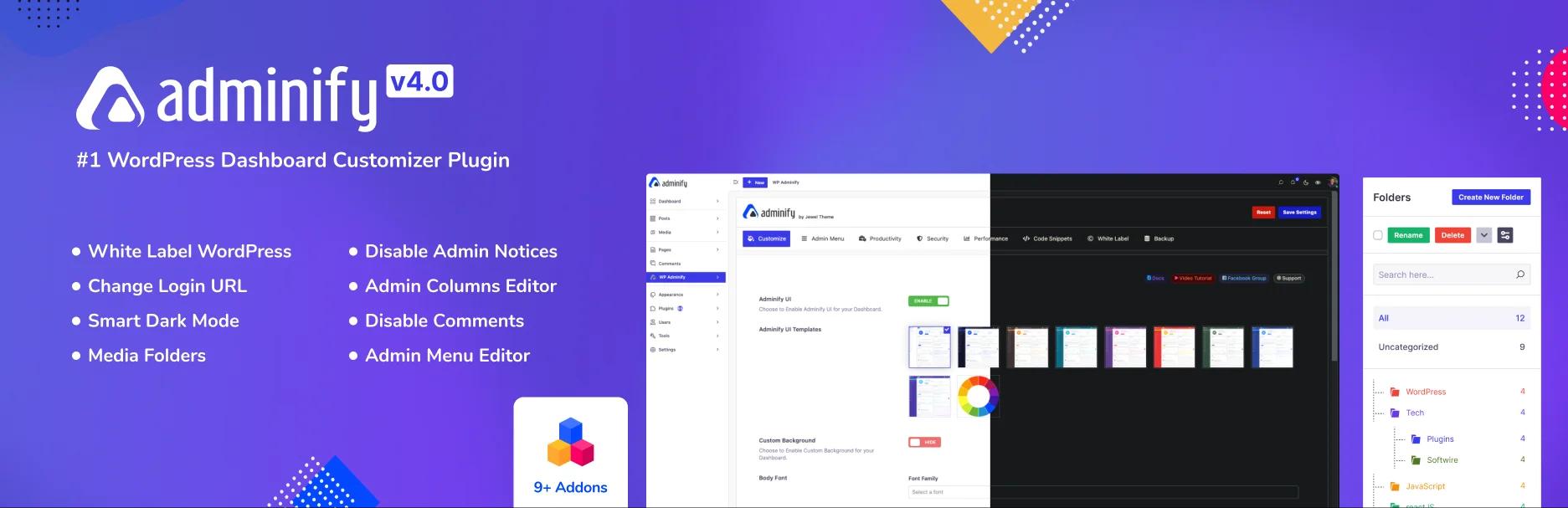
Media folders inside a wider admin toolkit rather than a plugin that does one job. Folders show up in the Media Library and in the media modal, so inserting an image into a post means clicking a folder instead of scrolling the global grid. That second part gets underrated constantly, and we'd argue it's the whole point: you browse the library occasionally, you insert images every single time you write anything.
Strengths: taxonomy storage keeps the structure portable; the hierarchical flag is confirmed, so subfolders work at the data layer; role-based controls; it replaces a stack of single-purpose admin plugins.
Limitations: more plugin than you need if folders are genuinely the only thing on your list. And there's no manual folder ordering, which is a real gap next to FileBird rather than a footnote.
Best for: teams who want folders alongside admin menu control, white labelling and dashboard customization. See the folder documentation.
2. FileBird

Verified: 200,000 installs · 94/100 from 1,121 ratings · v6.5.8 · updated 22 August 2026 · Ninja Team
Storage: wp_fbv (id, name, parent, type, ord, created_by) + wp_fbv_attachment_folder
The category leader by adoption, and the schema explains why the interface feels the way it does. That dedicated ord column means dragging folders into whatever order you want is a first-class feature rather than a workaround, and the parent column confirms nesting has no ceiling in the data layer.
Strengths: the most polished interface here; the best performance profile on very large libraries; explicit folder ordering; the biggest install base, which is the cheapest insurance against a plugin being abandoned.
Limitations: the deepest practical lock-in of anything we tested, so leaving needs a purpose-built importer. Free tier caps folder count.
Pricing: free plus paid tiers [$39 to $599 across site counts and lifetime options]
Best for: anyone who puts interface quality and scale ahead of portability.
More detail: our FileBird review, the FileBird vs WP Adminify comparison, and FileBird alternatives if the lock-in is what gives you pause.
3. Real Media Library

Verified: 100,000 installs · 96/100 from 291 ratings · v4.23.4 · updated 1 September 2026 · devowl.io
Storage: four tables, wp_realmedialibrary, _posts, _meta, _tmp
The most feature-dense option here. Four tables in the free version tells you how much engineering sits underneath: ordering, metadata and staging state each get storage of their own rather than sharing a column.
Strengths: the deepest feature set; strong rating; an established vendor; gallery and ordering integration that goes well past basic folders.
Limitations: the heaviest database footprint here, so the deepest lock-in. More complexity than a small site will ever use. And the WordPress.org slug is real-media-library-lite, which is why searching the plugin installer for its actual name often returns nothing.
Best for: large libraries where the advanced organization earns the commitment to one vendor.
More detail: our Real Media Library review, Real Media Library vs WP Adminify, and Real Media Library alternatives.
4. Folders by Premio

Verified: 90,000 installs · 100/100 from 1,517 ratings · v3.2.0 · updated 9 September 2026 · Premio
Storage: media_folder (attachments), folder (pages), post_folder (posts), all hierarchical
A perfect score across more than fifteen hundred ratings is the strongest signal in this category, and it arrives with taxonomy storage attached. Popular and portable is a rare pairing here.
One quirk to know before you install: Folders and WP Adminify both register a taxonomy called media_folder, which we confirmed by activating each one alone. Don't run both. The flip side is that moving between them is far simpler than any custom-table migration, because the data already lives under the same name.
Strengths: the best-rated plugin here; taxonomy storage; covers posts and pages as well as media; actively maintained.
Limitations: the media interface is less specialized than FileBird's, and there's the taxonomy name collision.
Best for: sites organizing content and media together, and anyone who wants an exit route.
More detail: our Folders by Premio review, Folders vs WP Adminify, and Folders plugin alternatives.
5. Media Library Organizer

Verified: 20,000 installs · 94/100 from 148 ratings · v2.1.3 · updated 7 September 2026 · Themeisle
Storage: mlo-category, hierarchical, no custom tables
The cleanest implementation we tested. One hierarchical taxonomy, nothing else, no tables. If you're the kind of person who checks SHOW TABLES; after installing anything, this is the one to look at first.
Strengths: minimal footprint; fully portable; established vendor; recently updated.
Limitations: smaller user base, no manual folder ordering, fewer advanced features.
Best for: sites that want folders with the least possible commitment.
More detail: our Media Library Organizer review, Media Library Organizer vs WP Adminify, and Media Library Organizer alternatives.
6. Wicked Folders

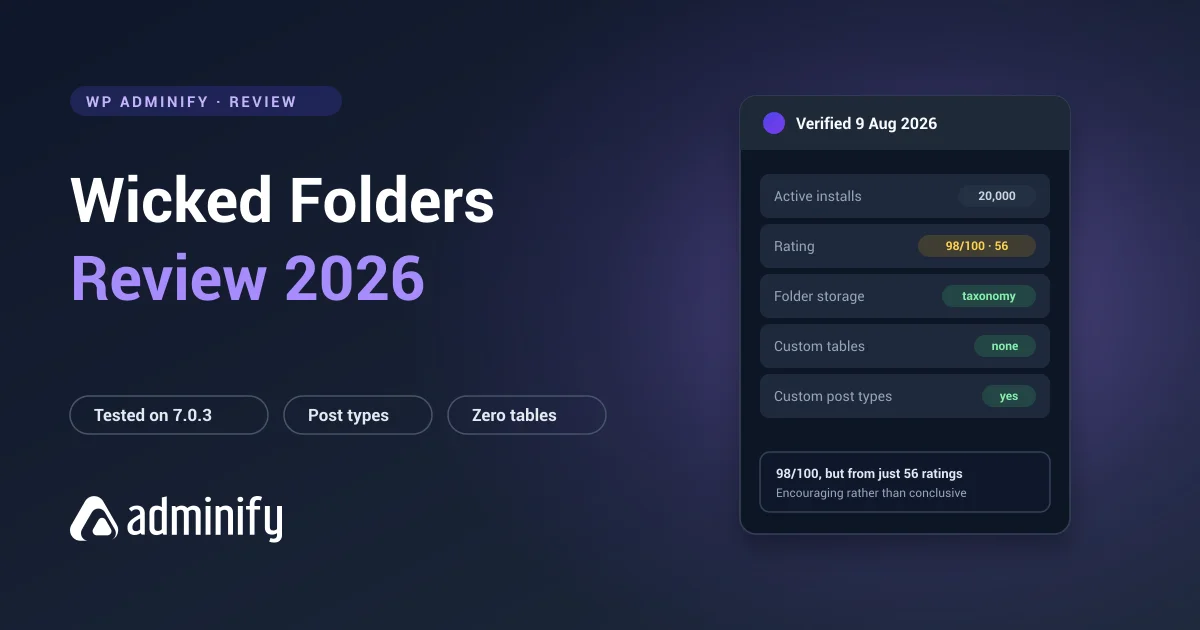
Verified: 20,000 installs · 98/100 from 56 ratings · v4.1.3 · updated 1 September 2026 · wickedplugins
Storage: hierarchical taxonomies per post type
Built to organize everything rather than media alone. We confirmed hierarchical folder taxonomies registered for pages alongside the media handling, so the claim holds up at the data layer.
Strengths: works across posts, pages and custom post types; taxonomy storage; an excellent rating.
Limitations: 56 ratings is a thin sample to judge reliability on, and media is one job among several rather than the focus.
Best for: custom-post-type-heavy sites that want one folder system covering the lot.
More detail: our Wicked Folders review.
7. CatFolders

Verified: 6,000 installs · 86/100 from 22 ratings · v2.5.6 · updated 23 August 2026
Storage: wp_catfolders, wp_catfolders_posts
The newest and smallest option here. Custom-table storage like FileBird, on a much shorter track record.
Strengths: lightweight, actively developed, clean interface.
Limitations: 21 ratings is too small to judge reliability, and custom tables mean lock-in without the install base that makes FileBird's longevity a fair bet.
Best for: small sites happy to try something young. We wouldn't put a 20,000-file library on it yet.
Which of these folder plugins are free?
All seven. Every plugin reviewed here ships a free version on wordpress.org, so nothing on this page is a paid-only recommendation, and you can install any of them and build a real folder tree without paying. The free tiers cover the job most sites actually have: create folders, nest them, drag files in. Paid tiers mostly lift limits and add role permissions, bulk tools and support.
Where the free versions differ is maintenance, and that is worth more than a feature list. Install counts and update dates below were read from the wordpress.org plugin API on 12 September 2026.
| Plugin | Free version | Active installs | Rating | Last updated |
|---|---|---|---|---|
| FileBird | Yes | 200,000+ | 94/100 (1,121) | 22 Aug 2026 |
| Real Media Library Lite | Yes | 100,000+ | 96/100 (291) | 1 Sep 2026 |
| Folders by Premio | Yes | 90,000+ | 100/100 (1,517) | 9 Sep 2026 |
| Media Library Organizer | Yes | 20,000+ | 94/100 (148) | 7 Sep 2026 |
| Wicked Folders | Yes | 20,000+ | 98/100 (56) | 1 Sep 2026 |
| WP Adminify | Yes | 6,000+ | 86/100 (109) | 20 Aug 2026 |
| CatFolders | Yes | 6,000+ | 86/100 (22) | 23 Aug 2026 |
Read that table as a maintenance signal rather than a quality score. Every one of these was updated inside the last month, which is the answer you want when the plugin owns your entire library structure. A high rating on twenty-two reviews tells you far less than a slightly lower one on more than a thousand. If you are starting with a library that is already large and unsorted, sorting it is its own job, covered in bulk organizing the WordPress media library.
What to check before you install
| Check | Why |
|---|---|
| Taxonomy or custom tables? | Decides your exit cost. Run wp db query "SHOW TABLES;" after activating. |
| Folders inside the media modal? | Without it you still scroll a global grid every time you insert an image, which is half the benefit gone. |
| Nesting depth in the UI | All seven support nesting in the data layer. UI caps vary and are rarely documented. |
| Bulk move with multi-select | Organizing an existing library is impractical without it. |
| Free tier folder limit | Several cap folder count on the free version. |
| Performance on your library | Test on a copy of your real data, not a demo site with 40 images. |
The storage question takes one command and settles the thing you can't easily reverse:
# After activating your chosen plugin
wp db query "SHOW TABLES;"
wp db query "SELECT taxonomy, COUNT(*) FROM wp_term_taxonomy GROUP BY taxonomy;"
Which should you pick?
| If you… | Pick |
|---|---|
| Want the most established, most polished option | FileBird |
| Want the best-rated plugin with portable storage | Folders by Premio |
| Need advanced features on a very large library | Real Media Library |
| Want folders plus wider admin control | WP Adminify |
| Want the smallest possible footprint | Media Library Organizer |
| Need folders across custom post types | Wicked Folders |
| Need manual folder ordering | FileBird or Real Media Library |
WordPress Media Folder Plugin FAQs
What is the best WordPress media folder plugin?
FileBird leads on adoption with 200,000 installs and the most polished interface, at the cost of keeping folders in proprietary tables. Folders by Premio holds a perfect 100/100 from 1,517 ratings and uses portable taxonomy storage. Which one is right comes down to whether you'd rather have interface polish or an exit route.
Do media folder plugins move files on my server?
No. All seven tested use virtual folders, so files stay in wp-content/uploads/ and image URLs never change. That's deliberate, because moving files would break every post that embeds them. Only the folder structure lives in the database.
Can I create subfolders with these plugins?
Yes, all seven support nesting at the data layer, either through a hierarchical taxonomy or a parent column in their own table. Interface limits vary and are rarely documented, so if you need three levels, build three levels in the UI before you commit to a structure that assumes it.
Which media folder plugin is easiest to switch away from?
Any taxonomy-based one: WP Adminify, Folders, Media Library Organizer or Wicked Folders. Their folders are standard WordPress terms that any tool can read. FileBird, Real Media Library and CatFolders use private tables, so leaving needs a purpose-built importer.
Is the free version of these plugins enough?
For most sites, yes. Free tiers generally give you folders, nesting and drag-and-drop. Paid tiers mostly lift folder count limits and add role-based permissions. Start free and upgrade when you hit a limit you can actually feel.
Can I run two media folder plugins at the same time?
No. Several register overlapping taxonomies, and we confirmed WP Adminify and Folders by Premio both register one named media_folder. Running them together gives you two half-populated folder trees and no way to tell which is right. Activate one.
What happens to my folders if I deactivate the plugin?
Deactivating hides the folder tree, it does not delete it. The structure sits in the database, so reactivating brings the same folders back with the same files in them. Uninstalling is the risky step, because a plugin may drop its own tables or terms on removal. Check the uninstall behaviour before you delete anything.
Can I upload a folder of images and keep the structure?
Not through the normal uploader. WordPress reads a dropped folder as a flat list of files, so the nesting is lost on arrival and everything lands unsorted. Plugins that support this do it through a separate import or server-sync feature instead. For a migration, move the files first and build the folders afterwards.
Final verdict
- FileBird is the default pick for interface quality and scale, if the lock-in doesn't bother you.
- Folders by Premio has the best combination of rating, portability and breadth.
- WP Adminify is the right shape when media is one of several admin problems, not the only one.
- Media Library Organizer is the minimal, standards-based choice.
- Run the storage check before you commit a large library. One command, and it answers the decision you can't easily reverse.
Also tested, just outside the seven: WP Media Folder, including how it compares with WP Adminify and what else to consider instead of it, plus Enhanced Media Library and Media Library Folders.
Once the plugin is installed: media library best practices, bulk-organizing a library you already have, building nested folders, and finding an image fast once there are thousands.
New to media folders? Start with how WordPress media folders work, then how to create folders in the Media Library. Planning a deep structure? See how to organize your media library with folders.
Want folders for more than just media? WP Adminify Media Folder organizes posts, pages, and WooCommerce products too, and it is part of a wider WordPress dashboard customization toolkit, compare tiers on the WP Adminify pricing page. If your library has grown unwieldy, see how to manage a large WordPress media library and clean it up safely.

Your email address will not be published