

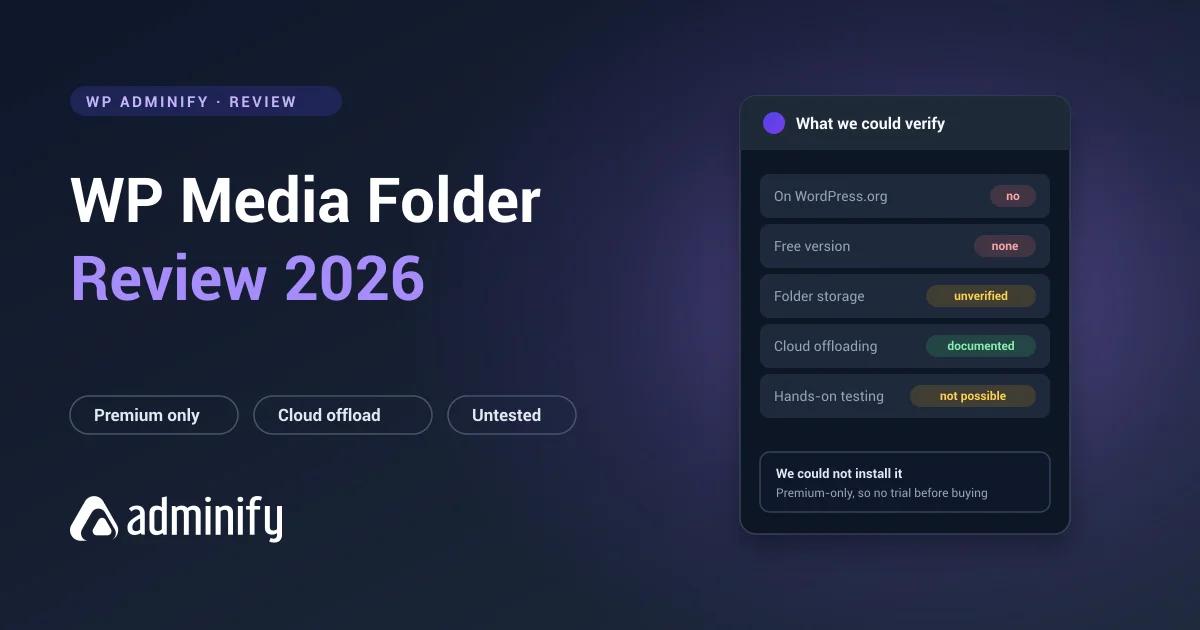

WP Media Folder is JoomUnited's premium media management plugin. It stands apart from everything else in this category in one way that shapes the whole evaluation: it isn't distributed through the WordPress.org repository, so there's no free version to try before you buy.
That distribution choice affects how you should assess it, and it affects this review too.
Disclosure: WP Adminify is ours, and its media folder module competes with this plugin. It sits alongside seven others in our best WordPress media folder plugins comparison, where every entry we could install was installed.
A note on this review
We tested nine media folder plugins on a clean WordPress 7.0.3 install for this series, installing each one and inspecting exactly what it did to the database. WP Media Folder isn't among them, because it needs a paid licence and isn't available through WordPress.org.
Rather than repeat the vendor's marketing as though we'd checked it, we've marked this review as covering publicly documented capabilities only. Where every other review in this series says "we found", this one can't.
What WP Media Folder is
A premium media management plugin covering folder organization plus a set of jobs most competitors leave alone:
- Folder organization for the WordPress Media Library
- Cloud storage integration: the vendor documents connections to Google Drive, Dropbox, OneDrive and Amazon S3
- Gallery creation from media folders
- Image compression and watermarking
- Media replacement in place, which is a job worth understanding on its own terms - see replacing an image without changing its URL
How it differs from the free options
The pitch is breadth within media management. FileBird, Folders and Real Media Library concentrate on organizing what's already in your library. WP Media Folder also addresses where files live and how they're delivered.
Cloud integration is the clearest example. Offloading media to object storage is a real need on large sites, the point where backups stop finishing overnight and migrations start timing out, and most folder plugins don't go near it. If you need folders and offloading together, one plugin covering both beats stitching two together.
The trade is equally real. A plugin doing five jobs is a bigger dependency than one doing a single job well, and every one of those five jobs has strong dedicated competitors.
What we couldn't verify
For every other plugin in this series we established the storage model, because it decides whether you can ever leave. FileBird keeps folders in wp_fbv. Real Media Library spreads them across four tables. WP Adminify, Folders and Media Library Organizer all use WordPress taxonomy terms.
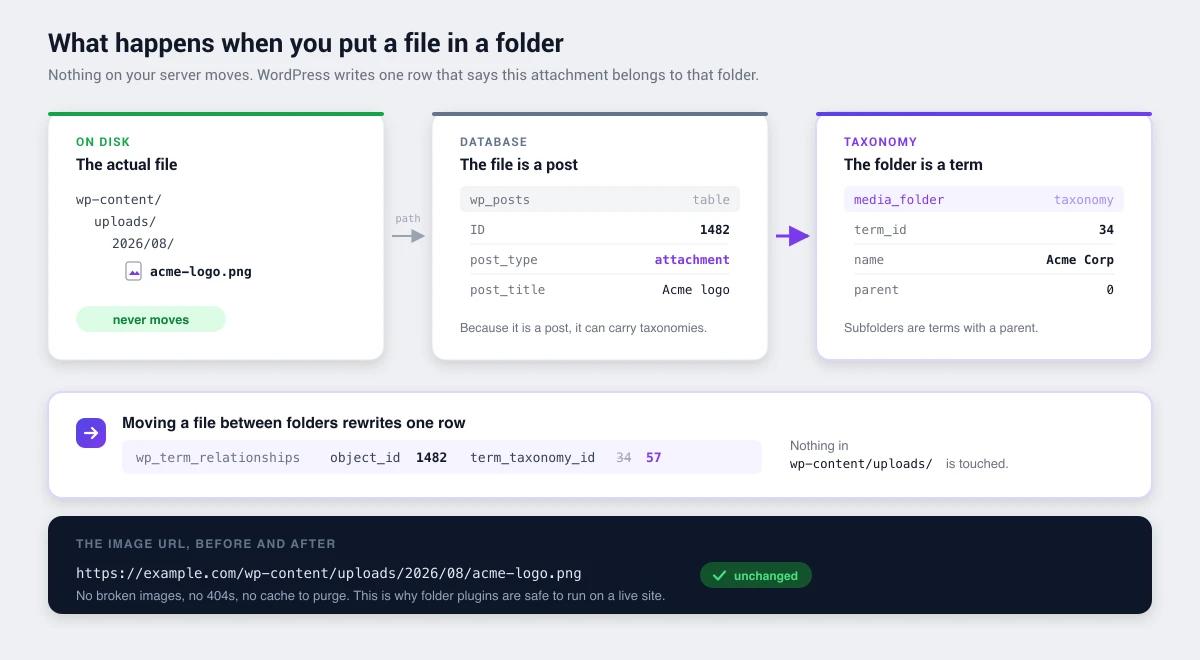
The vendor's own documentation answers this one. WP Media Folder keeps folders in a WordPress taxonomy called wpmf-category, named in JoomUnited's developer documentation and again in its WPML configuration guidance. The physical-folders page settles it: turning that mode on means, in the vendor's words, creating physical folders "instead of using WordPress custom taxonomy". So the default is virtual folders on ordinary term rows, the same portable model as WP Adminify, Folders by Premio and Media Library Organizer, and a more forgiving one than FileBird's custom tables. That is documented rather than measured, so confirm it once you have a licence:
wp db query "SHOW TABLES;"
wp db query "SELECT taxonomy, COUNT(*) FROM wp_term_taxonomy GROUP BY taxonomy;"
Two caveats travel with that answer. Physical folders are optional but awkward to reverse: the mode transforms your existing structure into real directories, JoomUnited warns that "some features of the plugin will be disabled as they’re not compatible with the setting", and it does not work on multisite. Separately, the plugin ships a "Delete all data on uninstall (including addons)" option which, in the vendor’s own wording, means "all your media files will be removed when uninstalling our plugin". That is worth checking on day one, not on the day you leave.
Still unverified: nesting depth, drag-and-drop behaviour, bulk-move performance, whether the folder tree appears inside the media modal, and how cloud integration interacts with the folder structure.
Pricing
WP Media Folder is premium-only with no free tier, which separates it from every other plugin in this series. All of those have working free versions on WordPress.org. JoomUnited lists $49 a year for the plugin, $69 a year for the plugin plus every add-on, and $199 for its full WordPress bundle. The licences are multi-site and do not auto-renew. The split is the part to read carefully: cloud storage integration, the capability that makes this plugin distinctive, is in the $69 tier and not the $49 one.
Practically, that means you can't put it on a staging copy of your real library before committing, which is the standard advice for evaluating any folder plugin at scale. Read the vendor's refund policy before you buy.
Who it might suit
| Possible fit | Probably not |
|---|---|
| Sites needing folders and cloud offloading in one plugin | Sites wanting to try before buying |
| Teams already using JoomUnited products | Anyone needing a free tier |
| Gallery-heavy sites wanting folder-driven galleries | Sites wanting a single-purpose folder plugin |
| Sites wanting watermarking and compression bundled | Budget-conscious small sites |
The bundle question, and where we come into it
We publish a competing plugin, so weigh this section accordingly. It's also the most useful framing we can offer on a product we couldn't test.
WP Media Folder is a bundle, and bundles are worth evaluating by what they take off your site rather than by feature count. Its bundle points at media: folders, cloud, galleries, compression, watermarks. If you genuinely need three of those five, one licence is a reasonable answer.
WP Adminify is also a bundle, pointed somewhere completely different. Same media folders, but sitting next to menu editing, white labelling, login customization, dashboard widgets and admin columns. We don't do cloud offloading at all, and if that's your requirement nothing here substitutes for it.
So the two of us aren't really competing for the same buyer. The question that separates us is simple: are the plugins cluttering your site all media-related, or all admin-related? If you're paying separate renewals for a menu editor, a white-label plugin and a login customizer, our version of the arithmetic is in replacing 50+ plugins with one.
The one difference that isn't a matter of taste is trialability. You can install our free version on a copy of your real library this afternoon and know within an hour whether it fits, what's free versus paid is documented. You can't do that with WP Media Folder, and for a plugin you'd be trusting with fifteen thousand files, that's a real difference rather than a marketing point.
How it compares
Against the plugins we did test:
- FileBird: 200,000 installs, 94/100 from 1,121 ratings, free tier, the most polished folder interface in the category.
- Folders by Premio: 90,000 installs, a perfect 100/100 from 1,514 ratings, portable taxonomy storage, free tier.
- Real Media Library: 100,000 installs, the deepest folder feature set, free Lite version.
- WP Adminify: folders plus broader admin management, taxonomy storage, free version.
The relevant question is whether the cloud and gallery features justify a paid-only commitment when the folder functionality itself is well served for free.
WP Media Folder FAQs
Is WP Media Folder free?
No. It's a premium JoomUnited product and isn't distributed through the WordPress.org repository, so there's no free version to trial. Every other major media folder plugin, including FileBird, Folders, Real Media Library and Media Library Organizer, has a working free tier.
Why isn't WP Media Folder on WordPress.org?
JoomUnited sells it directly rather than distributing through the repository. We confirmed on 9 August 2026 that querying the WordPress.org plugin API returns nothing for it. That's a distribution choice, not a sign of any problem with the plugin.
Does WP Media Folder support cloud storage?
JoomUnited documents connections to Google Drive, OneDrive, Dropbox, Google Photos, Amazon S3, Google Cloud, DigitalOcean, Wasabi and Linode. They sit in the add-on tier, which is $69 a year against $49 for the plugin on its own, so budget for the higher plan if cloud offloading is the reason you are buying it. We have not tested the integrations.
Is WP Media Folder better than FileBird?
They aim at different needs. FileBird is a dedicated folder plugin with 200,000 installs and a free tier. WP Media Folder bundles folders with cloud integration, galleries and image processing at a premium-only price. If folders are all you need, the free options are hard to argue against.
What happens to my folders if I stop using WP Media Folder?
JoomUnited’s own documentation names the folder taxonomy as wpmf-category, so folders are ordinary WordPress terms and your files never move. Removing the plugin leaves orphaned terms behind rather than relocated media. Two exceptions matter: if you switched on physical folders your files were moved into real directories, and the plugin has a delete-all-data-on-uninstall setting that removes media files. Check that toggle before you deactivate anything.
Verdict
WP Media Folder occupies a genuinely different position: a paid-only plugin bundling folder organization with cloud storage, galleries and image processing. For sites that need that exact combination, one plugin covering all of it has real appeal.
What we still can't tell you is how it holds up in daily use: nesting depth, drag-and-drop, bulk-move performance on a large library. Those need a licence and a test bench. The question that decides portability is answered, though, and it answers in the plugin's favour: folders are taxonomy terms, so leaving is survivable.
For folder organization on its own, the tested free options are strong. If you want to understand what you're actually choosing between, start with how WordPress media folders work, the storage model is the part that decides how easily you can change your mind later.

Your email address will not be published