

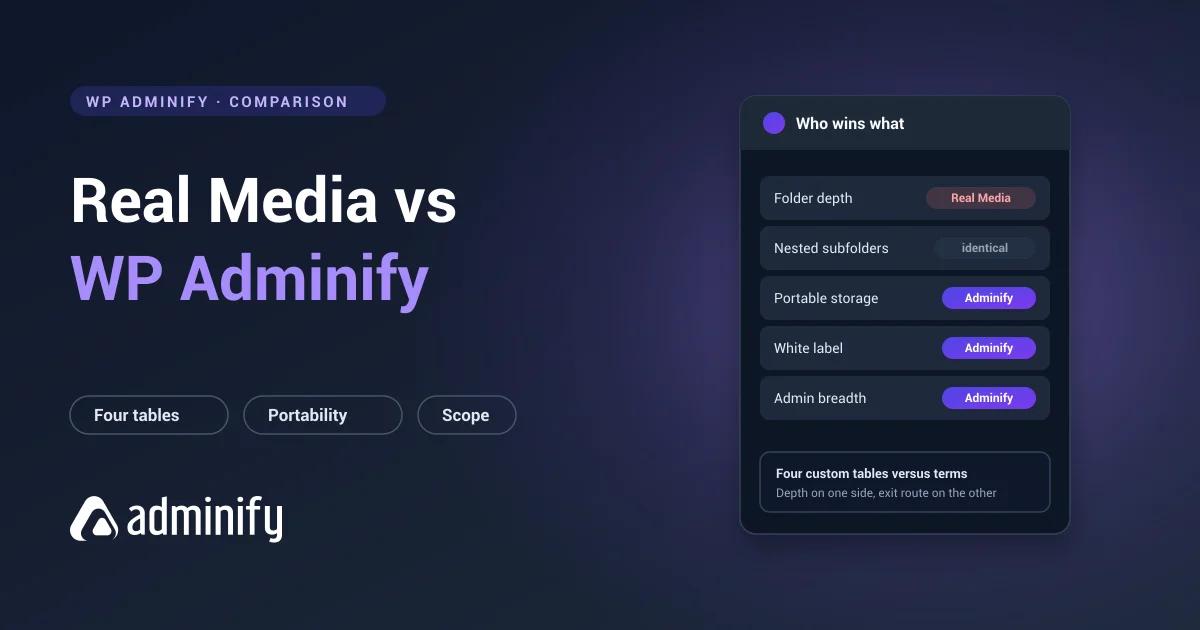

A specialist against a generalist, and the honest framing matters here: Real Media Library is the more capable media folder plugin. It's deeper, more configurable, and built by people working on this one problem full time.
WP Adminify has media folders inside a broader admin toolkit. Whether that's better for you turns on a question that has nothing to do with folder features at all.
We ran both on a clean WordPress 7.0.3 install to pin down what each actually does.
WP Adminify's media folder feature is our own, which is worth knowing before the verdict. Our best WordPress media folder plugins roundup tests seven, and the Real Media Library review examines that side by itself.
Quick verdict
Choose Real Media Library if media organization is a core workflow: large library, gallery-heavy site, a real need for per-folder configuration and ordering.
Choose WP Adminify if media folders are one of several admin problems, or if keeping folder data portable matters more to you than folder depth.
Comparison table
| Real Media Library | WP Adminify | |
|---|---|---|
| Primary purpose | Media folders | Admin toolkit including media folders |
| Active installs | 100,000 | 7,000+ |
| Rating | 96/100 from 289 ratings | 86/100 from 108 ratings |
| Folder storage | Four custom tables | Taxonomy (media_folder) |
| Nested subfolders | Yes | Yes, hierarchical taxonomy |
| Manual folder ordering | Yes | No |
| Per-folder metadata | Yes, dedicated table | No |
| Staged bulk operations | Yes, _tmp table | No |
| Portable folder data | No | Yes, standard WordPress terms |
| Admin menu editor | No | Yes |
| White label | No | Yes |
| Login customizer | No | Yes |
| Files move on disk | No | No |
Folder depth: Real Media Library wins
No hedging on this one. Activating Real Media Library Lite creates four tables:
wp_realmedialibrary         folder structure
wp_realmedialibrary_posts   attachment → folder assignments
wp_realmedialibrary_meta    per-folder metadata
wp_realmedialibrary_tmp     staged / temporary state
That _meta table means folders carry their own properties, ordering rules and display configuration, instead of being labels. The _tmp table means bulk operations get staged rather than applied straight away, which is how you move ten thousand files without finding the library half-done because a request timed out at file 6,400.
WP Adminify registers one hierarchical taxonomy, media_folder, and creates nothing. Folders nest and files assign, but a folder carries no configuration of its own and there's no manual ordering, because WordPress terms sort by name or ID.
If you need per-folder settings or arbitrary ordering, Real Media Library wins and nothing below this line changes that.
Portability: WP Adminify wins
The mirror image of the same trade.
WP Adminify's folders are standard WordPress terms in wp_term_taxonomy and wp_term_relationships. List them with wp term list media_folder, query them with get_terms(), export them with anything. The structure is readable whether or not the plugin is running.
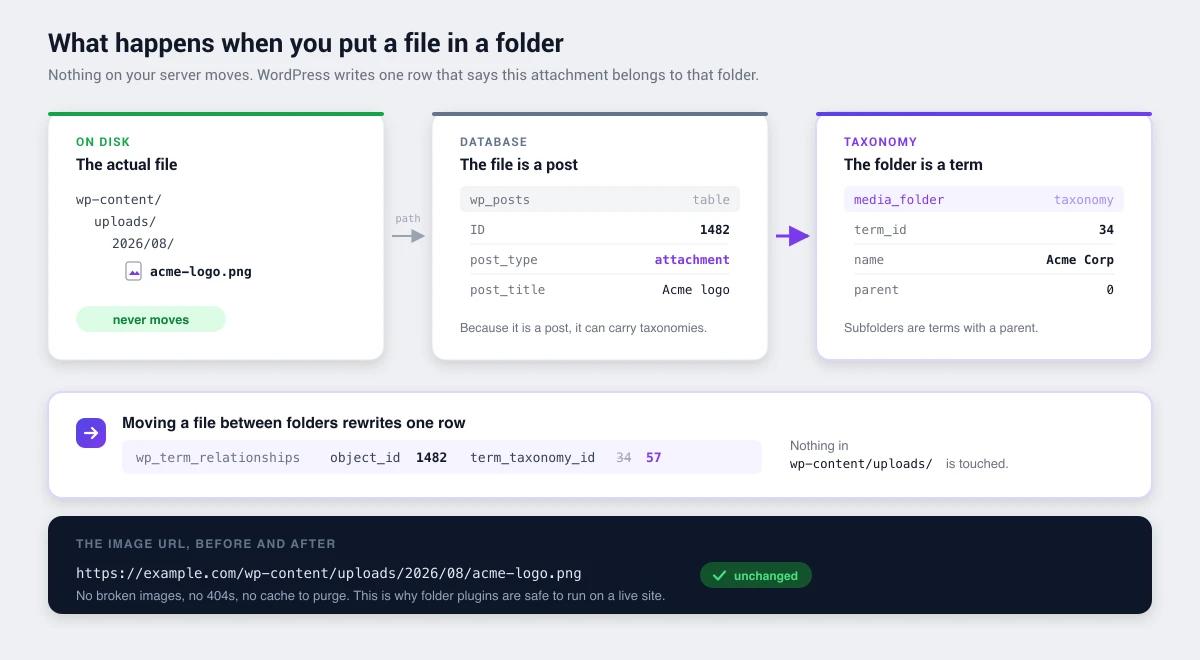
Real Media Library's folders sit in four proprietary tables. We checked how custom-table plugins behave by building an 11-folder structure in FileBird and deactivating it. Every file intact, every URL unchanged, folder tree gone, rows still in the database, and nothing else able to read them.
Real Media Library works the same way across more tables. Your files are never at risk either way. The structure is, and with four tables referencing each other, getting it out is meaningfully more work than with a two-table schema. Background on portable storage in WordPress media folders explained.
Scope: the actual decision
Most people choosing here aren't really weighing folder features. They're deciding between one plugin per problem and one plugin for the admin.
Real Media Library does media organization, thoroughly. If that's your bottleneck, a photographer with 40,000 images, a magazine uploading daily, a gallery-driven site, buy the specialist. That's what specialists are for.
But look at what accumulates on an ordinary site instead. One plugin for folders. One to hide menu items from clients. One to white-label the dashboard. One for the login page. One for admin columns. WP Adminify covers that list in one tool with role-based controls running through all of it, and the case for that is in replacing 50+ plugins with one.
| Your situation | Better fit |
|---|---|
| Media organization is a core daily workflow | Real Media Library |
| Running several small admin plugins | WP Adminify |
| Need per-folder settings or manual ordering | Real Media Library |
| Building client sites needing white label | WP Adminify |
| Very large gallery-driven library | Real Media Library |
| Want folder data to stay portable | WP Adminify |
Track record
Real Media Library has 100,000 active installs and 96/100 from 289 ratings, updated 2 July 2026, from devowl.io. That's an established vendor with a portfolio behind it rather than a single-plugin side project.
WP Adminify has 7,000+ installs and 86/100 from 108 ratings, spread across a far wider feature set.
On folder-specific adoption Real Media Library is well ahead, and that's worth weighing rather than waving off.
Pricing
Both have free versions. The useful comparison isn't sticker price, it's what each one replaces. If WP Adminify takes four other plugins off the site, compare it against their combined cost rather than against a folder plugin. What our Pro tier covers is listed openly.
Choose Real Media Library if…
- Media organization is central to how you work
- You need per-folder metadata or configuration
- Manual folder ordering matters
- You run a very large or gallery-heavy library
- You want the most capable folder plugin available
Choose WP Adminify if…
- Media folders are one of several admin problems
- You're consolidating single-purpose plugins
- You build client sites that need white labelling and menu control
- You want folder data stored as portable WordPress terms
- You need role-based controls across the admin generally
Real Media Library vs WP Adminify FAQs
Is WP Adminify a good Real Media Library alternative?
Only if your needs are broader than folders. Real Media Library is the more capable folder plugin, with four tables' worth of depth including per-folder metadata and staged bulk operations. WP Adminify makes sense when folders are one of several admin needs, or when portable storage matters more than folder depth.
Which is better for a large media library?
Real Media Library, generally. Its architecture is built for scale, and a staging table for bulk operations means large moves get processed without leaving things half-applied when a request dies. That detail only matters above a few thousand files, which is exactly where the plugin is designed to work.
Can I switch from Real Media Library to WP Adminify?
Yes, but export the structure while Real Media Library is still active, because its four tables go unreadable to everything else once deactivated. Recreate folders as media_folder terms, parents first, then reassign files. Under about 2,000 files, rebuilding by hand is usually faster than scripting it.
Do both support nested folders?
Yes. Real Media Library nests through its own folder table and WP Adminify registers media_folder as a hierarchical taxonomy. We verified both. Two or three levels works best in practice whichever you use.
Can I run both at once?
There's no sensible reason to. They keep folders in entirely different places, so you'd be maintaining two unrelated structures over the same files. Pick one.
Which is better value?
Depends what you're replacing. If folders are your only gap, Real Media Library is the focused purchase. If WP Adminify removes four other plugins from your stack, compare it against their combined cost and maintenance rather than against a folder plugin on its own.
Final verdict
Real Media Library wins on: folder depth, per-folder configuration, manual ordering, large-library architecture, and folder-specific adoption.
WP Adminify wins on: breadth, plugin consolidation, role-based controls across the admin, and folder data you can take with you.
If media organization is the job, buy the specialist. It's genuinely the more capable tool for that job and we'd rather say so than argue otherwise. If your media library is just the loudest of several admin complaints, the toolkit is the better shape.
More detail: WP Adminify's media folders and their setup documentation, or background on how WordPress media folders work.
Your email address will not be published