


Most plugins in this category organize the Media Library. Wicked Folders points the other way: posts, pages, and any custom post type you've got, using one consistent folder system, with one catch our hands-on testing surfaced that changes where this plugin fits.
If your actual problem isn't "my media is a mess" but "my whole WordPress admin is a mess", that framing deserves attention. We put it on a clean WordPress 7.0.3 site and looked at what it does.
Disclosure: WP Adminify is our own plugin, and it folders media and post types from one module, which is the ground Wicked Folders covers too. Both were tested identically for our best WordPress media folder plugins comparison.
Quick verdict
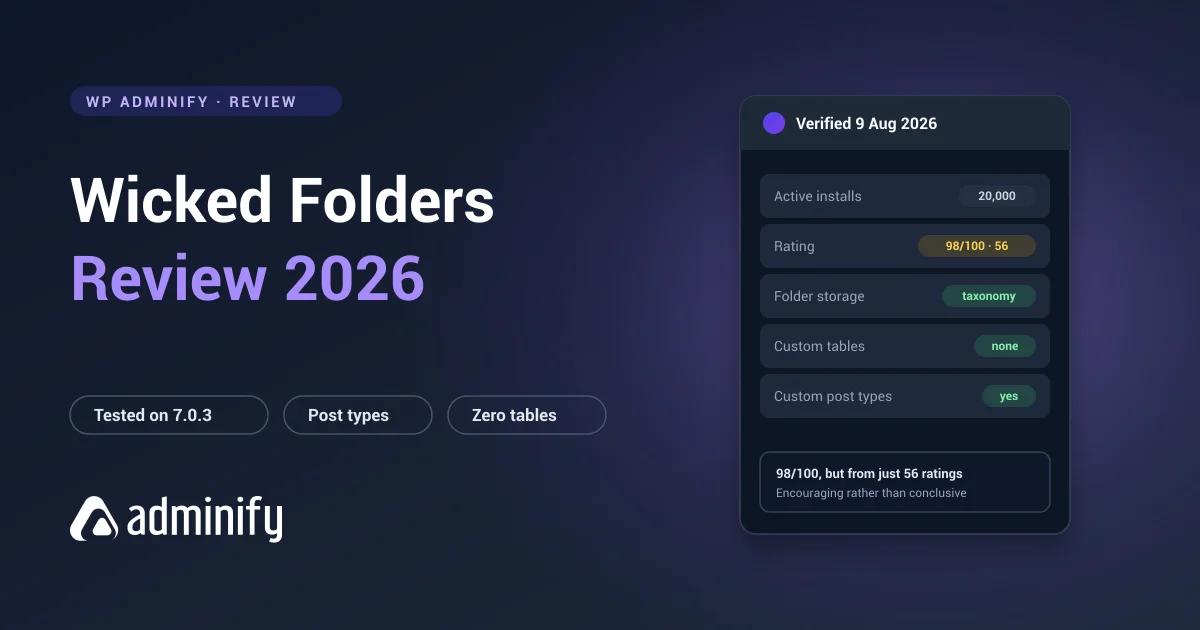
Wicked Folders is a well-built taxonomy-based plugin for organizing content, posts, pages and custom post types. It creates no custom tables, so nothing is locked away, and it carries the second-highest rating in the category.
The catch: on our test install, the free version offered no media folders at all: post type folders only. If you arrived here from a media-folder comparison, the free tier of this plugin doesn't do the job those comparisons are about.
Choose it if you need folders across content post types and want portable storage.
Be aware that media folders weren't in the free tier we tested, and the rating comes from a much smaller sample than the category leaders.
At a glance
| Developer | wickedplugins |
| Version tested | 4.1.3 |
| Active installs | 20,000 |
| Rating | 98/100 from 56 ratings |
| Last updated | 23 June 2026 |
| Storage | Hierarchical taxonomies per post type, no custom tables |
| Covers (free tier tested) | Posts, pages, custom post types, media folders not present in free |
About that rating. 98/100 is excellent and it's the second-highest here. It also comes from 56 ratings. FileBird's 94/100 comes from 1,121 and Folders' 100/100 from 1,514. A small sample can be perfectly representative, and it's also far easier to skew. Treat 98 from 56 as encouraging rather than settled.
What it does
WordPress has no folders anywhere. Not for media, not for posts, not for pages. Wicked Folders adds folder trees to the list screens for posts, pages and custom post types. And, in the free tier we tested, that's where it stops. The Media Library got no folder tree on our install; media folder support appears to live in Pro.
Folders are virtual taxonomy terms: a post in a folder keeps its permalink, and nothing moves on disk. The underlying mechanism is worth understanding if this is your first folder plugin.
Under the hood
Activating it alone on a clean install registered hierarchical folder taxonomies scoped per post type. We confirmed wf_page_folders for pages, with equivalents for other types, and no custom tables at all.
That last point is the plugin's strongest technical argument. Compare with what we found elsewhere: FileBird creates wp_fbv, Real Media Library creates four tables, CatFolders creates two. All readable by exactly one plugin.
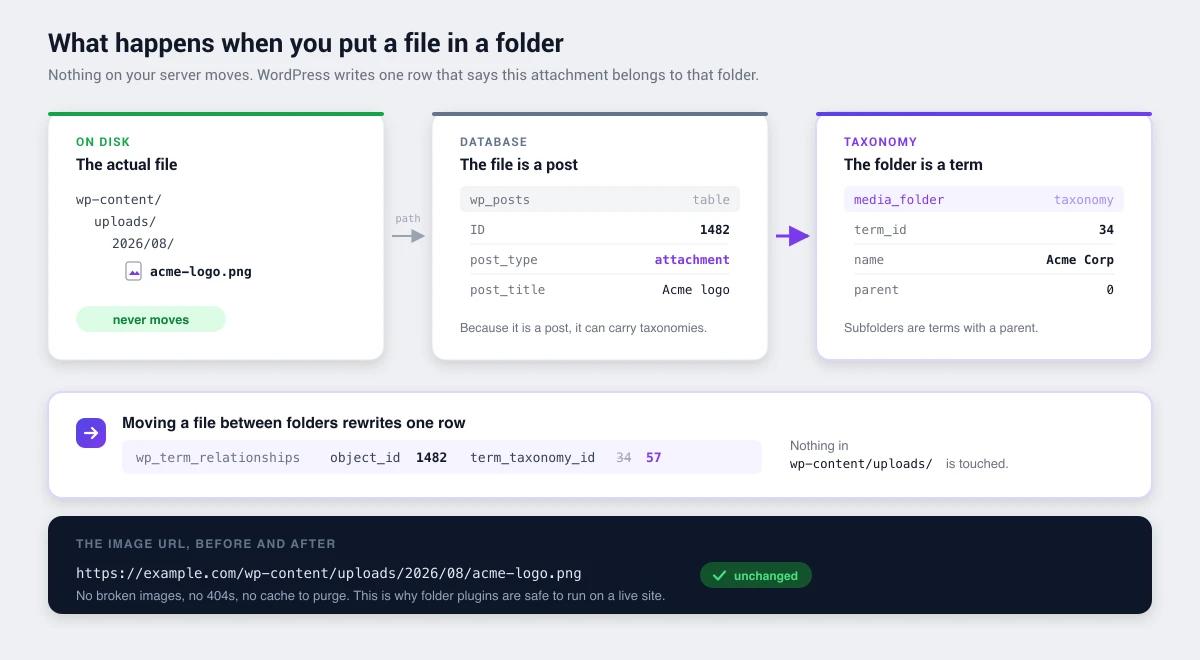
Which means everything lives in wp_term_taxonomy and wp_term_relationships:
- Portable. Readable with
wp term list, queryable withget_terms(), captured in any export. - Nesting for free. Hierarchical terms mean a subfolder is a term with a parent.
- Clean uninstall. No orphaned tables left behind.
- Consistent across post types. One mechanism everywhere rather than a special case per content type.
One consequence worth flagging: taxonomy storage means no manual folder ordering, because WordPress terms sort by name or ID. FileBird's ord column gives it arbitrary drag-to-reorder that no taxonomy-based plugin can match, ours included.
Strengths
One system across content types. Posts, pages and custom post types share the same folder mechanism. On a site with three CPTs and hundreds of entries in each, that's the whole reason to pick it.
Zero custom tables. Fully portable, clean uninstall, nothing locked away.
Excellent rating. 98/100, second only to Folders by Premio.
Actively maintained. Updated 23 June 2026.
Consistent mental model. The same folder metaphor everywhere means one thing to learn instead of three.
Limitations
Small ratings sample. 56 against FileBird's 1,121 and Folders' 1,514. Not a red flag, just weaker evidence.
Media folders aren't in the free tier we tested. This is the limitation that matters most for readers of this series. Our install showed folder trees on content post types only, nothing in the Media Library. If media folders are your need, the free version of this plugin doesn't address it, and every other plugin in this series does.
No manual folder ordering. A taxonomy limitation shared with every taxonomy-based plugin here.
Smaller install base. 20,000 against FileBird's 200,000 and Folders' 90,000.
Wicked Folders against Folders by Premio
These two are the closest competitors in the whole series. Both taxonomy-based, both covering multiple post types, both with no custom tables. Worth separating properly:
| Wicked Folders | Folders (Premio) | |
|---|---|---|
| Installs | 20,000 | 90,000 |
| Rating | 98/100 from 56 | 100/100 from 1,514 |
| Storage | Taxonomy, no tables | Taxonomy, no tables |
| Covers post types | Yes | Yes |
| Last updated | 23 June 2026 | 21 July 2026 |
Architecturally they're near-identical. Folders has four times the installs and a far larger ratings sample. Wicked Folders' appeal is breadth of post type support and a slightly different interface. Trial both, since neither one traps your data.
Who should use it
| Good fit | Poor fit |
|---|---|
| Sites with several custom post types | Media-only needs wanting maximum polish |
| Teams wanting one folder system everywhere | Anyone needing manual folder ordering |
| Anyone avoiding vendor lock-in | Teams wanting the largest possible user base |
| Content-heavy sites with long post lists | Sites needing advanced media-specific features |
When "everything is a mess" isn't a folder problem
We make a competing plugin, so weigh this how you like. It's worth saying because Wicked Folders and WP Adminify often get shortlisted by the same person, for the same reason, and they solve genuinely different halves of it.
Wicked Folders reads "my admin is a mess" as a filing problem and answers it well: one folder system across every post type, portable storage, nothing locked in. If your Products screen has 900 entries and no structure, that's the fix and this review recommends it.
But sit with a messy admin for a week and notice how much of the mess isn't filing at all. The Posts list showing a Date column you never sort by instead of the ones you'd actually use, which is a columns problem. The client who can reach Tools and Settings. The menu with nine items they'll never open. The dashboard that still says WordPress on a site you're invoicing for. Folders don't touch any of that, however many post types they cover.
That's the half we build for, and it's why the two plugins aren't really substitutes. Ours does media folders on the same taxonomy architecture, so you get the same portability there, but the reason to look is the menu editor, white labelling, admin columns and role-based controls sitting next to it. If you're currently running four small plugins to cover those, the consolidation case is the honest version of the pitch.
There's also the free-tier gap our testing found. Wicked Folders free does post type folders and not media; several media plugins do media and not post types. Adminify's free version runs both off the same folder module, media folders in the library, and folders on whichever post types you switch on in settings.
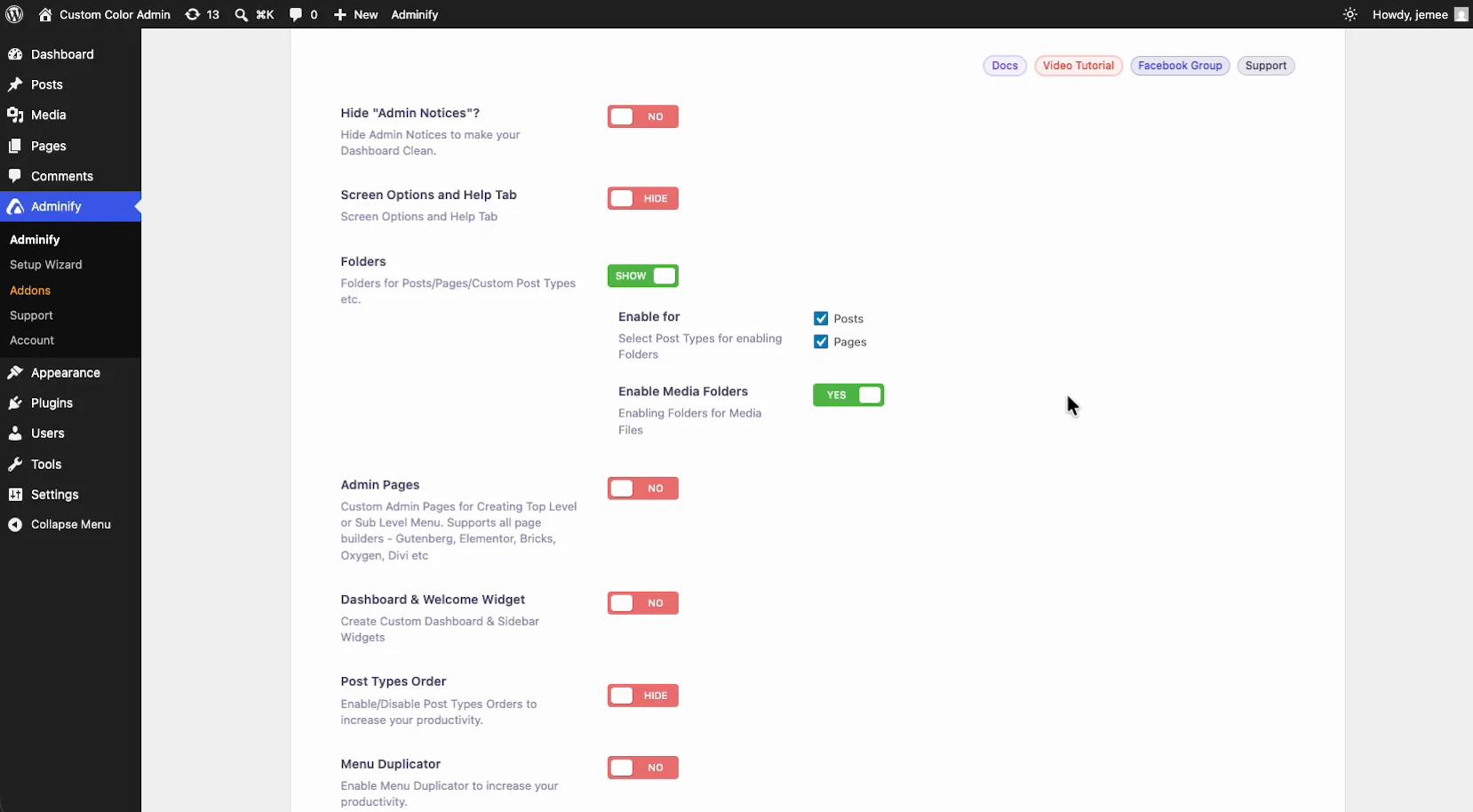
Short version: if the mess is content that needs filing and media can wait, Wicked Folders free does that well. If the mess includes the Media Library, the free tier here leaves that half unsolved.
Wicked Folders FAQs
Is Wicked Folders any good?
Yes. 98/100 from 56 ratings with 20,000 installs, actively maintained, and a clean architecture using hierarchical taxonomies with no custom tables. The main caveat is the small ratings sample, which makes that score encouraging rather than conclusive.
Does Wicked Folders work with custom post types?
Yes, and it's the main differentiator. It registers hierarchical folder taxonomies per post type, so posts, pages and any CPT get the same folder system. Most competitors go the other way and stop at media.
Does the free version of Wicked Folders include media folders?
Not on our test install. The free tier showed folder trees on content post types only, with no folder tree in the Media Library. If media folders are what you're shopping for, check the vendor's current free-versus-Pro split before installing. And note that every other plugin in this series includes media folders free.
Does Wicked Folders create database tables?
No. We activated it alone on a clean WordPress 7.0.3 install and it added no custom tables, only hierarchical taxonomies. Your folder structure is standard WordPress data, readable with normal tools.
Does it move my media files?
No. Folders are virtual, so files stay in wp-content/uploads/ and image URLs never change. Posts keep their permalinks too.
Wicked Folders or Folders by Premio?
Architecturally very similar, since both are taxonomy-based with no custom tables and both cover multiple post types. Folders has four times the installs and a far larger ratings sample, 1,514 against 56. Wicked Folders may suit you better on interface or post type handling, and since neither locks you in, trialling both costs you an afternoon.
What happens if I deactivate Wicked Folders?
Your files and posts are unaffected. The folder trees disappear from the admin, but the structure survives as standard taxonomy terms in wp_term_taxonomy. That's a real advantage over custom-table plugins, whose data goes unreadable to everything else.
Final verdict
Wicked Folders is quietly well engineered. Zero custom tables, hierarchical taxonomies, one consistent folder system across every post type, and nothing locked away. That's a sound set of choices.
Its limitations are about position rather than quality. Small ratings sample, modest install base, and because it covers everything the media-specific experience is less specialized than a dedicated tool's.
Best fit: sites with several custom post types where organization is a site-wide problem, and teams who want to be able to walk away from a plugin without booking a migration project.
If media folders are your only need: FileBird has ten times the installs and more polish, and Folders by Premio has the same architecture with far more social proof. Whichever you land on, how to organize a media library with folders covers the part every plugin leaves to you.

Your email address will not be published