

White Label WordPress: Rebrand the Entire Dashboard for Clients
Make your own Branding with WP Adminify white label
Now you can hide WP Adminify branding on your own. Create your own branding for a fully personalized WordPress dashboard. Best for agencies and large corporations.

WP Adminify White Label Development
If you own an agency and wish to enhance your branding value, you can customize the WP Adminify plugin to suit your needs. You can personalize everything, including the logo, menu, plugin name, and descriptions, to reflect your agency’s identity.
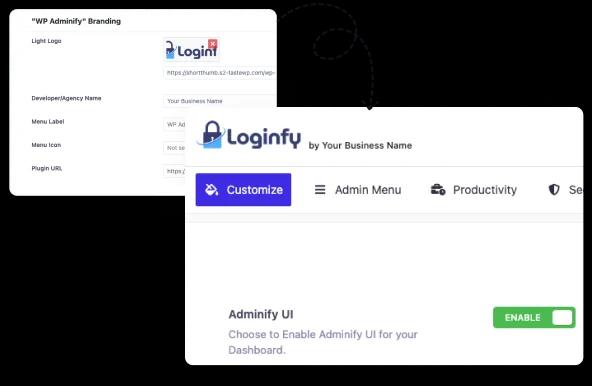
Change Plugin Logo & Branding
Replace WP Adminify logo with your own to create a fully branded wordpress custom dashboard. Maintain brand consistency globally. Deliver a professional dashboard experience for everyone.
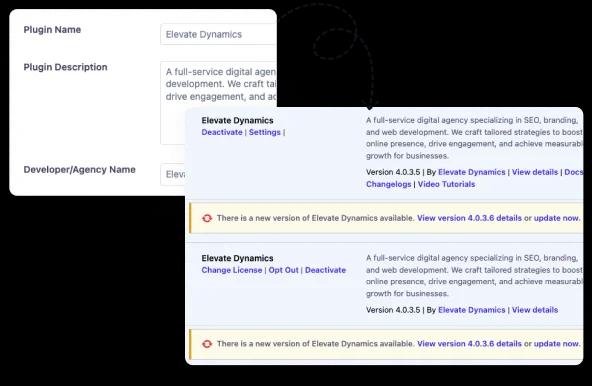
Modify Plugin Name from Installed Plugins
Rename WP Adminify in the plugin list and control your wordpress admin dashboard looks. Keep your custom dashboard branding intact while preventing clients from accidentally disabling settings.
Admin Menu Label & Icon Change
Easily update admin menu labels and icons to simplify WordPress menu management. Create a cleaner and more intuitive wordpress dashboard that matches your brand. Offer the best user experience for your dashboard.

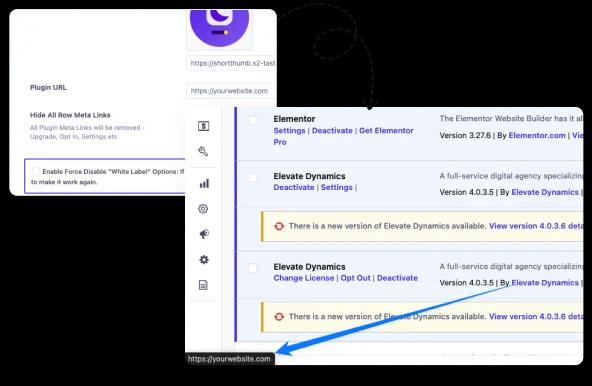
Change Adminify Default Plugin URL
Customize plugin URLs to guide users to your help resources instead of default links. Strengthen your wordpress custom dashboard control by keeping all plugin-related links branded within your customized dashboard.
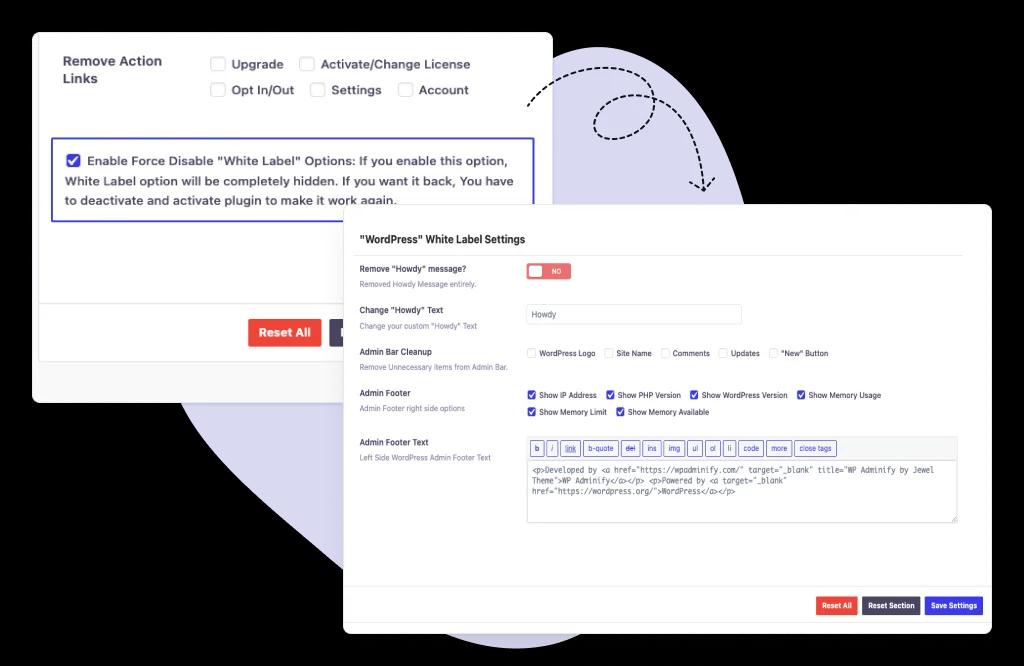
Force Disable White Label Options
Secure your white label dashboard settings permanently to protect from accidental edits. Make sure no one can modify the settings. Keep your dashboard consistently branded.
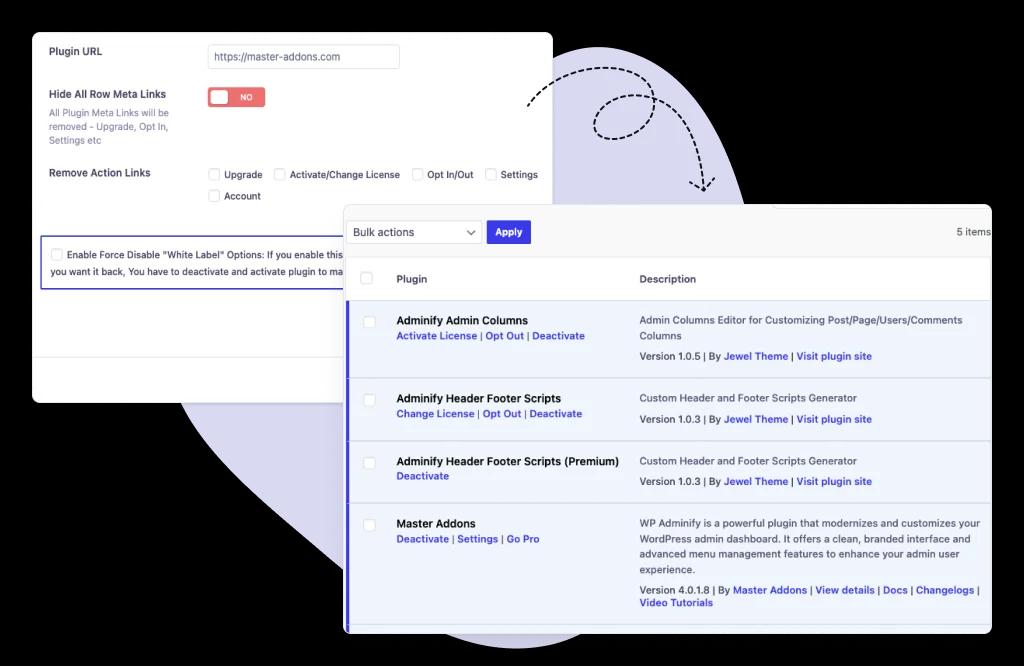
Remove Meta Links
Remove unnecessary links from the plugin settings and admin dashboard. Enhance security, maintain a minimal custom dashboard, and give clients a streamlined experience without external distractions.

“The plugin is stable and does not affect performance, which is a significant advantage. ”

@gdimitrov
WordPress.org
"This plugin is very great: works fine, gives a very nice look to the WordPress Dashboard”

@peopleinside
WordPress.org
"This plugin lets me transform the UI, user-friendly, and fast, essential for a modern website backend."

Sascha Donelasci
Web Design Agency
“Support has been responsive and helpful, truly putting the customer first” , a rare quality these days.

Louis J Gleason
Developer & Creator
“I am totally blown away with all that WPAdminify can do! ALREADY WAY BEYOND EXPECTATIONS!!"

@shezoom
Startup
“Lot of functionalities and ability to, customize admin & login on WordPress, active support & updates.”

@Myllio
WordPress.org
Personal
47.40
/ Year- 1 Website
- Multisite Support
- "WP Adminify" Branding Removal
- Replace 50+ Plugins
- Client-Ready Dashboard
- 1 Year Support and Updates
- Custom Dashboard Widget
- Easy Menu Search
- Admin Menu Editor
Business
64.50
/ Year- 5 Websites
- Multisite Support
- "WP Adminify" Branding Removal
- Replace 50+ Plugins
- Client-Ready Dashboard
- 1 Year Support and Updates
- Custom Dashboard Widget
- Easy Menu Search
- Admin Menu Editor
Agency
112.05
/ Year- Multisite Support
- "WP Adminify" Branding Removal
- Replace 50+ Plugins
- Client-Ready Dashboard
- 1 Year Support and Updates
- Custom Dashboard Widget
- Easy Menu Search
- Admin Menu Editor
Frequently Asked Question (FAQ)
We have mentioned some questions and our answers for WordPress white label.
How to use WordPress white label (especially for clients)?
WordPress white labeling refers to rebranding the WordPress Admin area to conceal WordPress logos, links, and docs. Replacing the default branding with your own brand is called WordPress White Label. With the help of the WP Adminify plugin, you can rebrand the entire WordPress Dashboard for your personal or a client's website. Use this to present a professional experience to your clients, which increases trust and removes the admin footer copyright "Powered by WordPress" and version text.
Can I add my own custom admin dashboard welcome panel or help content?
Yes, of course! WP Adminify lets you replace the default WordPress welcome widget with your own text, and it supports any page builder like the default WordPress editor, Elementor, and much more. Add custom text, support links, tutorial videos, or branded onboarding messages for better navigation. On the other hand, you can add a custom dashboard widget too.
Can I use White Label on a multisite network?
It’s 100% WordPress multisite network compatible. You can apply the white labeling settings network-wide or customize branding per subsite based on your preference. It gives you flexible control over large client networks.
How do I white label the WordPress login page?
It’s super easy. Just install the Loginfy Addon and you will get the visual login page customizer. Just replace the links and logo of your login page and you are done. Also, you can add background images/videos, change the form styles, remove lost password links, even change the page title and description too. Adding custom fonts from the Google Font library can enhance the typography of your login page.
Does White Label affect site performance or security?
Not at all. WP Adminify’s white labeling feature is optimized, and it doesn’t load too many scripts or stylesheets. It only modifies the admin interface, so there is no issue regarding site performance or security.
Can I completely remove all WordPress logos and branding?
Yes. You can remove every trace of WordPress logos, Admin Footer text ("Thank you for creating with WordPress"), admin bar WordPress logo, howdy text, and much more.
Can I customize the WordPress admin dashboard and menu for different user roles?
Yes, of course, you can customize the admin menu. Rename or reorder the admin menu items, hide specific menus/widgets for specific user roles, and create custom admin menu items when necessary. You can hide your menu items for a specific user too. For example, you can hide the WP Adminify plugin menu for your clients.
How do I revert back to the default WordPress branding?
Inside the white label option, there is a button called “Reset section settings.” Clicking on this button will reset your white labeling option and then save the setting. After saving the settings, you will get the default WordPress branding.
Is white labeling WordPress legal?
Definitely yes! White labeling WordPress only changes the visual presentation of WordPress (which is GPL-licensed). You are not claiming ownership of WordPress core. You are just customizing the interface for a smoother client experience.
Does Adminify allow me to white label other plugins and themes?
You can white label the WP Adminify plugin itself (rename it in menus/plugins list). However, Adminify does not currently support renaming third-party plugins or themes. But you can hide plugins by following the steps in our Hide WordPress Plugins blog post. On the other hand, you can hide plugin options and rename the plugins or themes admin menu items.
Get Started with WP Adminify Today
We offer the best WordPress Dashboard Customization and maintenance feature to our users.
Rebrand the admin panel of personal or clients Dashboard within minutes.