



Theme My Login does one specific thing: it puts login, registration, lost password and reset on real pages inside your theme. Before you replace it, work out which part of that you actually need, because the alternatives range from a single shortcode to a full membership platform, and installing four times more plugin than the job requires is the most common mistake in this category.
So this page is sorted by scope rather than by popularity. Our full Theme My Login review covers what it does and why its rating is misleading, and creating a WordPress login page for users is the underlying build that all of these plugins are variations on.
Every install count and rating below was pulled from the WordPress.org Plugin API on 1 September 2026. None of these seven was installed for this article. Theme My Login is the only plugin here we've tested hands-on, and where that matters it's said.
First, check you are in the right category
A large share of people looking for a Theme My Login alternative don't want one. They want a login customizer, installed Theme My Login by mistake, and found it didn't make anything look better.
| What you want | Category | Where to look |
|---|---|---|
| The admin login screen to look like your brand | Login customizer | Best WordPress login page plugins |
| Members to sign in on a page of your site | Front-end login | This page |
| People to register themselves | Front-end login and registration | This page, entries 2 to 5 |
| To sell access to content | Membership platform | This page, entries 4 and 5 |
| To hide the login URL | Security | Changing your WordPress login URL |
Login customizers style wp-login.php, which loads outside your theme. Front-end plugins put a form on a normal page. No plugin in either category can do the other one's job, and that's the single most useful sentence on this page.
Level 1: you only need a login form on a page
1. A shortcode you write yourself
Free. No plugin. Eight lines.
WordPress has shipped a front-end login form function for years. Wrap wp_login_form() in a shortcode, drop it on a page, and you've the core of what Theme My Login does, with nothing to update and nothing to break on a major release.
What you give up is the rest of the flow: registration, lost password and reset still live at wp-login.php unless you route them yourself. For a site where you create the accounts and members only ever sign in, that isn't a loss.
The full snippet, with the logged-in guard that most tutorials omit, is in creating a custom WordPress login form, and the surrounding redirect and access work is in the front-end login guide. If your site is built with a page builder, creating a custom login page with Elementor covers dropping the same shortcode into a builder layout.
2. WPForms
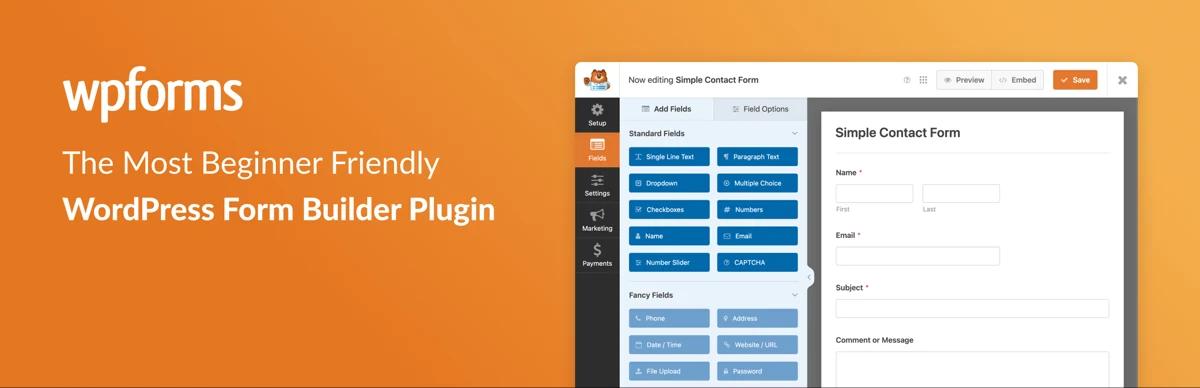
2.0.1.1 · 5,000,000 installs · 96/100 from 14,369 ratings
The largest install base of anything on this page by a factor of sixteen, and it's on the list for a specific reason: if you already run WPForms for your contact forms, its User Registration addon covers login and registration forms without adding another plugin to the site.
Why it is on this list: plugin count. A site running WPForms plus Theme My Login is running two form systems, two sets of styling, and two things to update. Consolidating is a real benefit and 14,369 ratings is by far the deepest evidence base here.
Where it loses: login and registration forms are a Pro addon, not part of the free plugin, so this only makes sense if you were paying for WPForms anyway. And a form builder's login form is a form, not a member system: no profile pages, no directories, no content restriction.
Level 2: you need registration and profiles too
3. User Registration and Membership

5.2.7 · 50,000 installs · 96/100 from 828 ratings
A drag-and-drop registration form builder with login forms, user profiles and content restriction alongside it. Same install count as Theme My Login, a far better rating, and an active release cadence.
Why it is on this list: it's the closest like-for-like replacement with a healthier score. 96/100 from 828 ratings against Theme My Login's 74 from 460 is the cleanest rating comparison on this page, and unlike Theme My Login the registration form is visually configurable rather than inherited from the theme.
Where it loses: a form builder is more plugin than a site that only needs a login page requires, and content restriction and membership features sit behind a paid tier. Check its price against your actual needs before assuming it's cheaper than Theme My Login's per-extension model.
4. ProfilePress

4.17.2 · 100,000 installs · 62/100 from 937 ratings
That 62/100 needs explaining before anything else, because it's the lowest score in this entire cluster and taking it at face value would be unfair in both directions.
ProfilePress's WordPress.org slug is wp-user-avatar, because it used to be WP User Avatar, a small single-purpose plugin that let users upload an avatar. It was acquired and rebuilt into a membership suite. Reading the one-star filter on 1 September 2026, the complaints are almost entirely about that change rather than about the software: "Not the same plugin", "Used to be another plugin", "Give us WP User Avatar back", "Bloated, tries to be a swiss army knife", "Completely deviate from what it used to be". The dates cluster in 2021 (5), 2022 (15) and 2023 (7), with one each in 2024, 2025 and 2026.
Why it is on this list: the current product is a capable front-end user system with login and registration forms, profile pages, member directories and content restriction, actively maintained and current on the tested-up-to field when we checked. Judged as what it's today rather than as what it replaced, it's a reasonable option.
Where it loses: two things, and neither is about code quality. A 62/100 is what a client will find if they check, and "the reviews are about a rebrand back in 2021" is a conversation you'll have to have. And a plugin that changed its purpose this drastically once is a plugin whose roadmap you're trusting more than usual.
5. Ultimate Member

2.13.0 · 200,000 installs · 88/100 from 1,444 ratings
The default answer for community sites: user profiles, member directories, front-end registration and login, role-based content restriction, and a form builder for all of it.
Why it is on this list: scale and evidence. 200,000 installs and 1,444 ratings is more collective testing than anything else here except WPForms, and it covers the whole member-area job rather than the login half of it. If you're building a community rather than a door, this is the category leader.
Where it loses: it's a lot of plugin. Profiles, directories and restriction on a site that wanted a login page is the same over-installation mistake in reverse. Its 88/100 includes 152 one-star ratings out of 1,444, which is a higher one-star rate than User Registration's or Members', and worth reading before a client install.
6. WP-Members

3.5.6 · 50,000 installs · 92/100 from 272 ratings
The old-school option, and the one closest in philosophy to Theme My Login: it restricts content and provides front-end login and registration without trying to be a platform. Lightweight, shortcode-driven, and it has been around nearly as long.
Why it is on this list: if Theme My Login's appeal was that it does one thing without a settings empire, this is the alternative that shares that appeal. 92/100 from 272 ratings.
Where it loses: its maintenance record was the oldest on this page by a wide margin when we checked, and its tested-up-to version was a WordPress release behind. Not alarming on its own, and worth reading off its listing before you put it on a client site, because a plugin that handles authentication is the wrong place to be running something nobody has tested against the current release.
Level 3: the half people forget
7. Members

3.2.26 · 300,000 installs · 98/100 from 1,274 ratings
The highest-rated plugin on this page, and it doesn't provide a login form at all. It's a role editor and content-restriction tool: create roles, edit capabilities, decide who can see what.
Why it is on this list: because half of what people want from a "membership" plugin is actually role and capability control, and this does that better than any of the suites while adding almost nothing else. Pair it with the shortcode from entry 1, or with Theme My Login itself, and you've a member area assembled from two small tools rather than one large one.
Where it loses: no forms, no profiles, no registration. It's deliberately half the job. If you want a single plugin, this isn't it.
The role side of this problem is covered from the other direction in redirecting users after login by role and hiding the admin bar by user role.
If you actually wanted the admin login styled

Worth one short section, because it's the most common wrong turn into this category.
If your goal is that staff and clients stop seeing a stock WordPress screen at /wp-admin, none of the seven plugins above will help. That's a login customizer's job. LoginPress at 200,000 installs is the category leader, Loginfy is ours, and the whole field is compared in the best WordPress login page plugins. If you would rather not install anything, the code method is one hook and some CSS.
Plenty of sites legitimately run one of each: a login customizer for the staff door, a front-end plugin for the member door.
How to read the ratings on this page
Two of the eight plugins here carry a rating that would fail a quick glance, and in both cases the number is about a single historical event rather than current quality.
| Plugin | Rating | Ratings | One-star | What the one-star reviews are about |
|---|---|---|---|---|
| Members | 98/100 | 1,274 | 25 | Scattered, no pattern |
| User Registration | 96/100 | 828 | 32 | Scattered, no pattern |
| WPForms | 96/100 | 14,369 | 363 | Scattered, no pattern |
| WP-Members | 92/100 | 272 | 18 | Scattered, no pattern |
| Ultimate Member | 88/100 | 1,444 | 152 | Mixed, worth reading |
| Theme My Login | 74/100 | 460 | 120 | A 2018 release that broke sites, and features moving to paid extensions |
| ProfilePress | 62/100 | 937 | 417 | A 2021 rebrand from WP User Avatar into a membership suite |
The lesson isn't "ignore ratings". It's that a WordPress.org rating is a permanent cumulative record, so a plugin that had one bad year carries it forever while a plugin that has been quietly mediocre for five years may score higher. Open the one-star filter and look at the dates before you decide.
Check two dates before you install anything
A front-end login plugin sits on the authentication path. When it breaks, people can't get in. Two fields on the WordPress.org listing tell you more than the star rating does: last updated, and tested up to.
Both of those move with every release, so any figure printed here would be stale before you read it. Open each plugin's WordPress.org page and read them yourself. They sit in the right-hand column of the listing, above the ratings, and they take ten seconds to check.
When we checked, six of the seven plugins here had shipped a release within the previous three weeks. WP-Members was the outlier on both fields, and it's the one to look at hardest before a client install.
Which one to pick
| If you... | Pick |
|---|---|
| Only need a login form on a page | The core shortcode. No plugin |
| Already pay for WPForms | WPForms, with its registration addon |
| Want Theme My Login's job with a healthier rating | User Registration and Membership |
| Are building a community with profiles and directories | Ultimate Member |
| Want a lightweight, shortcode-driven tool | WP-Members, after checking its update date |
| Mainly need roles and content restriction | Members, plus a form from somewhere else |
| Wanted the admin login screen styled | A login customizer, not any of these |
That last row catches people out. WooCommerce ships a front-end account area with login, registration and password reset at /my-account/. Adding a second front-end login system alongside it creates two login pages and a support question about which one is correct.
Before you switch
Accounts are safe; the pages are not. Every plugin here authenticates against the same WordPress users table, so switching doesn't touch your accounts. What breaks is the URLs. Theme My Login's ?action= URLs will stop resolving, so anything linking to them, menu items, emails, hard-coded theme links, needs updating.
Redirect the old URLs. If members have bookmarked them, or your transactional emails contain them, add redirects before you deactivate anything.
Test the reset flow with a real account. Not an administrator. Make a subscriber, use a private window, and complete a password reset end to end from the email. That's the flow that breaks most often and the one nobody notices until a member is locked out.
Keep a way back into wp-admin. If a front-end login plugin misbehaves, you need wp-login.php to still work. Do not combine a plugin switch with a login URL change in the same session. The login security checklist covers the recovery routes.
Frequently asked questions
What is the best Theme My Login alternative?
For the same job with a healthier rating, User Registration and Membership: 50,000 installs and 96/100 from 828 ratings against Theme My Login's 74 from 460. For a full community site, Ultimate Member. If you only need a login form on a page, the core wp_login_form() function in a shortcode needs no plugin at all.
Why does ProfilePress have a 62/100 rating?
Because it used to be a different plugin. Its WordPress.org slug is wp-user-avatar, and it was a simple avatar plugin before being rebuilt into a membership suite. The one-star reviews cluster in 2021 to 2023 and are overwhelmingly about that change, not about the current software's quality.
Can I replace Theme My Login without losing my users?
Yes. Every plugin here authenticates against the same WordPress users table, so accounts, passwords and roles are untouched. What changes is the URLs: Theme My Login's ?action= addresses stop working, so update any menu items, emails or theme links that point at them, and add redirects if members have bookmarked them.
Do any of these style the WordPress admin login page?
No. All seven are front-end plugins that put forms on pages inside your theme. Styling wp-login.php needs a login customizer, which is a different category entirely. Many sites run one of each.
Which alternative is lightest?
The core shortcode, which is no plugin at all. Among actual plugins, WP-Members and Members are both deliberately narrow: WP-Members does front-end login, registration and content restriction, and Members does roles and restriction only. Ultimate Member and ProfilePress are full platforms by comparison.
Do I need a CAPTCHA if I open registration?
Yes. Open registration without one attracts bot signups within days on almost any site. Most of these plugins integrate with Google reCAPTCHA or a similar provider, and the provider-agnostic method with code is covered in our guide to adding reCAPTCHA to the WordPress login page.
Next steps
If you haven't read the assessment of the plugin you're leaving, the Theme My Login review explains why its rating is misleading, which changes the calculation for some people.
For the build rather than the tool, creating a WordPress login page for users and building a WordPress login and registration page. For where members should land once they're in, the client dashboard guide. And for the reference behind all of it, the WordPress login page white-label guide.
Your email address will not be published