

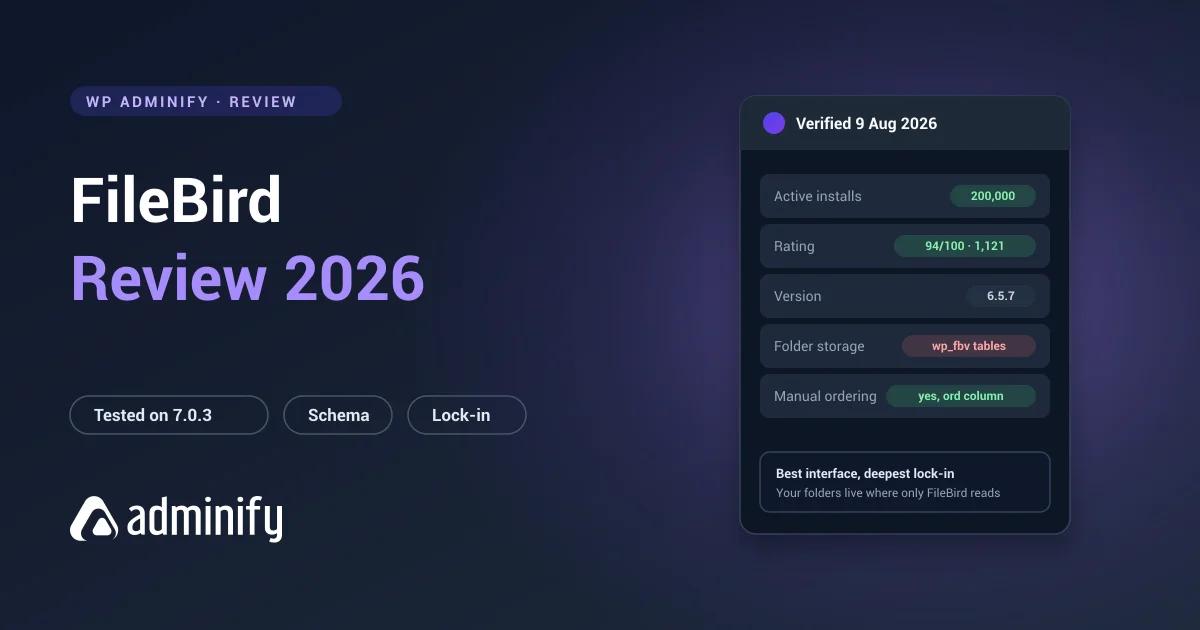

FileBird is the most installed media folder plugin for WordPress and has been for years. A lead like that usually means one of two things: the plugin is genuinely the best, or it got there first and momentum did the rest.
To find out which, we put FileBird 6.5.7 on a clean WordPress 7.0.3 site, looked at exactly what it does to the database, built a real folder structure, then deactivated it to see what survived. Here's what came back, including one architectural detail that should weigh more in your decision than any feature list.
One disclosure before the findings: we publish WP Adminify, which has media folders of its own. FileBird went through the same test bench as every other plugin in our best WordPress media folder plugins comparison, ours included.
Quick verdict
FileBird is an excellent media folder plugin. The best interface in its category, and a database design clearly built for libraries that hurt. Its one real trade-off is portability: folders sit in proprietary tables nothing else can read, so leaving later means finding a purpose-built importer.
Choose FileBird if you want the most established dedicated folder plugin and expect to stay put.
Look elsewhere if keeping your data readable matters more to you than interface polish.
FileBird at a glance
| Developer | Ninja Team |
| Version tested | 6.5.7 |
| Active installs | 200,000 |
| Rating | 94/100 from 1,121 ratings |
| Last updated | 27 July 2026 |
| Tested up to | WordPress 7.0.3 |
| Folder storage | Custom tables, wp_fbv, wp_fbv_attachment_folder |
| Pricing | Free tier plus paid plans |
Those figures come from the WordPress.org Plugin API on 9 August 2026. Two deserve a pause. 200,000 active installs is roughly double its nearest competitor, and 1,121 ratings is the largest sample anyone in this category has, which makes that 94/100 unusually trustworthy. A small plugin with 100/100 from twenty ratings tells you almost nothing by comparison.
What FileBird does
WordPress ships with no media folders at all. Files sort by upload date and type, and the search box covers filenames but not alt text, so past a few hundred uploads finding anything turns into scrolling. If that's news to you, we unpacked the whole mechanism in how WordPress media folders actually work.
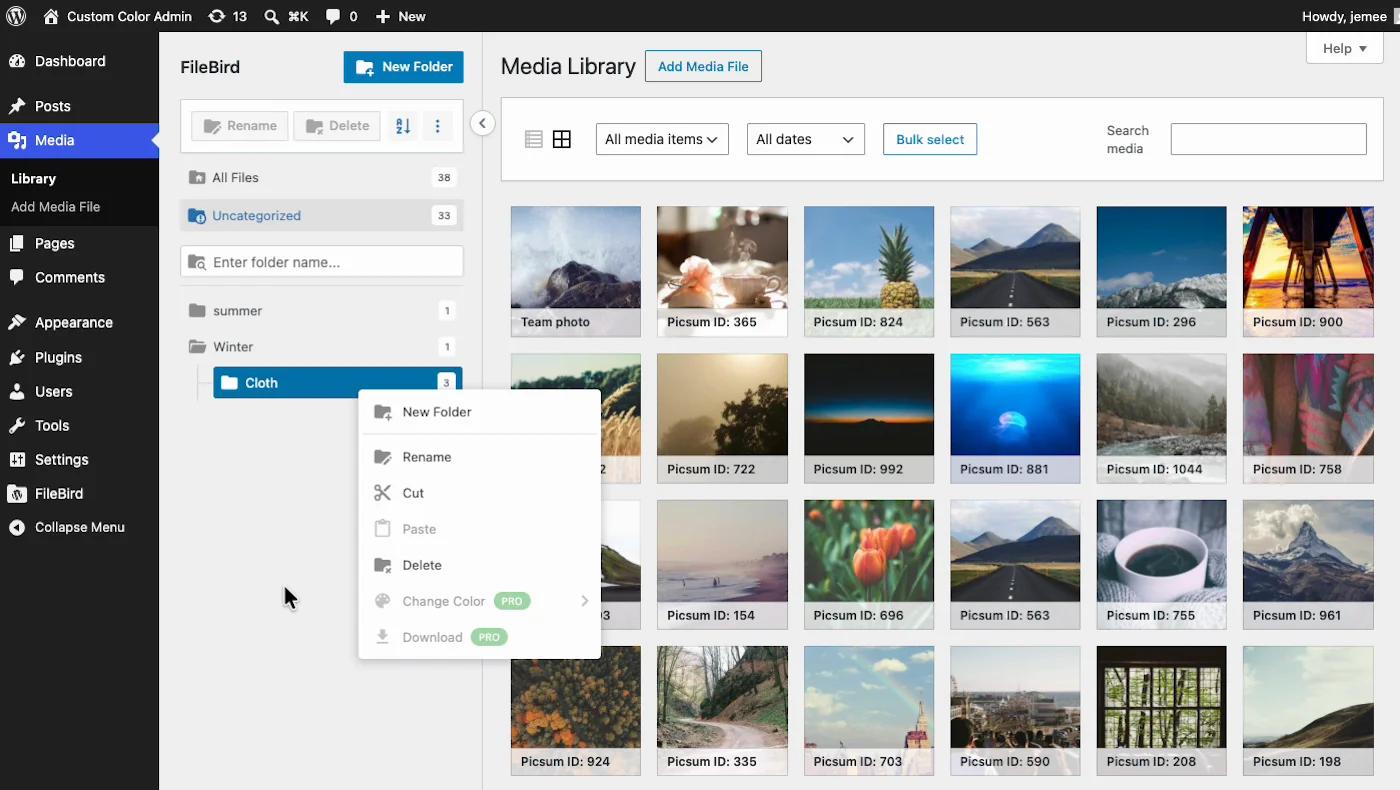
FileBird adds a folder tree beside the Media Library, drag-and-drop assignment, nested subfolders, and folder filtering inside the media modal when you insert an image into a post. That last one matters more than people expect, because you insert images far more often than you browse the library.
Like every serious folder plugin, its folders are virtual. Files never move inside wp-content/uploads/ and image URLs never change, so you can reorganize a live production library at 2pm on a Tuesday without breaking a page.
Under the hood: what we found
This is the part most reviews skip, and it's the most decision-relevant thing about FileBird.
Activating it alone on a clean install creates two tables:
wp_fbv
  id           int unsigned
  name         varchar(250)
  parent       int            ← nesting
  type         int
  ord          int            ← manual ordering
  created_by   int

wp_fbv_attachment_folder
  folder_id      int unsigned
  attachment_id  bigint unsigned
Two things follow straight from that.
Nesting is unlimited at the data layer. The parent column lets any folder sit inside any other, to any depth. Whether the interface caps it is a separate question, but the storage doesn't.
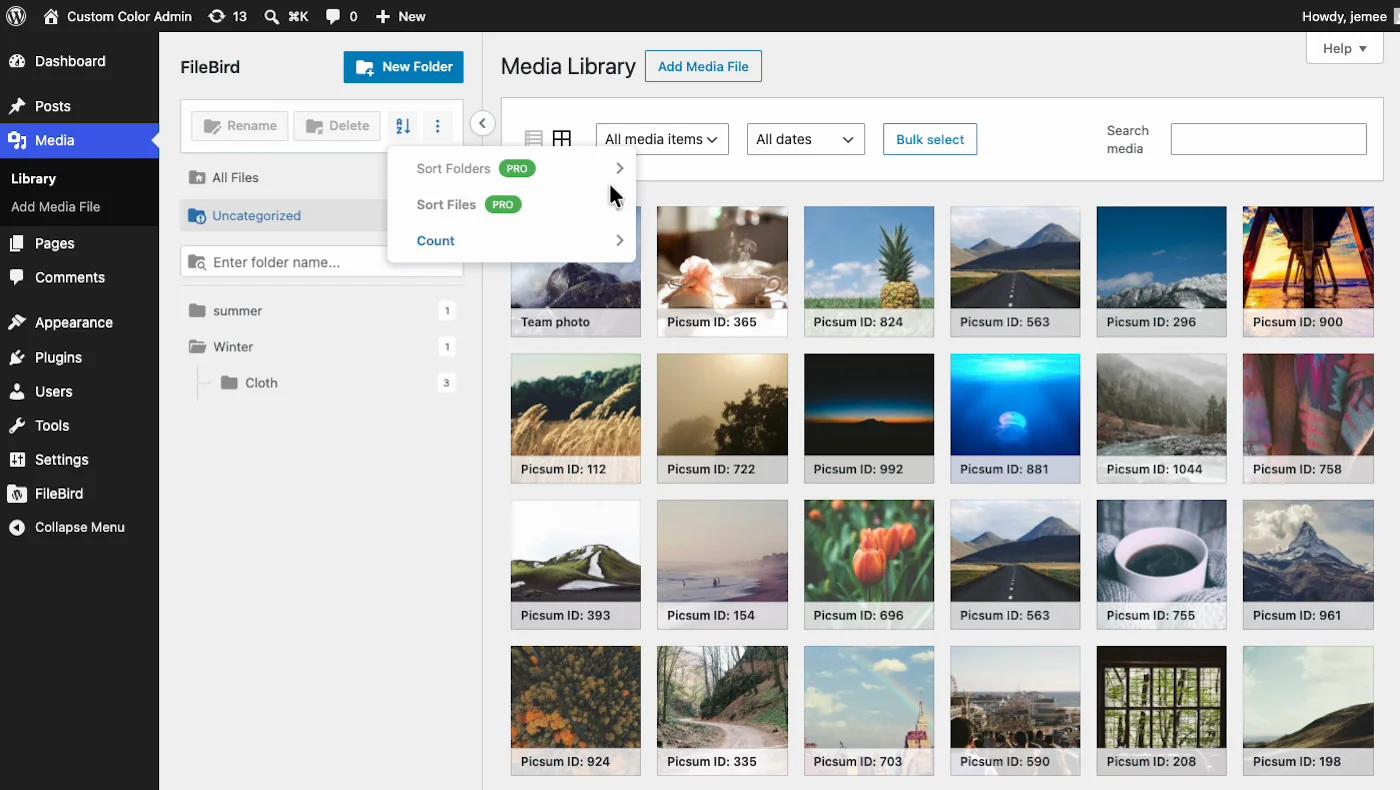
Manual folder ordering is a first-class feature, in Pro. That ord column is why folders can hold an arbitrary order at all, which taxonomy-based plugins can't do natively. But here's what the schema didn't tell us and the interface did: on the free tier, both Sort Folders and Sort Files carry Pro badges. The column is in your database from day one; the ability to use it is behind the paywall.
The created_by column also hints at per-user folder ownership, which is the groundwork for role-based folder visibility.
This is good engineering. Purpose-built tables outrun the WordPress term system on large libraries and they support features terms handle awkwardly. Ninja Team made a defensible call here.
The trade-off: we tested what happens when you leave
Custom tables come with a cost, so rather than speculate we measured it.
We built something realistic: eleven folders across two levels, three client folders with subfolders plus an Unsorted catch-all, all 38 media files assigned. Then we pulled the plugin.
| What | Result |
|---|---|
| Media files | All 38 present and working. Every image URL unchanged. |
| Folder tree in admin | Gone completely |
Data in wp_fbv | Every row retained |
| Reactivating FileBird | Full structure restored instantly |
| A different folder plugin reading it | Nothing. It can't see another vendor's tables |
Your files are never at risk. Worth saying plainly, because that's the fear people actually arrive with. What's at risk is the structure, and the accurate word isn't "lost" but "unreadable". The rows sit there in a format only FileBird speaks.
Staying with FileBird, none of this matters. Leaving after organizing 15,000 files means finding an importer or writing a migration script. The schema is simple enough that it's very doable, but it's work, and it's work worth pricing in now rather than discovering on a Friday afternoon two years from now.
The other way to store a folder
For context, here's what the alternative architecture looks like. Taxonomy-based plugins keep each folder as an ordinary WordPress term and link files to it with a row in wp_term_relationships.
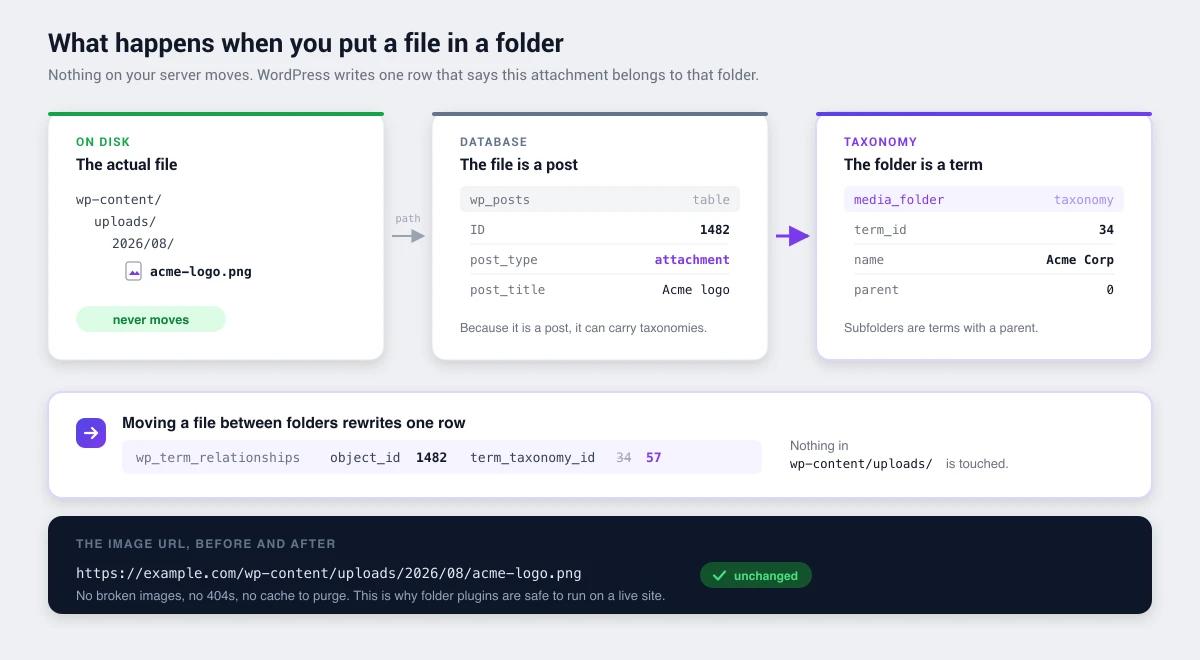
Neither model is correct in the abstract. Terms buy you portability and cost you ordering. Tables buy you ordering and performance and cost you the exit. What matters is knowing which one you signed up for.
Strengths
The largest install base in the category. 200,000 active installs is double its nearest rival. For a plugin holding a core workflow together, that materially lowers the odds of waking up to an abandoned project.
A genuinely large ratings sample. 1,121 ratings at 94/100 beats a perfect score from a few dozen users every time.
Actively maintained. Updated 27 July 2026, tested against the current WordPress release. In a category where one popular plugin has sat untouched for roughly two years, that isn't a given.
Built for scale. The custom-table design is faster than the term system on very large libraries, which is exactly where folder plugins earn their keep.
Manual folder ordering. A real differentiator, and the one feature taxonomy-based competitors genuinely cannot match.
Limitations
Proprietary folder storage. The main one, covered above. Not a bug, a trade, and one worth understanding before you commit an afternoon to filing.
Free tier folder limit. The free version caps folder count. Fine for a blog, tight for an agency with twenty clients.
The Lite tier gates more than the folder count. Driving it ourselves, the Pro badges kept appearing: Sort Folders, Sort Files, folder colors, downloading a folder as ZIP. The upgrade screen also lists "fully organize pages, posts, CPTs" as a Pro feature, so content folders exist. But nothing outside the Media Library is included free.
Media only on the free tier. FileBird Lite organizes the Media Library and stops there. Folders for posts, pages and custom post types are a Pro purchase.
Single-purpose. A strength if folders are your only problem. If your admin also needs menu cleanup, white labelling or a dashboard a client can look at without asking questions, FileBird is one plugin of several you'll end up running.
Where this leaves WP Adminify
We build a media folder feature, so treat this section with the scepticism it deserves. It's also the honest answer to a question this review keeps circling.
If media folders are the whole problem, FileBird beats us at it. Better interface, manual ordering we don't have, and ten times the users. We'd rather write that down than pretend otherwise.
The case for looking at WP Adminify's media folders is different, and it only applies to some people. Count the plugins currently keeping your admin usable. If FileBird is sitting next to one that hides menu items from clients, one that rebrands the dashboard, one that styles the login page and one that adds admin columns, you're maintaining five update cycles to solve what is really one problem: the admin doesn't fit how you work. That's the shape we're built for, and the arithmetic behind it is in replacing 50+ plugins with one.
The second reason is the one this review spent a whole section on. Our folders are ordinary WordPress terms, so the structure you spend an afternoon building stays readable with wp term list media_folder forever, with or without us installed. And having driven both on the same test site, one Lite-tier difference surprised even us: the folder sorting, color tags and post type folders that FileBird badges as Pro are simply on in Adminify's free version.
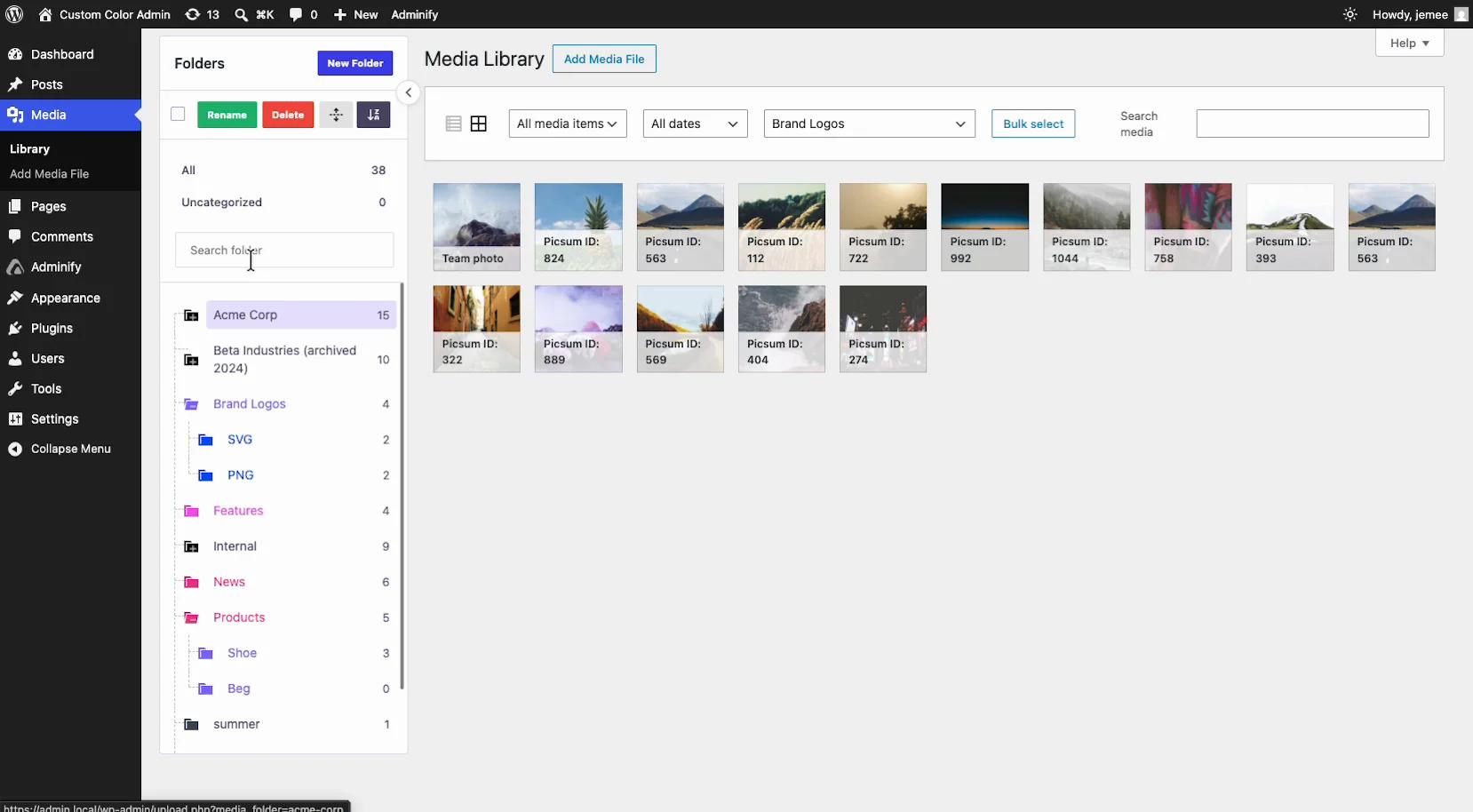
If manual drag-to-any-position ordering is what you came for, FileBird Pro is still the only plugin here that does it, and you should take it and not look back.
If you want to see the difference before deciding, our folder setup documentation walks through it, and the free version will tell you within twenty minutes whether the wider toolkit is solving anything you actually have.
Pricing
The free version on WordPress.org gives you folders, nesting and drag-and-drop with a folder count limit. Paid tiers lift that limit and add support.
Who should use FileBird
| Good fit | Poor fit |
|---|---|
| Large media libraries needing fast folder filtering | Teams that prioritise data portability |
| Sites wanting the most established option | Sites needing folders for posts and pages too |
| Anyone who needs manual folder ordering | Anyone consolidating several admin plugins into one |
| Long-term commitments to one tool | Sites likely to re-evaluate their stack yearly |
FileBird against the field
Briefly, for context:
- Folders by Premio: 90,000 installs and a perfect 100/100 from 1,514 ratings, portable taxonomy storage, and it covers posts and pages as well. The strongest direct challenger.
- Real Media Library: 100,000 installs and a deeper feature set, but four custom tables means even more to unpick if you leave.
- Media Library Organizer: smaller and simpler, taxonomy-based, minimal footprint.
- WP Adminify: folders inside a broader admin toolkit, taxonomy storage, no manual ordering.
FileBird FAQs
Is FileBird worth it?
For dedicated media organization, yes. Largest install base in the category at 200,000, a 94/100 rating from over a thousand ratings, and active maintenance. The one reservation is that folders live in proprietary tables, so budget migration effort if you ever switch.
Does FileBird move my files?
No. FileBird uses virtual folders, so files stay in wp-content/uploads/ and image URLs never change. We confirmed it by building a folder structure and checking the file paths afterwards, which were untouched. Reorganizing a live site is safe.
What happens if I deactivate FileBird?
Your media files are completely unaffected, and we verified all 38 test files stayed present and working. The folder tree disappears from the admin, but the data stays in the wp_fbv tables, so reactivating restores everything instantly. No other plugin can read that structure while FileBird is off.
Can FileBird create nested subfolders?
Yes. Its wp_fbv table has a parent column, so nesting is unlimited at the data layer. Any interface limit is separate from the storage, and two or three levels works best in practice anyway, because deeper trees get abandoned when filing takes too many clicks.
Is the free version of FileBird enough?
For a personal site or small blog, usually. The free tier includes folders, nesting and drag-and-drop but caps folder count. Agencies running many clients hit that ceiling fast.
Can I migrate from FileBird to another plugin?
Yes, but it needs an importer or a script, because wp_fbv and wp_fbv_attachment_folder are readable only by FileBird. The schema is simple, folder id, name and parent, so the export itself is straightforward. Always do it while FileBird is still active. Our guide to organizing a media library with folders covers rebuilding the structure on the other side.
Final verdict
FileBird earns its position. Best interface in the category, a database design clearly built for scale, a strong maintenance record, and a ratings sample large enough to trust.
The honest caveat is architectural rather than functional. Your folder structure lives somewhere only FileBird can read, which is a perfectly reasonable trade for the performance and ordering it buys. It's still a decision, and it should be a conscious one before you sink hours into filing a large library.
Still weighing it up? Start with how WordPress media folders work for the background, or WP Adminify's take on folders if a broader admin toolkit is closer to the actual problem.

Your email address will not be published