

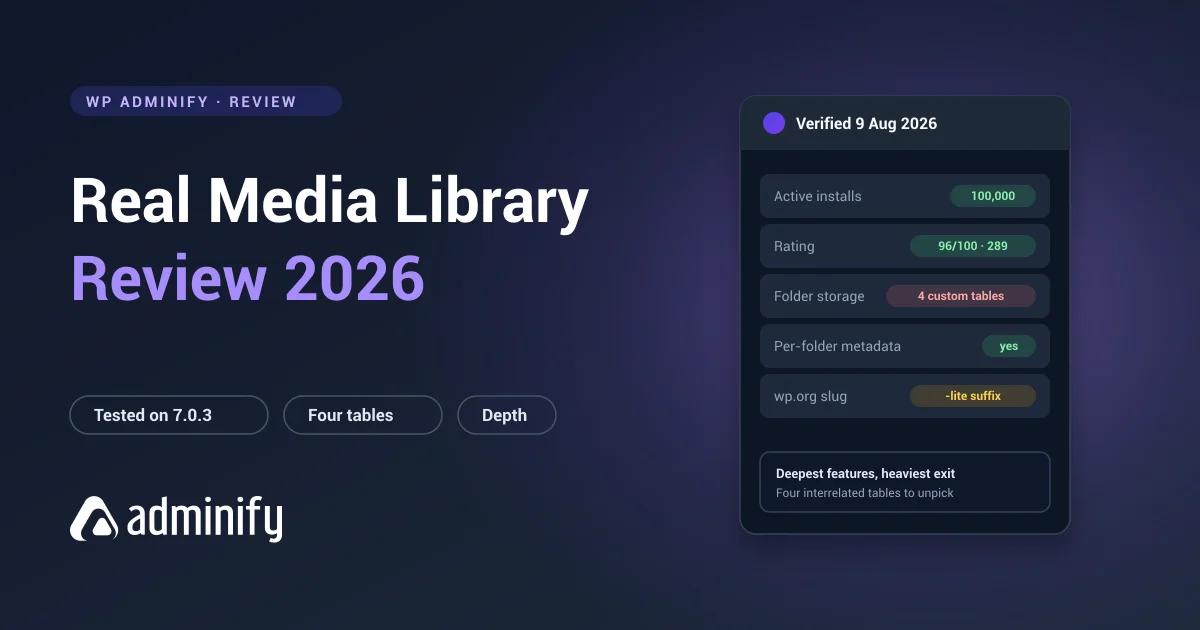

Real Media Library is the most technically ambitious folder plugin WordPress has. You can tell before you open the interface, because activating the free version alone creates four database tables. Most competitors create one or two. Several create none.
That number tells you what kind of plugin this is, and it frames both the strengths and the one real reservation. We put it on a clean WordPress 7.0.3 site and went looking at what it actually does.
Disclosure first: we publish WP Adminify, whose taxonomy-based media folders sit at the opposite end of this design spectrum. Real Media Library was tested exactly like everything else in our best WordPress media folder plugins comparison.
Quick verdict
Real Media Library is the deepest folder plugin in the category, from an established German vendor with a solid maintenance record. The reservation scales with the ambition: four proprietary tables mean the heaviest lock-in of anything we tested.
Choose it if you need advanced folder features on a large library and you're committing long term.
Look elsewhere if your needs are simple, or if being able to leave matters to you.
At a glance
| Developer | devowl.io GmbH |
| Version tested | 4.22.82 (Lite) |
| Active installs | 100,000 |
| Rating | 96/100 from 289 ratings |
| Last updated | 2 July 2026 |
| WordPress.org slug | real-media-library-lite |
| Folder storage | Four custom tables |
| Pricing | Free Lite plus Pro |
One practical note before anything else. The WordPress.org slug is real-media-library-lite, not real-media-library. Searching the obvious name in your plugin installer returns nothing useful, which trips up a surprising number of people, us included on the first attempt.
What it does
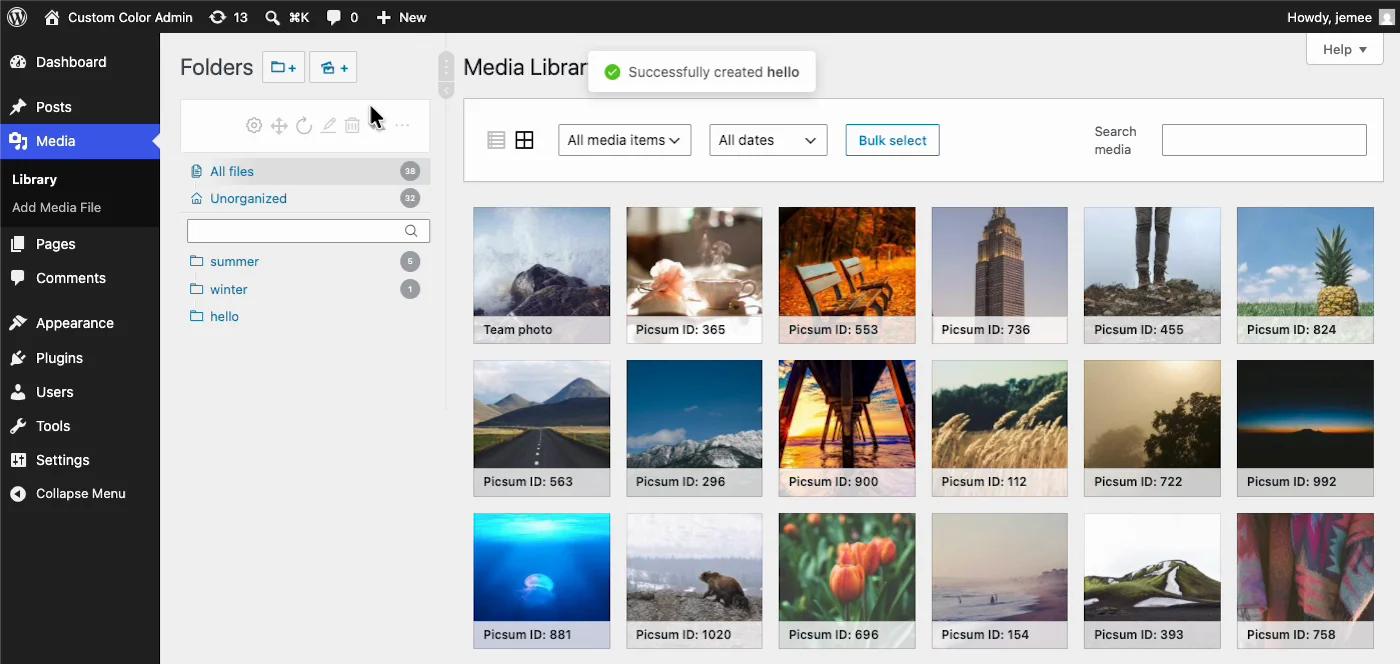
WordPress has no media folders. Real Media Library adds a folder tree beside the Media Library with drag-and-drop assignment, nested subfolders, custom ordering and folder filtering inside the media modal. The background on how folder plugins work is worth a skim if you're new to the category.
Where it goes past everyone else is what surrounds the folders: gallery integration, per-folder ordering rules, and metadata handling competitors don't attempt. Driving the Lite version, the day-to-day feel is spare and quick, a compact toolbar above the tree, folders created inline where you clicked, a toast confirming each one.
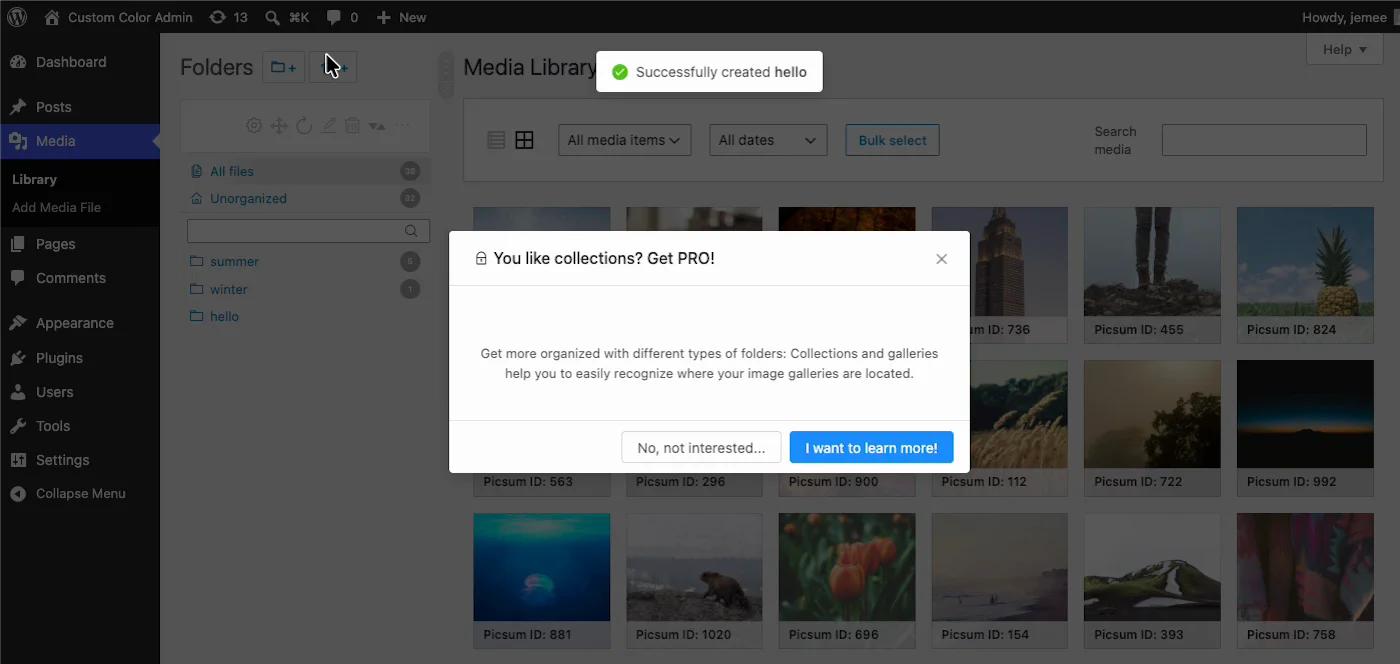
The Lite ceiling announces itself soon enough, though. A few minutes into our session the upsell arrived: collections and galleries, the features that separate this plugin from a basic folder tool, are Pro.
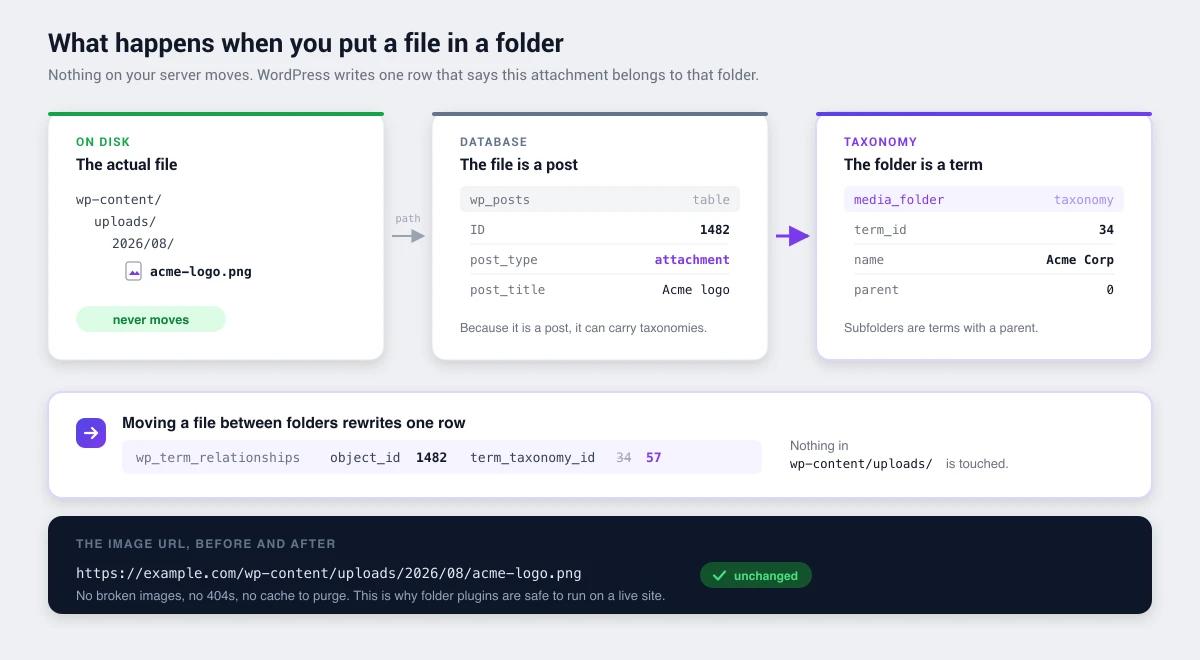
Like every serious folder plugin, its folders are virtual. Files never move inside wp-content/uploads/ and image URLs never change, so reorganizing a live library is safe.
Under the hood
Activating Real Media Library Lite on a clean install creates four tables:
wp_realmedialibrary         folder structure
wp_realmedialibrary_posts   attachment → folder assignments
wp_realmedialibrary_meta    per-folder metadata
wp_realmedialibrary_tmp     staging / temporary state
That's a lot of infrastructure for a free tier, and it's genuinely informative. A dedicated _meta table means folders carry properties of their own, ordering rules and display settings, instead of being labels. A _tmp table means batch operations get staged rather than applied straight through, which is the right way to move ten thousand files without leaving the library half-sorted when a request dies at file 6,000.
This is careful engineering aimed at scale, and it explains why the plugin feels more capable than its competitors once a library gets large. If your library is at the size where this matters, our WordPress performance guide covers the other bottlenecks that show up around the same point.
The trade-off
Four proprietary tables mean your folder structure is readable by exactly one plugin.
We tested the general consequence using FileBird, which stores folders the same way in its own tables. After building a structure and deactivating the plugin: every file intact, every URL unchanged, folder tree gone from the admin, rows still sitting in the plugin's tables, and no other folder plugin able to read a thing.
Real Media Library behaves the same way architecturally, with twice as many tables involved. Your files are never at risk. The structure is, and it's held in a format only this plugin understands, so a migration script is meaningfully more work here than against a two-table schema.
If you're choosing Real Media Library because you want out of another plugin's lock-in, that's the wrong reason. You'd be trading one vendor's tables for a deeper set of someone else's.
Strengths
The deepest feature set in the category. Nothing else we tested matches it for folder-level control, ordering and gallery integration.
Excellent rating. 96/100 from 289 ratings is strong, and 100,000 installs is a substantial base.
Established vendor. devowl.io is a real company with a portfolio, not a single-plugin side project. Last update 2 July 2026.
Architecture built for scale. The staging table and per-folder metadata only matter on large libraries, which is exactly where folder plugins earn their keep.
Limitations
The heaviest database footprint here. Four tables in the free tier alone. Fine if you're staying, expensive if you go.
More complexity than small sites need. For a blog with 300 images this is a lot of machinery for a problem a one-taxonomy plugin solves.
Confusing slug. real-media-library-lite makes the plugin genuinely hard to find and fragments its own brand searches.
Free versus Pro split. Lite is capable but gated.
Who should use it
| Good fit | Poor fit |
|---|---|
| Large libraries needing advanced organization | Small sites wanting simple folders |
| Sites where folder ordering and metadata matter | Teams prioritising data portability |
| Long-term commitment to one vendor | Sites that reassess their stack yearly |
| Gallery-heavy sites | Sites also needing folders for posts and pages |
When the folder plugin isn't the problem
We build a competing media folder feature, so read this with that in mind. It's also the most useful thing we can tell you about this particular plugin.
Real Media Library is deeper at folders than WP Adminify is, and we're not going to argue that away. Per-folder metadata, staged bulk operations, manual ordering. We don't have any of it. If those are the features you came for, this review has already given you your answer.
But notice what four tables are actually buying. They're buying depth inside the Media Library. And a good number of people install a plugin this heavy while the thing genuinely costing them time is somewhere else entirely: a client who can see Tools and Settings and keeps changing things, a dashboard that still looks like stock WordPress on a site you're invoicing for, a Posts screen with no useful columns on it.
None of that gets better with a fourth database table. It gets better with menu editing, white labelling and admin columns, which is the direction we build in, and the plugin-consolidation maths is the honest version of that pitch. Our folders are plain taxonomy terms, which costs us the ordering and metadata features above and buys you a structure that wp term list media_folder can read forever.
So the question isn't which folder plugin wins. It's whether you need the deepest folder plugin available, or whether folders were only the loudest complaint on a longer list.
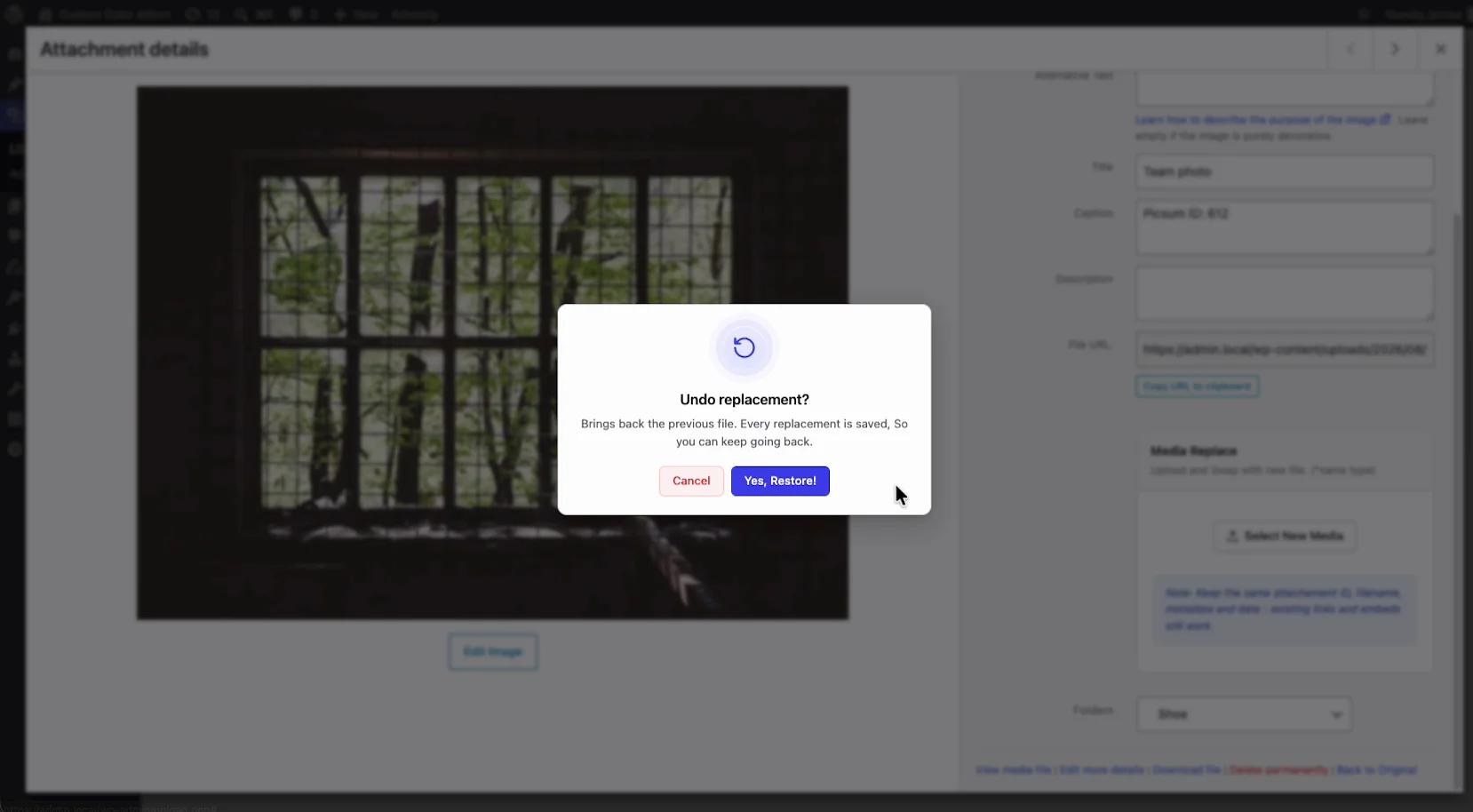
One example of what "depth in a different direction" looks like: our media module spends its complexity budget on file replacement rather than folder metadata, swap a file and the attachment ID, filename, URL and metadata all survive, with each replacement backed up so you can step back through versions.
How it compares
- FileBird: 200,000 installs against 100,000, a more polished interface, and a much simpler two-table schema. Less depth, easier exit.
- Folders by Premio: 100/100 from 1,514 ratings, taxonomy storage, covers posts and pages. The portability-first choice.
- WP Adminify: folders inside a broader admin toolkit with taxonomy storage, and no manual ordering.
- Media Library Organizer: one taxonomy, no tables, minimal footprint. The exact opposite philosophy.
Real Media Library FAQs
Is Real Media Library worth it?
For large libraries needing advanced folder features, yes. It's the deepest plugin in the category, with 100,000 installs and a 96/100 rating. For a small site wanting basic folders it's more machinery than the problem needs, and the four-table architecture means the deepest lock-in of any option we tested.
Why can't I find Real Media Library on WordPress.org?
Its slug is real-media-library-lite, not real-media-library, so searching the plain name returns nothing useful. It's a long-standing quirk that makes the plugin harder to discover than 100,000 installs would suggest.
Does Real Media Library move my files?
No. It uses virtual folders, so files stay in wp-content/uploads/ and image URLs never change. You can reorganize a live library safely. Only the folder structure lives in the database.
What happens if I deactivate Real Media Library?
Your media files are unaffected and every image keeps working. The folder tree disappears from the admin because it lives in the plugin's own tables, which nothing else can read. The data stays in the database, so reactivating restores it.
Is the free version of Real Media Library enough?
Lite gives you folders, nesting and drag-and-drop, and it's capable for most sites. Advanced ordering and gallery features are Pro-gated. Check the current free-versus-Pro split on the vendor site, because it moves between releases.
Real Media Library or FileBird?
FileBird has twice the install base, a more polished interface, and a two-table schema that's easier to escape. Real Media Library has more depth: per-folder metadata, staged bulk operations, gallery integration. Pick FileBird for polish and a lower exit cost, Real Media Library for capability.
Final verdict
Real Media Library is the power user's choice, and the four-table architecture is the honest signal of that. It's doing more than its competitors and the storage reflects it.
The reservation is symmetrical. The same depth that makes it capable makes it the hardest plugin here to leave. That's a fair trade if you've decided this is your long-term tool, and a poor one if you're still shopping.
Comparing options? Start with how WordPress media folders work, or how to organize a library with folders once you've picked one.

Your email address will not be published