

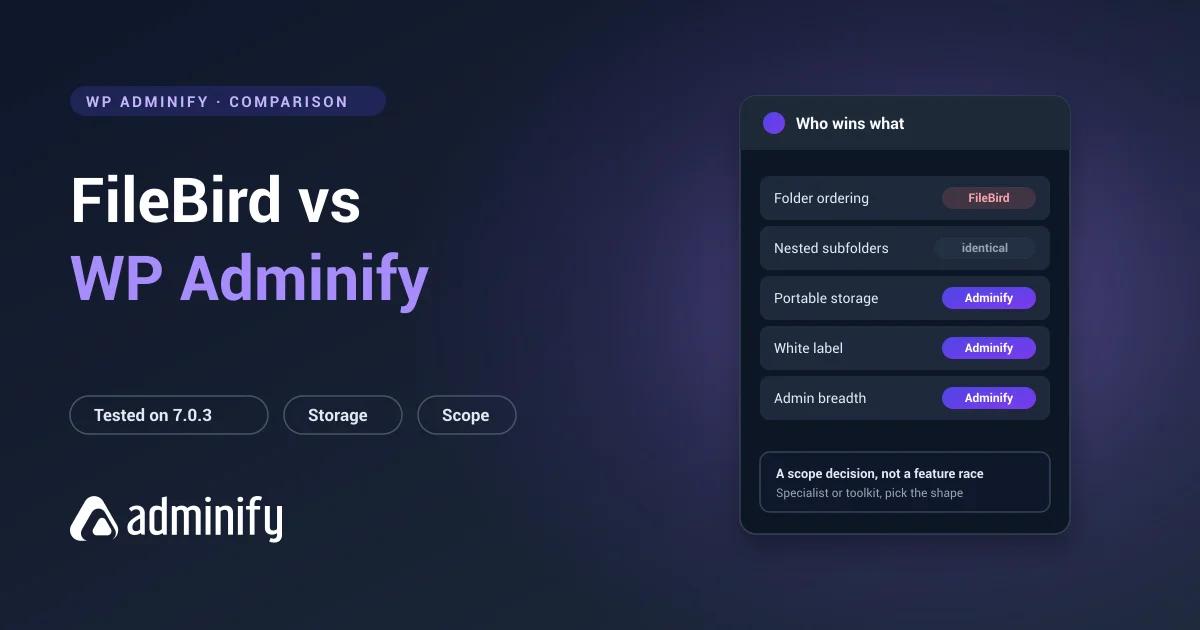

These two solve overlapping problems from opposite ends. FileBird is a specialist: it does media folders, and it does them very well. WP Adminify is a generalist that happens to include media folders among sixty-odd admin features.
That gap decides most of this comparison. There's a second difference too, less visible, in how each one stores your folder structure, and it outlives any preference you have about interfaces. We ran both on a clean WordPress 7.0.3 install to pin down what each actually does rather than what each claims.
The media folder half of WP Adminify is something we build, so weigh our conclusions accordingly. For the wider field, our best WordPress media folder plugins roundup tests seven, and the FileBird review covers that side on its own.
Quick verdict
Choose FileBird if media folders are the specific problem in front of you. Best interface in the category, 200,000 active installs, and manual folder ordering that WP Adminify simply doesn't have.
Choose WP Adminify if your media library is one of several admin annoyances, alongside cluttered menus, unbranded client dashboards and missing admin columns, or if you want your folder data to stay readable by something other than the plugin that made it.
Neither is a bad pick. They're shaped for different jobs.
Comparison table
| FileBird | WP Adminify | |
|---|---|---|
| Primary purpose | Media folders | Admin toolkit including media folders |
| Active installs | 200,000 | 7,000+ |
| Rating | 94/100 from 1,121 ratings | 86/100 from 108 ratings |
| Folder storage | Custom tables (wp_fbv) | Taxonomy (media_folder) |
| Nested subfolders | Yes, parent column | Yes, hierarchical taxonomy |
| Manual folder ordering | Yes, ord column | No |
| Folders in media modal | Yes | Yes |
| Folders for posts/pages | No | Post type folders available |
| Portable folder data | No | Yes, standard WordPress terms |
| Admin menu editor | No | Yes |
| White label | No | Yes |
| Login customizer | No | Yes |
| Admin columns editor | No | Yes |
| Files move on disk | No | No |
Media folder management
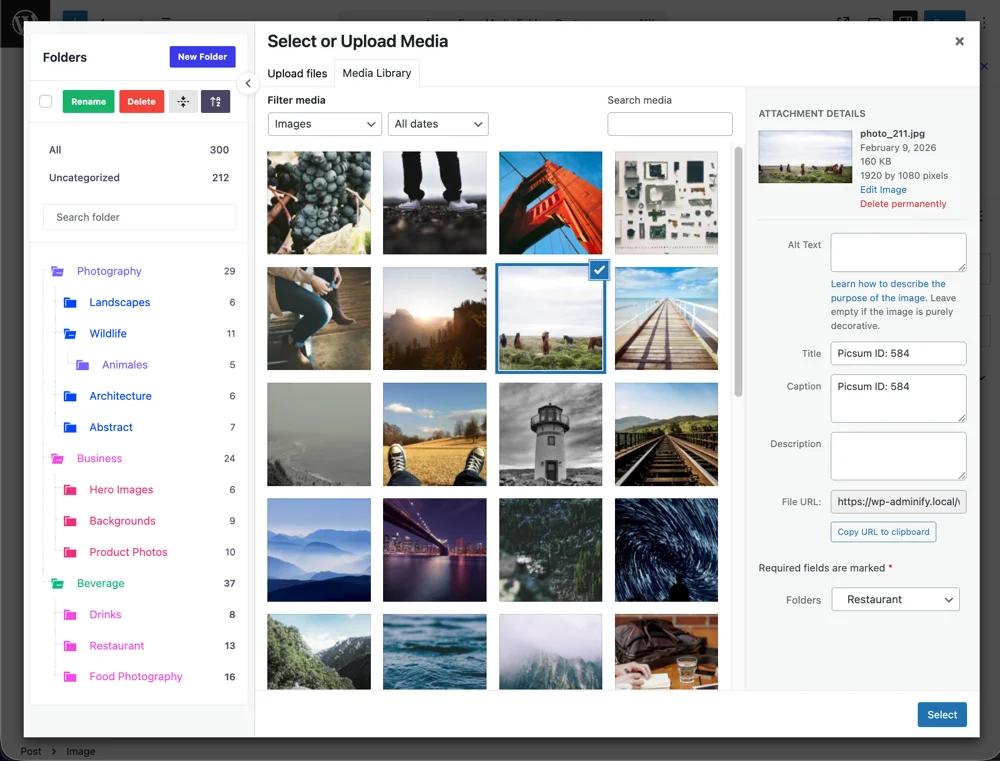
On the folder features themselves, these two are closer than that table makes them look. Both give you a folder tree beside the Media Library, drag-and-drop assignment, nested subfolders, bulk moving, and folder filtering inside the media modal when you're inserting images into a post.
Both use virtual folders. We checked rather than assumed: neither moves a file, everything stays in wp-content/uploads/, and image URLs are untouched. So you can reorganize a live library with either one during business hours.
Where FileBird is genuinely better: the interface. It's a dedicated product with years of iteration behind it and you can feel that within about a minute of using it. If you spend hours a week in the Media Library, that polish is worth paying for and we're not going to pretend otherwise.
Folder ordering: FileBird wins outright
The clearest functional difference between them, and it falls straight out of the database design.
FileBird's wp_fbv table has a dedicated ord column. Drag folders into whatever order you want and it sticks: "Active clients" sitting above "Archive" regardless of what the alphabet thinks.
WP Adminify keeps folders as WordPress taxonomy terms, which come back sorted by name or ID. There's no manual ordering, and there's no clever workaround either.
With six folders you'll never notice. With thirty client folders where five matter every day and the other twenty-five are dead weight sitting above them alphabetically, you'll notice constantly. If ordering matters to you, FileBird wins and nothing further down this page changes that.
Storage model: WP Adminify wins outright
The reverse trade, and the one people find out about at the worst possible moment.
We activated each plugin alone and looked at what appeared:
FileBird
  wp_fbv                     id, name, parent, type, ord, created_by
  wp_fbv_attachment_folder   folder_id, attachment_id

WP Adminify
  media_folder    taxonomy, hierarchical = true
  (no custom tables — uses wp_term_taxonomy + wp_term_relationships)
Then we tested what that means in practice. Eleven folders across two levels in FileBird, all 38 media files assigned, then we pulled the plugin:
- All 38 files: present and working, every URL unchanged
- Folder tree: gone from the admin
- Data in
wp_fbv: every row still there, and reactivating brought the tree straight back - Another folder plugin reading it: nothing at all
So FileBird folders aren't lost when you leave. They're unreadable, sitting in a format only FileBird speaks. Getting them out needs a purpose-built importer or a script you write yourself.
WP Adminify's folders are ordinary WordPress terms. List them with wp term list media_folder, query them with get_terms(), export them with anything. If you reassess your plugin stack every year or two, that difference is worth real money in migration work you never have to do.
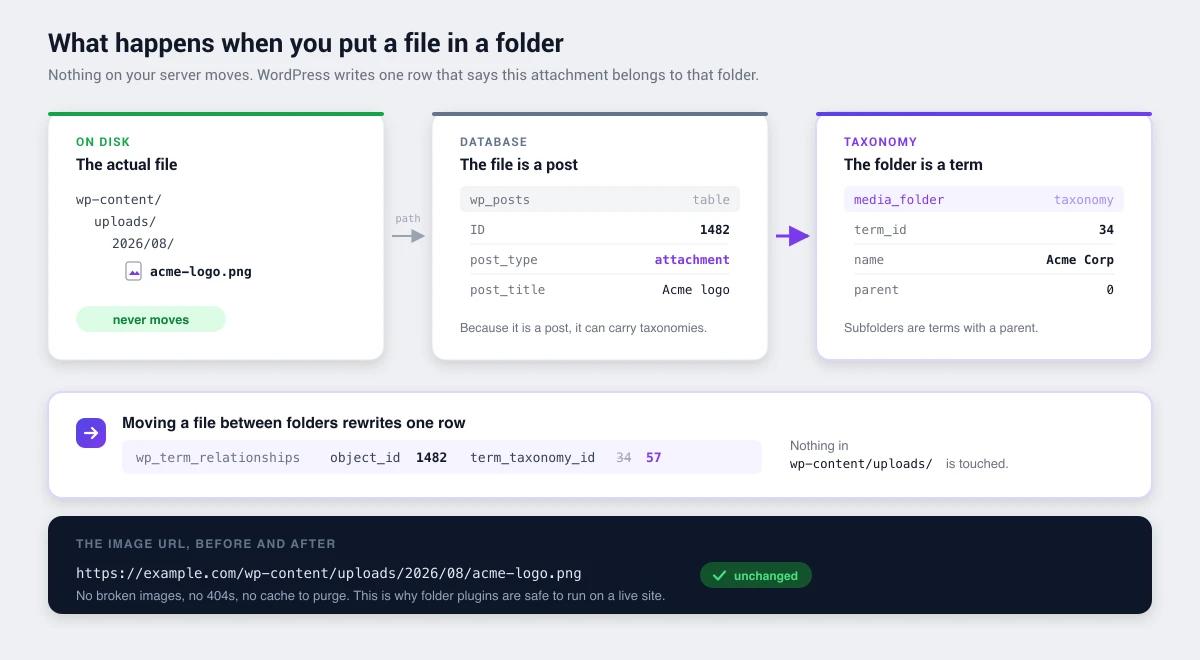
Neither approach is wrong. Custom tables buy performance and the ordering feature above. Terms buy portability. Background on how portable folder storage works in WordPress media folders explained.
Scope: the real decision
Most people picking between these two aren't really comparing folder features. They're answering a different question: one plugin per problem, or one plugin for the admin?
FileBird does one thing. If media folders are your only gap, bolting on a sixty-feature toolkit to get them is out of proportion, and the specialist will serve you better. That's not a concession, it's just what specialists are for.
But watch what actually happens to a WordPress install over two years. One plugin for folders. One to hide menu items from clients. One to white-label the dashboard. One for the login page. One for admin columns. One to switch off comments. Six plugins, six update cycles, six settings screens, and six things that might break after a core release.
WP Adminify covers that list in one tool with role-based controls running across all of it. If that's your situation, this stopped being a comparison about folder trees a while ago.
| Your situation | Better fit |
|---|---|
| Media folders are the only gap | FileBird |
| Running 4+ small admin plugins | WP Adminify |
| Need manual folder ordering | FileBird |
| Building client sites needing white label | WP Adminify |
| Very large library, performance critical | FileBird |
| Want folder data to stay portable | WP Adminify |
Maturity and track record
FileBird has 200,000 active installs and 1,121 ratings averaging 94/100. That's the largest sample anywhere in this category, which makes the score unusually trustworthy. Last updated 27 July 2026, tested against WordPress 7.0.3.
WP Adminify has 7,000+ installs and 86/100 from 108 ratings. Much smaller numbers, spread across a far wider feature set rather than concentrated on one function.
On adoption alone FileBird is ahead, and that counts for something real. A bigger install base means bugs get found faster and the odds of the plugin being abandoned are lower.
Pricing
Both have free versions on WordPress.org, and FileBird's free tier caps folder count. The comparison worth running isn't sticker price, it's what each one replaces. If WP Adminify takes four other plugins off the site, compare it against their combined renewal cost, not against FileBird on its own. What WP Adminify Pro includes is listed tier by tier.
Choose FileBird if…
- Media folders are the specific problem you're solving
- You want the most polished folder interface available
- Manual folder ordering matters to how you work
- You have a very large library and want purpose-built performance
- You want the largest install base and the longest track record
Choose WP Adminify if…
- Your media library is one of several admin problems
- You're consolidating a stack of single-purpose plugins
- You build client sites that need white labelling and menu control
- You want folder data stored as portable WordPress terms
- You need role-based controls across admin features, not just folders
FileBird vs WP Adminify FAQs
Is WP Adminify a good FileBird alternative?
Depends what you're short of. For media folders alone, FileBird is more specialized and has manual folder ordering that WP Adminify lacks. WP Adminify makes more sense when folders are one of several admin needs, or when you want folder data kept as portable WordPress taxonomy terms rather than in proprietary tables.
Which stores folders more safely, FileBird or WP Adminify?
Equally safe for your files. Neither moves anything on disk and image URLs never change with either one. They differ on portability: WP Adminify uses the media_folder taxonomy, readable by any WordPress tool, while FileBird uses its own wp_fbv tables that only FileBird can read.
Can I switch from FileBird to WP Adminify?
Yes, but export your folder structure while FileBird is still active. Deactivate first and its tables go unreadable to everything else. FileBird's schema is simple enough that exporting is straightforward: folder id, name, parent, plus an attachment mapping table. Under about 2,000 files, rebuilding by hand usually beats scripting the migration.
Do both support nested subfolders?
Yes. We confirmed FileBird's wp_fbv table has a parent column and WP Adminify registers media_folder as a hierarchical taxonomy, so both nest at the data layer. Two or three levels works best in practice whichever you pick, because deeper trees stop getting used.
Can I run FileBird and WP Adminify at the same time?
Not usefully. They keep folders in completely different places, so you'd be maintaining two unrelated structures and guessing which one is current. Pick one and migrate properly.
Which is better for agencies?
Usually WP Adminify, because agency pain is rarely folders on their own. It's white-labelling client dashboards, hiding menu items, customizing login pages and controlling access by role. But if your workflow leans on manual folder ordering across dozens of client folders, FileBird's ordering may outweigh all of that.
Final verdict
This is a scope decision wearing a feature comparison's clothes.
FileBird wins on: interface polish, manual folder ordering, install base, and purpose-built performance on very large libraries.
WP Adminify wins on: breadth, plugin consolidation, role-based controls, and folder data you can take with you.
If folders are all you need, buy the specialist. If your admin is held together by five small plugins and the media library is just the one complaining loudest, the toolkit is the better shape.
More detail either way: WP Adminify's media folder feature and its setup documentation, background on how WordPress media folders work, or the consolidation case in replacing 50+ plugins with one.

Your email address will not be published