

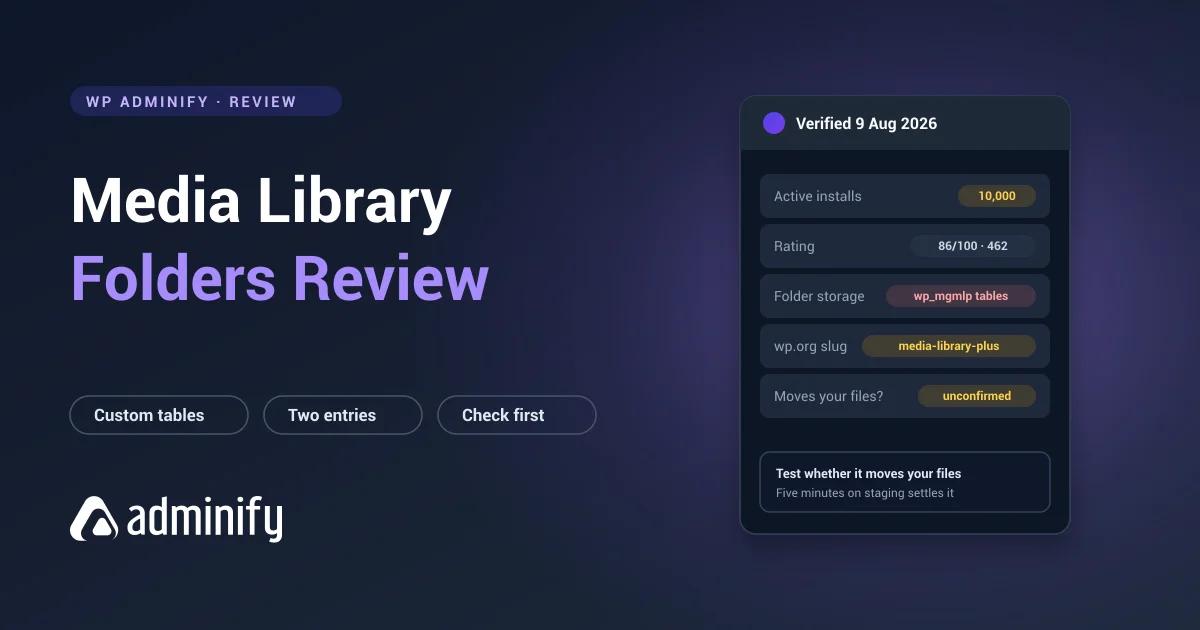

Media Library Folders by Max Foundry is one of the older plugins in this category, and it does several things differently from the generation that followed it. Some of those differences are deliberate choices with real appeal. One of them is important enough that you should check it yourself before installing.
We put it on a clean WordPress 7.0.3 site alongside eight competitors and inspected what it does to the database.
Disclosure: we publish WP Adminify, whose virtual media folders take the opposite approach to the physical folders described below. Both were installed and inspected the same way for our best WordPress media folder plugins comparison.
Quick verdict
Media Library Folders takes a more filesystem-oriented approach than its taxonomy-based competitors, which suits teams who want what they see in WordPress to match what they see over FTP. It creates its own tables, so folder data isn't portable, and its rating sits below the category leaders.
Consider it if you want folder organization mirroring your actual server directories.
Look elsewhere if you want the safest, most portable, best-supported option.
At a glance
| Developer | Max Foundry |
| Version tested | 8.3.8 |
| Active installs | 10,000 |
| Rating | 86/100 from 462 ratings |
| Last updated | 21 May 2026 |
| WordPress.org slug | media-library-plus |
| Storage | Custom tables, wp_mgmlp_folders and others |
Two quirks worth knowing straight away. The WordPress.org slug is media-library-plus, not the plugin's display name, so searching "media library folders" may not surface it. And it installs as two separate plugin entries: the main plugin plus a companion called mlp-reset. Unusual, and worth understanding before you activate either.
For context on the numbers: 462 ratings is a substantial sample, larger than Real Media Library's 289. But the 86/100 average is the joint-lowest among widely-adopted plugins here.
Under the hood
Activating it created three tables:
wp_mgmlp_folders        folder structure
wp_mgmlp_block_access   access control
wp_mgmlp_blocked_ips    IP blocking
The folder table is expected. The two access-control tables are not something any other folder plugin we tested creates, and they suggest access-restriction features beyond organization.
Custom-table storage has the same consequence here as everywhere else: your folder structure is readable by exactly one plugin. We verified that behaviour generally by building a structure in FileBird and deactivating it. Files all intact, folder tree gone, rows retained and invisible to everything else.
The question you have to answer first
Every plugin in this category is either virtual, where folders are database records, files never move and URLs never change, or physical, where files get moved into real directories and URLs change with them.
Virtually every modern plugin is virtual, because moving files breaks every post embedding them. Media Library Folders takes the physical route, and our hands-on session removed most of the doubt: its interface isn't in the Media Library at all. It's a separate admin page titled "Folders & Files" with a location bar reading uploads, and the tree it shows is your actual server directory structure.
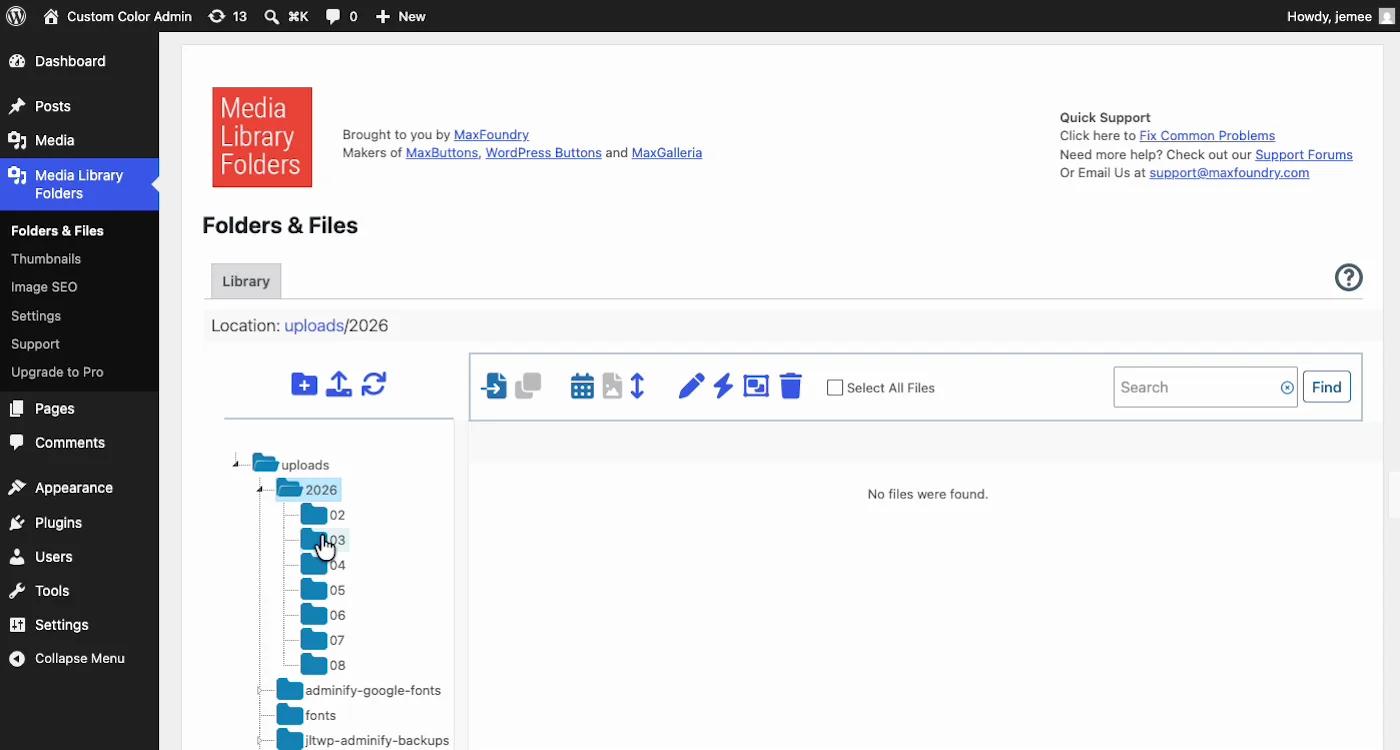
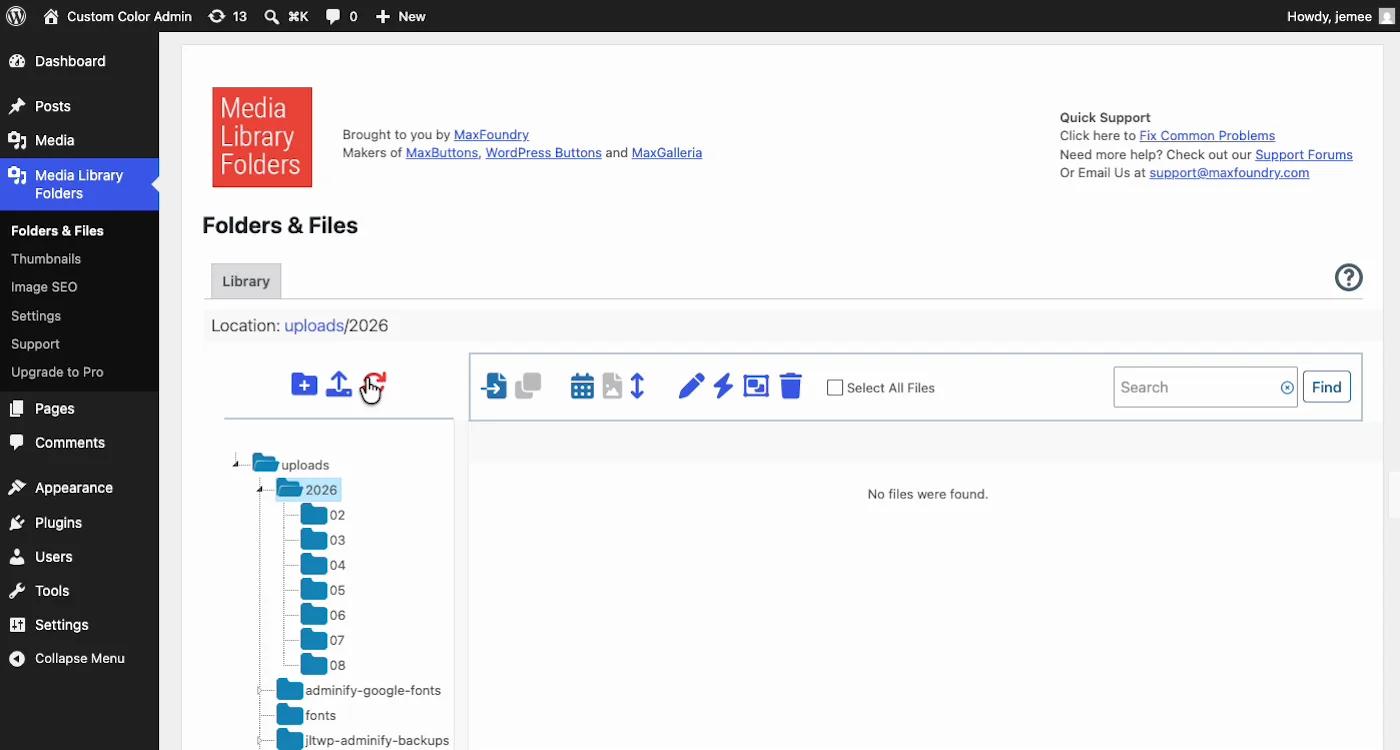
We did not move a file and watch its URL, but the vendor answers it directly. The plugin's WordPress.org listing says it moves files into real directories and that "links in post and pages and feature image links are automatically updated when files are moved", by scanning posts and pages for the old path and rewriting it. So the URL does change, and the plugin tries to clean up after itself. That mitigation has edges worth knowing:
- Image URLs change when you reorganize, by design
- Standard posts and pages get rewritten automatically; the vendor lists Elementor, Beaver Builder and Themify support separately and notes some builders need the page resaved
- Anything outside that sweep keeps the old path: external links, cached copies, CDN entries, hardcoded URLs in theme files, and content in custom tables
- Reorganizing a live site becomes a migration project rather than an afternoon
How to check in five minutes on staging: note an image's full URL, create a folder, move the image into it, then look at the URL again. Given everything the interface shows, we'd expect it to change. But expecting isn't knowing, and this is the one test to run before touching a production library. It's also, incidentally, why replacing an image without changing its URL is treated as a separate discipline in WordPress: URL stability is load-bearing, and most tooling is built to protect it.
One more hands-on observation: the library view showed "No files were found" until content is synced in, and the Settings screen has options for syncing behaviour ("Skip WEBP images when syncing media library files"). Sync is the plugin's model, the filesystem is the source of truth and the plugin reads from it, which is exactly backwards from every other plugin in this series.
Strengths
Filesystem alignment. If the plugin does mirror real directories, that's genuinely appealing for teams whose workflow involves uploading straight to the server. What you see in WordPress matches what you see over FTP, and no other plugin here offers that.
Substantial ratings sample. 462 ratings is more than Real Media Library or Media Library Organizer collected.
Actively maintained. Updated 21 May 2026, so nobody has walked away from it.
Long track record. One of the older plugins in the category, with the stability that usually implies.
Limitations
Lowest rating among established options. 86/100 against FileBird's 94, Real Media Library's 96 and Folders' 100.
Smallest install base of the established plugins. 10,000 against FileBird's 200,000, a twentyfold difference.
Custom-table storage. Folder data readable only by this plugin.
Confusing packaging. A slug that doesn't match the name, and two plugin entries instead of one. Neither is a functional problem, both are friction.
The physical-versus-virtual uncertainty. Until someone confirms it, this is the biggest unknown here, and it isn't a small one.
Who should use it
| Good fit | Poor fit |
|---|---|
| Teams wanting WordPress folders to match server directories | Sites where existing image URLs must not change |
| Workflows involving direct FTP uploads | Teams wanting portable folder data |
| Existing users who are happy | New large libraries choosing today |
| Sites wanting the best-supported option |
Why most of this category went the other way
We build a competing folder feature, so read this with that in mind. It's also the context that makes this plugin's design legible rather than just old.
The reason nearly every modern plugin, ours included, keeps folders out of the filesystem is that WordPress serves media by URL. Move a file and every post embedding it, every external link, every cached copy points at nothing. So the whole generation after Media Library Folders settled on the same answer: leave the file alone, record the folder in the database.
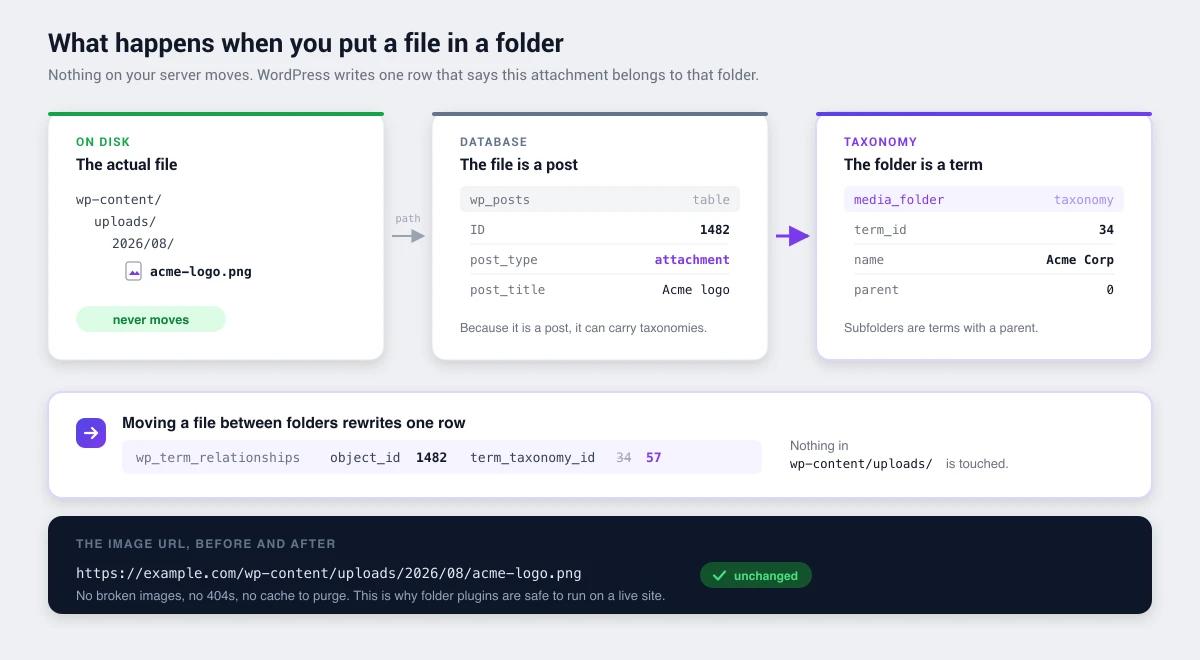
WP Adminify's folders take that a step further by using ordinary taxonomy terms rather than our own tables, which means the structure stays readable with wp term list media_folder whether or not our plugin is installed.
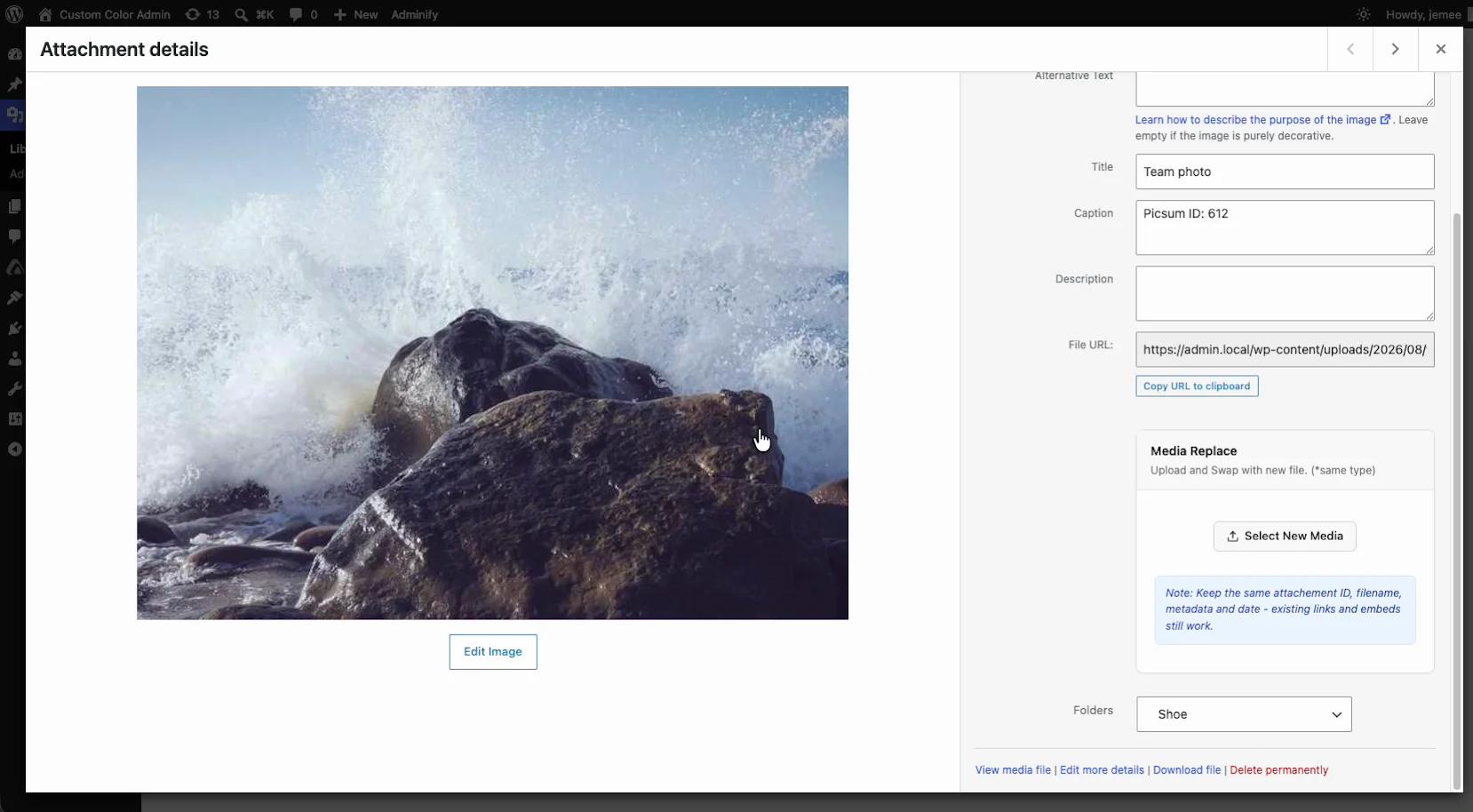
And when a file genuinely does need to change (the case where URL stability is hardest to keep), our media module replaces it in place rather than moving anything: same attachment ID, same filename, same URL, metadata intact, with each version backed up.
Whether any of that makes us the right pick depends on something this review can't tell you. If you're choosing a folder plugin and nothing else, several options above have more users and more polish than we do. The reason people end up on our page is usually different: they're already running a menu editor, a white-label plugin, a login customizer and an admin columns plugin alongside their folder plugin, and the renewals have started to look silly. That arithmetic is the actual pitch, and it has nothing to do with folders.
How it compares
- FileBird: 20× the installs, better rating, more polished, confirmed virtual folders.
- Folders by Premio: 100/100 from 1,514 ratings, portable taxonomy storage, covers posts and pages.
- Real Media Library: far more features, though four custom tables to leave behind.
- Media Library Organizer: one taxonomy, no tables, fully portable.
Media Library Folders FAQs
Does Media Library Folders move my files on the server?
This is the critical question and you should verify it yourself before installing. Note an image's URL, create a folder, move the image, then check the URL again. If it changed, the plugin moves files physically, which means reorganizing can break posts embedding those images.
Why can't I find Media Library Folders on WordPress.org?
Its slug is media-library-plus, which doesn't match its display name, so searching the plugin name may not surface it. It also installs as two entries, the main plugin plus a companion called mlp-reset.
Is Media Library Folders still maintained?
Yes. As of 9 August 2026 it showed version 8.3.8 updated 21 May 2026, so it's actively maintained, unlike some older plugins in this category.
What happens to my folders if I deactivate it?
Folder data lives in wp_mgmlp_folders, a custom table only this plugin reads, so the structure vanishes from the admin while the rows stay in the database. Whether your files stay where they are depends on the physical-versus-virtual question above.
Media Library Folders or FileBird?
FileBird has twenty times the install base, a higher rating from more than twice as many ratings, a more polished interface, and confirmed virtual folders. Unless you specifically want folders mirroring your server directory structure, FileBird is the safer choice.
Final verdict
Media Library Folders is a long-standing plugin that's still actively maintained, with a genuinely different philosophy from the taxonomy-based generation that came after it.
The filesystem-oriented approach has real appeal for teams whose workflow spans WordPress and FTP. It also comes with the lowest rating among established options, the smallest install base, custom-table storage, and one unresolved question, whether it moves your files, that you should answer on staging before touching a production library.
Existing users: no reason to move if it works.
Choosing today: FileBird or Folders by Premio are better supported, better rated, and confirmed safe for existing URLs. If you want to understand the mechanism before picking anything, start with how WordPress media folders work.

Your email address will not be published