


Enhanced Media Library takes a different route from most plugins in this category. Instead of a drag-and-drop folder tree, it gives you proper WordPress taxonomies for media: categories you assign and filter by, working exactly the way post categories do.
For a certain kind of user that's precisely right. But before we recommend it, there's a detail worth checking that most reviews skip.
Disclosure: we publish WP Adminify, which takes the folder-tree route rather than this one, and how its media folders work is documented separately. Every plugin in our best WordPress media folder plugins comparison went through the same install-and-inspect process, ours included.
Check the dates first
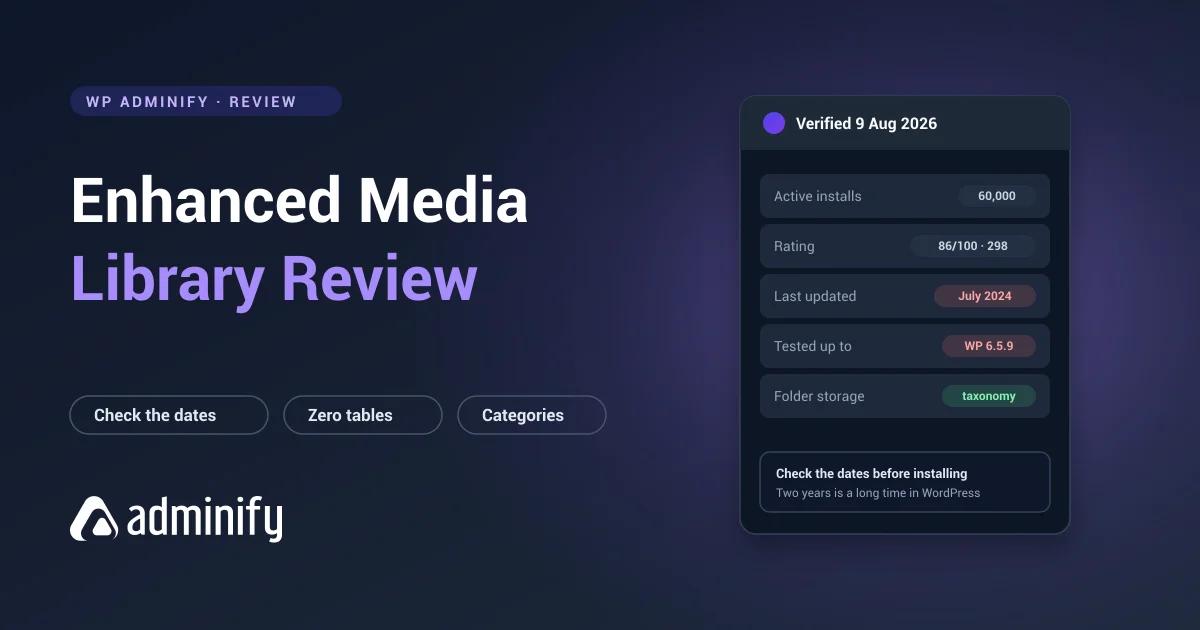
Here's what the WordPress.org Plugin API returned on 9 August 2026:
| Version | 2.9.4 |
| Last updated | 15 July 2024 |
| Tested up to | WordPress 6.5.9 |
| Current WordPress at time of writing | 7.0.3 |
| Active installs | 60,000 |
| Rating | 86/100 from 298 ratings |
Roughly two years without an update, and compatibility declared against a WordPress version several releases behind current.
What that doesn't mean: that the plugin is broken. Simple, well-written plugins routinely keep working for years without changes, and this one is architecturally simple, which helps its odds considerably.
What it does mean: nobody is actively watching for compatibility breaks. If a future WordPress release changes something it leans on, there may be no fix coming.
Check the current dates on the WordPress.org listing before you install. They may have moved since this was written, and if they have, this whole concern evaporates.
And to be fair to it: we didn't just read the dates, we drove the plugin on WordPress 7.0.3. Categories created, files assigned, filters filtering, MIME editor editing. Nothing broke in our pass. Two years unmaintained is a risk statement about the future, not a defect report about today.
What it does
Enhanced Media Library adds taxonomies to the Media Library. Rather than a folder tree, you get media categories you assign to files and filter by, hierarchical so they nest like post categories.
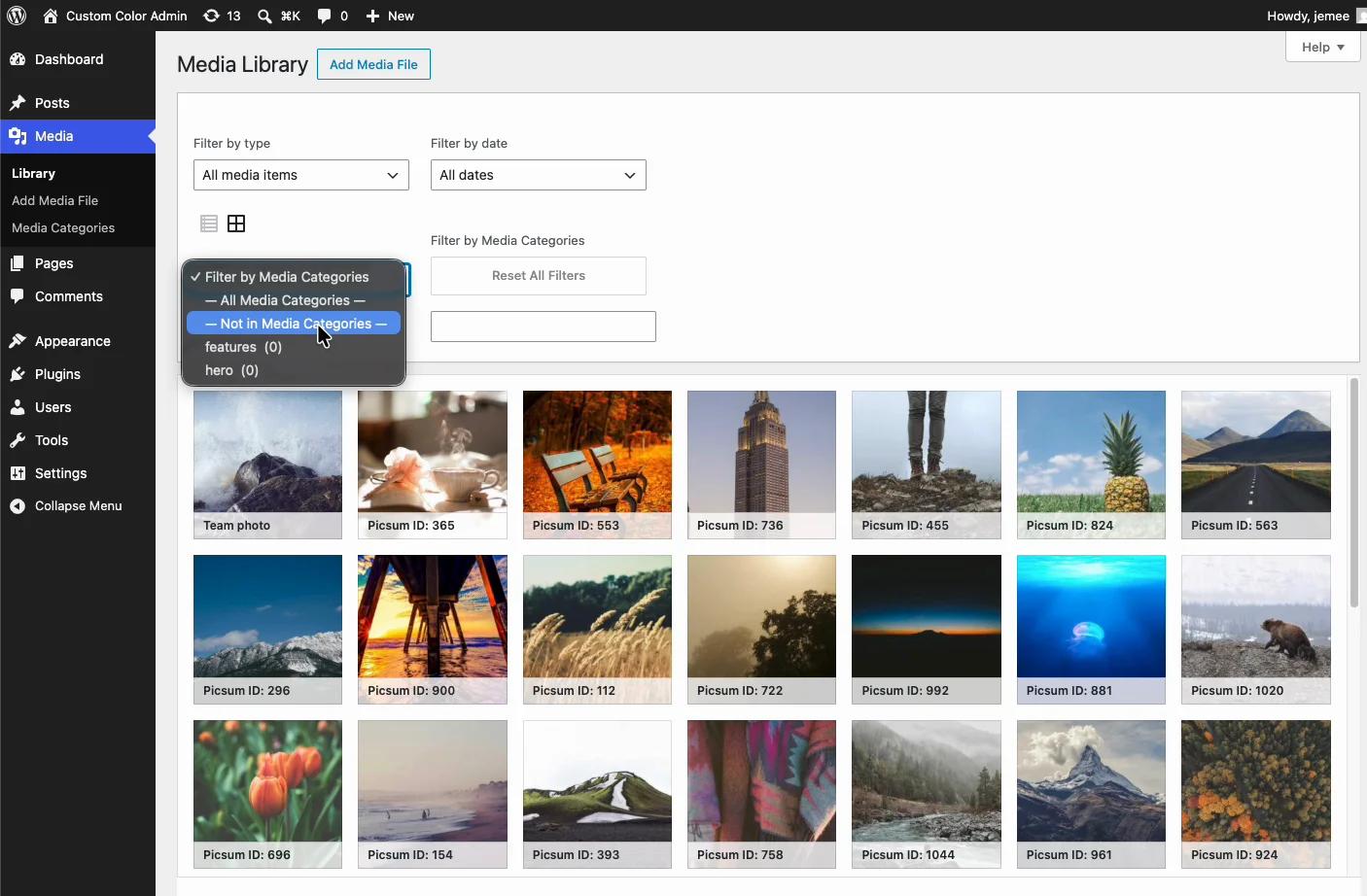
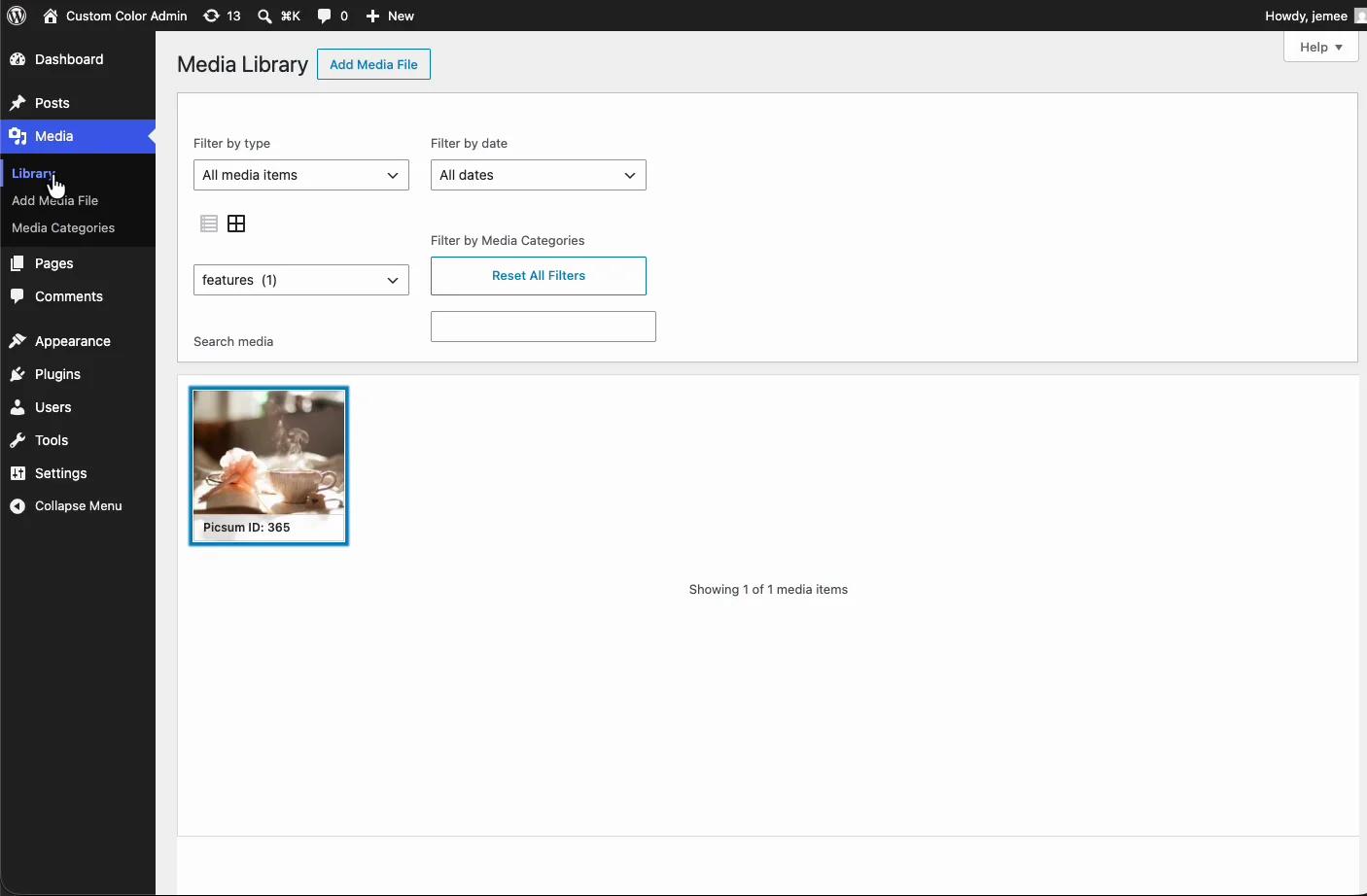
It also lets you create custom media taxonomies, manage which MIME types are allowed, and filter the library by type and category at once.
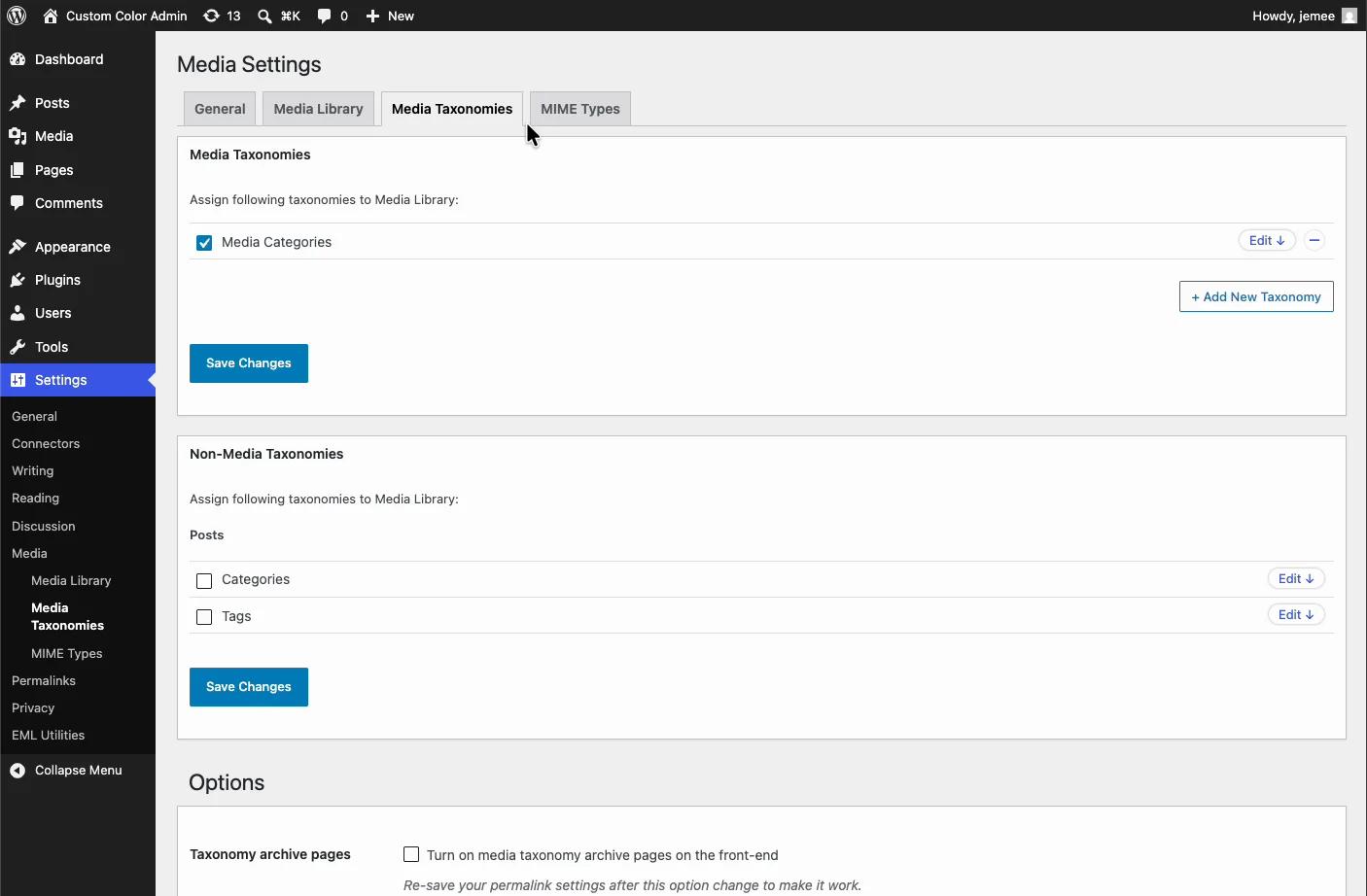
The mental model is the interesting part: this is classification rather than filing. A file can carry several categories simultaneously, which a folder metaphor doesn't naturally allow. If one image legitimately belongs to three campaigns, that's more honest than forcing it into one folder and remembering the other two.
Under the hood
Activating it alone on a clean WordPress 7.0.3 install produced exactly this:
media_category → attachment hierarchical = trueNo custom tables. Everything lives in wp_term_taxonomy and wp_term_relationships, the same tables holding your post categories.
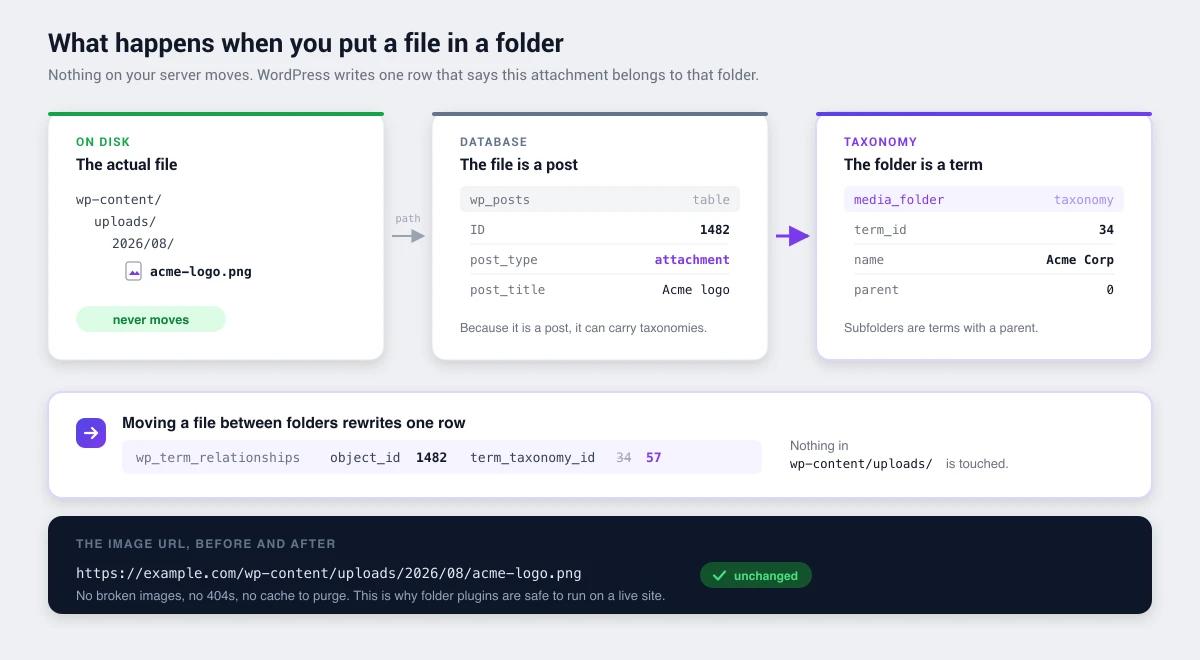
That's a genuinely good architecture, and it's the plugin's strongest technical argument:
- Fully portable. Read it with
wp term list media_category, query it withget_terms(), capture it in any export. - Nesting for free. Hierarchical terms mean subcategories work without bespoke code to go wrong.
- Clean uninstall. Nothing orphaned. Compare with FileBird's
wp_fbvor Real Media Library's four tables, which sit in your database after deactivation indefinitely. - It survives the plugin. Because it's standard WordPress data, your classification stays readable with the plugin switched off, which quietly offsets a good chunk of the maintenance worry.
Strengths
Taxonomy-first is genuinely different. If you think in classifications rather than folders, this matches how your head works better than a tree does.
Multiple categories per file. A real capability advantage over folder plugins, which mostly assume one folder per file.
Custom media taxonomies. Useful for structured libraries. A photographer classifying by shoot, client and usage rights at the same time can't do that with folders.
MIME type management. Control over allowed upload types, which folder plugins rarely go near.
No lock-in. Standard WordPress terms throughout.
Substantial user base. 60,000 active installs and 298 ratings is a real track record, whatever the update dates say.
Limitations
The maintenance gap. Covered above, and it's the main reservation. Two years is a long time in WordPress.
No drag-and-drop folder tree. If you want the folder experience, dragging files into a tree and filtering by folder inside the media modal, this isn't that plugin. Assignment happens through category checkboxes.
Lower rating than the category leaders. 86/100 against FileBird's 94, Folders' 100 and Real Media Library's 96. Still respectable, but the lowest of the widely-adopted options.
Media only. No coverage of posts, pages or custom post types.
Who should use it
| Good fit | Poor fit |
|---|---|
| Users who think in categories, not folders | Teams wanting a drag-and-drop folder tree |
| Libraries where files belong to several groups | Sites needing guaranteed forward compatibility |
| Developers wanting custom media taxonomies | Non-technical teams wanting a visual interface |
| Existing users who are happy with it | New large libraries being set up today |
If the maintenance gap is your sticking point
We publish a competing plugin, so treat this with appropriate suspicion. The useful observation isn't about our features though, it's about what you're actually risking here.
Because Enhanced Media Library uses ordinary taxonomy terms, the downside scenario is unusually mild. If a future WordPress release breaks it, your classification doesn't evaporate. It sits in wp_term_taxonomy where wp term list media_category can read it and any other taxonomy-based plugin could adopt it. That's a much softer landing than the same situation with a custom-table plugin, where an unmaintained vendor means your structure is stranded in a format nothing else speaks.
So if you like this plugin, the honest advice is: the architecture protects you. Keep using it and check the listing occasionally.
Where WP Adminify becomes relevant is a different scenario entirely. Our folders are the same kind of hierarchical attachment taxonomy, so switching later is a term migration rather than a rebuild. But that's not the reason to look at us, because Media Library Organizer offers the same thing more simply. The reason is if you notice that media classification was one item on a longer list, and the others are a client who can see Tools, a dashboard you'd rather not screenshot, and four separate plugins keeping all of that patched. That's the shape we're built for, and the arithmetic is in replacing 50+ plugins with one.
If media genuinely is the only problem, one of the alternatives below is the better answer and we'd rather say so.
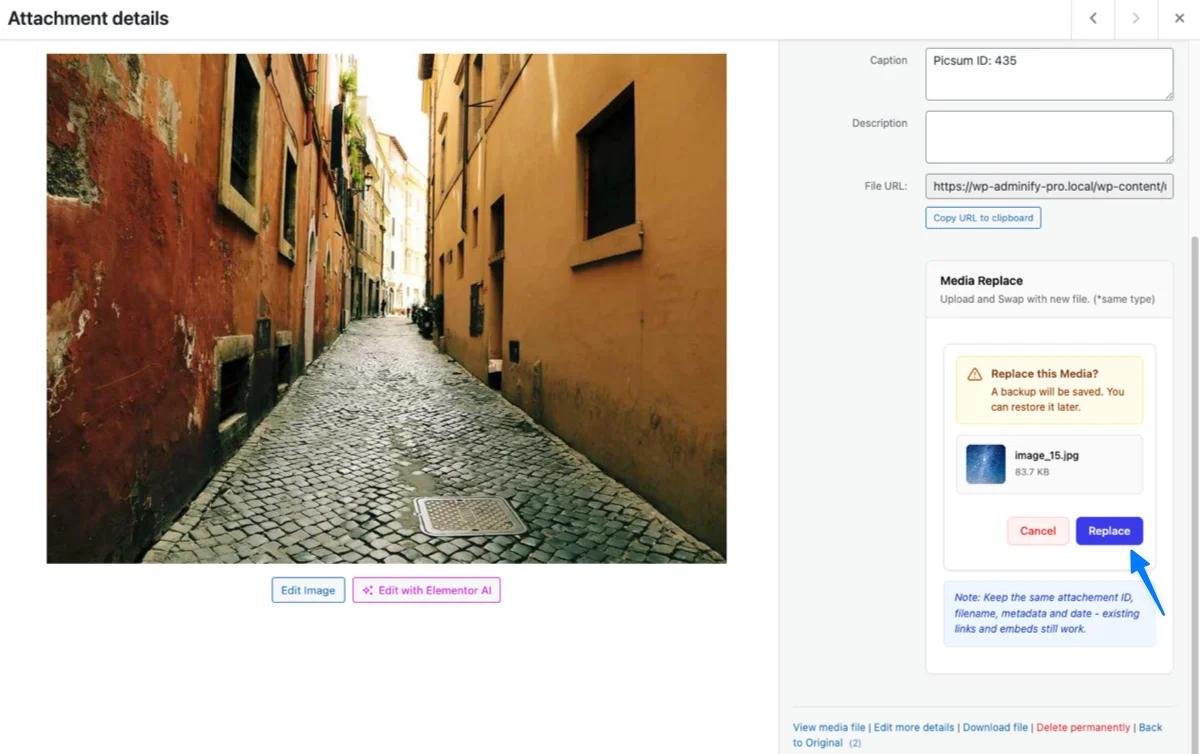
There is one adjacent problem worth naming while you're thinking about metadata, though. Classification tells you what a file is; it doesn't protect what a file carries. The day you need to swap an outdated image, the usual delete-and-reupload cycle throws away the alt text, caption and attachment ID your team spent time on. Our media module treats that as the core job, replace the file, keep everything attached to it.
Alternatives worth considering
If the maintenance gap bothers you but you like the taxonomy approach, two plugins offer the same architecture with recent updates:
- Media Library Organizer:
mlo-categoryhierarchical taxonomy, no custom tables, updated 23 July 2026, from Themeisle. Almost the same idea, actively maintained. - Folders by Premio: taxonomy-based with a folder-tree interface, 100/100 from 1,514 ratings, updated 21 July 2026, and it covers posts and pages too.
For a drag-and-drop folder experience specifically, FileBird leads on adoption with 200,000 installs, though it uses proprietary tables rather than taxonomies.
Enhanced Media Library FAQs
Is Enhanced Media Library still maintained?
As of 9 August 2026 its listing showed version 2.9.4, last updated 15 July 2024, tested up to WordPress 6.5.9, against a current WordPress of 7.0.3. That's roughly two years. It doesn't mean the plugin is broken, but nobody is actively watching for compatibility breaks. Check the current dates before installing, since they may have changed.
Does Enhanced Media Library create folders?
Not in the drag-and-drop sense. It adds hierarchical media categories you assign and filter by, working like post categories. Files can belong to several categories at once, which folder plugins generally don't allow. A different model rather than a worse one.
Does it move my media files?
No. It only adds taxonomy terms, so files stay in wp-content/uploads/ and image URLs never change. Assigning a category creates a database relationship and nothing else.
What happens if I deactivate it?
Your files are unaffected, and the classification survives as standard taxonomy terms in wp_term_taxonomy, readable with normal WordPress tools. That's a real advantage over custom-table plugins, whose folder data goes unreadable to everything else.
Enhanced Media Library or Media Library Organizer?
Very similar architecture, since both register a hierarchical attachment taxonomy with no custom tables. The practical difference is maintenance: Media Library Organizer was updated 23 July 2026, Enhanced Media Library in July 2024. For a new install, the actively maintained one is the safer choice.
Final verdict
Enhanced Media Library is a well-built plugin with a defensible philosophy. Taxonomy classification is genuinely more accurate than folders for libraries where files belong to several groups, and the zero-table architecture means nothing is locked away from you.
The reservation isn't about quality, it's about currency. Roughly two years without an update, with compatibility declared several WordPress versions back, is worth knowing before you build a large library on top of it.
Existing users: if it works, it works, and standard-taxonomy storage means your data is fine regardless.
New installs: check the current dates first. If they're still stale, Media Library Organizer offers a near-identical approach with recent maintenance.
New to this whole category? Start with how WordPress media folders work, then how to organize a library once you've chosen your approach.

Your email address will not be published