
You created a professional website for your clients, but you keep the login page default with "Powered by WordPress" link and the default WordPress logo.
So white-labeling the WordPress login page is necessary when you try to impress your clients and provide a better experience.
Every smart entrepreneur understands the importance of a cool looking login screen. It can be an innovative space for creating something eye catchy.
Industry leaders constantly edit their website to increase website visitors and improve conversion rates. And by far most of them come to a conclusion that a custom login page outperforms significantly more than a generic one.
If you think you’ll need a designer to create a login screen, you’re wrong! You won’t need them to create the perfect WordPress logic screen with Loginfy. An addon created by the developers of WP Adminify.
So, without further ado, here’s how to do that.
Installation & Activation
So, you’re here to create a custom WordPress login screen without the help of a designer. And I assume you’re using WordPress. Great!
If that is so, Loginfy is your buddy. It’s the best solution to change the WordPress login screen. And you can also use WP Adminify for custom admin dashboard.
Now, here’s how to get the plugin. Click the “Plugins > Add Plugin” button from the WordPress Dashboard. Search for "Loginfy" then install and activate the plugin.
Once done, you’ll get access to all the options. Loginfy gives you a lot of options, but let’s not lose track of our custom login screen.
Login Page Customizer
Click on the WP Adminify from your WordPress admin dashboard menu. Now, go to Loginfy > customizer.
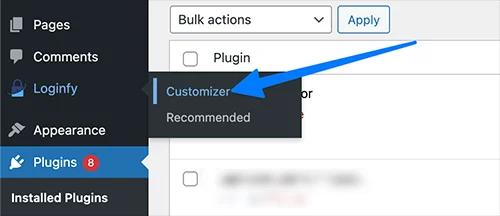
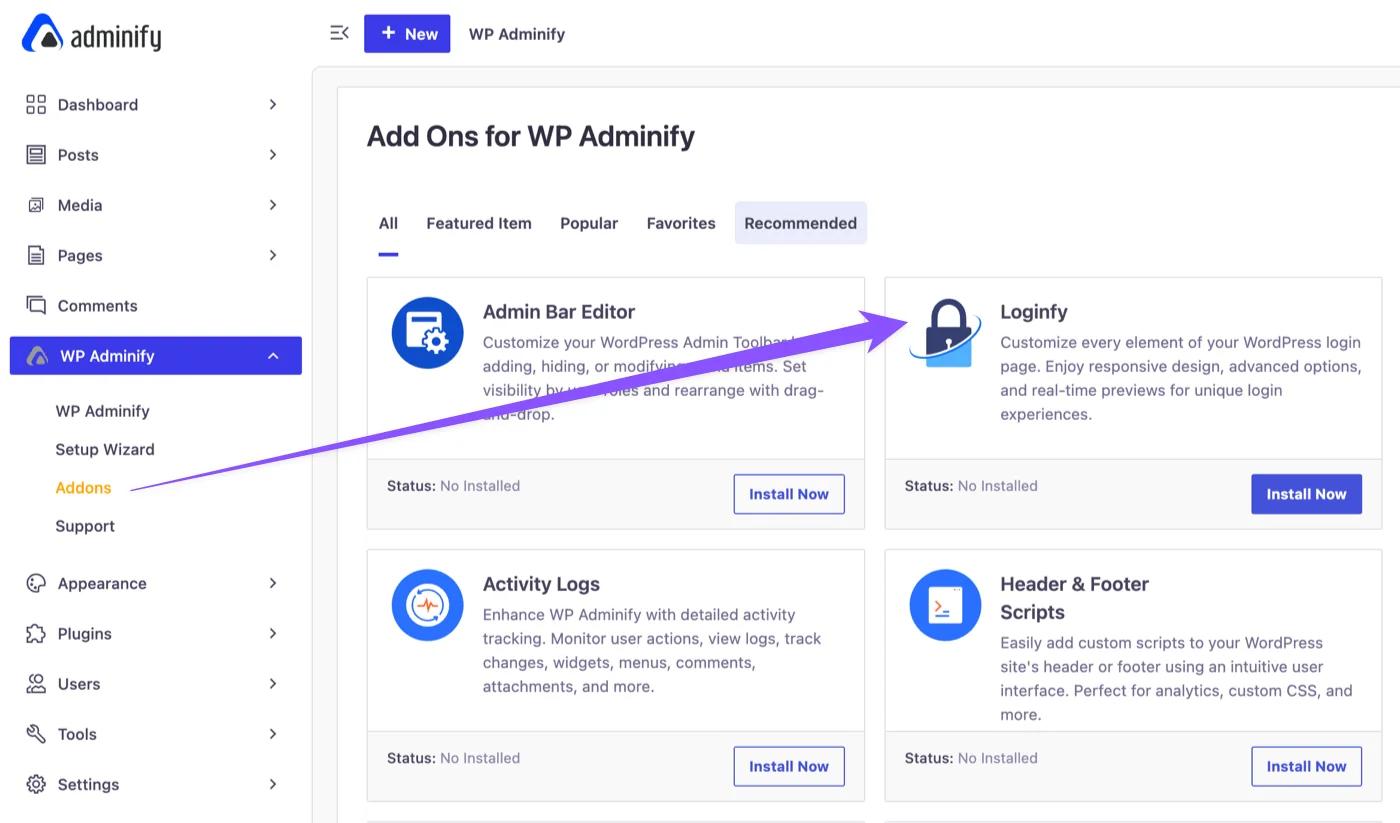
If you are using WP Adminify. Then navigate to WP Adminify > Addons > Install Loginfy. (You need to activate the addon after installation.)
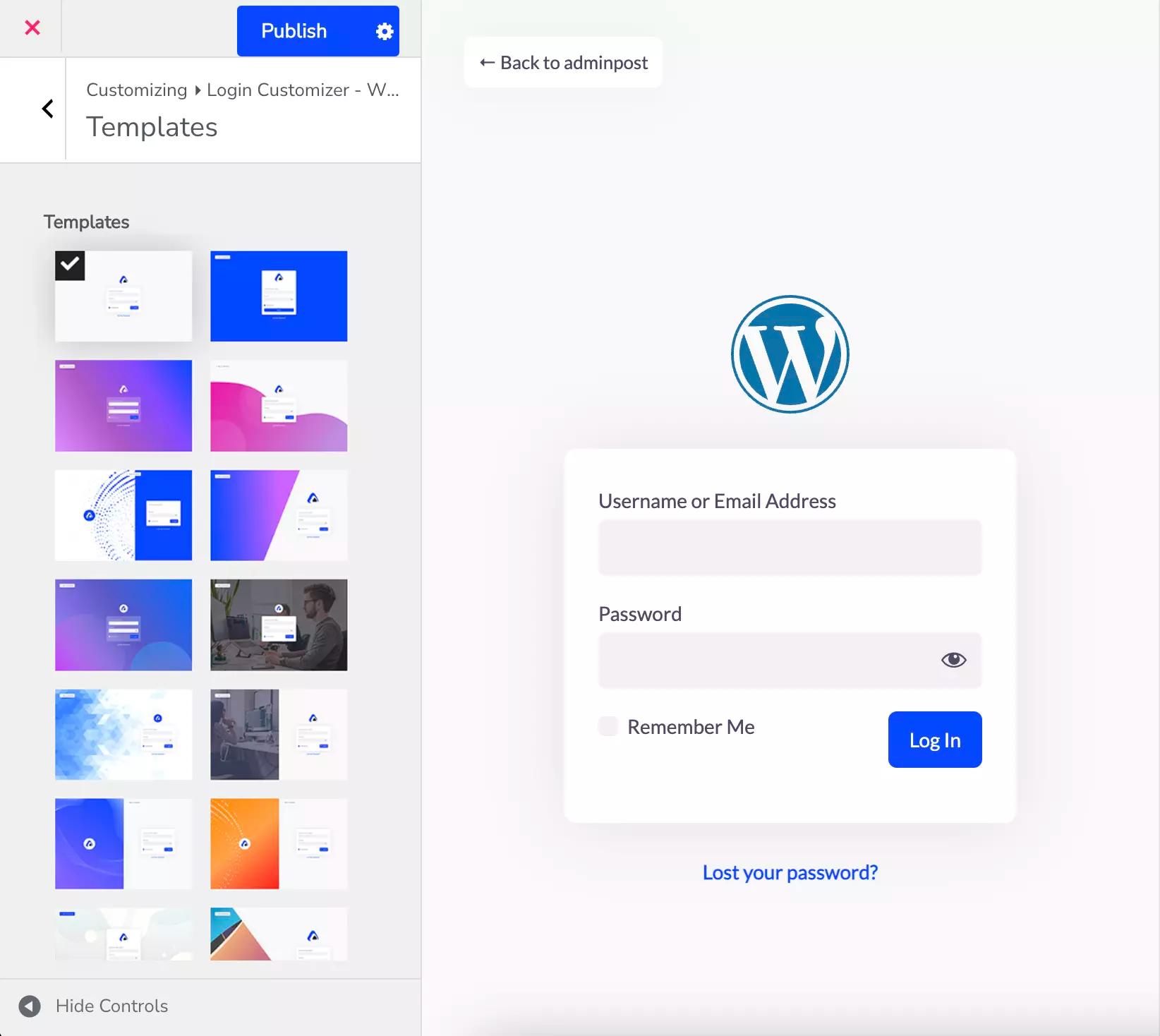
Login Page Templates
For beginners, templates are the best choice. Because you don't have to create them from scratch.
You’ll get professionally pre-designed templates available in WP Adminify. You can use some of them for free. Meanwhile, you can use the premium templates by activating the premium plan.
Logo Customization for the Login Page
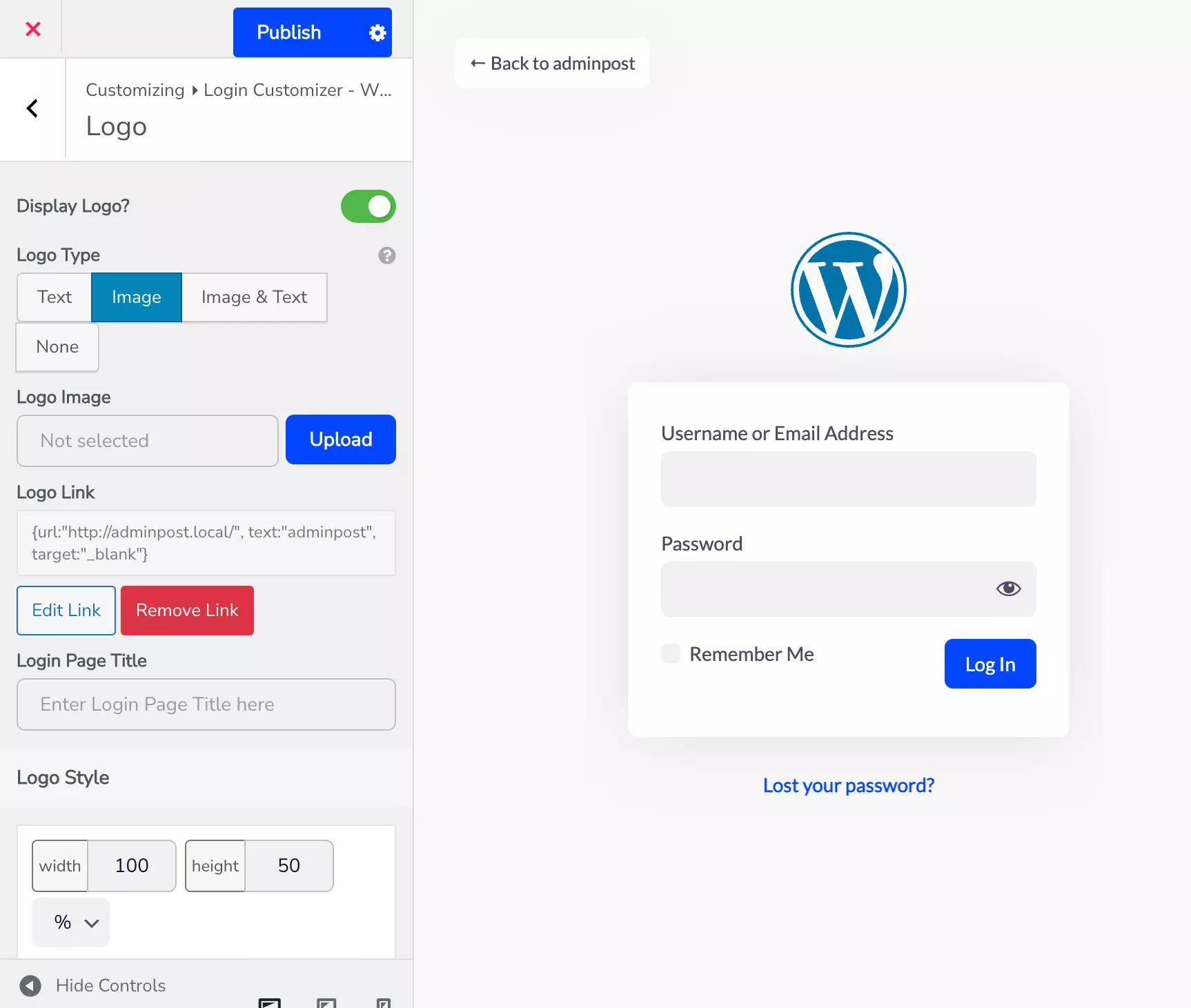
Logo is one of the primary factors users want to customize. So, start by selecting the "Logo" option. If you want to display your logo on the login screen.
You’ll have the option to select logos based on texts, images or both (combination of text and image).
If you select only text, your logo will be whatever you enter in the "Text Logo" field.
When you select the logo option, a window will appear where you can upload an image.
If you select image & text then both options for the logo and image will be accessible.
You can also make the logo clickable with a link. Simply click the “Add Link” button and enter your destination URL.
Additionally, you can customize the logo's design by changing height, and width. Also, you can add a title to the login page.
However, in order to access those wonderful writing styles and features, such as text padding, you must purchase a premium subscription.
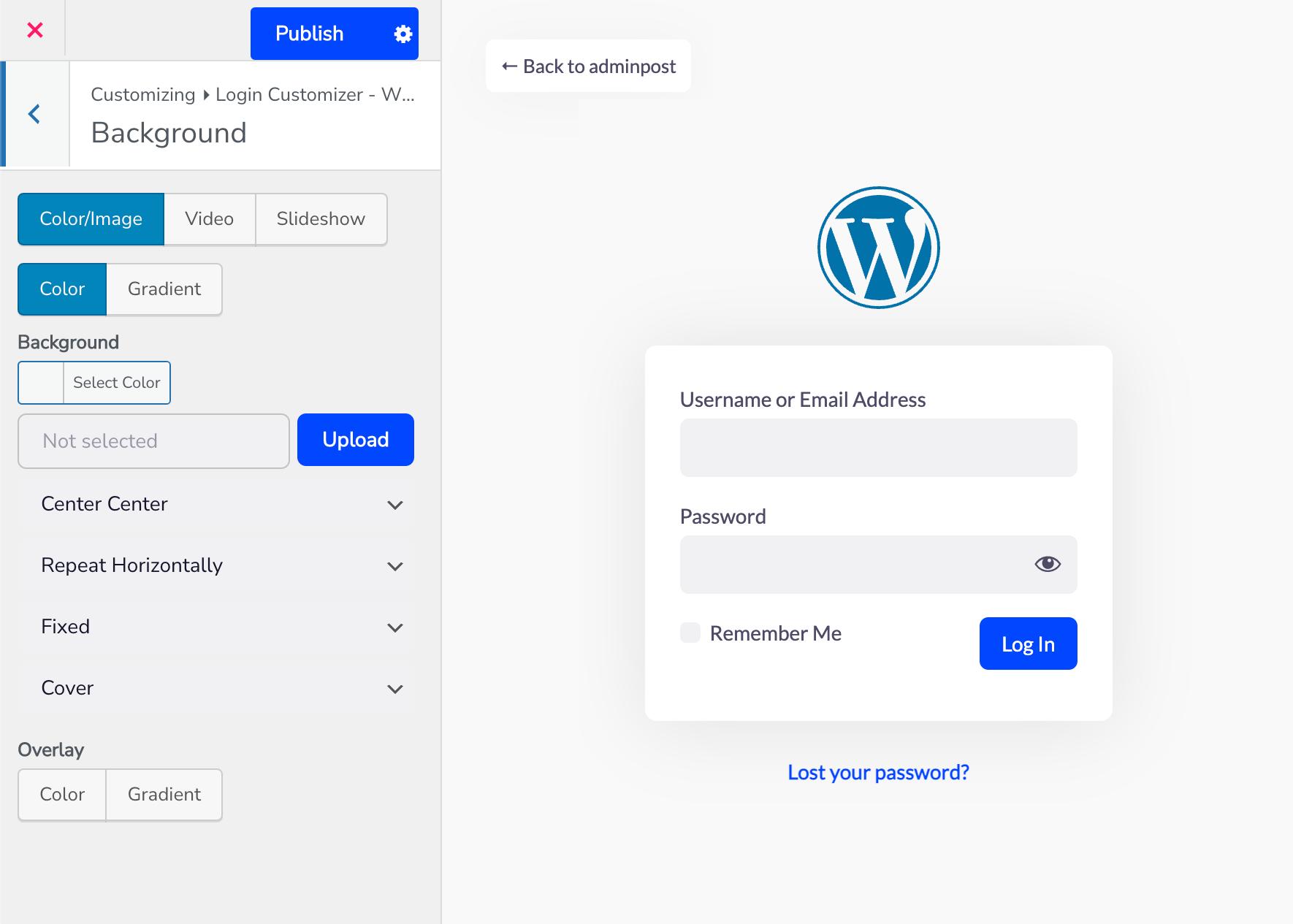
Background
The background is a pretty good way to highlight any differences. You can change the backdrop color with this option. Set a picture, or a video, or add a slideshow of your greatest work to promote your products or services.
You can select whatever color you like from the color & gradient choices. Also, you can manage it using the overlay option.
Most of the time, when you submit a picture for your backdrop, it won't appear exactly where you want it to. But Loginfy takes you out of any hassles!
Once you upload an image, you can select its placement. Also, you can choose if it will be repeated or not. Also, you can set the backdrop attachment to scroll or fixed along with its size. Sounds interesting, isn’t it?
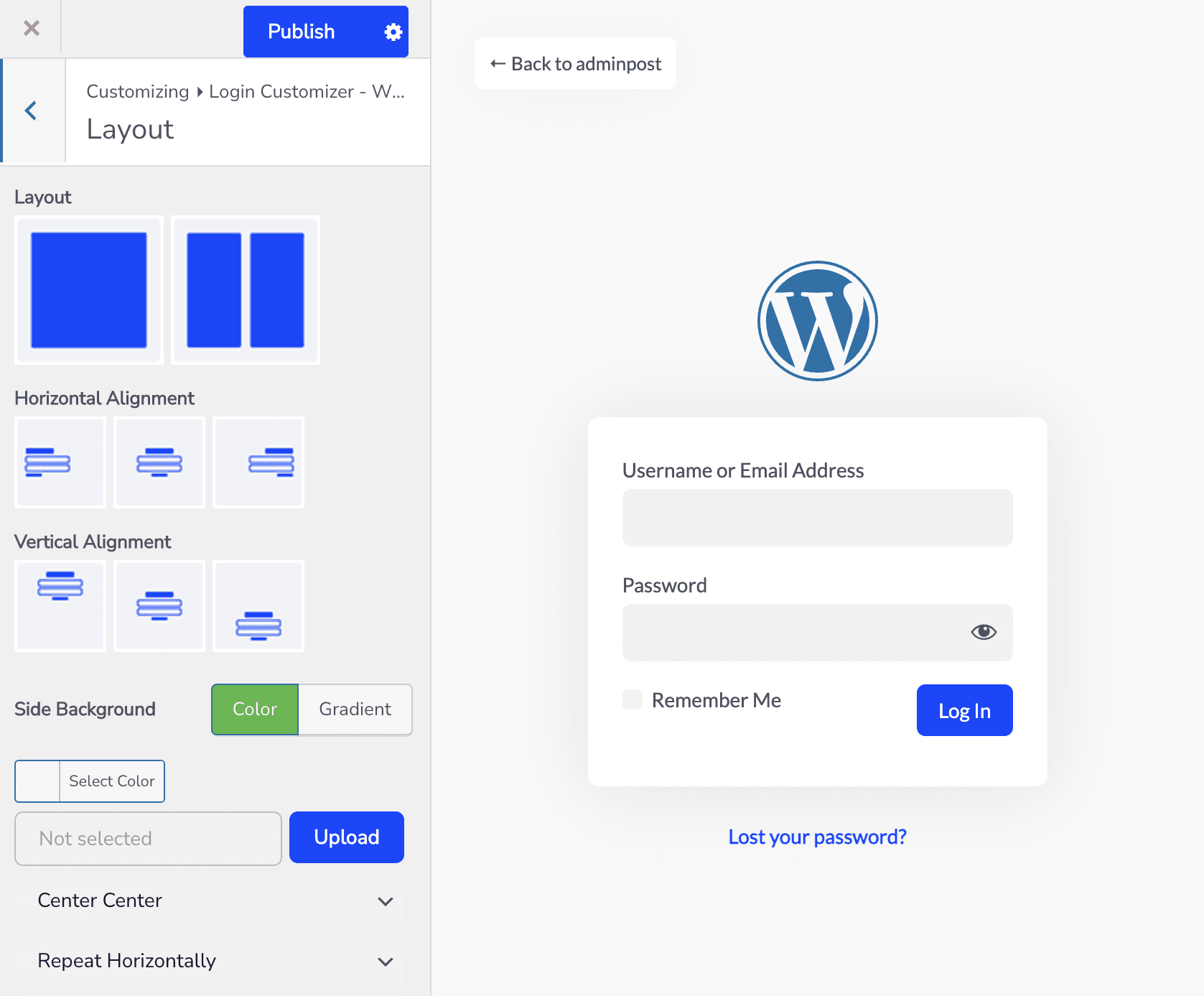
Layout
Want something a bit more fun? Use the layout section. With this, you can split your login screen into two sections. And, you can choose where the login box will appear.
Six alignments are available for you. And you can add an image and edit it much like the backdrop section.
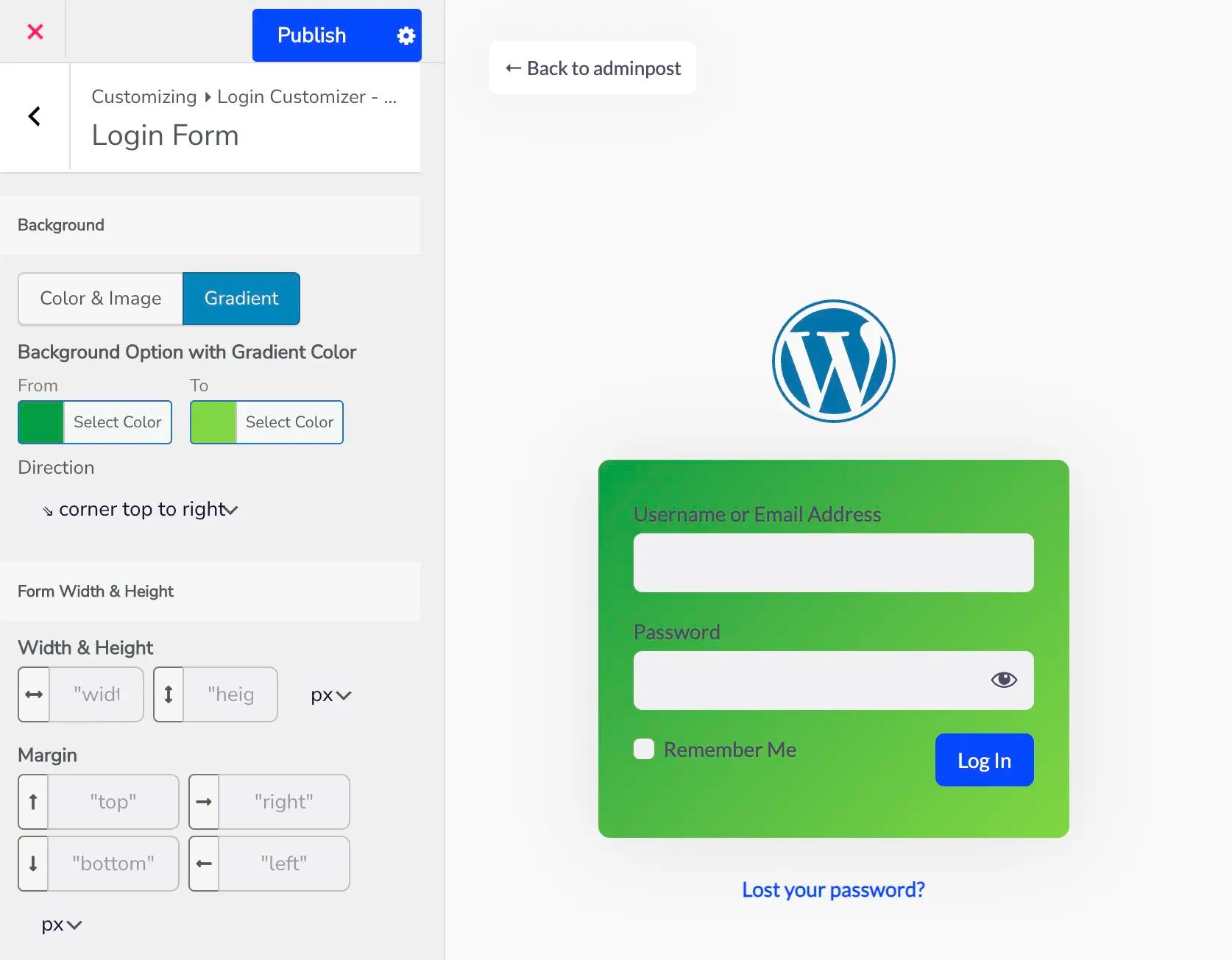
Login Form
Most plugins only let you edit a small area of the login page. But, Loginfy gives you the full customization for the whole login page.
You get the login form settings to fully customize your form. You can upload an image or modify the login form's color.
You can also change the entire background design. Other settings, such as border, width, and height, are available to everyone. You also get features like border, padding, or box shadow that require a premium membership.
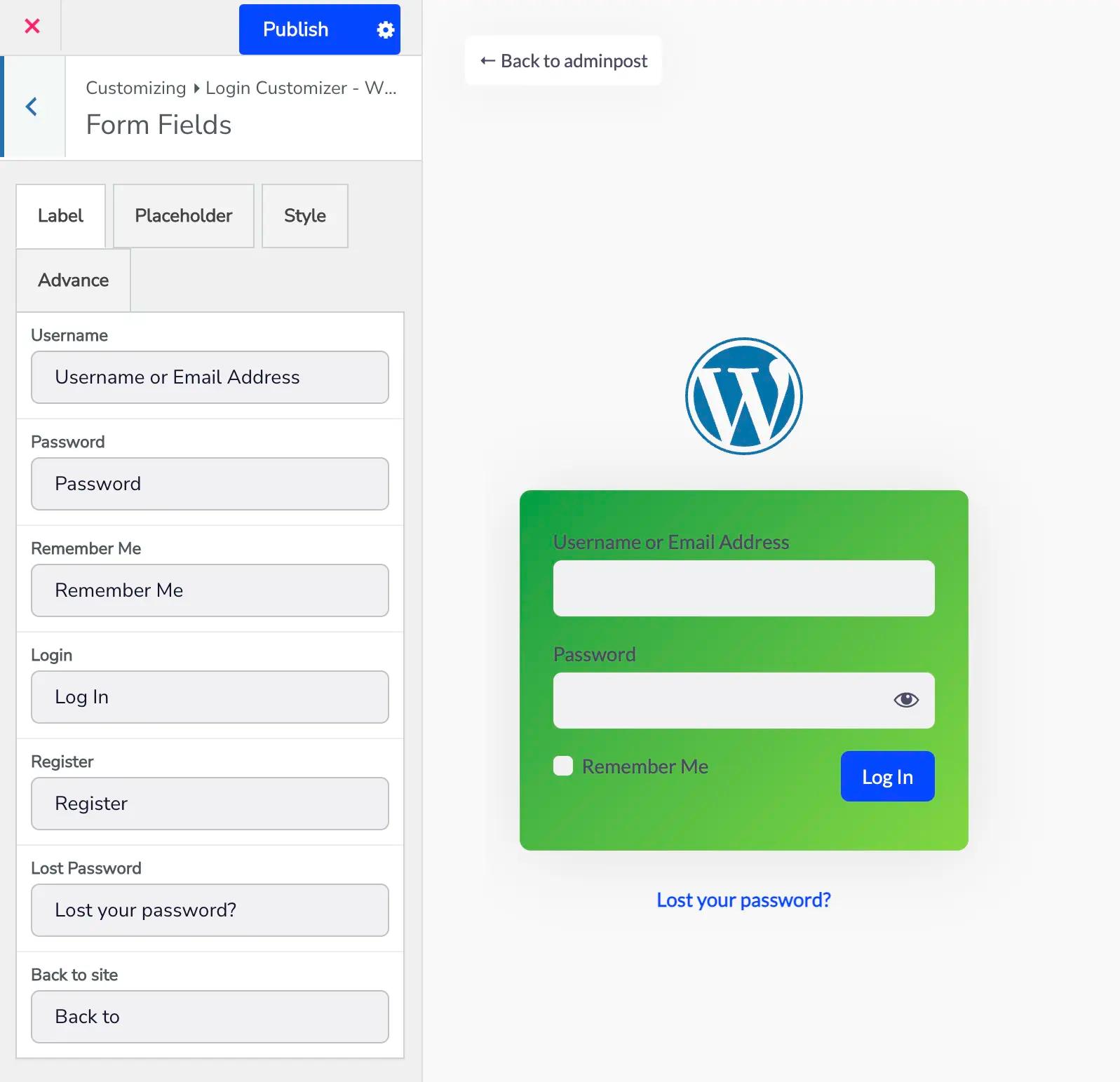
Form Fields
Want to personalize the login screen with texts and boxes? You have the form fields option to do that with 4 different settings.
- Label: This allows you to change the names of the login, registration, remember me, forgotten password, and back-to-site options.
- Placeholder: You can choose what will appear in this text box instead of the default login and password.
- Style: You can choose the label font size, the field's height and width, and the label color using this option.
- Advance: This part contains spread, location, color, blur, horizontal and vertical alignment, and field padding.
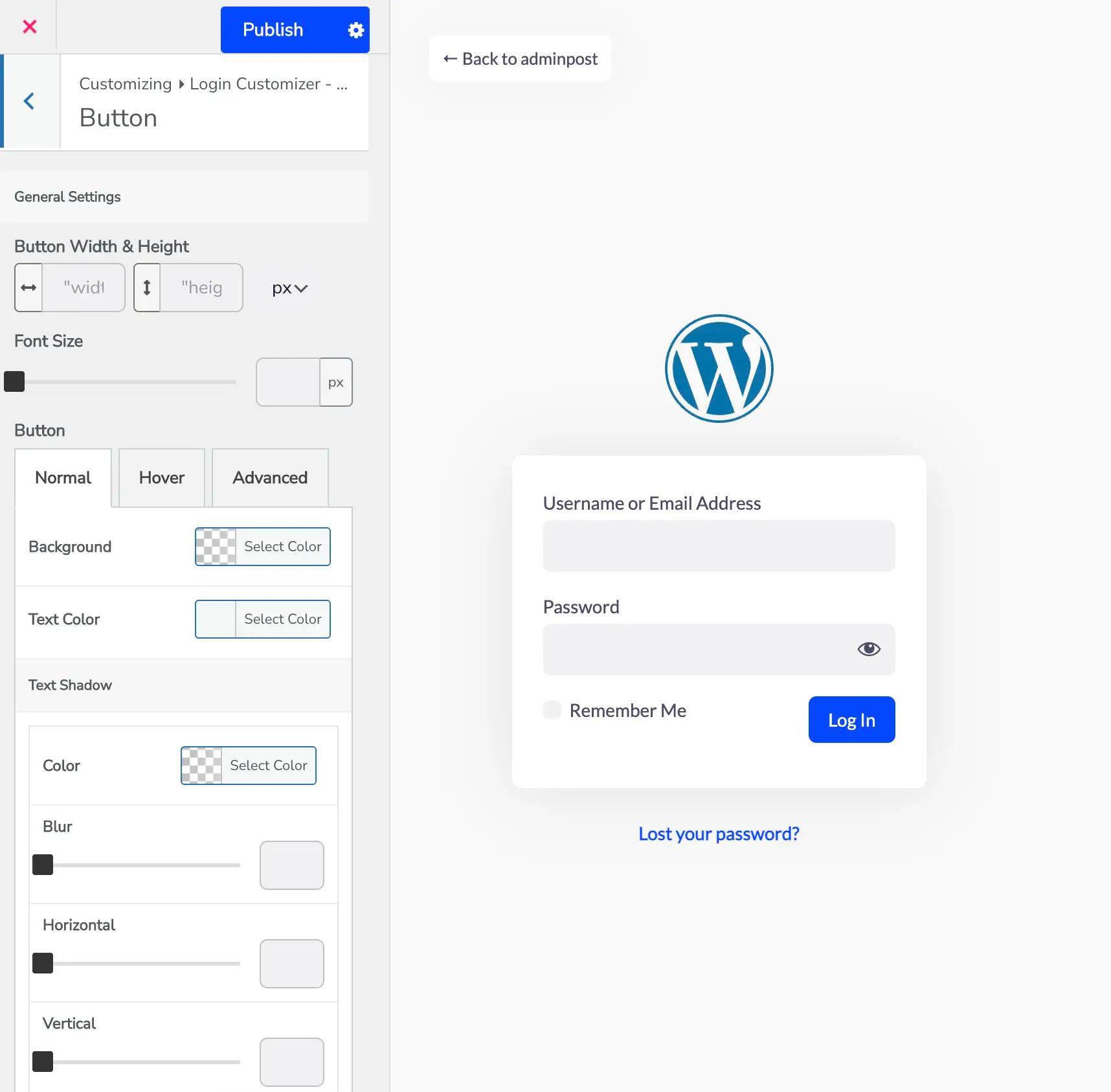
Button
The button option relates to all the buttons present in the login form. You can pick the color of the text and the button from the "regular" option.
There is also an option named “hover”. Which can help to choose the color when anyone hovers their mouse over a button. You can also customize the buttons' margin, padding, and border using the advanced settings.
Others
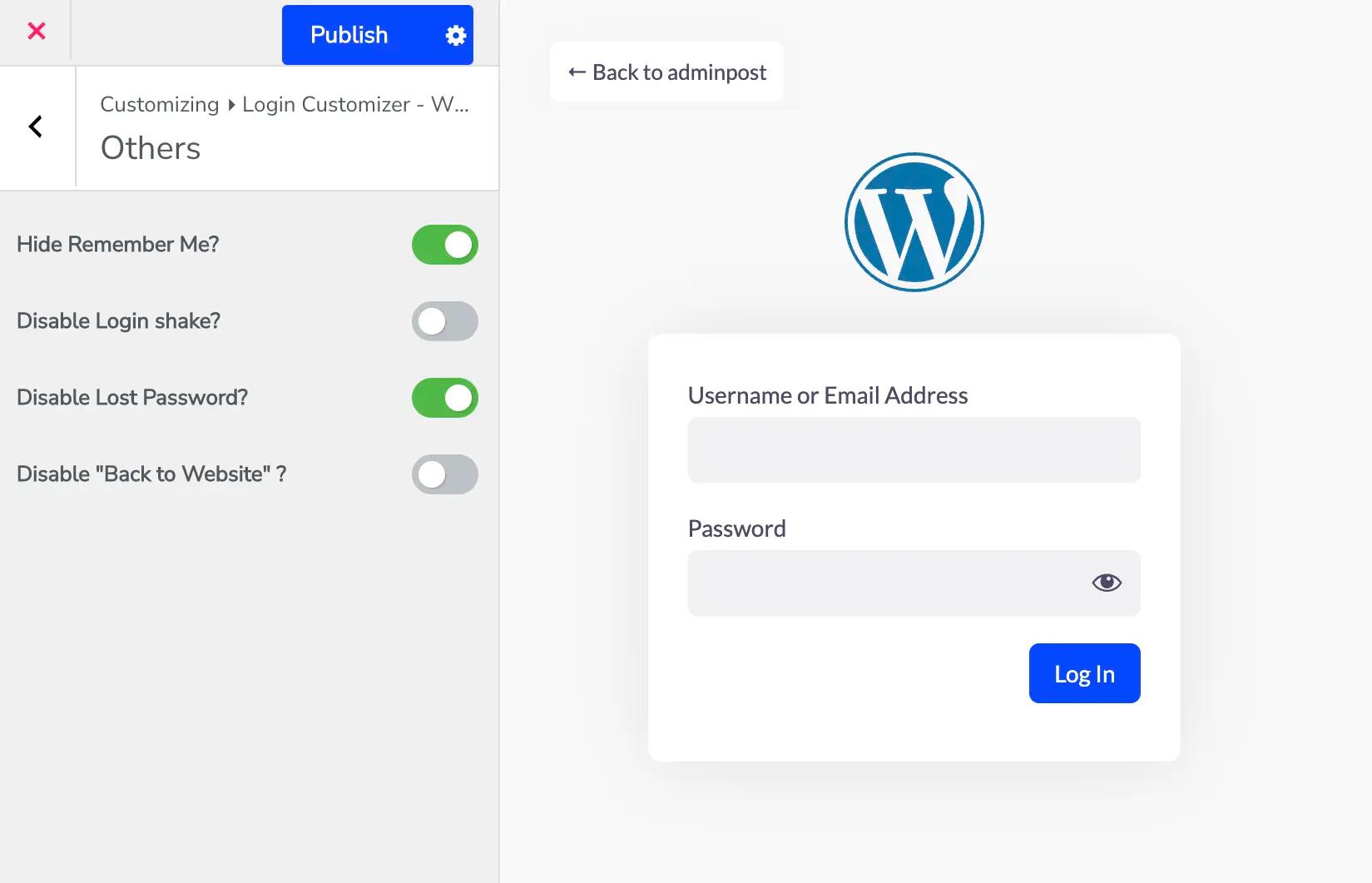
Want to take full control over your login form? The Others section lets you remove or adjust default WordPress options that you might not need.
Here, you can:
- Hide the Remember Me checkbox
- Disable the Login Shake animation
- Remove the Lost/Forgot Password link
- Disable the Back to Website link
- Hide the Privacy Policy link
- Disable the Language Switcher dropdown
These options are designed for users who want a cleaner, distraction-free login page. We recommend disabling them only if you have a specific reason. If you have security concerns, branding preferences, or simplifying the user experience, you should go for it.
Google Fonts
Google Fonts are one of the most popular choices for website owners. And obviously for good reason. The library offers hundreds of stylish, professional, and easy-to-read fonts. With this option enabled, you can instantly apply any Google Font to your login page and create a design that perfectly matches your brand’s personality.
Take full control of how your login form text looks with Typography settings. You can fine-tune every detail, including:
- Font Family
- Font Style
- Subset
- Text Align
- Text Transform
- Text Decoration
- Font Size
- Line Height
- Letter Spacing
- Word Spacing
- Font Color
Make your login screen not just functional, but visually memorable.
Error Message
Whenever someone enters an incorrect login detail, like the wrong email or password, WordPress shows a default error message. So, what’s the issue? It’s the same generic message that’s been there since day one.
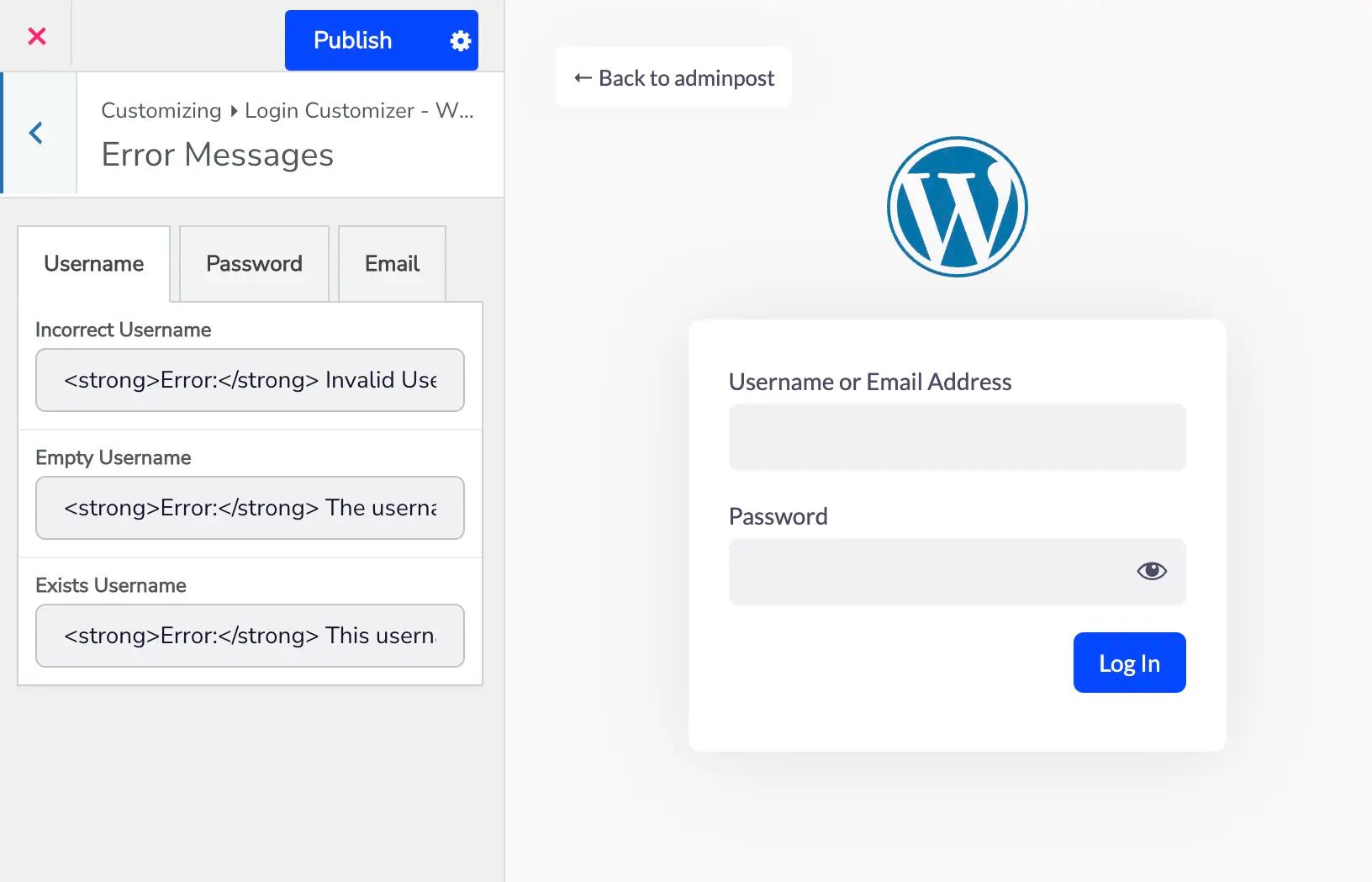
With the Error Messages option, you get the freedom to make those messages your own. Customize them for:
- Invalid or incorrect usernames
- Empty fields
- Existing usernames
- Wrong email or password entries
Instead of boring, outdated text, you can customize messages that are helpful.
Whether you want to guide users politely or add a touch of personality this tool gives you full control.
Why settle for the same old message when you can turn errors into opportunities, Right?
Custom CSS & JS
The Custom CSS & JavaScript option can be one of the most powerful features for developers. If you love writing code, this section gives you complete freedom to extend and personalize your login page. Add custom styles, extra features, or even interactive elements.
CSS Editor lets you write and apply your own styles to the login page.
Note: Custom CSS won’t reflect live until you Save Settings and refresh or Preview the login page.
JS Editor lets you add custom JavaScript to enhance your login page functionality.
Note: Custom JS also requires saving and refreshing or previewing to take effect.
Even if you’re not a programmer, this option is a great way to hand over creative control to your developer. It’s a flexible feature designed for those who want complete customization beyond the basics.
Credits
If you enjoy using Loginfy, you can show your support by adding a small “Powered by Loginfy” logo to your login page.
Options you can control:
- Enable or disable credits
- Choose the text color
- Adjust the position of the logo
We’ve built this tool to be free and accessible for everyone. By enabling credits, you’re helping us spread the word so more people can discover Loginfy. It’s a simple way to give back. And who knows, someone visiting your site might find the premium features they’ve been looking for.
Of course, the choice is yours. Whether you enable it or not, we’re grateful to have you as part of the Loginfy community.
Ways to Make Your Login Screen More Trust Worthy
According to Salesforce.com, 95% of customers stick with the brand they like, and 92% are more inclined to buy more items from their go-to retailer. This statistic demonstrates how important design is in building a trustworthy website. Due to the abundance of spams websites today, even a simple login page might drive away a consumer. Here are some suggestions for improving the credibility of your website and even the login page.
- First, add SSL & HTTPS to your website.
- Show your trust seals & certificates. A login page is an ideal option to showcase your security certificates.
- Add a social profile in the footer of every page. Highlight them on the login page so that no one hesitates when creating an account.
- Add a live chat option on the login page.
- Make every page in a way that can build a great first impression.
- Use a user-friendly design.
- Enable comments for posts.
- Build an emotional appeal across all touch points.
If you face any other issues regarding the login page, I recommend you to check out this how to fix the login page error blog post.
Do’s & Don’ts for Login Screen Design
Designing a login page isn’t as simple as it looks. Every detail matters! And overlooking even the smallest element can reduce the user experience. This might discourage people from signing in or joining your website.
The good news? Creating a great login page doesn’t have to be complicated. All you need is a clear plan and a focus on the basics.
To help you get started, here are some of the top Dos and Don’ts of login page design. Some practical tips that will make the process easier and ensure your login page is both functional and user-friendly.
Do
- Keep it simple & clear: You can’t go wrong with a straightforward login form and a clean layout. Users will quit the website if the page is messy and the login forms are hidden or hard to find.
- Differentiate Registration & Login: Never combine signing up with signing in. Since they both appear identical, most users first choose the sign-in option before becoming irritated.
- Add Social Profile Login: Social profile login is easy and quick.
- Solve the CAPS Lock Issue.
Don't
- Avoid Pop-up Logins
- Avoid Modal or Tabbed Logins
- Avoid Putting Restriction on Username or Password: let the user choose what he likes, don’t put some rules that your password needs to be this or that.
- Remove All Hidden Fields.
- Don’t Restrict Long Password.
Importance of Custom Login Background - From User’s Aspect
Users are constantly looking for reliable sources. Most websites in this era of internet commerce offer one thing while providing another. They look for the same product on several websites, but they only make purchases from those they trust. Therefore, you must keep it in mind while creating not only the WordPress Login Screen but the entire website in order to make it trustworthy.
Try to keep the login page's design as straightforward and lovely as possible. Users don't want to have to go through a lot of security hoops to register an account. Therefore, make the selections clear and avoid using similes in the sign-up process.
Only give users a few options, but if your website sells important goods and has a large audience, consider adding extra layers that can be activated from the user profile. Make sure that the login page responsiveness is always good. If not then you will lose most of the customers for sure. Now social profile logins are much easier. You can try them too.
Reasons to Customize WordPress Login Page - Owner’s Benefits
A person's decision to browse your website or not is made in less than a second, according to Tylor & Francis Online. If they have a positive first impression, they could browse it.
This claim encapsulates the significance of a well-designed website and its login page. According to a study by socialmediatoday.com, a well-designed login page gets a customer response 12 times faster than a typical website login page. Spiceworks.com reports that 95% of B2B buyers desire visual material. All these data show us how even a login page can make a difference.
We all know that writing all those emails, usernames and passwords is really boring and that is the main reason most users won’t log in to any new websites. But what about VOGUE or any other top brands? The only difference they made all the difference from the beginning. They made everything user-friendly as well as special so that you are happy & trust them. Look at them how they are getting traffic day by day.
So after all this, you can say that even a WordPress login screen customization can bring you some good change.
Related Reading
General question for Login Page Customization (FAQs)
Can I restore the default WordPress login screen anytime?
Yes, with just one click. Loginfy is simple for everyone. It doesn’t overwrite WordPress core files. If you deactivate or reset the plugin, WordPress automatically falls back to its default login page. This makes it completely safe to experiment with designs without worrying about breaking anything.
What if I want to run seasonal promotions on my login screen?
That’s a great idea! With Loginfy, you can change out the background, logos, or even add a slideshow/video for seasonal campaigns. For example, showcase a holiday sale banner directly on the login screen. It’s a smart way to turn a functional page into a marketing opportunity without any coding.
Do I need the premium version to get a professional-looking login page?
Not necessarily. The free version of Loginfy already gives you access to essentials like logo upload, background customization, and layout changes. If you want advanced features like premium templates, Google Fonts, detailed form styling, or button hover animations, then the premium plan is worth considering. It’s mostly about how much design control you want.
What happens if I disable or uninstall the Loginfy addon?
If you deactivate or remove Loginfy, your login page will automatically revert back to the default WordPress login screen. This means you won’t lose any website data or lock yourself out. Your customization settings will stay stored until you decide to reinstall and re-enable the addon again.
Can I customize the login page without coding knowledge?
Absolutely! That’s one of the best things about Loginfy. You get a visual customizer with advanced settings. Everything including logo, background, colors, fonts, buttons, and error messages can be customized without writing a single line of code. However, if you’re a developer, you’ll also get the option to add custom CSS and JS for advanced customization.
Where to go next
A branded login screen is the first step, but clients spend the rest of their time inside the dashboard itself. For the full picture - rebranding wp-admin, hiding the WordPress logo and "Howdy" greeting, white-labeling plugin names, and handing over a site that looks like yours end to end - read our complete guide to white label WordPress. If you also want to reshape what clients actually see once they're logged in, the WordPress dashboard customization guide covers every method, plugin and code alike.