


Every WordPress install gives you the same backend. Dark grey sidebar, blue accents, and a dashboard packed with widgets you never asked for. You stop noticing it after a while, but a client logging in for the first time notices straight away, and they wonder why the site they just paid for looks like everybody else's. That's a big part of why agencies customize the WordPress admin dashboard before they hand a site over.
A WordPress admin theme is how you do it. It restyles wp-admin so the dashboard, menus, and login screen carry your brand, get a proper admin dark mode, or are just nicer to spend a workday in. We compared six WordPress admin theme plugins from wordpress.org below, using the install counts, ratings, and update dates listed there in September 2026.
Quick answer: the best WordPress admin theme plugin
For most sites we'd pick WP Adminify. It puts UI templates, dark mode, a menu editor, white label branding, and a login customizer into a single plugin. If rebranding client sites is the only thing you care about, look at White Label CMS. If you want to build your own admin panel out of blocks, try UiPress Lite. And if you only want different colours, Admin Color Schemes is enough.
What is a WordPress admin theme?
A WordPress admin theme is a plugin that changes how the backend looks, and sometimes how it behaves, for logged-in users. It can restyle the sidebar, the toolbar, dashboard widgets, buttons, and fonts, and a lot of them restyle the login page too. Front-end visitors never see any of it.
The name is a bit off, to be fair. WordPress doesn't have an "admin theme" slot like the Appearance > Themes screen you use for the front end. Every WordPress admin theme ships as a plugin. It either loads its own stylesheet on admin pages, registers a colour scheme through the core API, or swaps out parts of the admin interface altogether.
In practice you'll run into three kinds:
- Colour schemes. The lightest kind. They add palettes to the picker under Users > Profile > Admin Color Scheme, and that's all they touch.
- Admin skins. One stylesheet that reworks spacing, type, and components but leaves the core WordPress layout where it is.
- Admin UI suites. Bigger plugins with templates, dark mode, menu control, branding, and login styling, for when you want to customize the WordPress admin dashboard from top to bottom.
Curious how far a backend redesign can go before you commit to a plugin? The Adminify UI templates documentation has examples of restyled admin screens you can look through.
Why use a WordPress admin theme?
The default admin works fine, so it's a reasonable question. When we build and hand over client sites, the reasons we see come down to these.
1. Client handover. Your logo and colours in the backend make the site feel finished and built for them. Add white label WordPress branding on top and the client sees your agency's name when they log in, not WordPress.
2. Fewer support tickets. Most admin themes also let you hide menus and dashboard widgets. A shop manager who only sees Orders, Products, and Pages has no reason to wander into Settings and change something they shouldn't.
3. Comfort for long sessions. Writers and editors live in the block editor and the post lists for hours. Dark mode or a softer palette cuts the glare, which you'll appreciate most late at night.
4. Telling sites apart. Running staging, development, and live copies of one site? Give each a different admin colour and you're much less likely to edit the wrong one.
To be fair to the default admin: if you're the only person who logs in and the stock look doesn't bother you, you can skip all of this. The colour schemes WordPress already ships might be plenty.
The 6 best WordPress admin themes compared
Every number here comes from the plugin's wordpress.org listing as of 13 September 2026. "Tested up to" is the newest WordPress version the developer has confirmed, and it's one of the quickest ways to tell whether a plugin is still being looked after.
| Plugin | Type | Active installs | Rating | Last updated | Tested up to | Best for |
|---|---|---|---|---|---|---|
| WP Adminify | Admin UI suite | 6,000+ | 4.3 (109 reviews) | Aug 2026 | 7.1 | All-in-one admin theming |
| White Label CMS | Branding tool | 200,000+ | 4.7 (114 reviews) | Jul 2026 | 7.0.4 | Client rebranding |
| UiPress Lite | Admin builder | 6,000+ | 4.1 (21 reviews) | Sep 2026 | Not listed | Custom block-built admin |
| WP Admin UI Customize | Settings-based customizer | 30,000+ | 4.6 (59 reviews) | Nov 2024 | 4.9.31 | Free granular control |
| Slate Admin Theme | Admin skin | 6,000+ | 4.7 (44 reviews) | Jan 2022 | 5.9 | Minimal writing-focused look |
| Admin Color Schemes | Colour scheme pack | 4,000+ | 4.8 (26 reviews) | Jan 2022 | 5.9 | Lightweight colour change |
1. WP Adminify: best all-in-one WordPress admin theme
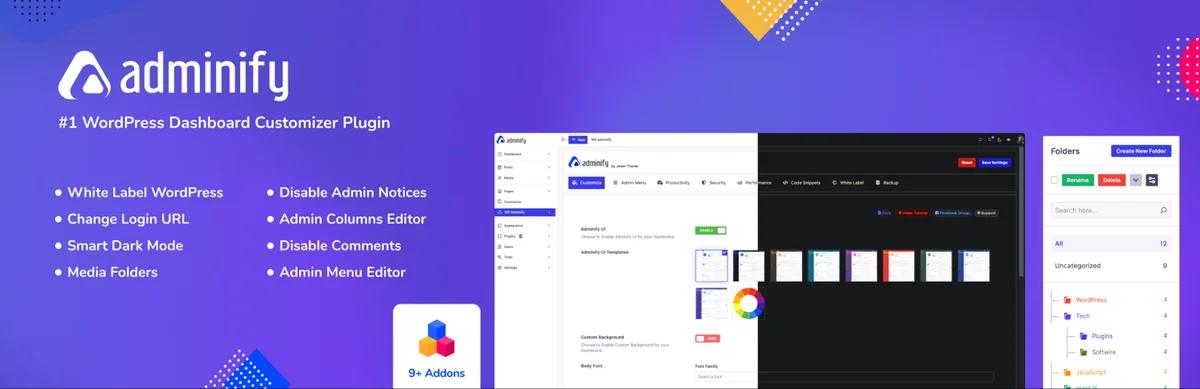
WP Adminify does a lot more than change colours. It's aimed at agencies and site owners who want to redesign the whole admin without piling up a stack of plugins to do it. You get ready-made UI templates (Light, Dark, Modern, and Glass), your own colours and fonts, and a dark mode you can schedule so it switches on by itself in the evening.
Next to the theming you'll find the tools you'd probably go looking for anyway. There's a drag-and-drop admin menu editor with role-based visibility, white label branding for your logo, favicon, and footer text, and the Loginfy login page customizer. It all lives in one plugin, so you set up the backend from one place rather than jumping between five settings screens.
[Screenshot: WP Adminify UI template picker showing Light, Dark, Modern, and Glass templates]
Pros
- Styles the dashboard, menus, and login page from a single plugin
- Dark mode with scheduling comes built in
- Role-based controls, so editors can get a different backend from admins
- Tested up to WordPress 7.1, last updated August 2026
Cons
- There are far more settings than a simple skin has, so setup takes longer
- Some of the advanced modules need WP Adminify Pro
Pricing: The free version is on wordpress.org, and paid plans are listed on the WP Adminify pricing page.
2. White Label CMS: best for client rebranding
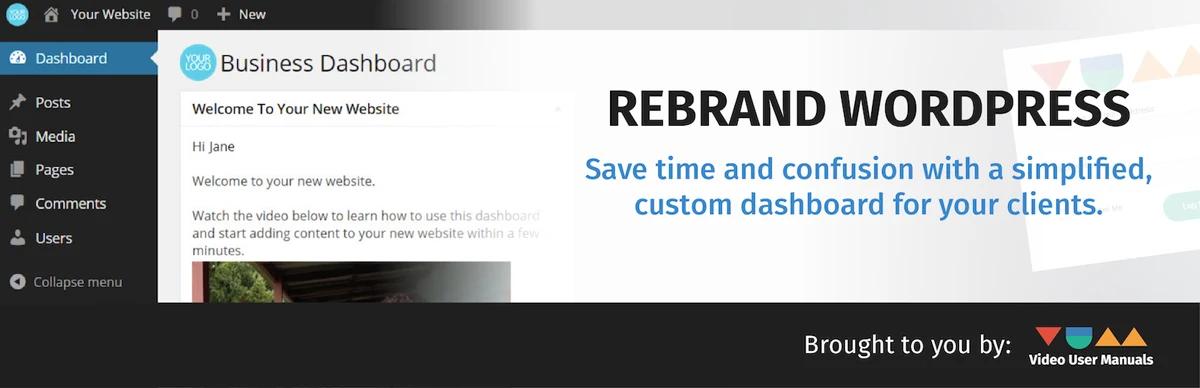
No plugin on this list comes close to White Label CMS on installs. It has more than 200,000. The developers say it's for people who want to give clients "a more personalised and less confusing content management system", and that's a fair summary. Think of it as a branding tool that happens to restyle a little, not a full WordPress admin theme.
You can put a logo and background image on the login page, add your branding to the admin bar, menu, and footer, wipe the default dashboard and drop in your own panel, and decide which menus a client gets to see. There's a setup wizard that gets the basics done in a few minutes, which helps a lot when you're repeating the same setup on client site after client site.
[Screenshot: White Label CMS setup wizard with branding and dashboard options]
Pros
- Very large user base and a 4.7 rating
- Quick setup through the wizard
- Still maintained, tested up to WordPress 7.0.4
Cons
- Not much visual restyling: no full UI templates, no built-in dark mode
- For deeper menu or dashboard design you might still need another plugin
Stuck between a branding-only tool and a full suite? Our WP Adminify vs White Label CMS comparison goes through the differences one feature at a time.
3. UiPress Lite: best for building a custom admin panel
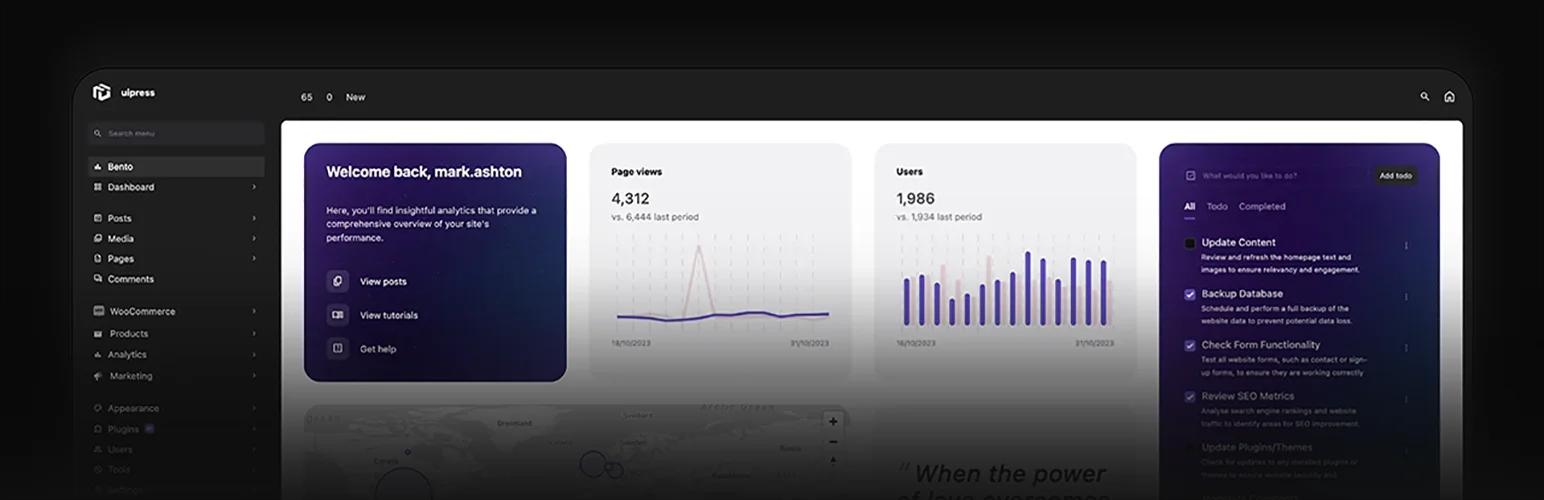
UiPress Lite works differently from the rest. It doesn't restyle the admin you already have. It hands you a block-based visual builder, called the uiBuilder, and you build admin pages, dashboards, and entire admin themes yourself. The free version comes with 50+ blocks, responsive templates, global styles, custom login pages, and a user role editor.
If you want a custom WordPress admin panel that looks nothing like stock WordPress, say a client portal with one dashboard of analytics and shortcuts, this gives you the most room. What it costs you is time. Building an admin in a builder feels a lot more like building a website than installing a skin, and less technical users can get lost in it.
[Screenshot: UiPress Lite uiBuilder editing a custom admin dashboard layout]
Pros
- More design freedom than anything else on this list
- Updated recently (September 2026)
- Friendly to developers, with an extendable API
Cons
- Harder to learn than a skin or a suite
- The wordpress.org listing doesn't give a "Tested up to" version
- Lower rating (4.1), and fewer reviews behind it
We get into where each tool fits in WP Adminify vs UiPress.
4. WP Admin UI Customize: best free settings-based customizer
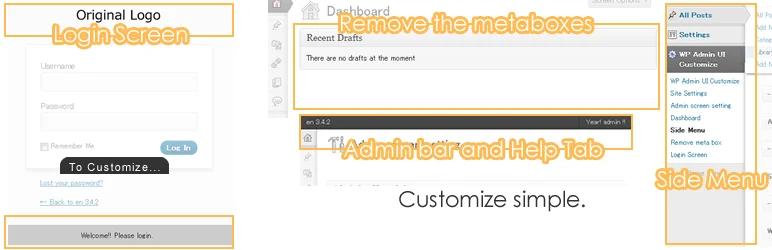
WP Admin UI Customize has been around a long time. It's free, it has 30,000+ active installs, and it's rated 4.6. Don't expect a fresh new look from it. What it does is let you change the dashboard, the screen options tab, site meta output, the admin bar, the admin menu, meta boxes, and the login screen, all from ordinary settings pages.
That's handy when you want a tidier WordPress backend and don't want to pay for it. You can rename or hide menu items, strip nodes out of the toolbar, and hide meta boxes on the edit screen, and none of it needs code.
Pros
- Free, with no paid tier
- Fine-grained control over lots of admin areas
- Big, long-standing user base
Cons
- Last updated November 2024, and the listing says it was last tested with WordPress 4.9.31
- It's about control, not visual design
Common issue: A plugin nobody has tested against recent WordPress releases can clash with newer admin screens. Try WP Admin UI Customize on staging first, and write down what you change so you can undo it if something goes wrong.
5. Slate Admin Theme: best minimal free admin skin
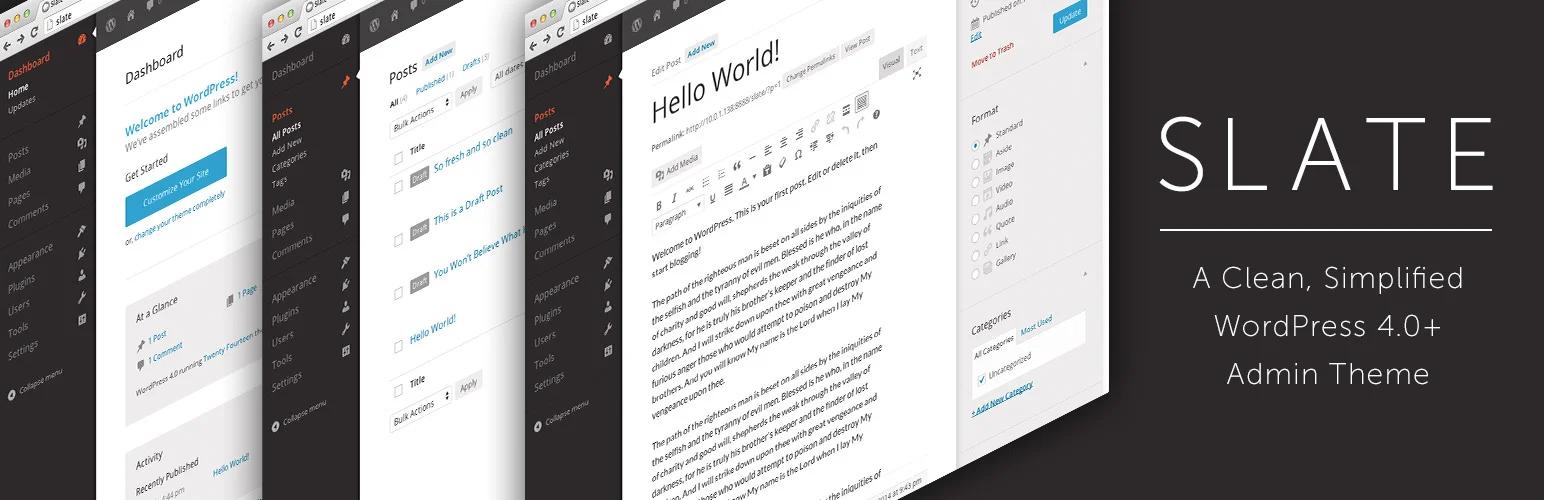
Slate is the one you install and forget about. Its developers describe the goal as a clean, simplified design with a primary focus on the content writing experience. You won't find a settings page. Turn it on and the admin gets flatter and quieter right away.
That's exactly what bloggers and editors who mostly write tend to want. It's rated 4.7 across 44 reviews and has 6,000+ active installs.
[Screenshot: WordPress dashboard before and after activating Slate Admin Theme]
Pros
- Nothing to configure
- Clean look that stays out of your way
- Free
Cons
- No updates since January 2022, and only tested up to WordPress 5.9
- No branding, menu, or dashboard controls
Slate isn't maintained anymore, so we'd keep it to personal sites. It's not something to put on a client site you expect to support for years.
6. Admin Color Schemes: best lightweight colour change
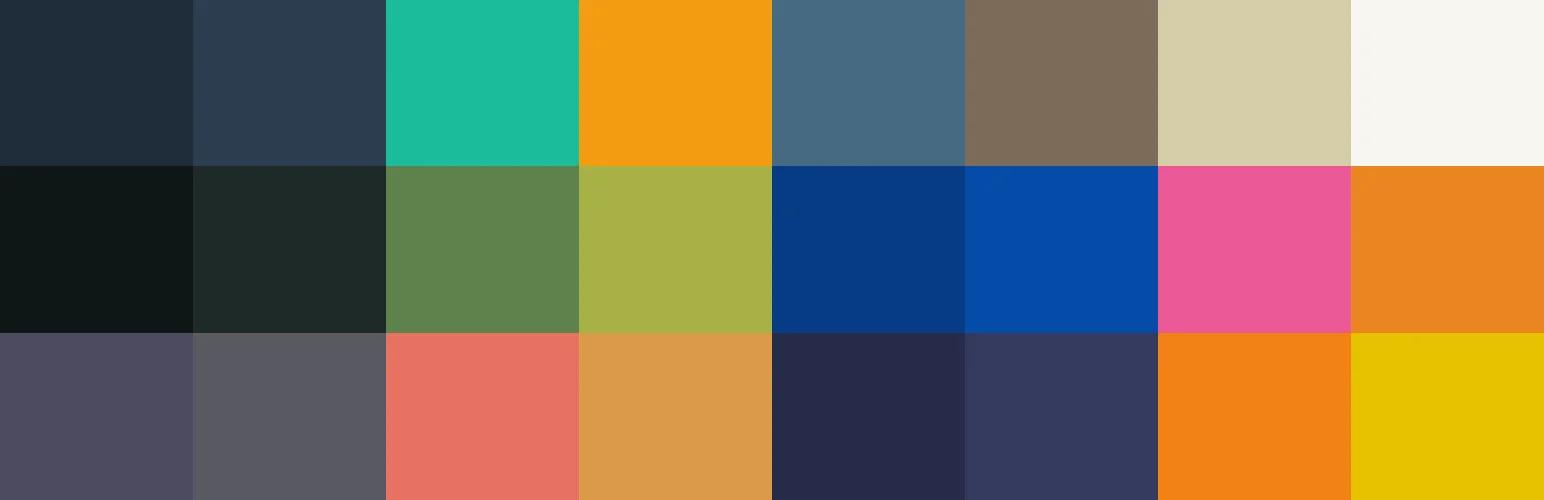
When all you want is new colours, Admin Color Schemes is the lightest way to get there. It adds 12 colour schemes, designed by Kate Whitley, Dave Whitley, Mel Choyce, and Kelly Dwan, to the picker WordPress already has. Every user picks their own under Users > Profile > Admin Color Scheme.
It hooks into the native colour scheme system instead of overriding styles, so it adds almost no overhead and seldom clashes with other plugins. Its 4.8 rating is the highest on this list. If you want to understand how the built-in picker works, read our guide to changing the admin color scheme in WordPress.
Pros
- Very light
- Built on the core WordPress admin color scheme API
- Each user chooses their own scheme
Cons
- Only colours change: layout, branding, and menus stay the same
- Last updated January 2022
How to create a WordPress admin theme without a plugin
If you're comfortable with code, a basic WordPress admin theme only takes a few lines. It's worth doing when you need one custom palette or a couple of style tweaks and would rather not add another plugin.
Register a custom admin colour scheme
WordPress has a wp_admin_css_color() function for registering new schemes. Drop this into a small custom plugin or your child theme's functions.php, then create the stylesheet it points at:
// Register a branded admin colour scheme
function mysite_register_admin_color_scheme() {
    wp_admin_css_color(
        'mysite-brand',
        __( 'Brand', 'mysite' ),
        get_stylesheet_directory_uri() . '/admin-colors/brand.css',
        array( '#1d2327', '#2c3338', '#6c4cf1', '#ffffff' ),
        array(
            'base'    => '#a7aaad',
            'focus'   => '#ffffff',
            'current' => '#ffffff',
        )
    );
}
add_action( 'admin_init', 'mysite_register_admin_color_scheme' );
The four hex values are only the preview swatches in the profile picker. The icon array sets the Dashicons colour in the admin menu. The real styling goes in brand.css.
Force one scheme for every user
On a client site you'll usually want everyone on the same branded scheme. This filter ignores whatever each user picked:
// Apply the brand scheme to all users
add_filter( 'get_user_option_admin_color', function () {
    return 'mysite-brand';
} );
[Screenshot: Users > Profile screen showing the custom "Brand" colour scheme]
Add extra admin CSS
Some things a colour scheme can't do, like rounded buttons or a custom font. For those, load a stylesheet on admin pages only, using the admin_enqueue_scripts hook:
function mysite_admin_styles() {
    wp_enqueue_style(
        'mysite-admin',
        get_stylesheet_directory_uri() . '/admin-colors/admin.css',
        array(),
        '1.0.0'
    );
}
add_action( 'admin_enqueue_scripts', 'mysite_admin_styles' );
Common issue: A WordPress update that renames classes or changes markup can break your custom admin CSS. Stick to stable selectors like #adminmenu and #wpadminbar, and check your styles again after each major release. Once you also want dark mode, templates, or menu control, a maintained plugin will usually cost you less time than writing all that CSS by hand.
How to choose the right WordPress admin theme
Pick based on what you need done, not on whose screenshots look best. Here's a shortcut:
| Your goal | Best pick | Why |
|---|---|---|
| Full backend redesign plus branding | WP Adminify | Templates, dark mode, menus, white label, and login in one plugin |
| Rebrand client sites quickly | White Label CMS | Wizard setup built around logos, login, and dashboard panels |
| Build a custom admin from scratch | UiPress Lite | Block-based builder with the most layout freedom |
| Hide and rename admin items for free | WP Admin UI Customize | Settings pages for menus, toolbar, and meta boxes |
| A calmer look for writing | Slate Admin Theme | Minimal design, nothing to set up |
| New colours only | Admin Color Schemes | 12 extra palettes and almost no overhead |
Before installing, look at these on the wordpress.org listing:
- Last updated date. If it hasn't been touched in over a year, test it on staging first.
- Tested up to. Check it against the WordPress version you're running.
- Free vs Pro split. Confirm the features you want aren't sitting behind an upgrade.
And only run one WordPress admin theme at a time. Two plugins restyling the same elements end up fighting over CSS priority, and the dashboard looks broken as a result. If you need more control over one particular area, add a focused tool like an admin menu editor rather than a second theme.
How to install a WordPress admin theme
You install a WordPress admin theme the same way you install any plugin:
- From your dashboard, go to Plugins > Add New Plugin.
- Search for the plugin's name, such as "Adminify" or "White Label CMS".
- Click Install Now, and then Activate.
- Open the plugin's settings from the admin menu and choose a template, colours, or branding.
- With a colour scheme plugin, head to Users > Profile and select the new scheme.
[Screenshot: Plugins > Add New Plugin screen with an admin theme plugin search result]
There are more options to browse under the admin-theme tag on wordpress.org.
Troubleshooting: If the admin looks broken after you activate, start by clearing any caching or minification plugin, because some of them combine admin stylesheets. Still broken? Deactivate the admin theme over FTP by renaming its folder in wp-content/plugins.
WordPress admin theme FAQs
Do WordPress admin themes slow down my site?
Not for your visitors. A WordPress admin theme only loads on backend pages for logged-in users, so the front end runs at the same speed. Colour schemes add next to nothing to the admin. Full UI suites load more assets, but on decent modern hosting you're unlikely to notice.
Can I use a WordPress admin theme with any front-end theme?
Yes. The admin theme and the front-end theme don't interact at all. Run Astra, GeneratePress, a block theme, or anything else on the front end, and use whichever admin theme plugin you like in the backend.
Is there a free WordPress admin theme?
Yes. Every plugin on this list has a free version on wordpress.org. Slate Admin Theme, Admin Color Schemes, and WP Admin UI Customize are free outright. WP Adminify, White Label CMS, and UiPress Lite have free versions plus paid upgrades if you want them.
How do I add dark mode to the WordPress admin?
WordPress core doesn't have an admin dark mode, so you'll need a plugin or some custom CSS. WP Adminify has dark mode with scheduling built in. For other routes, see our guide on how to enable WordPress dark mode.
Can I show a different admin theme to each user role?
Yes, with the right plugin. Core WordPress lets each user choose a colour scheme, but admins get no way to control it by role. WP Adminify adds role-based controls, so clients can get a simpler backend while administrators keep full access.
Will an admin theme break after a WordPress update?
It can, if nobody's maintaining the plugin. Look at "Last updated" and "Tested up to" before you install, and run major WordPress updates on staging first. Plugins that are still actively maintained, like WP Adminify, White Label CMS, and UiPress Lite, are the safer bet over the long run.
Which one should you pick?
It comes down to how much of the admin you want to change:
- Only the colours: Admin Color Schemes, or your own
wp_admin_css_color()scheme. - A quieter place to write: Slate, after a test on staging.
- Branding for clients: White Label CMS or WP Adminify.
- A full redesign of the backend: WP Adminify if you want everything in one plugin, UiPress Lite if you'd rather build it yourself.
If you want templates, dark mode, menu control, and white label branding without juggling a handful of plugins, try WP Adminify's dashboard customization for free. For a wider look at what's out there, read our roundup of the best WordPress dashboard plugins.
Your email address will not be published