


Key Takeaways
- The WordPress admin URL is your site address followed by /wp-admin/, for example https://example.com/wp-admin/, and the login form itself is at https://example.com/wp-login.php.
- WordPress builds the admin URL from the WordPress Address (URL) setting in Settings > General, so a site installed in a subfolder such as /blog has its admin at example.com/blog/wp-admin/.
- On a WordPress multisite network, each subsite has its own /wp-admin/ and the Network Admin screens are at /wp-admin/network/ on the main site.
- The wp-admin folder itself should never be renamed, because WordPress core expects it, so tools that "change the admin URL" actually move the login page and redirect logged-out visits to /wp-admin/.
- In a WP Adminify test with the login URL set to client-login and Redirect Admin set to 404, /wp-login.php returned a 404 error and logged-out visits to /wp-admin/ went to /404.
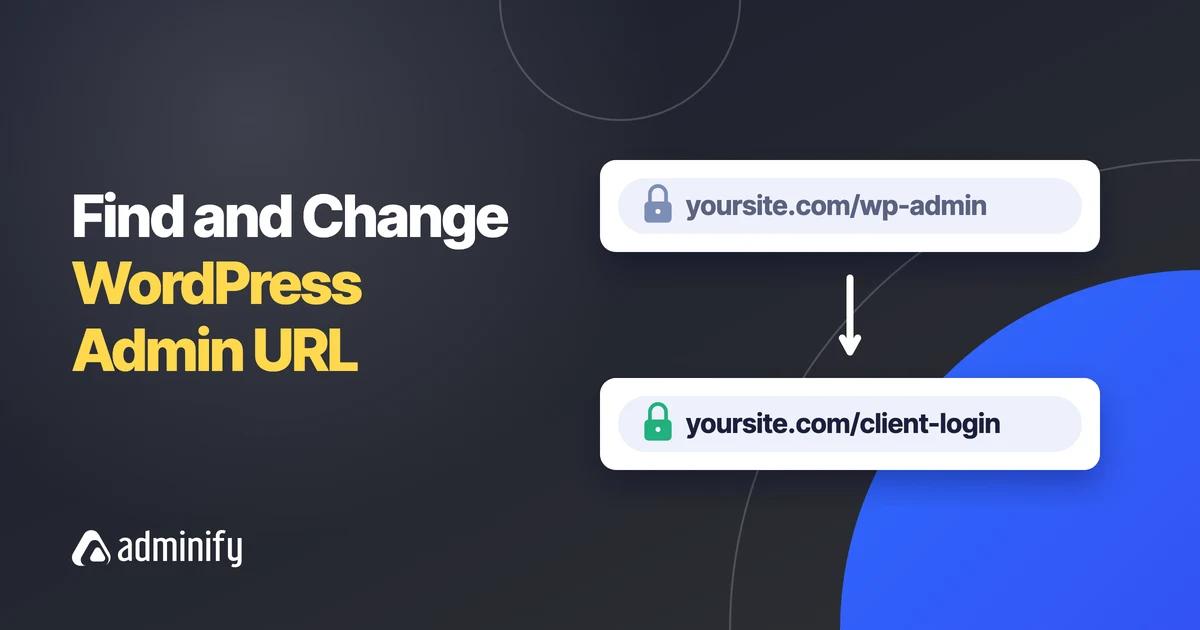
Your WordPress admin URL is yoursite.com/wp-admin/. Replace yoursite.com with your domain, for example https://example.com/wp-admin/. If you are not logged in, WordPress sends you to the login form at /wp-login.php and then back to the Dashboard. Subfolder, multisite and localhost installs change this pattern slightly.
Below you will find the admin URL for each type of install, ways to find it when you are not sure of the address, and what changes when you move the login page. To hide the login page, follow our wordpress change login url guide. You can also see how Login URL and Redirects works in WP Adminify.
Your WordPress Admin URL in One Line
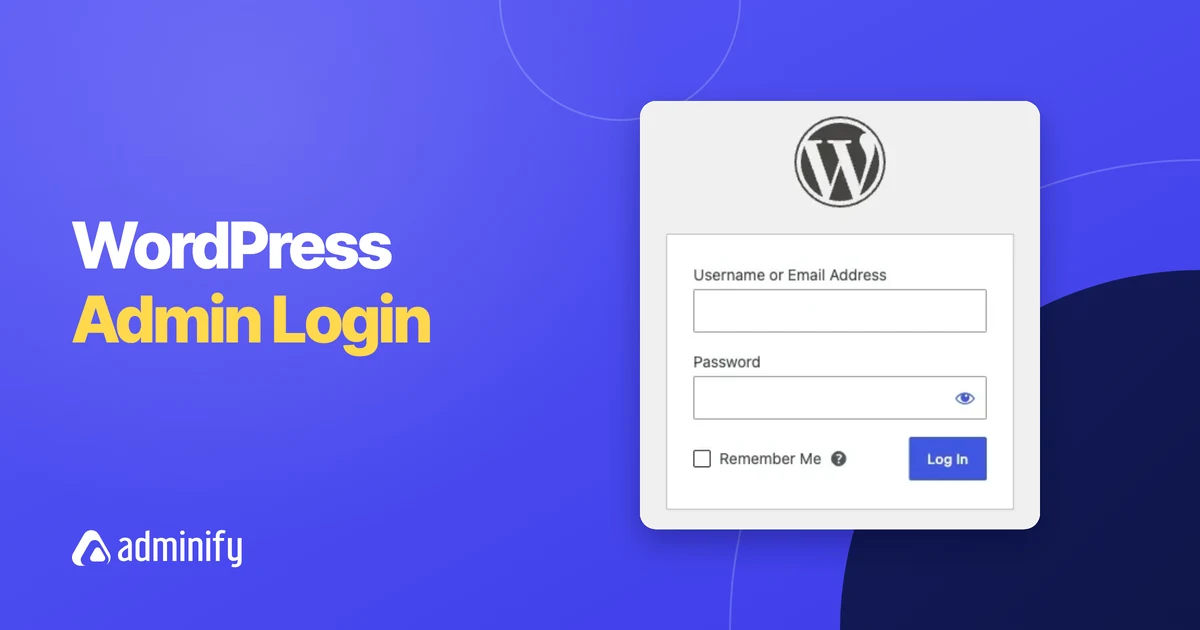
For almost every site, the admin URL is the home page address plus /wp-admin/. Type https://yourdomain.com/wp-admin/ in the browser, log in, and you see the Dashboard. The login page on its own is https://yourdomain.com/wp-login.php. Both addresses lead to the same place once you log in.
WordPress takes the first part of the address from the WordPress Address (URL) field in Settings > General. If that field shows https://example.com, the admin is at https://example.com/wp-admin/. On most sites it matches the Site Address (URL) field just below it.

Admin URL Patterns for Subfolder, Subdomain and Multisite Installs
The wp-admin URL always sits where WordPress itself is installed. A subfolder install adds the folder name, a subdomain install uses the subdomain, and multisite gives every subsite its own /wp-admin/. Network-wide settings on multisite live at /wp-admin/network/.
| Type of install | Admin URL | Login URL |
|---|---|---|
| Standard (root of the domain) | example.com/wp-admin/ | example.com/wp-login.php |
| Subfolder | example.com/blog/wp-admin/ | example.com/blog/wp-login.php |
| Subdomain | blog.example.com/wp-admin/ | blog.example.com/wp-login.php |
| Multisite, subdirectory subsite | example.com/site2/wp-admin/ | example.com/site2/wp-login.php |
| Multisite, subdomain subsite | site2.example.com/wp-admin/ | site2.example.com/wp-login.php |
| Multisite Network Admin | example.com/wp-admin/network/ | Main site login |
| Localhost (XAMPP, WAMP, MAMP) | localhost/mysite/wp-admin/ | localhost/mysite/wp-login.php |
| Local (by WP Engine) | mysite.local/wp-admin/ | mysite.local/wp-login.php |
One special case: WordPress can live in its own folder while the site shows at the domain root. In that setup, the Site Address is example.com but the WordPress Address is something like example.com/wordpress, so the admin is at example.com/wordpress/wp-admin/. The WordPress.org guide to giving WordPress its own directory explains this layout.
Find the Admin URL When You Are Not Sure
If you do not know where WordPress is installed, check the WordPress Address in Settings > General, your hosting panel's site list, or the siteurl value in the database. Add /wp-admin/ to whatever you find. The page source of your home page also shows the install path.
- Already logged in somewhere? Open Settings > General and copy the WordPress Address (URL).
- Hosting panel: most hosts list each WordPress install with its folder, and many add a one-click admin login button.
- Page source: open your home page, press Ctrl+U (Cmd+Option+U on a Mac), and search for
/wp-content/. The part before it is your install address. - Database: in phpMyAdmin, open the
wp_optionstable (your prefix may differ) and read thesiteurlrow. - WP-CLI: run this in the site folder:
wp option get siteurl
If /wp-admin/ and /wp-login.php both show a 404 page, the login page has probably been moved by a security plugin. The last section of this guide covers that case.
Why Change the WordPress Admin URL?
People change the login address mainly to stop bots. Automated scripts try passwords at /wp-login.php on many sites, because that address is the same everywhere. Moving the login page means most of those requests hit a 404 instead of your login form, which also means fewer failed-login entries in your logs.
A new address only adds a small layer of protection, so keep strong passwords, limit admin accounts, and add two-factor login as well. It also has a cost: everyone who logs in must remember the new wp login url, and old bookmarks stop working.
How to Change It Without a Separate Plugin
You cannot safely rename the wp-admin folder, because WordPress core loads files from it by name. Instead, you move the login page to a new slug and redirect logged-out visits to /wp-admin/. If you already use WP Adminify, its Redirect URLs setting does this, so you do not need a single-purpose plugin.
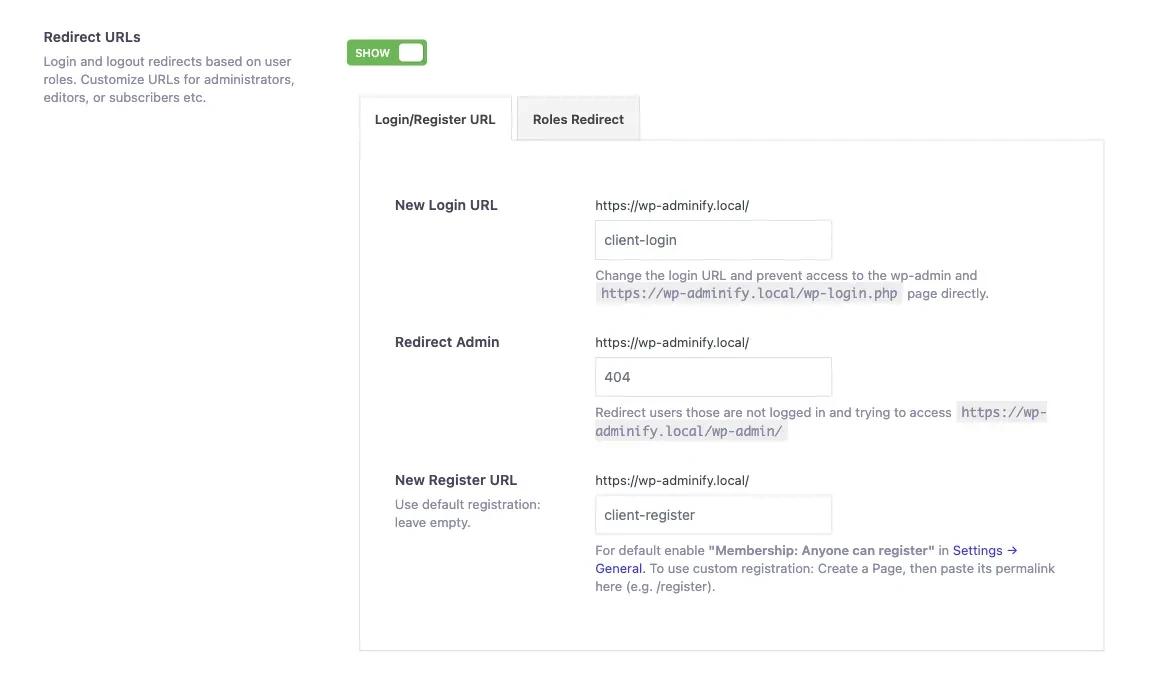
The setting is in Adminify > Security > Redirect URLs (a Pro feature). Switch it to Show, then open the Login/Register URL tab:
- New Login URL: type the new slug, for example
client-login. The login form will load atyoursite.com/client-login. - Redirect Admin: type where logged-out visitors to /wp-admin/ should go, for example
404. - New Register URL: leave it empty to keep the default registration page, or paste the permalink of your own registration page.
- Save the settings, then open the new login URL in a private window and log in once to test it before you close your current session.
The same screen has a Roles Redirect tab that sends each role to its own page after login, covered in our guide to wordpress redirect after login. Together these settings make up Login URL and Redirects in WP Adminify, which sits next to header cleanup, REST API limits and other hardening options in WP Adminify Admin Security.
If you only need a new login address and nothing else, a single-purpose plugin also works. Our wps hide login review covers the most used one.
What Happens to Old /wp-admin and wp-login.php Links
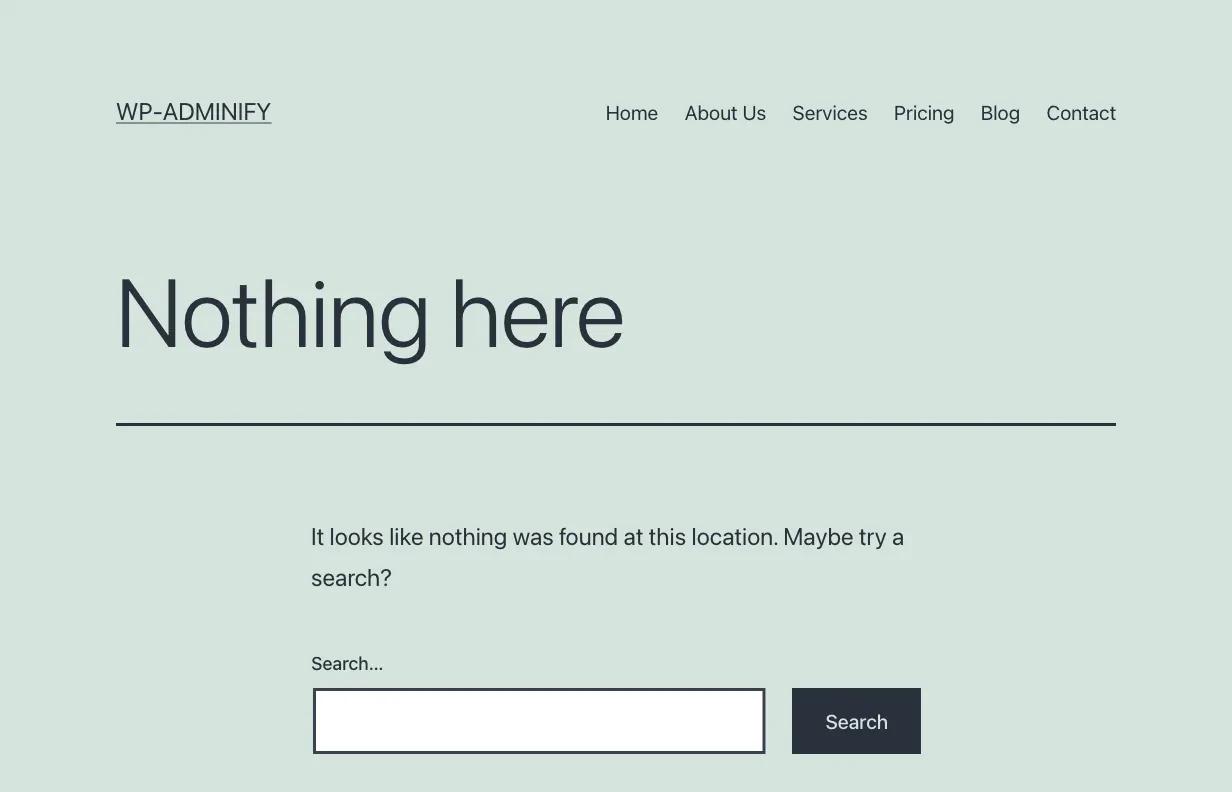
After the change, the old login address stops working for visitors. In our test on WordPress 7.1.4 with New Login URL set to client-login and Redirect Admin set to 404, /wp-login.php returned a 404 error, /client-login showed the normal login form, and a logged-out visit to /wp-admin/ redirected to /404.
For the people who log in to your site:
- Old bookmarks to /wp-login.php break. Send the new address to everyone who logs in.
- Logged-out links to /wp-admin/, for example in an email, go to the Redirect Admin page.
- If you forget the new address, connect with FTP or your host's file manager and rename
wp-content/plugins/adminify-protoadminify-pro-off(renameadminifyas well if needed). This turns the plugin off, so /wp-login.php works again. Log in, rename the folder back, and reactivate the plugin.
Frequently Asked Questions
What is the WordPress admin URL?
The WordPress admin URL is your site address plus /wp-admin/, for example https://example.com/wp-admin/. The login form is at https://example.com/wp-login.php. If WordPress is installed in a subfolder, the folder is part of the address, for example https://example.com/blog/wp-admin/.
Where is the admin URL on WordPress multisite?
Each subsite has its own admin at its own address plus /wp-admin/, such as example.com/site2/wp-admin/ or site2.example.com/wp-admin/. Settings for the whole network, such as sites, users and network plugins, are in the Network Admin at example.com/wp-admin/network/ on the main site.
Can I rename the wp-admin folder?
No. WordPress core and many plugins load files from wp-admin by its fixed name, so renaming the folder breaks the admin. To hide the admin from visitors, move the login page to a new slug and redirect logged-out visits to /wp-admin/ with a security setting or plugin instead.
Why does my wp-admin URL show a 404 page?
Usually a security setting has moved the login page and redirects logged-out visitors away from /wp-admin/. Use the custom login address instead. If you do not know it, disable the plugin by renaming its folder over FTP. A wrong WordPress Address in Settings or a broken .htaccess file can also cause it.
How do I find my WordPress admin URL on localhost?
Add /wp-admin/ to the local address of the site. On XAMPP or WAMP that is usually localhost/foldername/wp-admin/, and MAMP may add a port such as localhost:8888. The Local app gives each site a domain like mysite.local, so the admin is at mysite.local/wp-admin/.
Final Thoughts
Your WordPress admin URL is the WordPress Address from Settings > General plus /wp-admin/: example.com/wp-admin/ on a standard site, example.com/blog/wp-admin/ in a subfolder, and example.com/wp-admin/network/ for multisite Network Admin. To keep bots away, move the login page and leave the wp-admin folder alone. If you ever forget the new address, renaming the plugin folder gets you back in.
For the full walkthrough of moving your login page, read How to Change the WordPress Login URL (Step by Step).

Your email address will not be published