

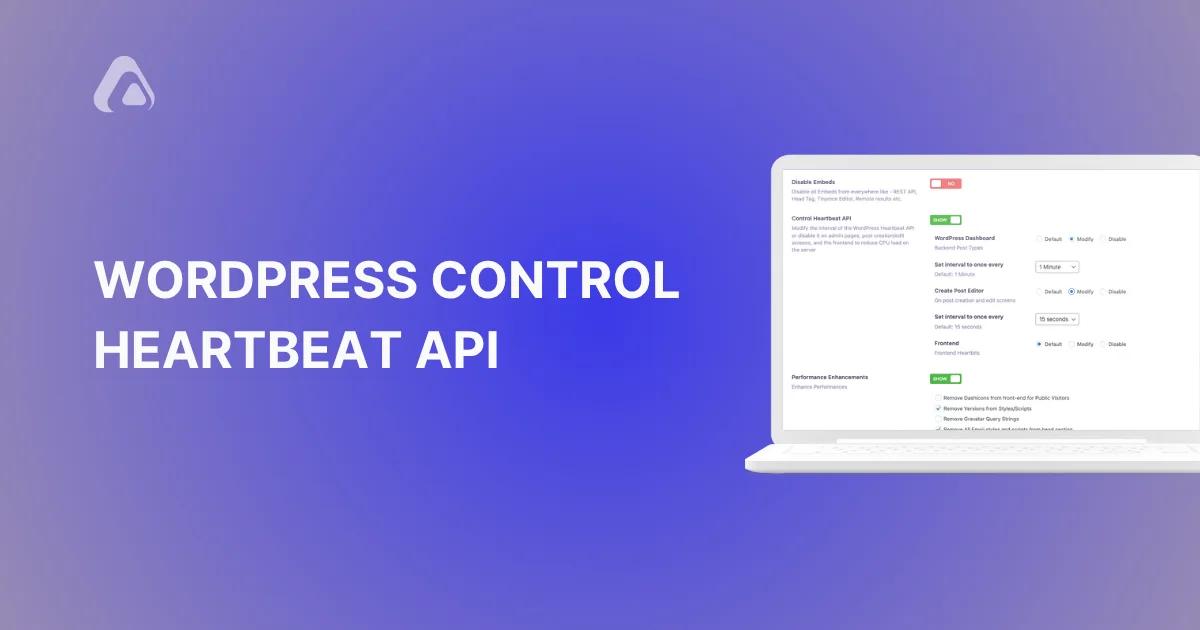

We’re excited to release a new feature in WP Adminify. The WordPress Control Heartbeat API. This feature gives you total control over one of WordPress's essential background functions. And allows you to optimize your site's performance and reduce unnecessary server load.
The Heartbeat API is the engine behind real-time interactions on your WordPress site. It powers features like autosaving, session management, and user notifications.
While it is important to keep it running but the Heartbeat API can also consume a significant amount of resources. This causes major issues on high-traffic sites or shared hosting environments.
That’s where WP Adminify steps in. It gives you WordPress Control Heartbeat API - see the Heartbeat Control feature for a no-code overview. You can customize, optimize, or completely disable the Heartbeat API wherever you feel it ain't required.
What is the WordPress Control Heartbeat API?
The WordPress Heartbeat API is like the pulse of your WordPress site. It enables real-time communication between your browser and the server. And that powers autosaves, session management, and more. However, it can also lead to unnecessary server usage.
What Does the WP Adminify WordPress Control Heartbeat API Offers?
WP Adminify offers the ability to customize the WordPress Control Heartbeat API across three key areas of your WordPress site. Why don't I tell you about them.
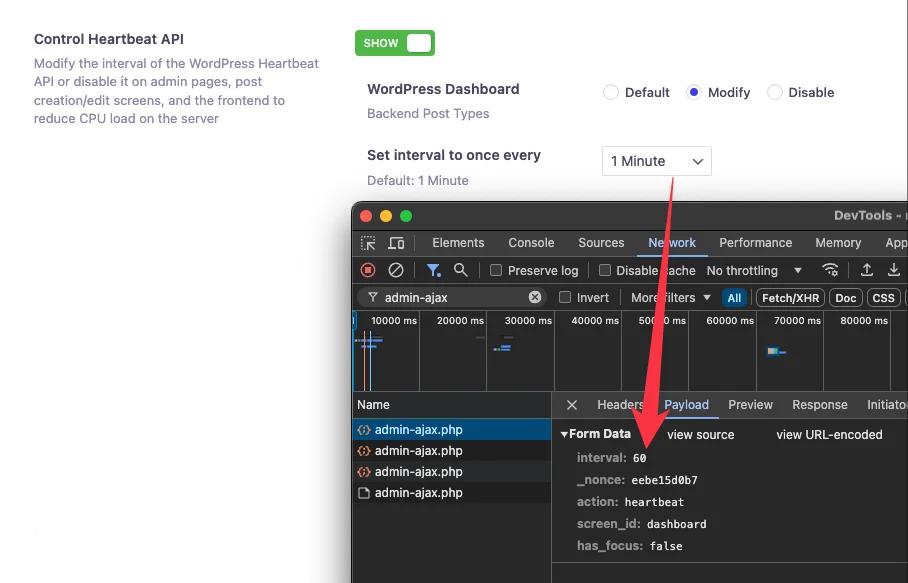
WordPress Dashboard: The WordPress Control Heartbeat API here manages notifications, session data, and other background tasks.
With WP Adminify, you can keep it at the default interval, modify it to reduce its frequency, or disable it entirely if the dashboard doesn’t require constant updates.
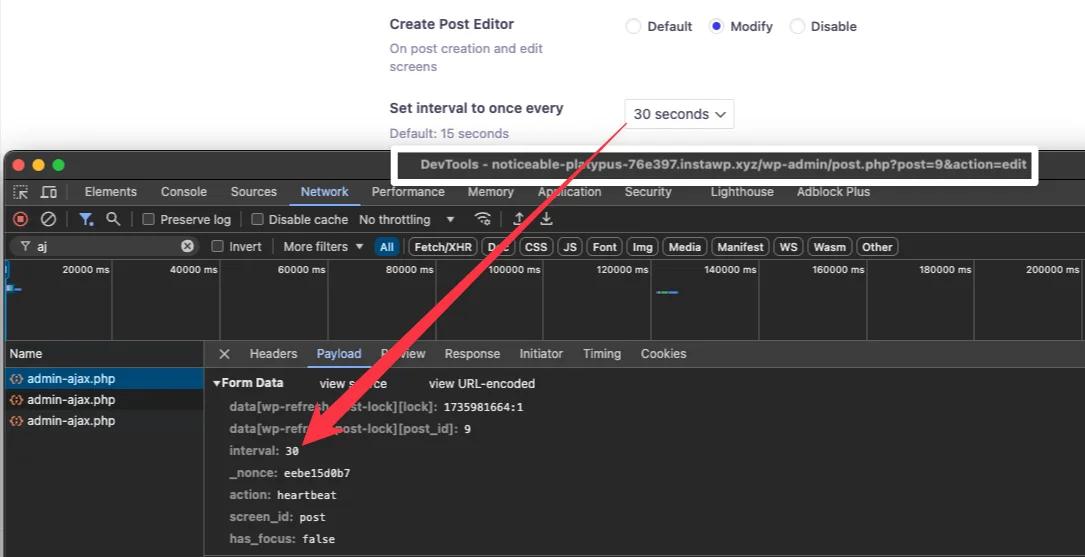
Post Editor: Autosave and real-time collaboration are valuable for content creation. But not every site needs them operating continuously.
WP Adminify lets you adjust the interval or turn the Heartbeat API off for the post editor.
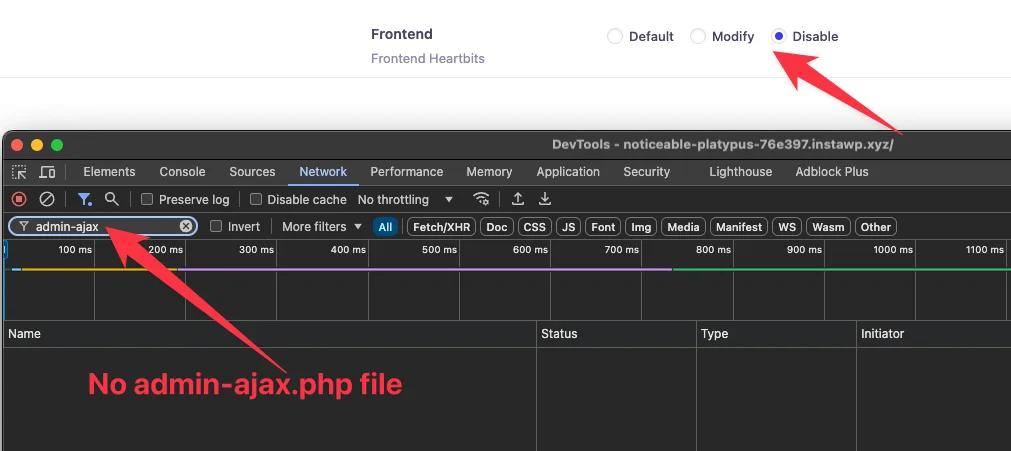
Frontend: The Heartbeat API basically handles options like live updates for frontend pages.
WP Adminify allows you to either customize the API’s frequency or disable it totally. It is especially beneficial for static sites or pages with low interactivity.
You can manage the WordPress Control Heartbeat API to each of these areas. And this will significantly reduce CPU usage and improve overall site performance. And, that too without compromising the important features..
How WordPress Control Heartbeat API Matters for Users?
I've compiled a short list of ways the WordPress Control Heartbeat API helps you in running a website in a more optimized way.
- Improved Site Performance: Limiting or completely disabling WordPress Control Heartbeat API in less critical areas reduces server loads. This ensures faster performance, especially on shared hosting.
- More Control: You can decide where and how the WordPress Control Heartbeat API works. Customizing the its uses in areas of your choice.
- Optimized Workflows: By limiting the API in the post editor or frontend, you can minimize distractions and focus on key tasks.
How to Use WordPress Control Heartbeat API with WP Adminify?
You need to install and activate WP Adminify first. That's obvious, so let's move forward.
First, you need to navigate to the Performance section in WP Adminify settings panel. Here you can see and enable the "Control Heartbeat API" option.
After enabling it, you can Customize the settings for WordPress Dashboard, Post Editor, and Frontend as per your needs.
- Go to WP Adminify → Settings → Performance and enable Control Heartbeat API.
- For the Frontend, choose Disable so visitor page loads stop polling admin-ajax.php.
- For the Dashboard, set the interval to around 60 seconds, or disable it if you don't need live notices.
- For the Post Editor, keep a 60–120 second interval so autosave and edit locks still work, then save.
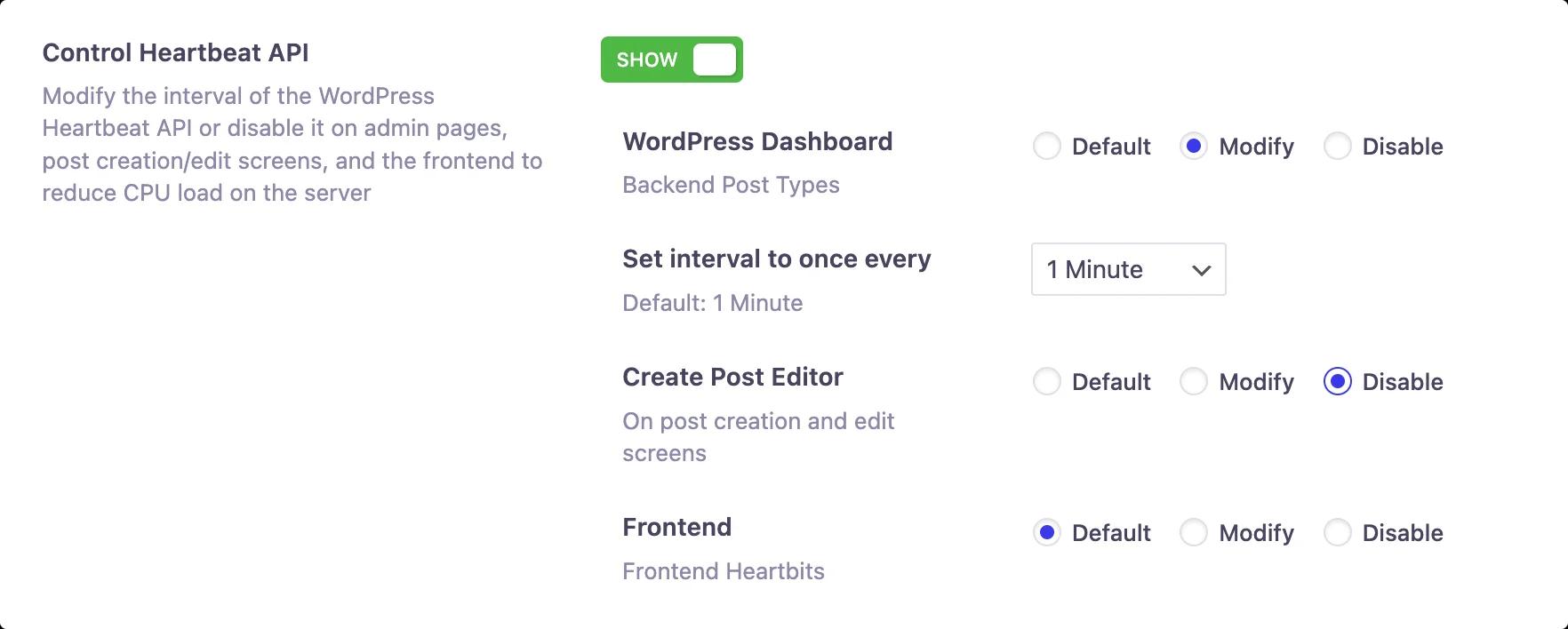
No coding is required, so anyone can use it. The settings are also intuitive and will have no issues to understand.
Should You Disable or Limit the WordPress Heartbeat API? (Updated August 2026)
For most sites the safest setup is to disable the Heartbeat API on the frontend, slow it down on the dashboard, and keep a short interval in the post editor so autosave still works. Turning it off everywhere saves the most CPU, but you lose autosave and edit-lock warnings.
| Where | Recommended action | Why |
|---|---|---|
| Frontend | Disable | Visitors never need admin-ajax polling — the biggest, safest saving |
| Dashboard | Limit to ~60 seconds (or disable) | Cuts admin-ajax.php requests while keeping admin notices usable |
| Post editor | Limit to 60–120 seconds | Keeps autosave and post-lock warnings without polling every 15 seconds |
By default WordPress fires a Heartbeat tick roughly every 15 seconds while you edit a post and about every 60 seconds on the dashboard, and each tick is a POST request to admin-ajax.php. The official Heartbeat API reference documents this cadence, which is why trimming it lowers server load. With WP Adminify you set each area from the Heartbeat Control panel, with no code.
Bonus: Control WordPress Revisions to Keep Your Database Lean
WP Adminify also ships WordPress Control Revisions. For the full walkthrough, see our guide on WordPress revisions — how to view, restore, limit, and clean them up.
Every time you update a post or page, WordPress saves a revision. While these revisions are useful for undoing changes, they can quickly pile up. And this consumes database space which results in slowing down your site
With WP Adminify WordPress Control Revisions, you can:
- Set a Maximum Number of Revisions: Decide how many past versions of a post or page to keep. You can increase or reduce this based on your needs.
- Apply Limits Selectively: Choose whether to use limits on posts, pages, or both. This gives you the flexibility to optimize storage without sacrificing essential revision history.
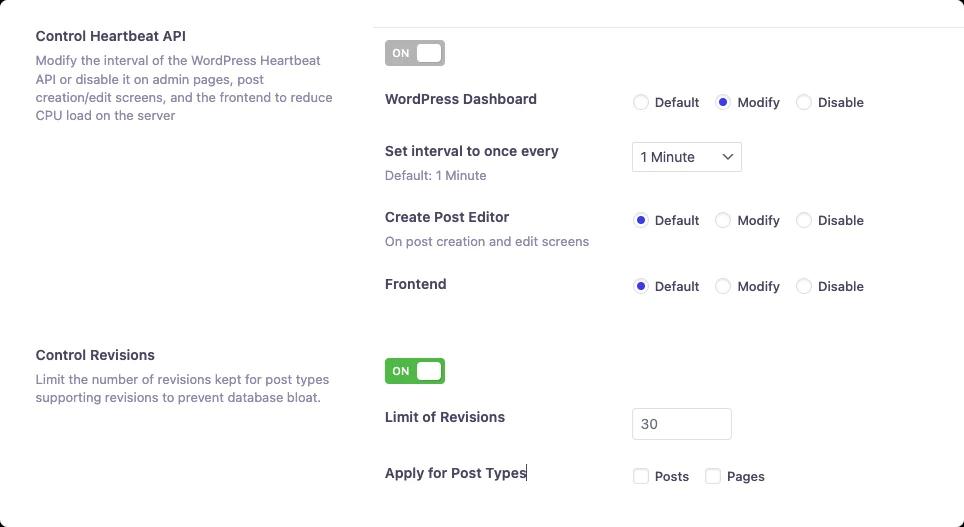
By limiting the revisions, you can ensure a lighter database. And this will result in faster queries, and a more responsive website.
This is particularly valuable for sites with frequent updates, like blogs, news platforms, and e-commerce stores, where revisions can accumulate quickly. Also, you can disable Rest API as well.
Unlock WP Adminify Pro – Get WordPress Heartbeat Control!
Upgrade to WP Adminify Pro and master your WordPress Heartbeat settings. Boost performance and optimize your site with our powerful Heartbeat Control API!
Related Reading
- The complete WordPress dashboard guide
- Why is my WordPress admin so slow?
- WordPress performance optimization in 2026
- WordPress revisions: view, restore, limit & clean them up
WordPress Heartbeat API — Frequently Asked Questions
Should you disable the WordPress Heartbeat API completely?
Not usually. Disabling it everywhere gives the biggest CPU saving, but you lose autosave, post-lock warnings, and any plugin features that rely on it. On most sites it's better to disable Heartbeat on the frontend, slow it on the dashboard, and keep a 60-120 second interval in the editor.
Does controlling the Heartbeat API break autosave?
Only if you turn it off inside the post editor. Autosave and edit-lock warnings run on Heartbeat, so keeping a 60-120 second interval there preserves them while still cutting requests. Disabling Heartbeat on the frontend and dashboard has no effect on editor autosave at all.
How much can Heartbeat control reduce server load?
It depends on your traffic and how many admin tabs stay open, but every idle editor or dashboard tab sends an admin-ajax.php request every 15 to 60 seconds. On shared hosting or with several logged-in users, cutting that polling noticeably lowers CPU time and admin-ajax load without changing anything visitors see.
Can you control the Heartbeat API without a plugin?
Yes. You can deregister the Heartbeat script in your theme's functions.php with wp_deregister_script, or slow it using the heartbeat_settings filter. That approach is all-or-nothing and needs code. WP Adminify gives you separate toggles for the dashboard, editor, and frontend with no code.
What Heartbeat interval should you set?
WordPress accepts 15 to 120 seconds, and some setups allow up to 600. A practical config is about 60 seconds on the dashboard, 60-120 seconds in the editor, and Heartbeat disabled on the frontend. Raise the interval or disable more areas if your host still reports heavy admin-ajax.php usage.
Conclusion
The WordPress Control Heartbeat API might not seem a major feature for the new WordPress users. But advanced and experienced users know how important it is for their sites. And that's why we brought out this feature, so websites works fast and reduce the loading time on the frontend.
We are hoping to continue these updates with further features and advanced control. Stay with WP Adminify and enjoy the ultimate WordPress dashboard customization freedom!


Your email address will not be published