

Any WordPress website runs on multiple users. This mostly includes authors, editors, contributors, admins, customers, even custom users. Each of them performs actions that could affect your site's performance, security, or content quality. But without proper visibility into what's happening behind the scenes, you're always a step behind.
I’ve talked with a bunch of WordPress website owners. And these are the most common questions for almost every website owner.
- Was a post deleted or unpublished by mistake?
- Did someone change plugin settings that broke your layout?
- Is an unauthorized user trying to log in from an unknown IP?
In my knowledge, I’ve personally felt these issues too. So I was looking for something like a plugin that can help monitor these activities.
I’ve found some in my initial search, they were popular. But, the issue was they were heavy. It was kind of slowing down my backend processing and work. So, I’ve continued on to the next one. And then the next. After multiple options, I got my hands on the Activity Log.
First, I was a bit pessimistic to try it, because it was a modular plugin from WP Adminify. But after installing it, and using it for a while, my perception changed.
It was working as mentioned in the site, and the best part, it was damn sure lightweight.
So, today, I'm going to tell you how to monitor user activity in WordPress with Activity Logs.
So, what is Activity Logs?
Activity Logs is a powerful feature in WP Adminify. It helps you monitor, track, and review every user action inside your WordPress site. It records what happens, when, and who did it. Activity Logs provides clear, searchable logs that help you monitor the real problems so you can take action promptly.
Note: Activity Logs is a separate modular plugin that will work even without the WP Adminify.
So, for this article, my goal is to tell you how to monitor user activity in WordPress using Activity Logs. And share some secrets of how it improves your site's overall security.
The Need for Monitoring User Activity in WordPress
Let’s look at the real problems user activity logs solve:
1. Security Monitoring
You can instantly spot suspicious behavior like repeated failed login attempts or unauthorized role changes. This gives you an early warning before a possible security breach.
2. Content Accountability
On multi-author sites, it’s common for editors or contributors to make changes without notice. Activity Logs let you trace back any post edits, deletions, or publish actions.
3. Troubleshooting Site Issues
If your site breaks or behaves unexpectedly, logs can tell you what changed recently, maybe a plugin was activated or a setting was modified.
4. WooCommerce Management
For store owners, it’s essential to monitor who edits products, updates stock, or changes order statuses. Every change impacts customer experience, and logs help maintain order accuracy.
5. Compliance and Auditing
Running a membership or corporate site? Activity logs support compliance and auditing by providing a history of administrative decisions and user actions.
Meet WP Adminify’s Activity Logs Feature
WP Adminify is a lightweight, modular WordPress plugin that enhances your admin experience. One of its most powerful modules is Activity Logs.
This feature provides an intuitive dashboard that records and displays all significant user actions on your WordPress site.
Here’s how it works and why it’s better than most standalone activity logger plugins.
1. Simple, Searchable Interface
Activity Logs has a clean interface with real-time data. You can view user actions at a glance, and search logs by:
- Username
- User role
- IP address
- Date range
- Action type
There’s no clutter or learning curve. Just point, click, and get the info you need.
2. Tracks 50+ WordPress Actions Automatically
Once enabled, WP Adminify starts tracking all core WordPress activities, such as:
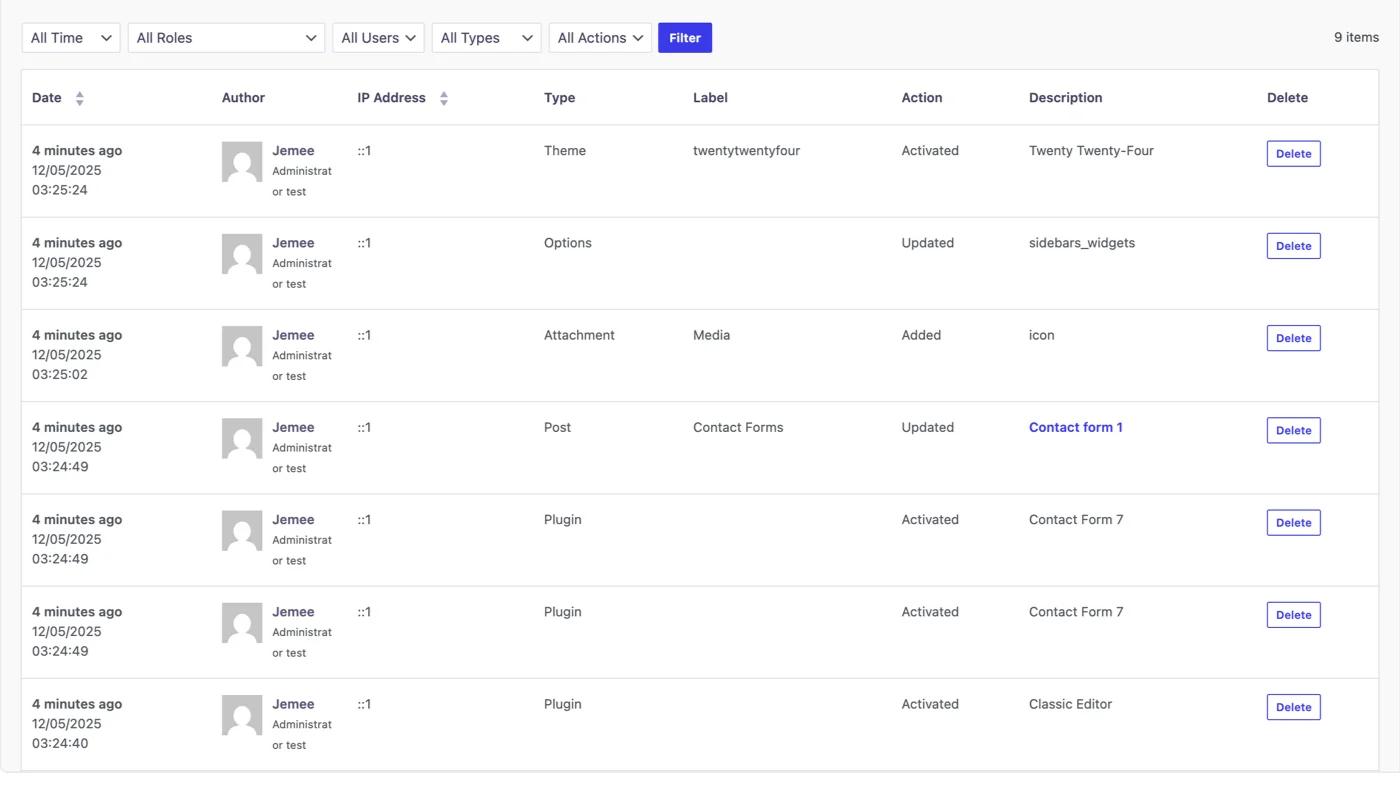
- New post or page creation
- Post updates and deletions
- Media uploads or removals
- Comment approvals or deletions
- Plugin and theme installations
- Plugin activations and deactivations
- Settings changes
- Profile edits
And more…!
3. Filter Logs by Specific Criteria
Activity Logs allows advanced filtering. You can sort data by:
- Username
- Action (like login, post update, plugin activation)
- IP address
- User role
- Time range

This helps you focus only on the data you need. No sifting through irrelevant entries.
Real-World Use Cases
Let’s say you’re managing a client site and a page disappears. With Activity Logs, you can immediately check:
- Who deleted the page
- When it was deleted
- From which IP address the action happened
Or maybe your WooCommerce store has inconsistent stock levels. Logs show who updated the inventory and whether it was done manually or via an import tool.
Even in cases of plugin conflicts, you can pinpoint whether someone recently activated or deactivated anything.
How to Enable and Use Activity Logs in WP Adminify
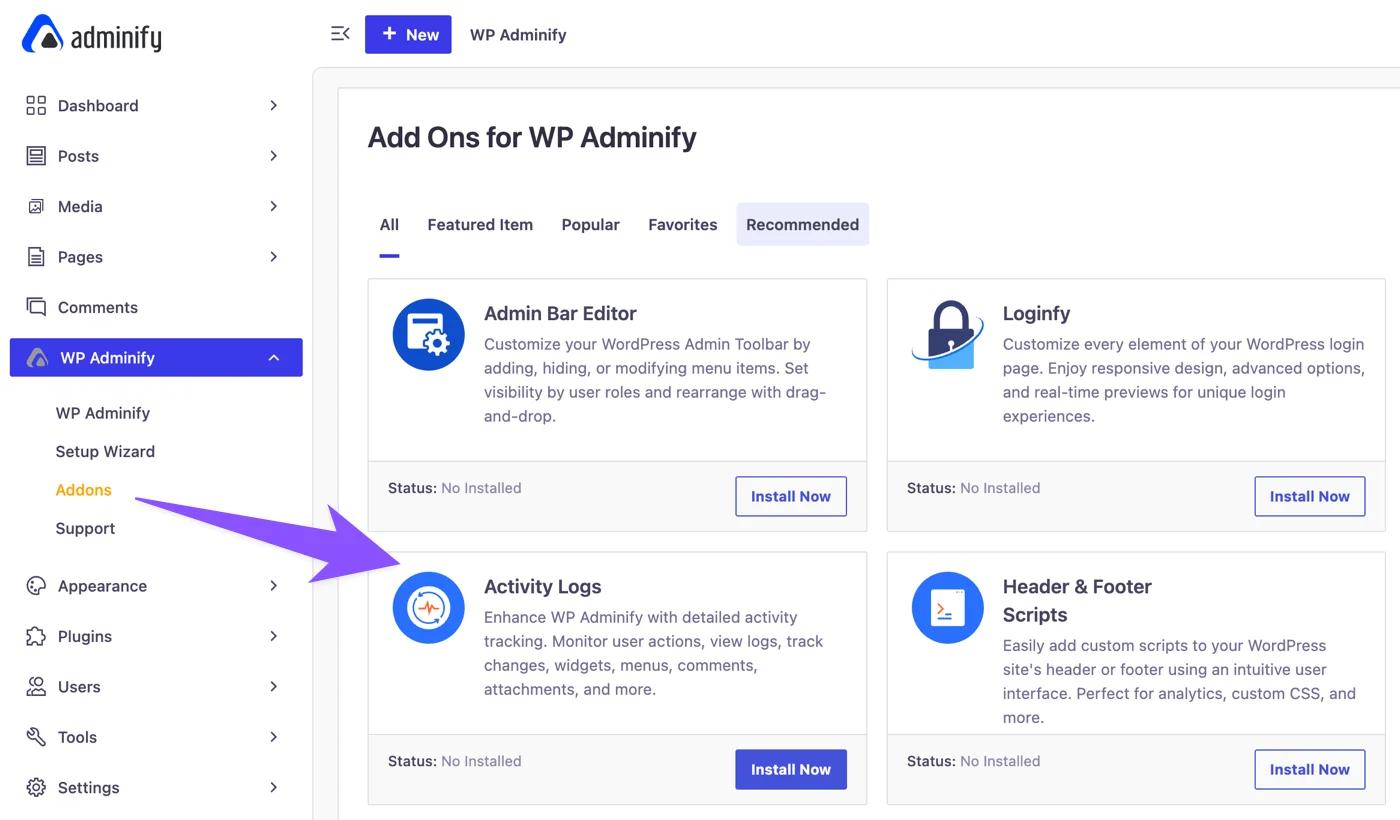
Step 1: Install and activate WP Adminify from the WordPress plugin repository or your downloads area.
Step 2: Navigate to WP Adminify → Addons.
Step 3: Click to Install Activity Logs module.
Step 4: Visit Activity Logs to view logs in real time.

That’s it! No need for external plugins or complicated configurations.
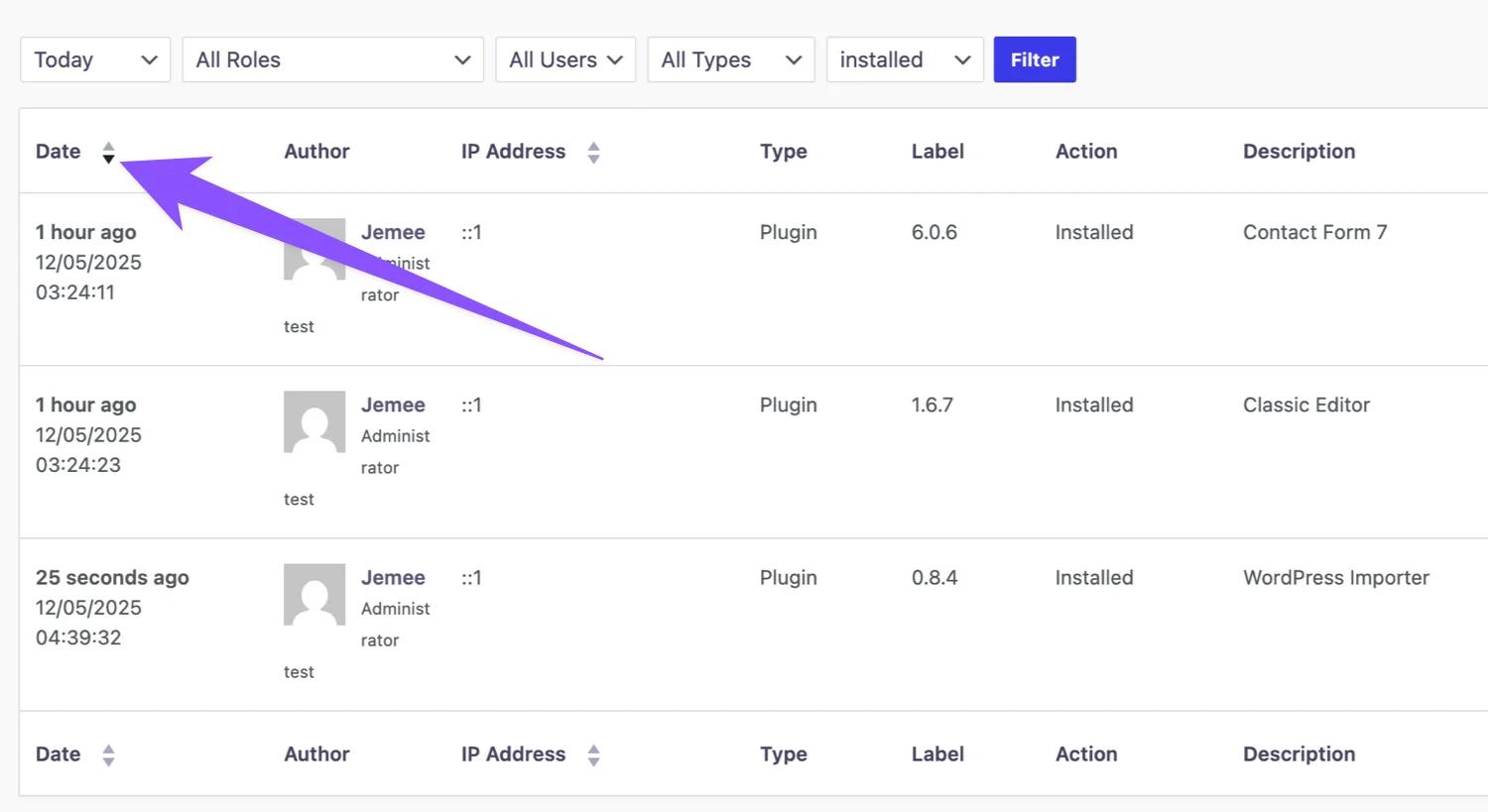
Also, you can sort the logs with different denominators.
And, you can set the data store times as well. The default is 30 days, meaning the logs will be erased after 30 days.

Performance Optimized, GDPR Friendly
Unlike many loggers that slow down your backend, WP Adminify is performance-optimized. It stores logs efficiently and allows you to set auto-deletion schedules to avoid bloating the database.
For compliance-conscious users, logs can be configured to respect GDPR data policies. You can choose to anonymize certain user data or delete logs after a set time.
Take Full Control of User Activity in WordPress
Knowing what’s happening on your WordPress site shouldn’t be a guessing game. WP Adminify’s Activity Logs gives you instant, detailed, and organized insights into user behavior.
Securing your site to improving team accountability Activity Logs will keep a track of everything. Managing different users won't be an issue anymore.
If you’re serious about running a stable, secure, and professional WordPress site, Activity Logs is not optional. It’s essential.
Frequently Asked Questions (FAQs)
Is WP Adminify free?
Yes, WP Adminify offers a free version with core modules, including Activity Logs.
Can I use Activity Logs on client websites?
Absolutely. It’s ideal for agencies, developers, and anyone managing client sites.
Does it slow down my site?
No. WP Adminify is lightweight and optimized to store logs efficiently without affecting site speed.
Can I delete or archive old logs?
Yes, you can manually delete logs anytime.

Your email address will not be published