

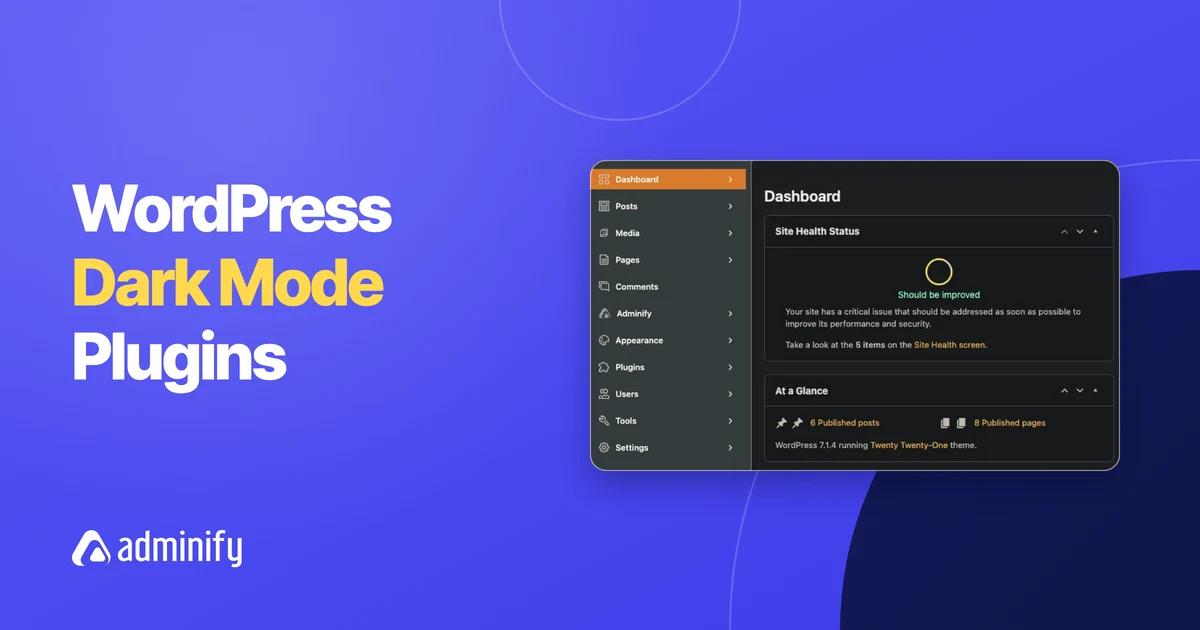

Key Takeaways
- WordPress 7.0 has no built-in dark mode for the admin; it added a light color scheme called Modern and renamed the old default scheme to Fresh, so a dark wp-admin still needs a plugin or custom CSS.
- Admin dark mode plugins darken wp-admin for logged-in users, while front-end dark mode plugins add a light/dark toggle for site visitors; some popular dark mode plugins only darken the admin in their paid versions.
- Dark Mode for WP Dashboard had 3,000+ active installs on 9 November 2026 and adds a Dark, Light or Auto preference per user from the admin bar, with no settings page.
- WP Dark Mode by WPPOOL had 20,000+ active installs on 9 November 2026 and lists Admin Panel Dark Mode as a free feature, while its scheduled dark mode is part of the paid Ultimate plan.
- WP Adminify sets admin dark mode under Adminify > Customize > Light/Dark Mode with Layout Mode, adds a Light/Dark Switcher to the admin bar and offers Schedule Dark Mode in Pro.
The best WordPress dark mode plugin for your dashboard depends on whether you only want a dark wp-admin or also a dark mode toggle for site visitors. We checked every plugin below on WordPress.org on 9 November 2026. Each one is maintained, works with WordPress 7.x, and darkens the admin area. Plugins that only darken the front end get their own short list.
WordPress still has no admin dark mode of its own, so a plugin is the simple route. If you want the full walkthrough of all three ways to get a dark admin, read our wp dark mode guide. We make WP Adminify, an admin dark mode tool that is on this list. We placed it second, because it is not the best pick for every use case.
Admin Dark Mode vs Front-End Dark Mode Plugins
An admin dark mode plugin changes wp-admin: the menu, the screens and often the block editor that you and your team use every day. A front-end dark mode plugin adds a toggle on the public site for visitors. Some plugins do both. Many "best dark mode" lists mix the two, so we split them.
Check the free/paid line before you install. Two well-known toggles, Dark Mode Toggle and Dark Reader by BdThemes, list admin dark mode only in their Pro versions. If your goal is a dark dashboard for long work sessions, pick from the admin list below.
Quick Comparison Table
The five main admin dark mode plugins differ in how many sites use them, how recently they were updated, whether admin dark mode is free, and whether they also cover the front end. All numbers come from the WordPress.org plugin directory on 9 November 2026.
| Factor | Dark Mode for WP Dashboard | WP Adminify | WP Dark Mode | Darkify | Darklup Lite |
|---|---|---|---|---|---|
| Active installs | 3,000+ | 6,000+ | 20,000+ | 1,000+ | 1,000+ |
| Rating (wp.org) | 4.8/5 (34) | 4.3/5 (109) | 4.5/5 (391) | 4.7/5 (29) | 4.5/5 (44) |
| Last updated | 5 Oct 2026 | 7 Nov 2026 | 28 Oct 2026 | 2 Nov 2026 | 17 Aug 2026 |
| Tested up to | 7.1.4 | 7.1.4 | 7.1.4 | 7.1.4 | 7.0.8 |
| Admin dark mode in free version | Yes | Yes (Layout Mode) | Yes | Yes | Yes |
| Front-end dark mode | No | No | Yes | Yes | Yes |
| Scheduled switching | Auto follows the system setting | Pro | Paid (Ultimate) | Yes, time-based | Yes, time-based |
| Per-user toggle in admin bar | Yes | Yes | Not stated | Not stated | Not stated |
| Best for | Dark wp-admin only, zero setup | Dark mode plus a full admin theme | Site and admin in one plugin | Separate admin and editor control | Free time-based dark mode |
The Best Admin Dark Mode Plugins
These six plugins all darken the WordPress admin and were updated within the last few months. Dark Mode for WP Dashboard is the simplest pick. WP Adminify suits people who want a full admin redesign. WP Dark Mode, Darkify and Darklup cover the front end too. Two smaller newcomers close the list.
1. Dark Mode for WP Dashboard
Dark Mode for WP Dashboard does one job. Activate it and every user gets a toggle in the admin bar with three choices: Dark, Light or Auto, which follows the system setting. There is no settings page. The listing says it covers the block editor and the Site Editor, and it ships styles for 14 popular plugins, including WooCommerce, Yoast SEO, ACF and Jetpack.
Developers get three filters. For example, this snippet from the plugin's listing makes new users start with dark mode off. On our test site, an Author with no saved choice got the light admin after we added it:
1
2add_filter( 'dark_mode_dashboard_default_preference', function() {
3    return 'disabled';
4} );
5
Pick it for a free, admin-only dark mode with nothing to configure. It has no time schedule and no front-end dark mode. Version 1.3.11, 3,000+ installs, 4.8 out of 5 from 34 ratings.
2. WP Adminify
WP Adminify is a free admin customization plugin by Pixar Labs, with a Pro version. Dark mode is part of its admin theme, called the Adminify UI. With the Adminify UI on, go to Adminify > Customize > Light/Dark Mode and set Layout Mode to Dark Mode. The same section holds a separate Dark Logo, so your brand logo stays visible on a dark sidebar.
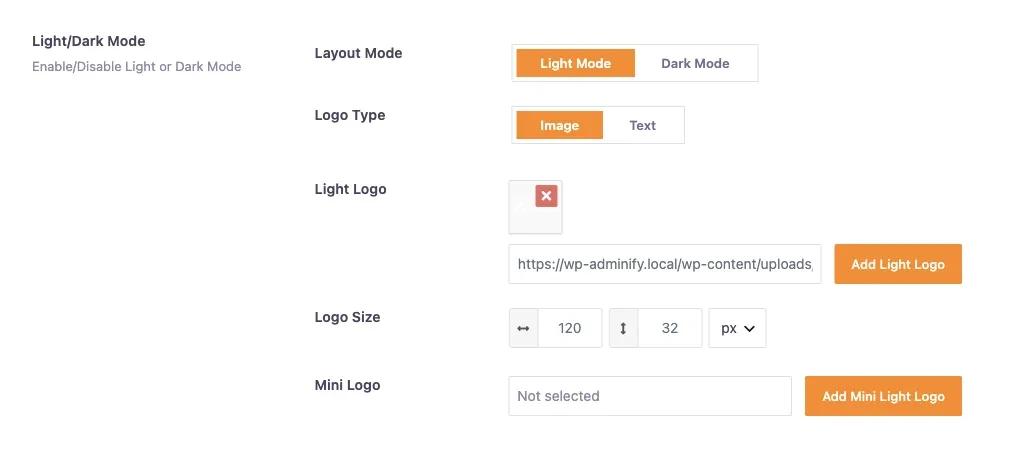
Each user can also flip between light and dark with the Light/Dark Switcher in the admin bar, and the choice is saved per user. Schedule Dark Mode, a Pro option, switches the admin at a start and end time you set.
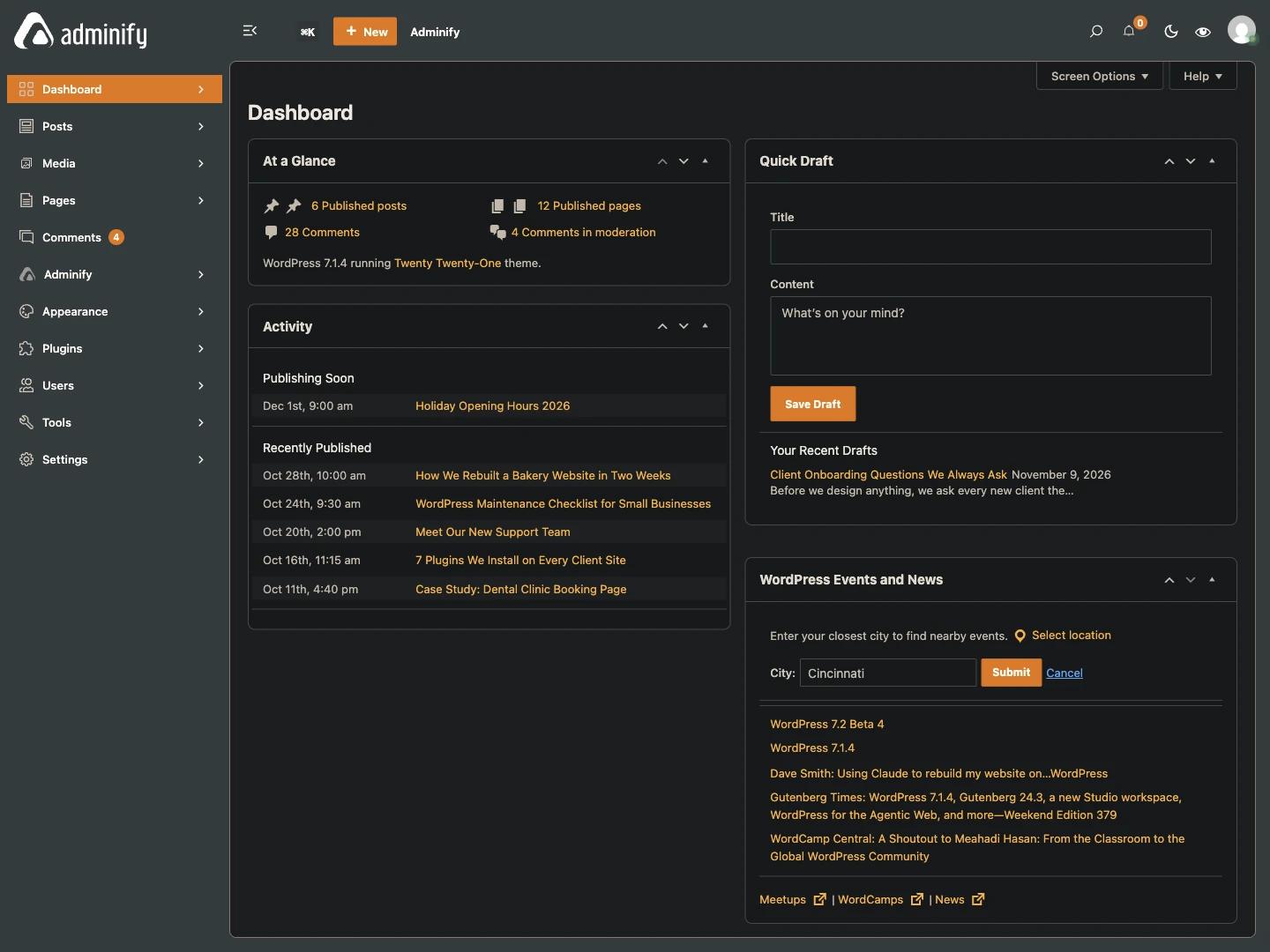
WP Adminify suits agencies and site owners who want a dark mode and a branded admin theme from one wordpress admin dark mode plugin, plus a menu editor and other admin tools in the same install. Dark mode works through the Adminify UI, though, so the whole admin design changes too. If you only want the default WordPress screens in dark colors, Dark Mode for WP Dashboard changes less. Version 4.3.4, 6,000+ installs, 4.3 out of 5 from 109 reviews.
3. WP Dark Mode
WP Dark Mode by WPPOOL is the most installed plugin here, with 20,000+ active installs. It is built for the front end first: a floating switch, OS-based dark mode, Gutenberg and Elementor toggles. Its free feature list also includes Admin Panel Dark Mode, so one plugin can darken both your site and your dashboard.
It fits sites that want a visitor toggle and a dark admin together. Scheduled dark mode and the full set of 21 switch styles are in the paid Ultimate plan. Version 5.3.21, 4.5 out of 5 from 391 ratings.
4. Darkify
Darkify by ThemeAtelier covers the front end, the admin dashboard and the editors. You can darken the admin panel, the block editor and the Classic Editor independently. It also has separate color presets for the admin and the block editor, time-based switching and OS detection.
This suits writers who want a dark admin but a light editor canvas, or the other way around. If you only need the admin, it is a big plugin. Version 2.2.5, 1,000+ installs, 4.7 out of 5 from 29 ratings.
5. Darklup Lite
Darklup lists Backend Dark Mode and Time-Based Dark Mode among its free features, with start and end times. That makes it one of the few free options with a schedule for the admin. The Ctrl+Alt+D keyboard shortcut works on both the front end and the back end.
Darklup is a good choice for a free scheduled dark mode on the site and the admin. On 9 November 2026, though, it was tested up to WordPress 7.0.8, not 7.1. Version 4.0.1, 1,000+ installs, 4.5 out of 5 from 44 ratings.
6. Two Smaller Admin-Only Options
DarkAdmin (80+ installs, version 0.5.0, updated 8 November 2026) is a CSS-based admin dark theme with Modern and Classic presets, per-user include and exclude rules, and an optional dark block editor on WordPress 7.1+. AboveWP Admin Dark Mode (90+ installs, version 1.2.1) adds an admin bar toggle and scheduling that can follow sunset and sunrise. Both are young, with very few reviews, so test them on a staging site first.
Front-End Dark Mode Plugins (Not for the Admin)
These plugins are maintained and popular for visitor dark mode, but their free versions do not darken wp-admin. Pick them only if your goal is a dark mode toggle on the public site. For a dark dashboard, choose from the list above or pair one of these with an admin-only plugin.
- Dark Mode Toggle by ScriptsTown (2,000+ installs, updated 5 November 2026): a sticky toggle button for visitors. "Dark Mode to WordPress Admin" is a Pro feature.
- Dark Reader by BdThemes (200+ installs, updated 1 November 2026): front-end dark mode. Admin Dashboard Dark Mode is listed under Pro. It is not the Dark Reader browser extension.
- Onyx Dark Mode Switcher by HashThemes (300+ installs, updated 11 October 2026): a front-end switcher whose admin files load only on its own settings screen.
Which One Should You Use?
Pick by your main goal. For a dark wp-admin with no setup, use Dark Mode for WP Dashboard. For dark mode as part of a full admin redesign, use WP Adminify. For one plugin that covers visitors and the admin, use WP Dark Mode or Darkify. For a free time-based schedule, use Darklup.
| If you want... | Use |
|---|---|
| Only a dark admin, nothing to configure | Dark Mode for WP Dashboard |
| Dark mode plus a branded admin theme and logo | WP Adminify |
| A visitor toggle and a dark admin in one plugin | WP Dark Mode |
| Different settings for the admin and the editor | Darkify |
| A free schedule for dark mode | Darklup Lite |
| Only a dark mode toggle for visitors | Dark Mode Toggle or Onyx Dark Mode Switcher |
How We Picked These Plugins
We searched the WordPress.org directory for admin and dashboard dark mode plugins on 9 November 2026 and pulled each one's active installs, last update, tested WordPress version and rating from the WordPress.org plugin API. Then we read each listing to see whether admin dark mode is free or paid. The WP Adminify screenshots come from our WordPress 7.1.4 test site.
We left out plugins that were closed, had not been updated for more than a year, or no longer do dark mode. That removed WP Night Mode (last update November 2020), the old Admin Dark Mode plugin (September 2018), DarkMySite (last update October 2025) and the plugin once called Dark Mode, which is now a Markdown editor. Details such as Darkify's editor controls come from each plugin's own listing.
Frequently Asked Questions
Does WordPress have a built-in admin dark mode?
No. WordPress 7.0 has no built-in dark mode for the admin. It added a light color scheme called Modern and renamed the old default scheme to Fresh. To get a dark wp-admin you need a plugin such as Dark Mode for WP Dashboard, WP Adminify or WP Dark Mode, or your own admin CSS.
What is the difference between admin and front-end dark mode?
Admin dark mode darkens the WordPress dashboard that logged-in users work in. Front-end dark mode adds a toggle on the public website so visitors can switch your pages to dark. Some plugins do both, but some popular ones only darken the admin in their paid versions.
Which free plugin is best for WordPress admin dark mode?
For a dark admin with no setup, Dark Mode for WP Dashboard is the simplest free choice, with a Dark, Light or Auto toggle per user. If you also want a full admin theme, WP Adminify's free Layout Mode switches its admin design to dark. Darklup Lite is free and adds time-based switching.
Can each user choose their own dark mode setting?
Yes, with some plugins. Dark Mode for WP Dashboard saves a Dark, Light or Auto preference for each user. WP Adminify adds a Light/Dark Switcher to the admin bar and remembers each user's choice. Not every plugin lists a per-user setting, so check the listing before you install.
Will an admin dark mode plugin change my website for visitors?
Not if it is admin-only. Dark Mode for WP Dashboard, DarkAdmin and WP Adminify's Layout Mode only change wp-admin. Plugins such as WP Dark Mode, Darkify and Darklup can also add dark mode to the front end, but you control that part in their settings.
Final Thoughts
For most people, the choice depends on scope. Dark Mode for WP Dashboard (3,000+ installs) gives you a dark admin with zero setup. WP Adminify (6,000+ installs) adds dark mode to a full admin theme with a per-user switcher. WP Dark Mode (20,000+ installs) covers visitors and the admin together. Darkify and Darklup add editor control and free scheduling. To compare plugins with the no-plugin options, read How to Enable Dark Mode in the WordPress Admin (3 Ways).

Your email address will not be published