

Header Footer Scripts
How to Add Custom CSS/JS in the WordPress Frontend?


Table of Contents
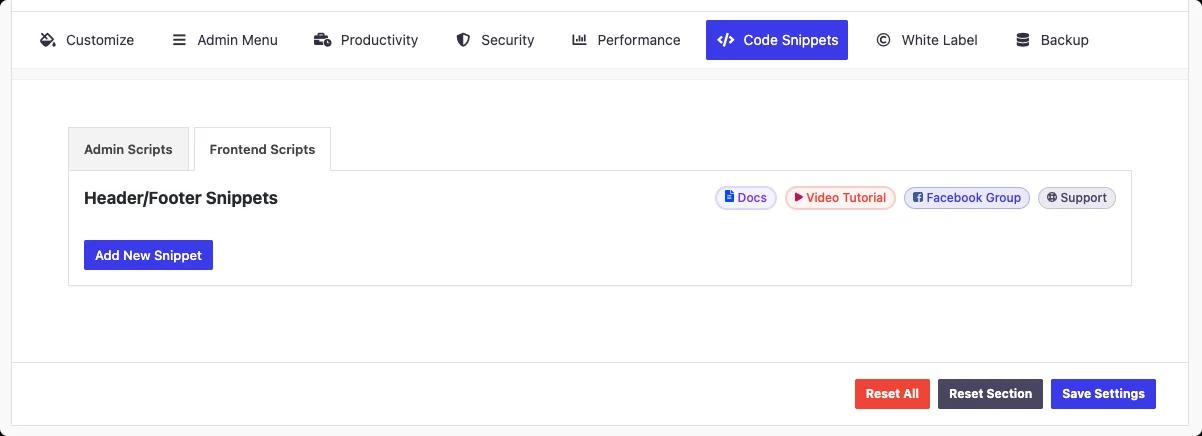
Just follow the path to add custom CSS/JS in your frontend.
WP Adminify > Code Snippets > Frontend Scripts
Click Add New snippet button and select your code type and other settings then save the settings.
You will get the following options to input your code dynamically based on display condition, location, device, type.
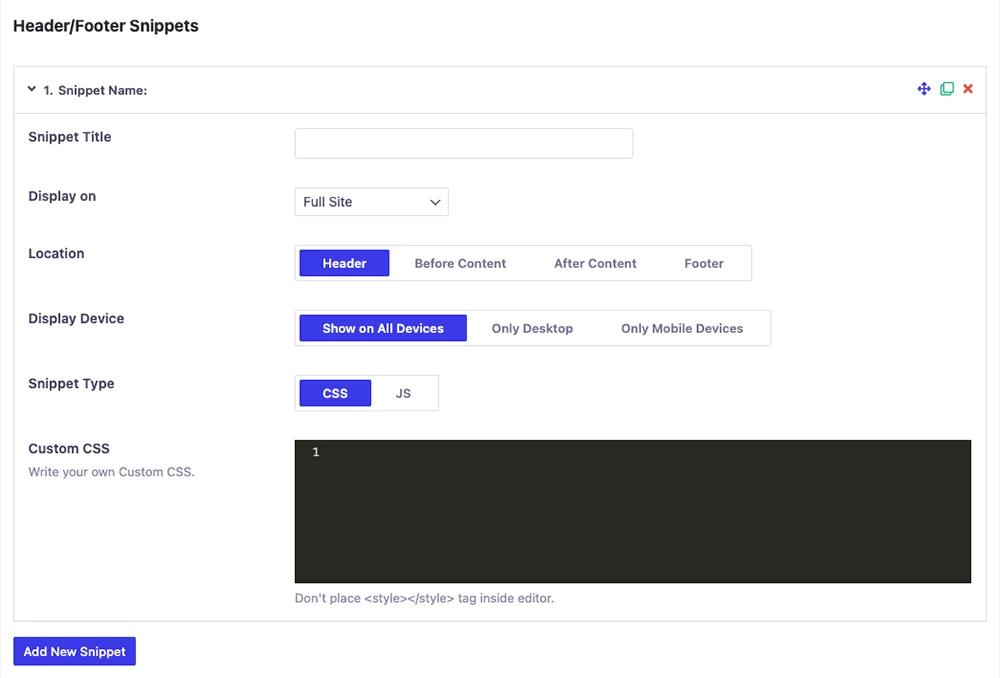
Main Features of Header Footer Scripts
- Snippet Title
- Display on
- Full Site
- Specific Posts (Pro)
- Specific Page (Pro)
- Specific Categories (Pro)
- Specific Post Types (Pro)
- Specific Tags (Pro)
- Location
- Header
- Footer
- Before Content (Pro)
- After Content (Pro)
- Display Device
- Snippet Type
- CSS
- JS
Note: Don't place <style></style> tag inside the editor.
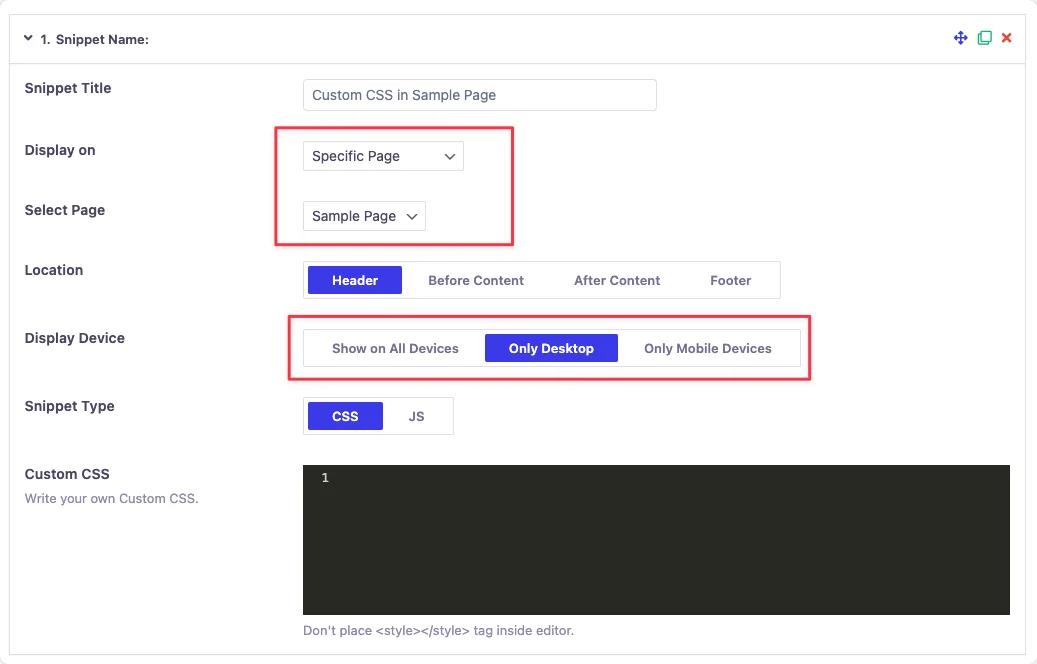
Remember you can add multiple snippets by clicking the “Add New Snippets” multiple times.
Save the Settings
After you’re done with customization and the CSS/JS codes, click the “Save Settings” button to apply it. Looking for other ways to do this, like Google Tag Manager or functions.php? Our guide on how to add code to WordPress header and footer compares each method.
Didn’t find what you were looking for? Get in touch!
Updated on Aug 12, 2026
Was this helpful to you?