

WP Adminify
How to Improve WordPress Dashboard Performance with WP Adminify?


Table of Contents
By default, the WordPress dashboard is bloated with a lot of unwanted elements. WP Adminify fixes this with its advanced performance settings. Boosting speed is a matter of time now.
Follow these simple steps to improve your WordPress dashboard performance.
Step 1: Go to WP Adminify Performance Settings
Go to the following path:
WP Adminify > Performance
Step 2: Enable the Performance Enhancements Option
Look for the setting named “Performance Enhancements”.
Click the toggle button. It will turn green and the text will change to “Show.” This will display a list of performance-related options.
Step 3: Select the Improvement Options
You can check the following boxes to improve performance:
- Remove Dashicons from front-end for Public Visitors
- Remove Versions from Styles/Scripts
- Remove Gravatar Query Strings
- Remove All Emoji styles and scripts from head section
- Remove front end jQuery Migrate script.
- Remove back end jQuery Migrate script. Note: It might break functionality
- Enable Defer Parsing JS to Footer
- Enable Browser Cache Expires & GZIP Compression
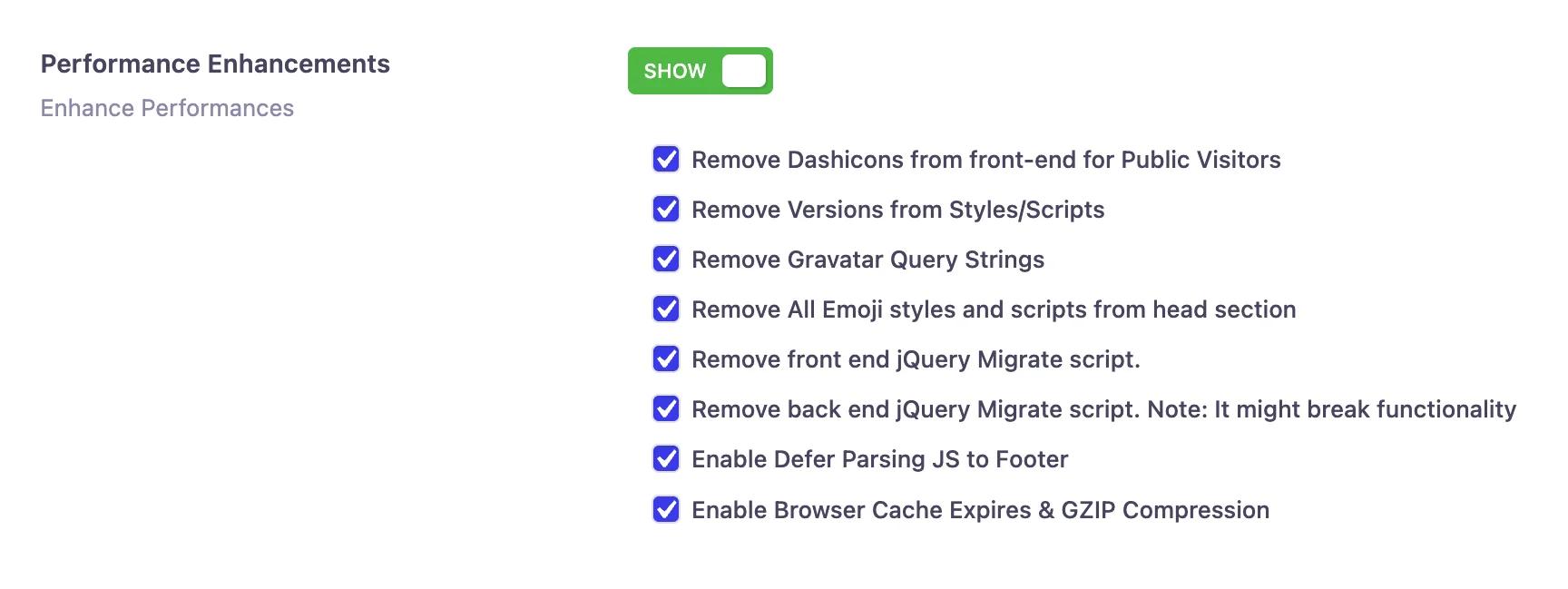
Enabling these options will reduce unnecessary requests. Which will result in improved loading speed and optimized dashboard experience.
Step 4: Save the Settings
Once you are done with the selection hit the “Save Settings” to apply the changes.
Bonus Step: How to Reset Improvement settings
If you want to reset your settings, simply turn off the “Performance Enhancement” button.
Also, you can unselect a few options you want to revert, uncheck the boxes. And then hit the “Save Settings” to apply your changes.
What Each Performance Setting Does
The Performance panel groups the switches that remove WordPress's default overhead. Which ones you enable depends on what your site actually uses - a good rule: if you don't use a feature on the frontend, disable its loader here. Changes apply as soon as you save, and every toggle is reversible, so you can test one at a time and measure the difference.
Two settings deserve their own guides: disabling auto-embeds (stops WordPress loading embed scripts for YouTube/Twitter previews) and Heartbeat API control (reduces the background admin-ajax requests that eat CPU on busy dashboards).
WordPress Admin Performance FAQs
Do these settings affect my site's frontend or just the dashboard?
Both, depending on the toggle. Options like disabling embeds or feed links reduce what loads on the frontend, while Heartbeat control and dashboard cleanup primarily speed up wp-admin itself.
Can enabling these options break anything?
Every toggle is reversible. If a plugin or theme depends on a feature you disabled (for example, embeds or the Heartbeat API for autosave), switch that option back on - no permanent changes are made.
Is the Performance module available in the free version?
The Performance module ships with the free plugin. See the performance feature overview for what's included in free vs Pro.
Related Documentation
Didn’t find what you were looking for? Get in touch!
Updated on Aug 12, 2026
Was this helpful to you?