


WP Adminify
WP Adminify Pro Version Installation


Table of Contents
Installing the pro version of the WP Adminify plugin is very similar to the free version. To install the pro version, make sure you have downloaded the pro version of the WP Adminify plugin. As soon as you purchase the WP Adminify plugin, you will get the plugin license and download URL directly to your inbox.
[NOTE: You must keep WP Adminify Free activated in your WordPress site to work with WP Adminify PRO. If you don't know how to install the free version, check this WP Adminify Free version installation docs.]
Watch the short clips on how to install the pro version -
Installation via WP Admin
Now navigate to your WordPress Dashboard > Plugins > Add Plugin.
Click the Upload Plugin button, and select the WP Adminify Pro zip file you downloaded.
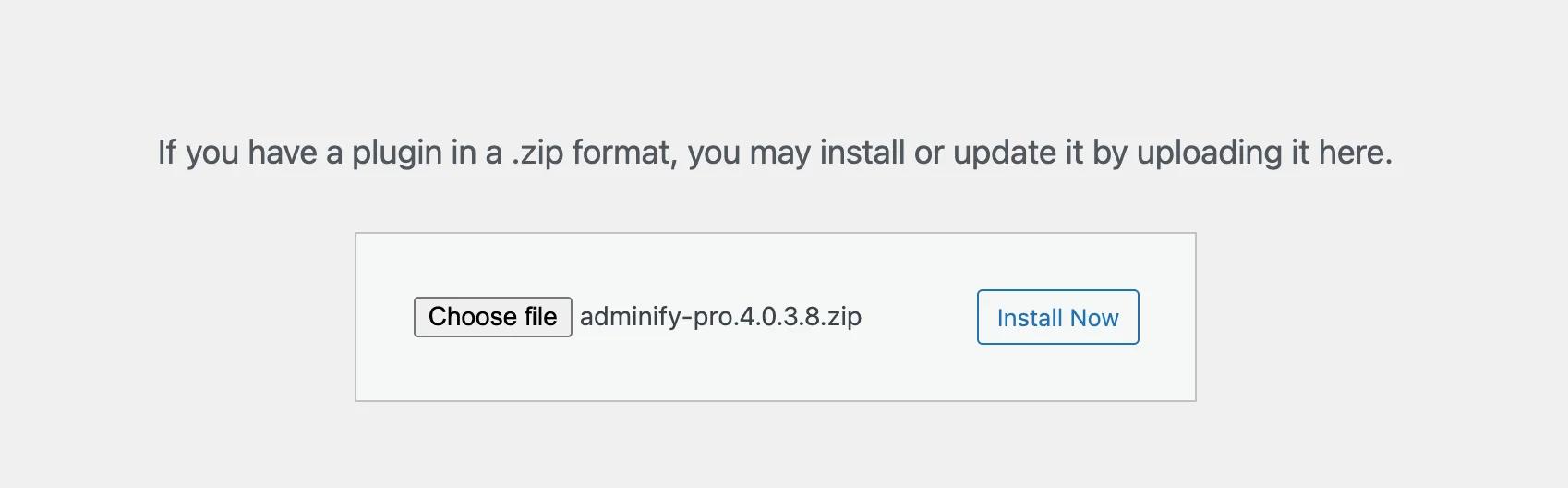
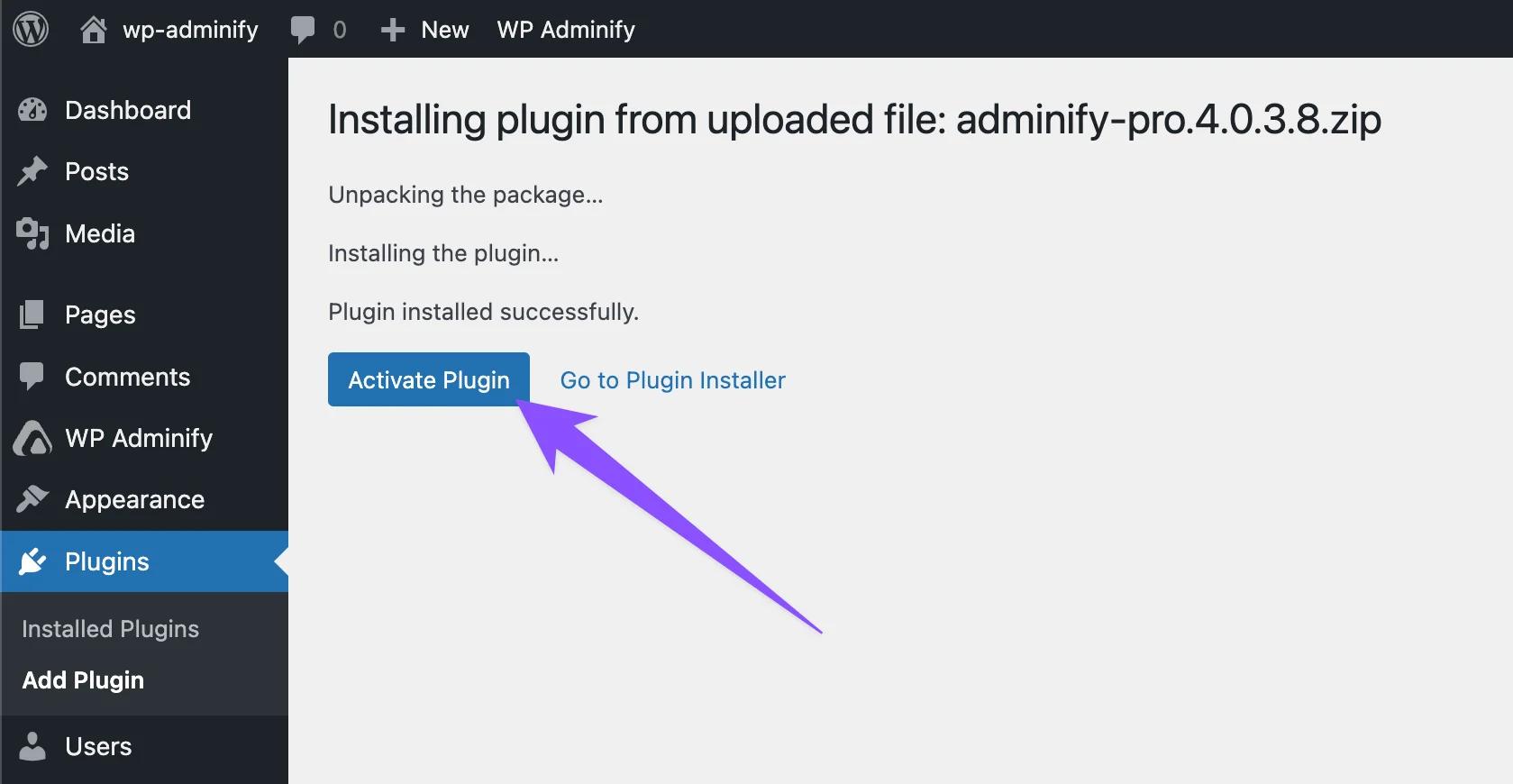
Click on the Install Now button. As soon as the installation is finished, you will get an active button. Click on this active button to activate the pro version of WP Adminify.
License activation
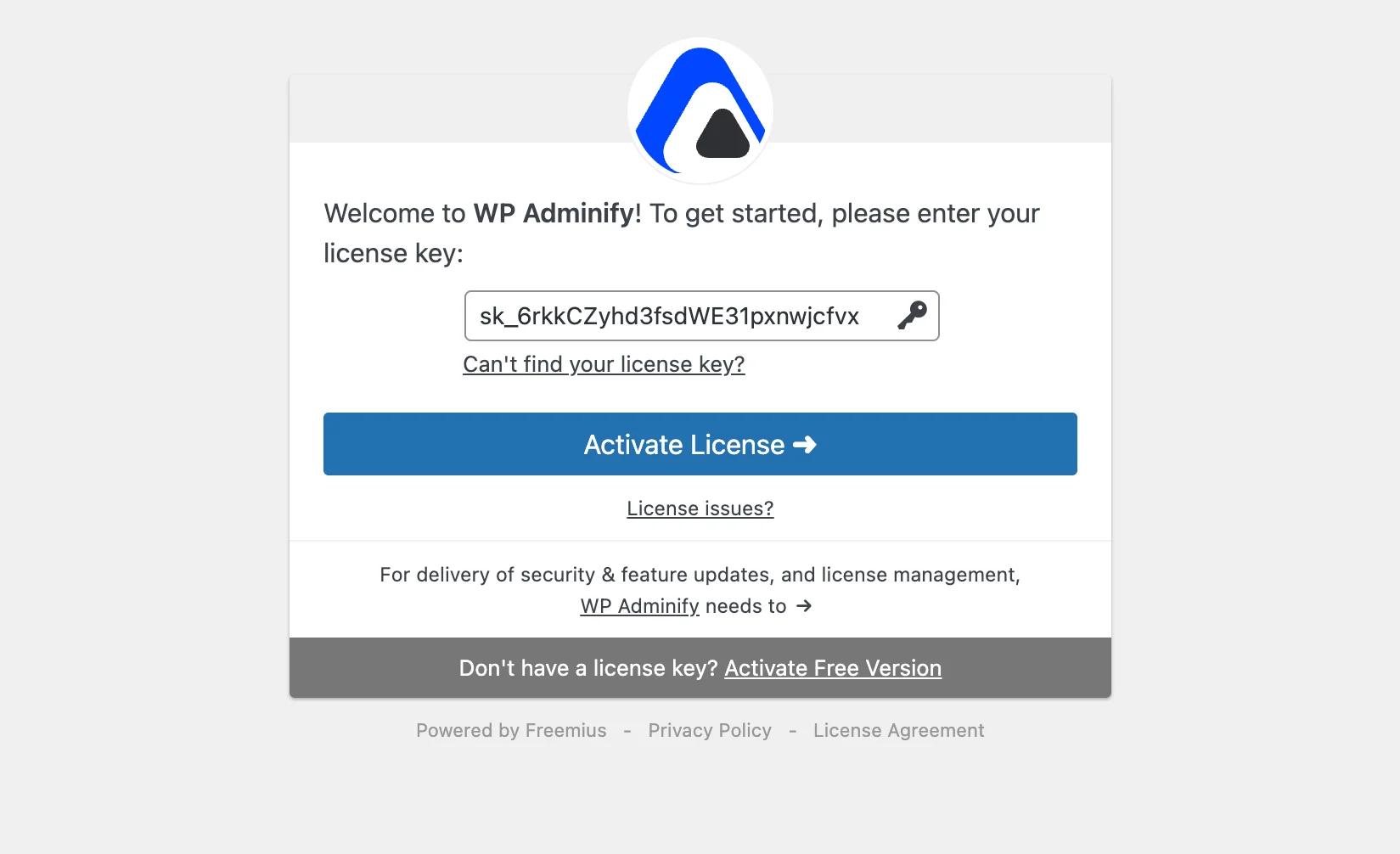
After activation, adding your license key is necessary to unlock all of our pro features. If you have properly installed and activated the pro version of the WP Adminify plugin, then it will redirect you to the license key activation process. Just input your license key and activate the license.
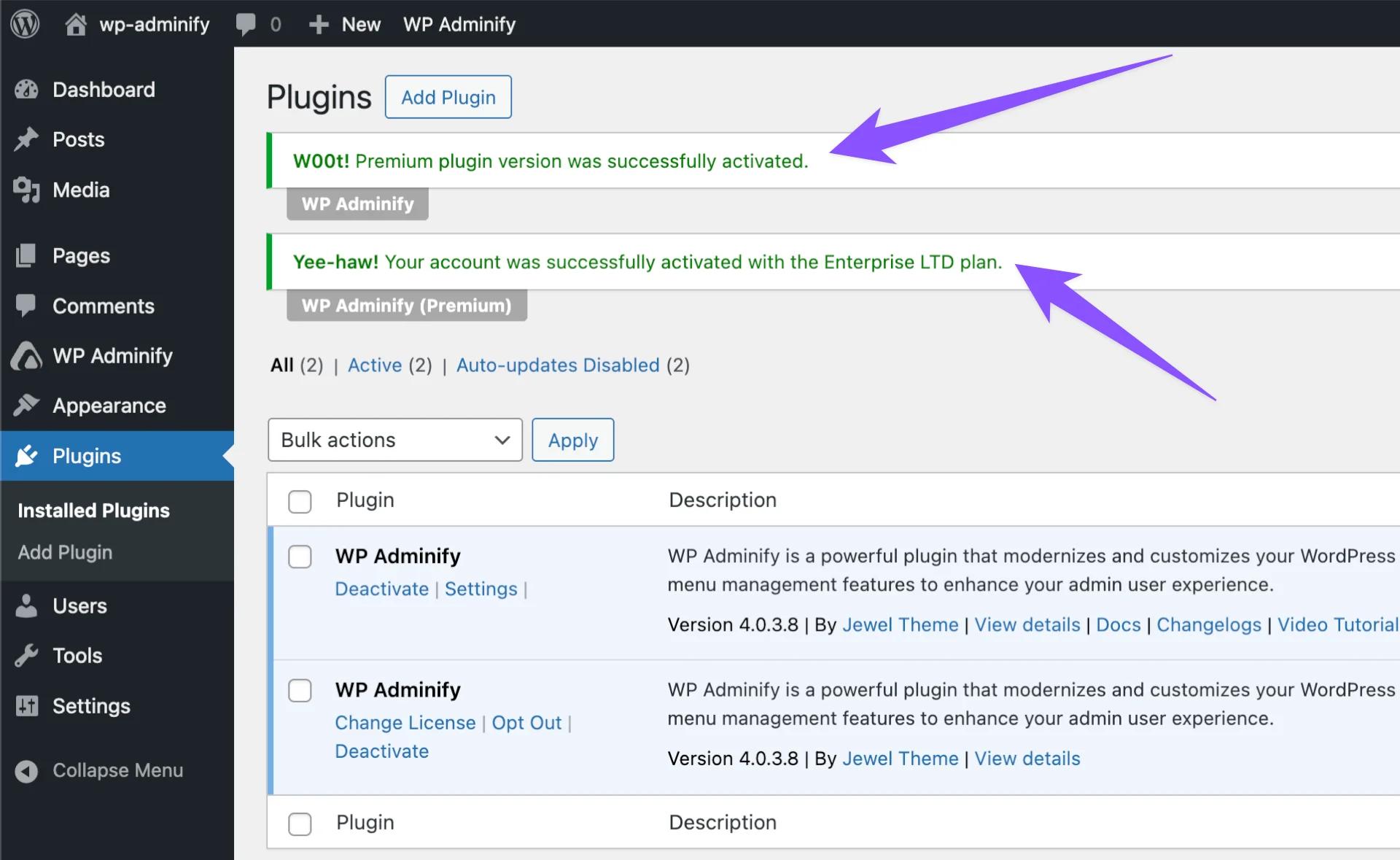
If the license activation is done properly, then you will notice a “Premium version was successfully activated” notice.
Installation via FTP
Follow the same steps mentioned in the free version installation.
WP Adminify Pro Installation FAQs
Where do I download the Pro version?
From the Downloads section of your WP Adminify account — it lists the Pro plugin and every add-on included in your purchase. Full details in the account management guide.
Do I need my license key during installation?
Yes — after activating the Pro plugin you'll be asked for the license key from your purchase. Copy it from the Licenses section of your account and paste it into the activation screen.
What are the minimum requirements for WP Adminify?
An SSL certificate, PHP 7.4 or higher, and WordPress 6.0 or higher — the full list is in the system requirements doc.
Related Documentation
Didn’t find what you were looking for? Get in touch!
Updated on Aug 12, 2026
Was this helpful to you?