

WP Adminify
Manage WP Adminify Pro


Table of Contents
To manage your WP Adminify Pro account, follow these steps:
- Log in to your WP Adminify account on the official website.
- Here, you can manage your websites, licenses, billing, and other account-related details.
Managing Websites
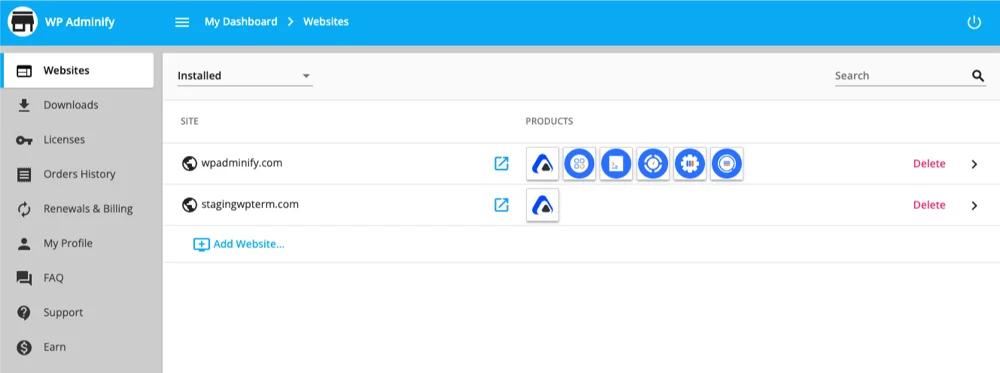
The Websites section displays all the websites linked to your WP Adminify Pro account.
Download WP Adminify Pro
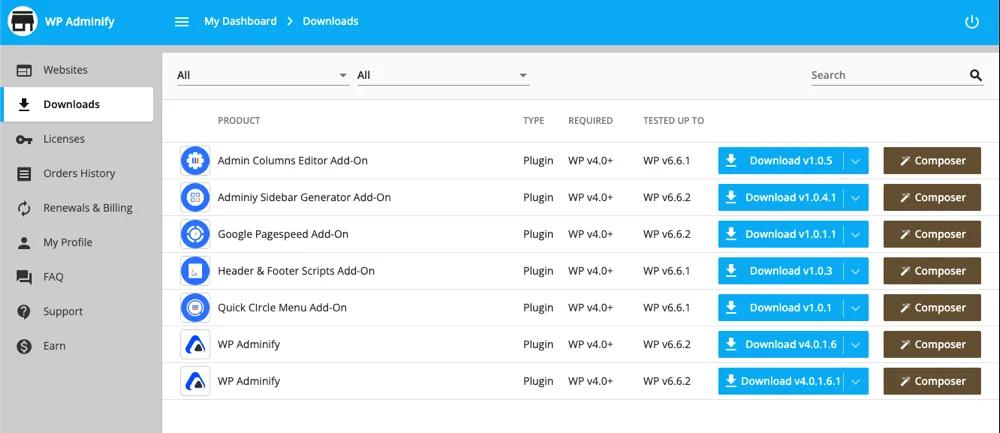
The Downloads section in WP Adminify Pro account page allows you to download WP Adminify latest version plus add-ons associated with your account.
Available Downloads
You will get the all list of WP Adminify and its addons that you have purchased.
Download
You will get a Download button for all of your purchased Plugin and Addon developed by us. Just click on this download button and it will be stored in your device within a few seconds.
License Management
In the Licenses section, you can view and manage your Pro license key(s).
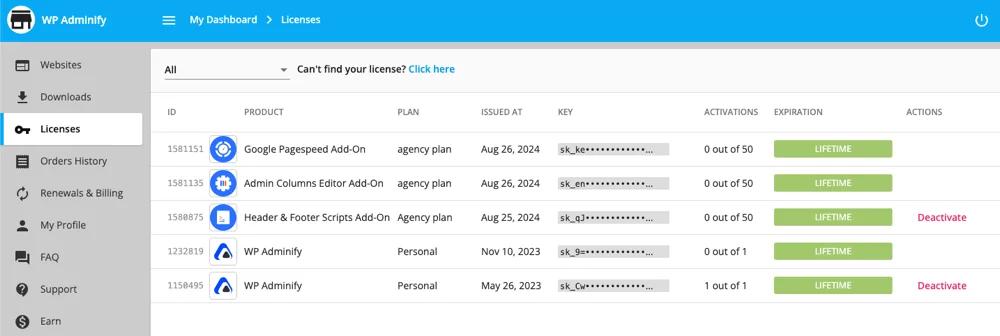
- Activate License: Whenever you install our WP Adminify plugin and it's pro addons in your different websites, it requires the license key. Just copy the key from this license page and paste while license activation.
- Renew License: For annual users, when your license key expires, it will generally renew, but due to payment issues, if it fails, you can renew it manually in this license option.
[We provide a reminder to our users 15 days before automatic renewal]
Activating Your License on a New Website
Every Pro website you run needs the license key from your account. The short version: copy the key once, then reuse it on each site your plan covers.
- Open the Licenses section of your WP Adminify account and copy your license key.
- Install the Pro plugin on the new site. The steps are in the Pro installation guide.
- Paste the key when the activation screen asks for it. The site then appears in the Websites section of your account automatically.
If you hit your plan's site limit, deactivate the license on a site you no longer use (from that site's WP Adminify settings) before activating it on the new one, or upgrade to a higher plan on the pricing page.
WP Adminify Account FAQs
Where do I find my WP Adminify Pro license key?
Log in to your account and open the Licenses section. Your key is listed there, so copy it and paste it into the license activation screen on any site covered by your plan.
How do I download the Pro plugin after purchase?
The Downloads section of your account lists WP Adminify Pro and every add-on included in your purchase, each with its own download button. Download the ZIP and install it like any other plugin.
What happens when my annual license expires?
Annual licenses renew automatically, and you get a reminder 15 days before renewal. If the automatic payment fails, your sites keep working but stop receiving updates, so renew manually from the Licenses section to restore them.
How do I get support for my Pro account?
Check the FAQ page first for common account questions. For anything else, open a topic in the WordPress.org support forum, or contact the team through your account or at support@wpadminify.com. Pro customers get priority responses.
Related Documentation
Didn’t find what you were looking for? Get in touch!
Updated on Aug 12, 2026
Was this helpful to you?