


WP Adminify
WP Adminify Free Version Installation


Table of Contents
Installing the WP Adminify plugin is not different from any other plugin that you have already installed in your WordPress Dashboard.
But if you are a beginner, then we have got your back. Just follow the steps below, and you can successfully install the WP Adminify plugin.
Free WP Adminify Plugin installation
There are 2 popular methods of plugin installation. We will break down each method in detail. Before jumping to the step-by-step documentation, watch the following video to understand how easy it is to install WP Adminify plugin.
Installation via WP Admin
If you are logged into your Website Dashboard, then just navigate to Plugins> Add Plugin. Inside the “Search Plugins” field, just type “WP Adminify”. You will notice the WP Adminify plugin in the first position.
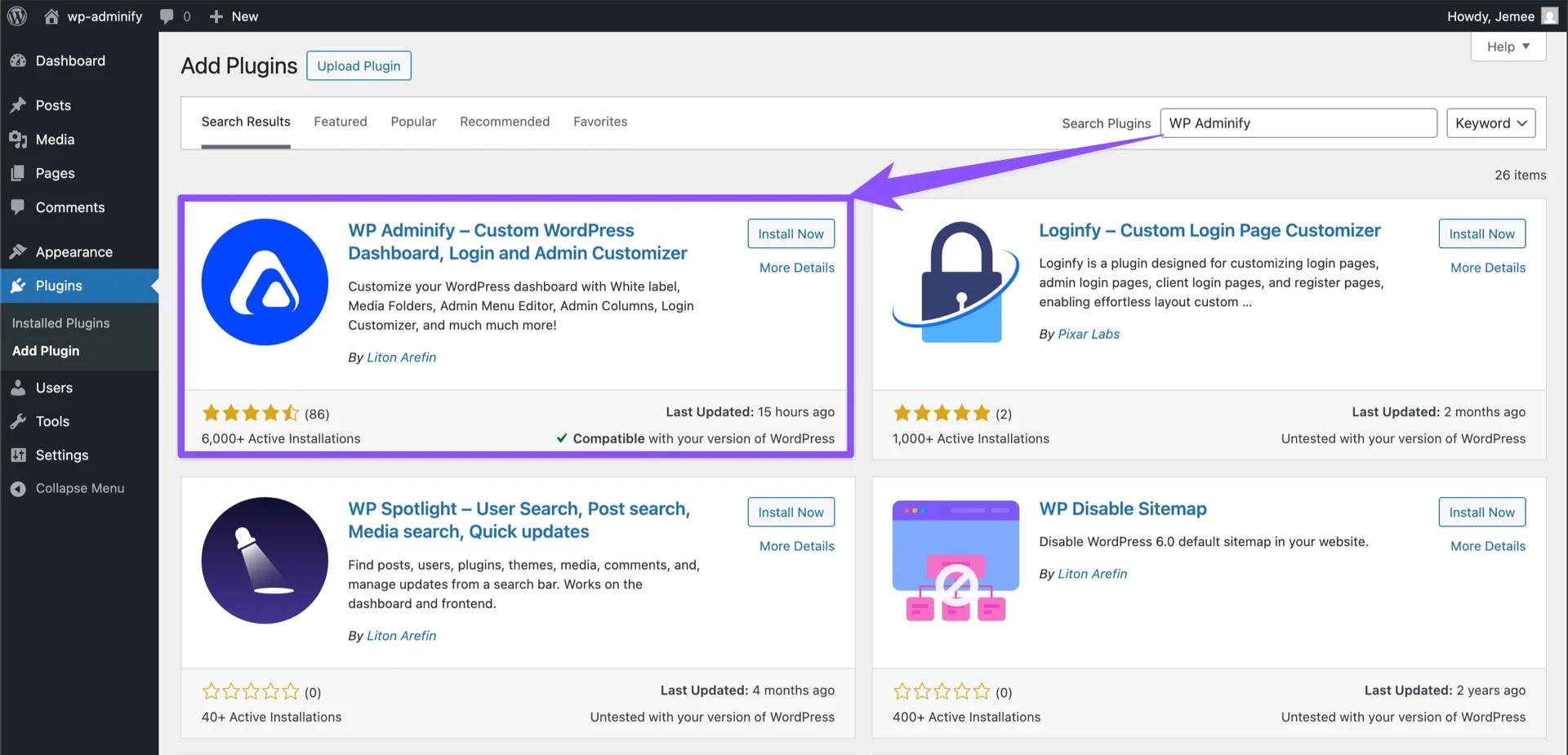
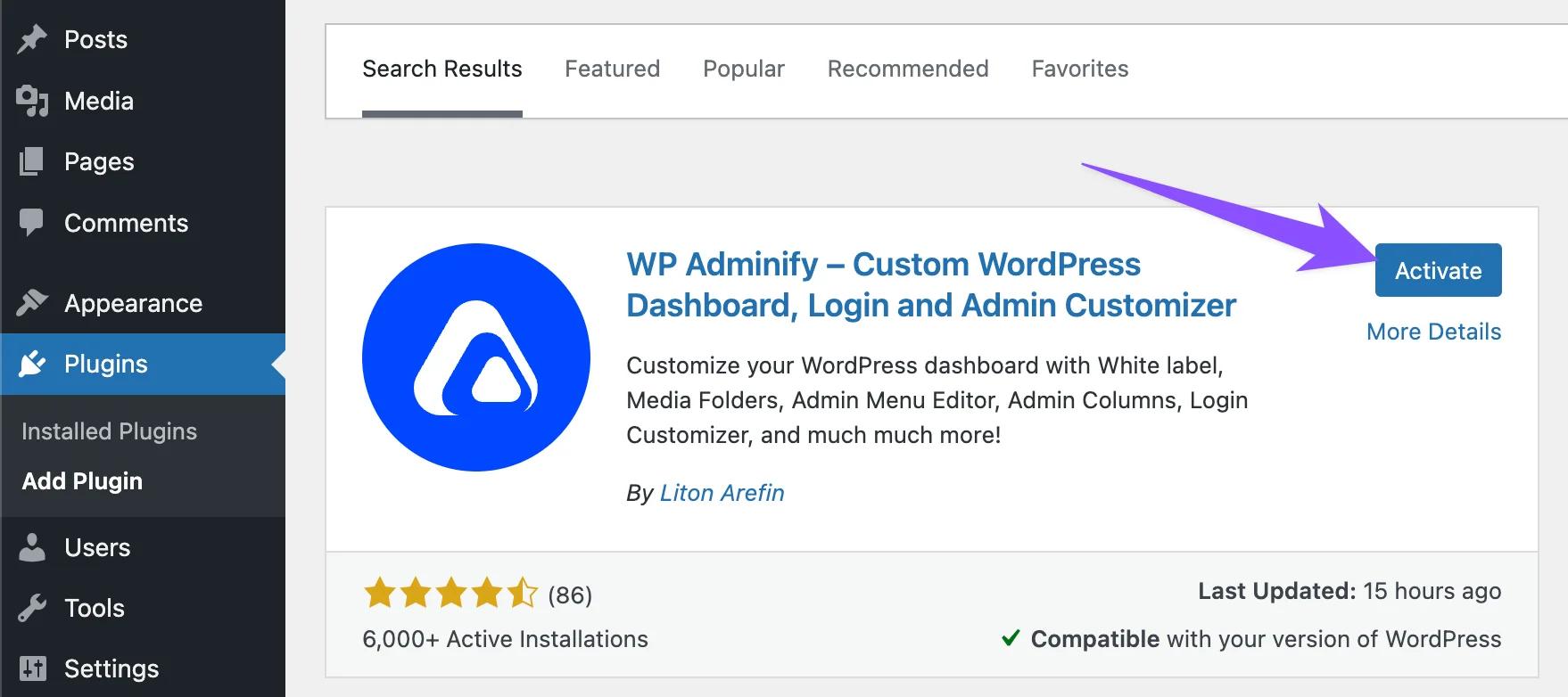
Now, click on the install button. Wait a few seconds, and you will notice the installation is completed and the active button appears. Just click on the Active button.
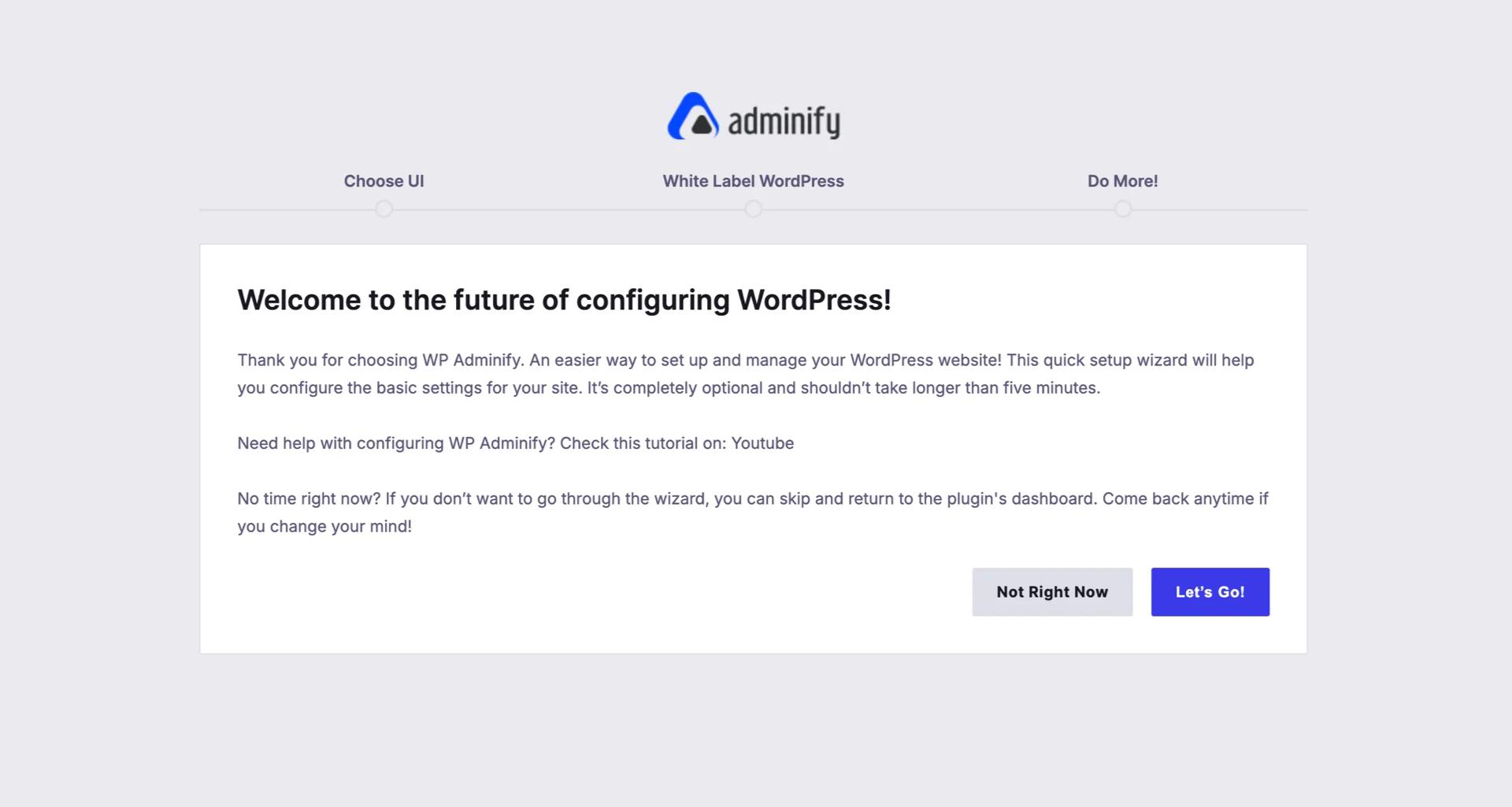
After activation, it will redirect you to the setup wizard of the WP Adminify plugin. You can start customizing the basic things with the help of the setup wizard or skip to your dashboard. To learn more about the setup wizard, navigate to this documentation.
Installation via FTP
Still, some dev gurus prefer FTP installation over installing the plugin via the WP Admin. If you prefer FTP, then this guideline is for you.
Log in to your FTP server via Filezilla, Cyberduck, or any other app. Then navigate to the Plugins folder. Generally, the path looks like public_html > WP-Content > Plugins.
Now unzip the adminify.zip folder on your device, then drag and drop the adminify folder directly to your plugins folder. It will take some time, depending on your internet and server speed.
After completing, navigate to your Website Dashboard > Plugins > search for WP Adminify in your installed plugins page.
Now, click on the active button of the WP Adminify plugin. It will be activated within seconds and will redirect you to the setup wizard.
Bonus: You can import and export WP Adminify options easily from one website to another.
Didn’t find what you were looking for? Get in touch!
Updated on Sep 8, 2026
Was this helpful to you?