

Admin columns
How to customize WooCommerce Product Admin Columns?


Table of Contents
If you have installed the Admin Columns Addon properly and having WooCommerce installed in your WordPress Dashboard, you can access to the product columns customization.
Having WooCommerce and Admin Columns editor is necessary.
Products Admin Columns interface
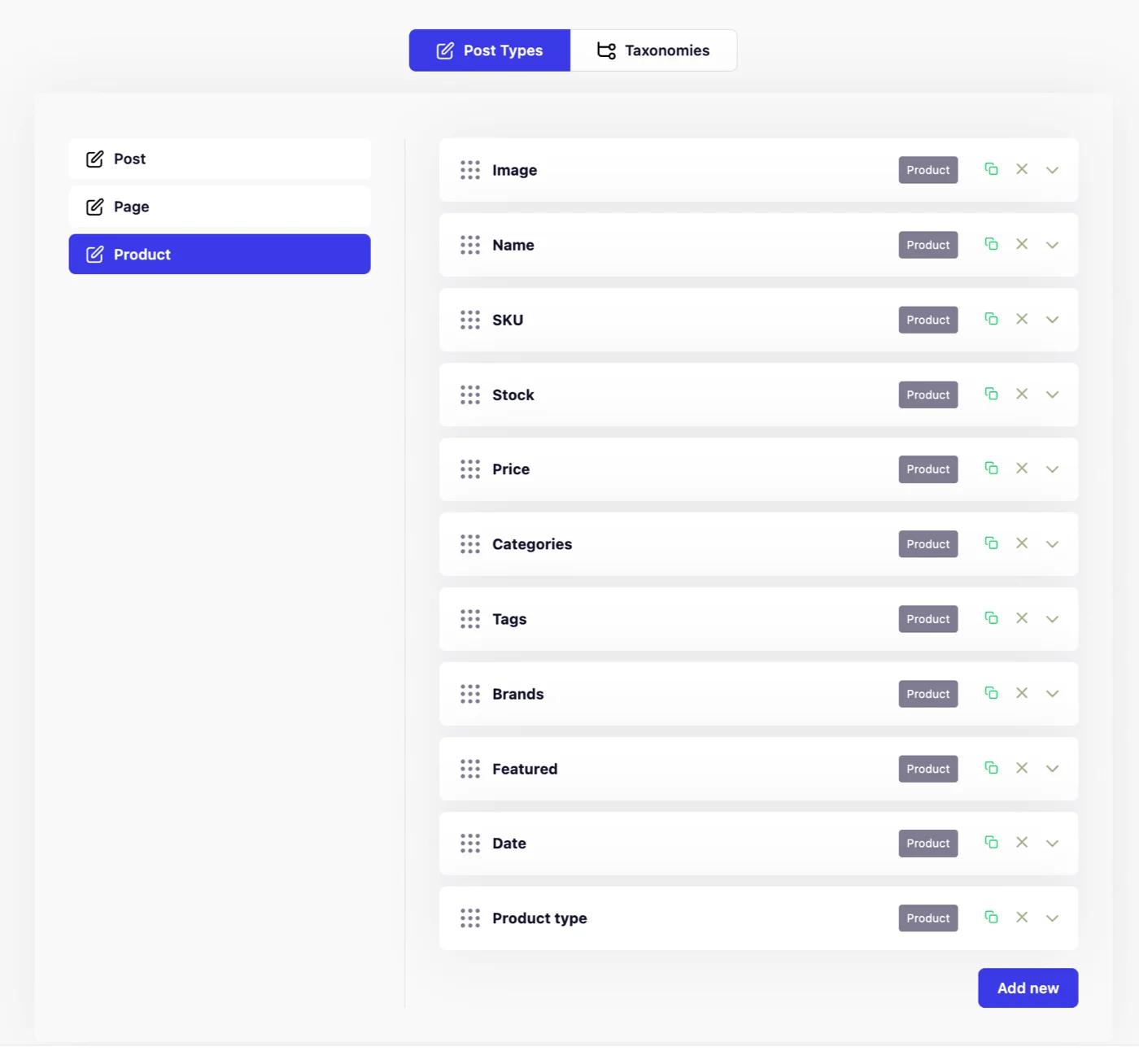
When you navigate to WP Adminify > Admin Columns > Products, you can notice all default Admin columns available in your products column.
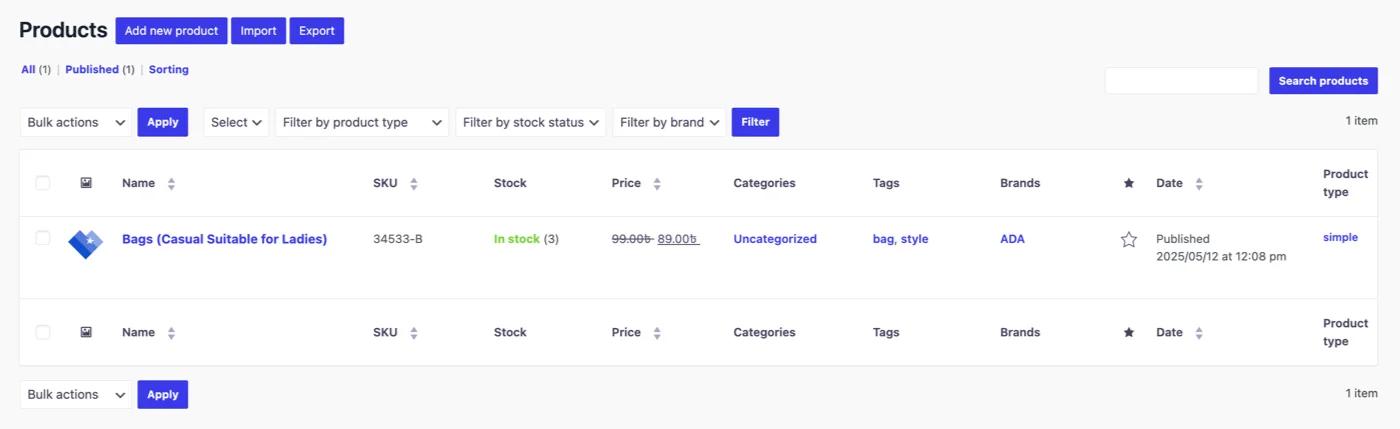
In the product page, it looks something like the following screenshot.
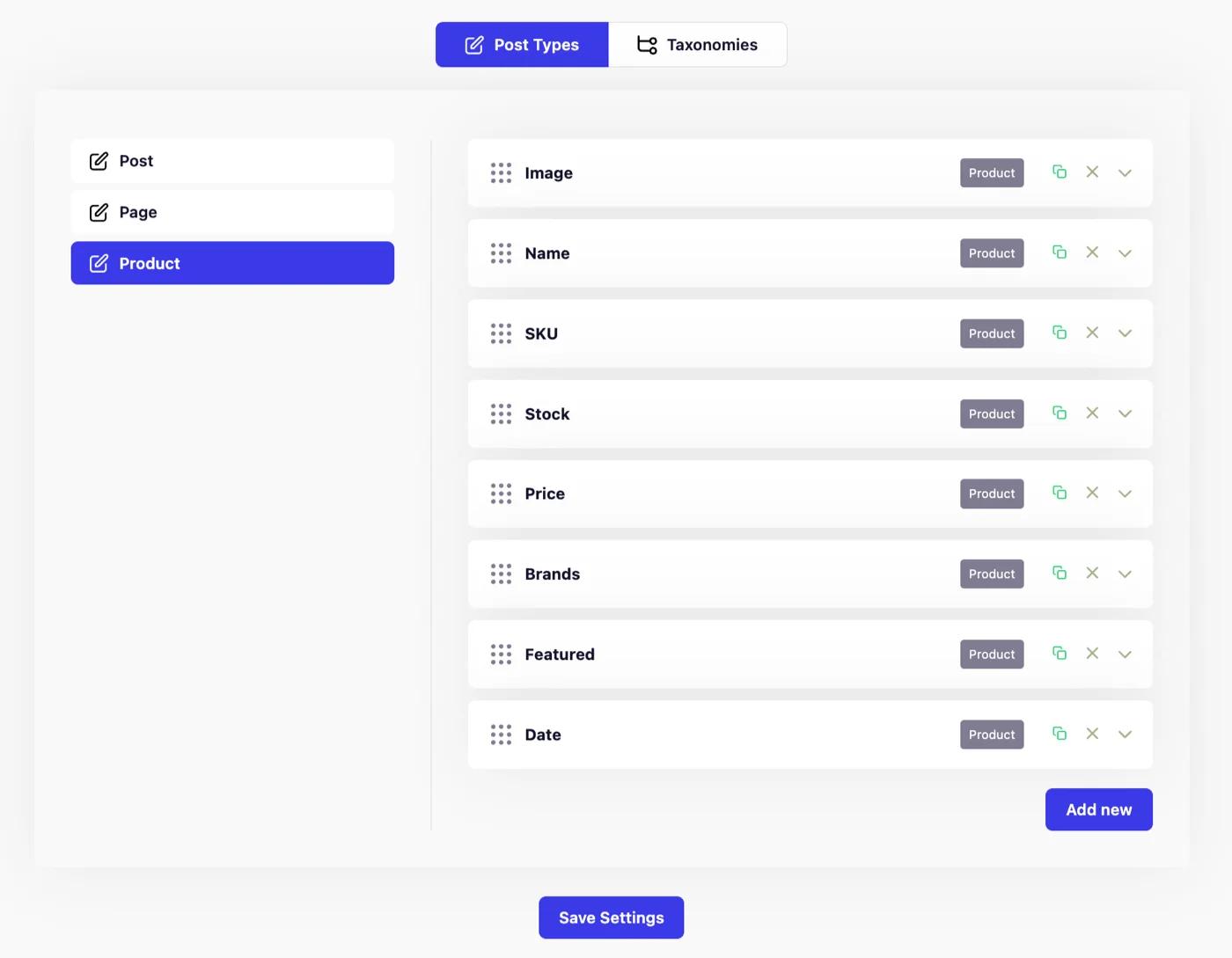
Remove unwanted Admin Columns
Let's assume that you like to remove Categories, Product Type, and Tags from the columns. Just delete these columns from our Admin Columns option panel.
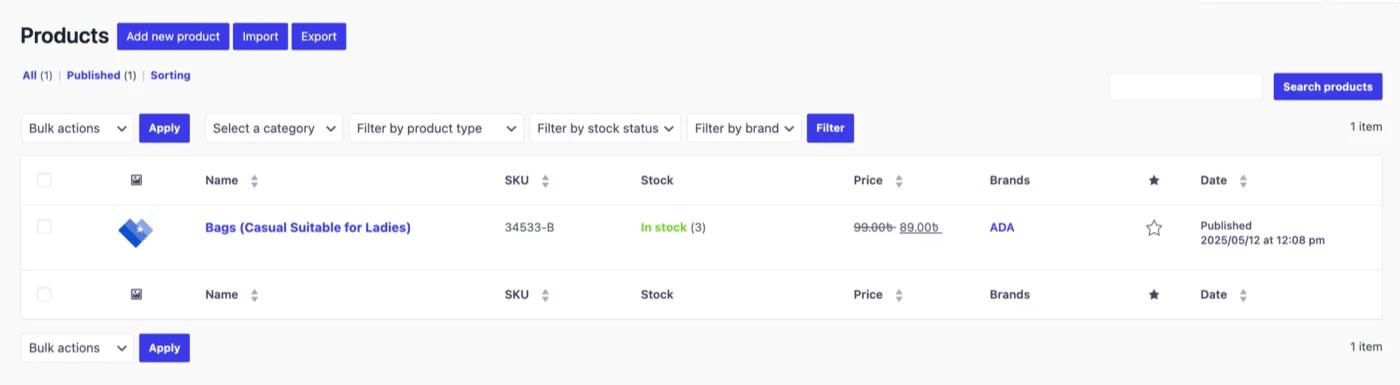
After deleting these 3 columns, the product page will look something like the following screenshot.
Didn’t find what you were looking for? Get in touch!
Updated on Aug 12, 2026
Was this helpful to you?