
Jemee
Published: Feb 26, 2024
Updated: Aug 9, 2026
Here are the top free WordPress CRM plugins available for download from the official WordPress plugin repository. Some of these plugins also function as WooCommerce CRM solutions.
While the free versions offer basic functionality, for more advanced features, we recommend considering their premium options. We have specifically included regularly updated CRM plugins to prevent any vulnerabilities and compatibility issues.
WP Adminify can help you with WordPress CRM plugins by allowing you to access and manage them more easily from your dashboard. You can also create custom widgets and shortcuts for your CRM tasks and reports.
Also, customize your WordPress Dashboard and make it more user-friendly for your clients or personal use.
CRM plugins can help small businesses in many ways. Some of the benefits are:
- Better customer management
- More leads and easier tracking
- Automated sales and marketing
- Smooth communication with customers
- Custom reports and analytics
- Easy integration with other tools
- Advanced contact management
- Task and project management
- Personalized customer engagement
Free vs Paid WordPress CRM Plugin
WordPress gives you everything to maintain a Website. But to run your business properly and having a good relation with your clients or users, you must try a CRM plugin. I have covered the most necessary and useful CRM Plugin for WordPress in this blog post.
Think of this plugin as your business helper. It keeps everything in one place and makes it easy to stay on top of things:
- It lets you collect people’s info right from your website.
- Need to send updates or offers? You can set up messages by email, text, or notifications, and it does it all automatically.
- It shows you what’s working by tracking clicks, sign-ups, and even sales numbers.
- Got a team? You can assign jobs, set reminders, and build out projects together.
- Want to see how things are going? It creates easy-to-read reports so you know what to improve.
Not sure which CRM plugin to go with? There are free and paid ones out there, each with its own strengths. In this article, we’ll walk you through the good and the not-so-good, so you can pick the one that fits your business best.
Ever imagined that redirecting users to specific admin pages based on their user roles can improve your site’s user experience, efficiency, security, and privacy.
For instance, you can send your sales team to the CRM dashboard, your marketing team to the email campaigns, and your customers to the support tickets. You can do this with URL Redirection feature of WP Adminify.
With URL Redirection, you can set rules and conditions to redirect users to different admin pages or external URLs, based on their user roles, capabilities, or login status.
Advantages of free WordPress CRM plugins
Free WordPress CRM plugins are plugins that you can download and use for free, without paying any monthly or annual fees. Some of the advantages of free WordPress CRM plugins are:
- Easy to install and available in WordPress plugin repository
- Perfect for a beginner who has a small user base.
- All basic CRM features are available, like email automation, tracking, and reporting.
- Get support from an active community of users and developers.
Some examples of free WordPress CRM plugins are:
HubSpot CRM
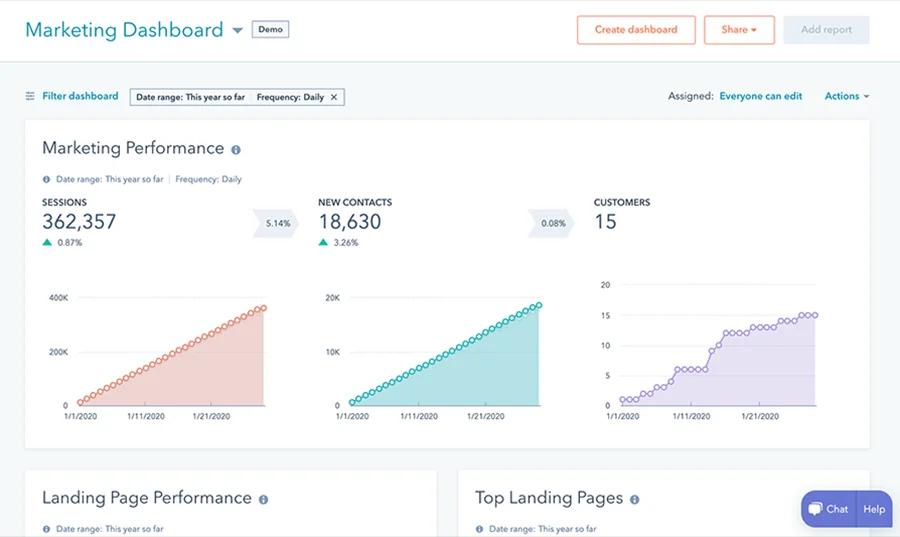
HubSpot CRM plugin is available for Free in the WordPress plugin repository. It can help you to sort your leads, send marketing emails, build simple forms and much more. You can also track visitors activity and link up your WooCommerce store, Forms, and Elementor.
Jetpack CRM - Free Version
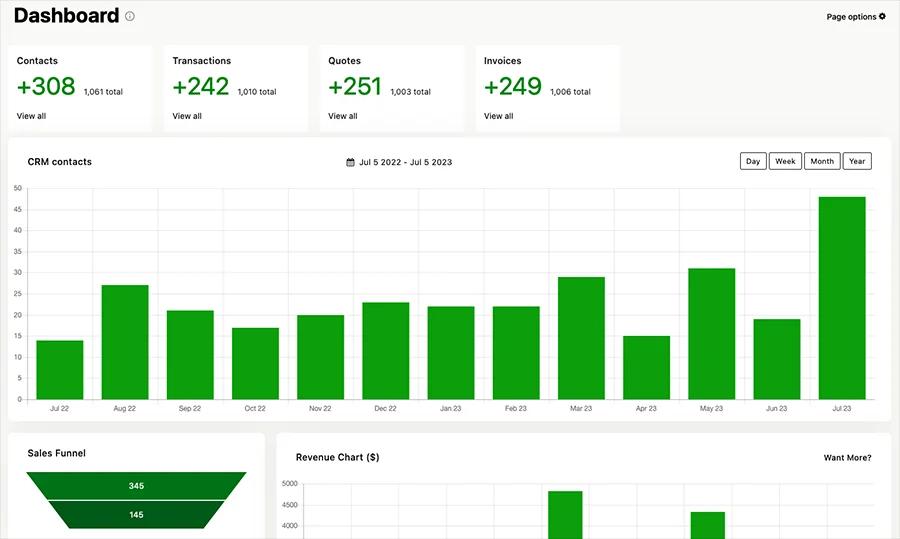
Jetpack CRM is a simple and lightweight CRM plugin that lets you manage your contacts, invoices, quotes, and transactions. It also has a dashboard widget that shows your sales funnel, revenue, and customer feedback.
Disadvantages of free WordPress CRM plugins
Free WordPress CRM plugins are not without their drawbacks. Some of the disadvantages of free WordPress CRM plugins are:
- They have limited features and functionality, compared to paid CRM plugins
- They may not offer adequate customer support
- They may have ads or branding that you cannot remove or customize
The Best Free WordPress CRM Plugins
If budget is the deciding factor, all four tools below have a genuinely usable free tier, so you can run a small list without paying anything. The best free WordPress CRM depends on what you sell:
- FluentCRM (free): the strongest free pick for content sites and course or membership creators. It is self-hosted, keeps unlimited contacts, and runs email campaigns and automations from inside wp-admin.
- Jetpack CRM (free): the best free option for WooCommerce stores and freelancers. It syncs orders and tracks contacts, quotes, and invoices without a monthly bill.
- WP ERP (free): best when you need more than a CRM. The free version bundles basic CRM, HR, and accounting for small B2B teams.
- HubSpot (free): best if you want a free contact database plus forms, live chat, and 2,000 free emails a month, with room to grow into paid marketing tools later.
Best WordPress CRM Plugins for Any Businesses
| CRM plugin | Free version | Paid from | Type | Best for |
|---|---|---|---|---|
| FluentCRM | Yes (self-hosted) | $129/year | Native WordPress plugin | Email marketing and automation, unlimited contacts |
| Jetpack CRM | Yes | $11/month | Native WordPress plugin | WooCommerce stores, contacts, invoices and quotes |
| WP ERP | Yes | $9.99/month plus $3/user | Native WordPress plugin | B2B teams wanting CRM, HR and accounting together |
| HubSpot | Yes | $18/month (Starter) | External SaaS with a WordPress connector | Free contact database plus email and forms |
When it comes to choosing the best WordPress CRM plugin for your small business, several options stand out for their features, functionalities, and pricing. Let's take a closer look at the top CRM plugins for WordPress and compare their offerings.
HubSpot
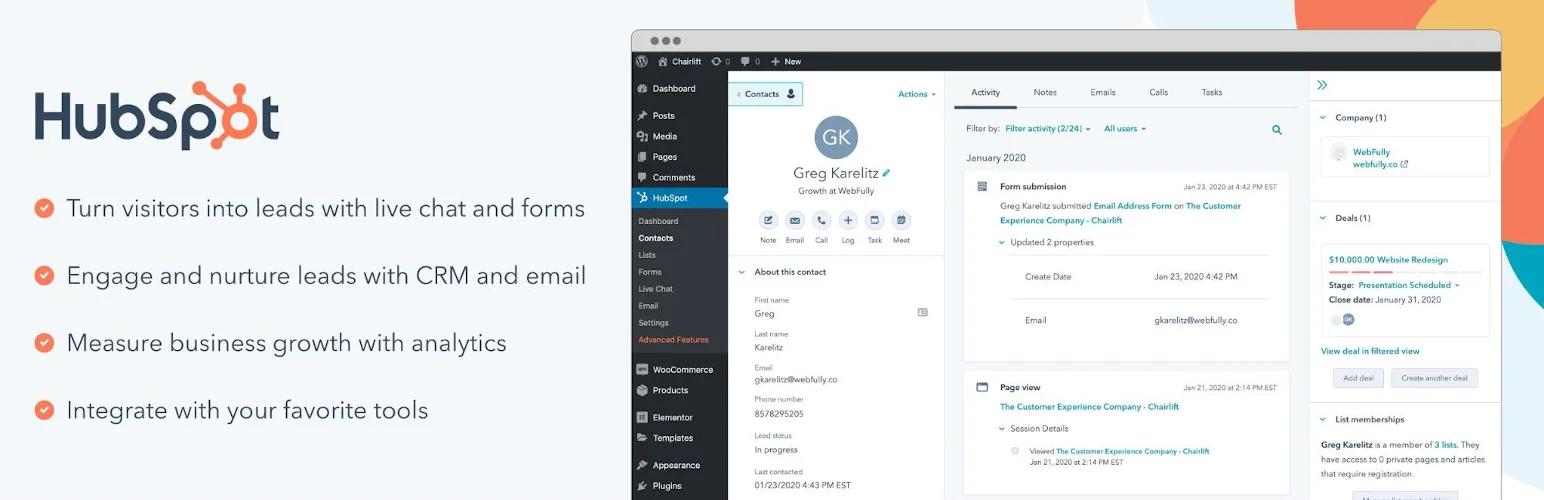
The HubSpot WordPress Plugin is designed to streamline your workflow and simplify your tasks. This free plugin serves as a bridge between your WordPress website and your HubSpot CRM account, enabling seamless transfer of contact information from your CMS to your contact management tools.
With a range of features such as free forms, live chat, and email marketing, your business can effortlessly capture, organize, and engage visitors without the need for additional coding. These features can be easily added to your WordPress site.
Instead of toggling between your CMS and CRM software to monitor your growth, the HubSpot WordPress Plugin allows you to conveniently view your analytics within your WordPress dashboard. Moreover, it integrates seamlessly with popular WordPress solutions like Gravity Forms, WooCommerce, Stripe, and Zapier.
Another way to enhance your CRM experience is to create a custom admin page using WP Adminify plugin. This plugin allows you to create and customize unlimited admin pages with any page builder, such as Elementor, Oxygen, or Visual Composer.
You can use this feature to create a guide or tutorial on how to use your CRM plugin properly, and display it on your WordPress dashboard. You can also set user roles restrictions, custom icons, and menu orders for your custom admin pages.
What HubSpot CRM Can Do For You:
Connects to Your Go-To Tools (Like WordPress): Plays nice with hundreds of popular WordPress plugins you probably use – think WooCommerce for your shop, Stripe for payments, Gravity Forms, and loads more. Need even more connections? Hook it up to Zapier.
Keep Your Contacts Sorted: Never lose track of people! Easily group them, see what pages they visit or emails they open (super handy!), and keep their details fresh instantly.
Chat Live, Right on Your Site: Talk to visitors while they're browsing! Every chat gets saved automatically. Got common questions? Set up a little bot to answer them for you – saves tons of time.
Build Forms & Pop-ups That Fit Your Brand: Need to collect leads? Design sign-up forms or pop-up messages that actually look like your website. You pick exactly where they pop up and when. Easy!
Send Awesome Emails (2,000 Free/Month!): Create professional emails with simple drag-and-drop or templates – no coding needed. Best part? Send up to 2,000 emails free each month. Set them to go out automatically based on what contacts do.
See What's Working (Emails & Customers): Get clear reports showing exactly how your emails perform. Track clicks, see where customers drop off, and understand what they're up to. Plus, see if your emails are actually making money.
Test Subject Lines for Better Opens: Not sure which subject line works best? Test a couple! See which one gets more people to actually open and click your emails. Helps more messages land in inboxes and get results.
Pricing
- Starter: This tier includes all the features of the free version, with increased limits, and is available for $18 per month for two paid users.
- Professional: In addition to the core features, this tier provides collaboration tools and phone support, and is priced at $800 per month for five paid users.
- Enterprise: For advanced needs, this tier offers customizable features and advanced permissions, and is available for $3,600 per month for 10 paid users.
Fluent CRM
Ever wish managing email campaigns felt less like rocket science? FluentCRM for WordPress makes it downright simple. Seriously – you'll be up and running fast thanks to its no-headache setup and dashboard that actually makes sense. Perfect if you're just starting out.

Quick Pro Tip: Tired of a cluttered WordPress menu? Grab the Admin Menu Editor plugin. Hide those CRM submenus you never use! Cleaner workspace, less confusion, better security. Lock things down so only admins see the important stuff, keep your data safe and your team focused.
Why FluentCRM Rocks for Your Business:
Stop Missing Sales: FluentCRM isn't just another plugin – it's your central command for contacts, leads, and customers. Syncs beautifully with tools you already love like Easy Digital Downloads, MemberPress, and LearnDash. Everything in one place? Yes, please!
Emails People Actually Open: Ditch the boring templates. FluentCRM's drag-and-drop editor lets you whip up gorgeous emails in minutes. Target exactly the right people using tags, lists, or custom details. Set 'em to send automatically or build whole email sequences that run while you sleep.
Know Your Customers Inside-Out: See the full picture with the 360-degree contact view. Track purchases, email opens, form fills – even what they click on your site with smart links. It’s like having a friendly spy (the good kind!) telling you exactly what your contacts care about.
See What's Working (And What's Not): Get real numbers, not guesses. FluentCRM's reports show opens, clicks, bounces, unsubscribes, and crucially – how much money your emails are making. Hook it up to Google Analytics for even deeper insights on clicks and ROI.
Subject Lines That Get Clicks: Can't decide between two catchy subject lines? Test them! FluentCRM's A/B testing shows you which one wins for opens and clicks. Better inbox placement and more conversions? That’s the goal.
Pricing
- Single Site License for $129/year
- 5 Site License for $249/year
- 50 Site License for $499/year
All plans include essential CRM tools such as marketing automation, unlimited email creation, and email list management, as well as additional integrations, priority support, and updates for a full year.
Jetpack CRM
One standout plugin is Jetpack CRM, a user-friendly and powerful customer management tool. It offers a free version with basic functions and two paid plans with a 14-day money-back guarantee:
While using a WordPress CRM plugin, you may have a lot of media files related to your campaigns and reports. To keep your media library organized and tidy, you can use the Post type & Media Folder feature of WP Adminify plugin. This feature allows you to create and manage custom folders for your CRM media files, and assign them to different Folder.
Key features and functionalities
- Take control of your data with Jetpack CRM’s usage tracking feature. You can easily enable or disable it from your WordPress dashboard and see how your CRM is performing.
- Segment your contacts smartly with Jetpack CRM’s contact segmentation tool. You can create dynamic groups of contacts based on their attributes and behavior, and apply conditional logic to match them with your criteria.
- Brand your CRM your way with Jetpack CRM’s WordPress override mode. You can customize the look and feel of your CRM dashboard and control the access of your CRM users and WordPress users.
- Connect with your customers on social media with Jetpack CRM’s social integration feature. You can link your CRM contacts with their social media profiles, such as Facebook, LinkedIn, and Twitter, and reach out to them via email campaigns.
- Create and send invoices from your WordPress site with Jetpack CRM’s invoice builder feature. You can design professional invoices with your logo and details, and get paid online with PayPal or Stripe.
- Generate and share quotes with ease with Jetpack CRM’s quote system feature. You can use pre-built templates to create proposals for your clients, and send them via email or preview link.
- Sync your WooCommerce store with your CRM with Jetpack CRM’s WooSync feature. You can import your WooCommerce customers and orders to your CRM, and manage them from one place.
- Automate your CRM tasks with Jetpack CRM’s automated workflows feature. You can set up rules and actions to trigger events based on your contacts’ actions, such as sending emails, adding tags, updating fields, and more.
- Personalize your contact profiles with Jetpack CRM’s contact image mode feature. You can allow your customers to upload their own images or use their Gravatar pictures to their contact profiles, and see their faces in your CRM.
- Create and manage unlimited contacts with Jetpack CRM’s unlimited contact creator feature. You can add as many contacts as you want to your CRM, and use the Click2Call feature to call or message them directly from your CRM.
- Import and export your data with ease with Jetpack CRM’s ability to import and export files feature. You can use CSV files to bulk update your contact list, quotes, and transactions, and export your data for backup or analysis.
Pricing
- Freelancer: starting at $11/month, includes a single site license, PayPal and Stripe integration, 12 months of support and updates.
- Entrepreneur: starting at $17/month for additional advanced features, 30+ CRM extensions, and priority support.
- Reseller: Starting $5.40/month per site for all 30+ CRM extensions, 10 site license, Rebrand CRM.
Premium extensions are available as bundles or individual purchases for extra functionality, such as Gravity Forms for lead and customer info collection and Twilio for sending SMS messages to customers.
WP ERP
The WP ERP plugin offers essential tools to keep your business connected with customers and manage interactions, all available in the free version. This includes features for company information management, location tools, a holiday calendar, creating contact groups, and adding notes to customer profiles. While the premium version, starting at $115.88 per year, provides premium support and a wide range of extensions, such as payment gateways and payroll tools, it may not be necessary for all businesses. However, for larger businesses and agencies, the premium plans go up to $714 per year.
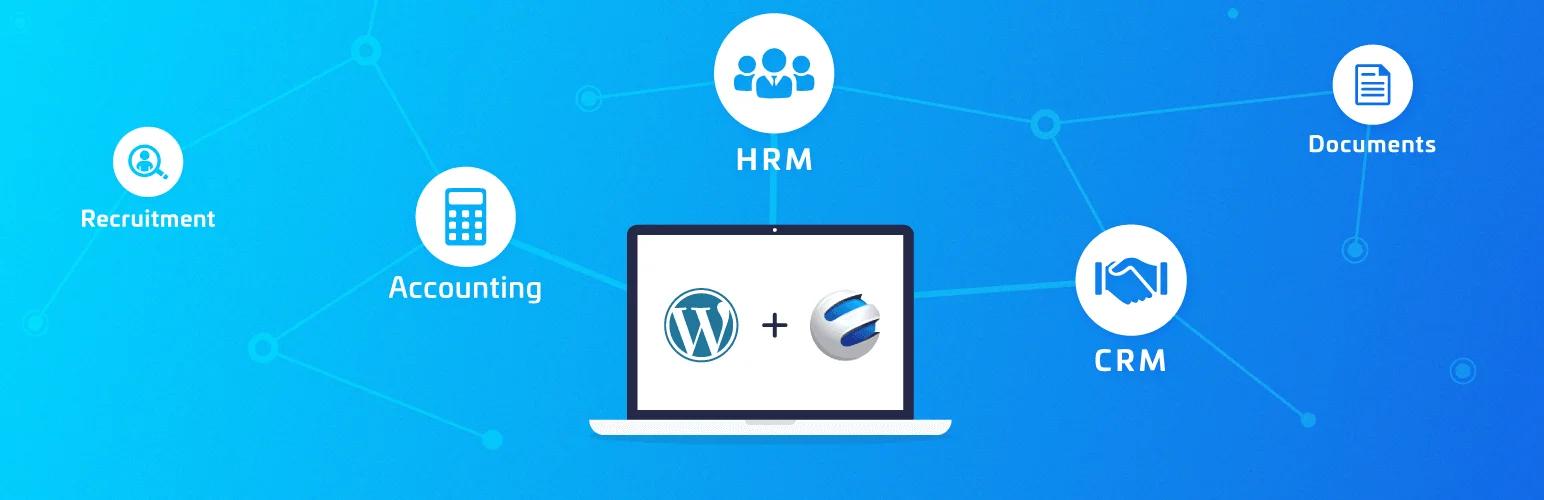
Key features and functionalities
- Manage your emails from your WordPress dashboard with WP ERP’s built-in mailing system. You can quickly compose and send emails to your contacts, leads, and customers without leaving your CRM.
- Set up your CRM in minutes with WP ERP’s easy setup feature. You just need to install the plugin on your WordPress site and follow the software wizard to configure your CRM settings and modules.
- Track and manage your projects with WP ERP’s project management module. You can create and assign tasks, set deadlines, and monitor the progress of your projects in real time. You can also collaborate with your team and clients using comments and attachments.
- Get a comprehensive overview of your CRM with WP ERP’s CRM dashboard. You can see your segmented contact list, activity schedules, and inbound emails directly from your WordPress dashboard. You can also filter and search your contacts by tags, groups, and stages.
- Manage your B2B relationships with WP ERP’s B2B management feature. You can create and manage company profiles and add multiple representatives for each company. You can also use the white labeling feature to brand your CRM with your logo and colors.
- Accept payments in multiple currencies with WP ERP’s supports multiple currencies feature. You can accept customer payments in over 40 currencies using PayPal or Stripe. You can also set your default currency and exchange rates.
- Analyze your CRM performance with WP ERP’s user-friendly CRM report feature. You can receive detailed statistics and data on your business growth and customer activities. You can also see your email open rate, click rate, conversion rate, and revenue.
Pricing
Premium version costs $9.99/month with an additional $3 per user. Choose the HRM, CRM, Accounting module you need at different pricing per month.
The Real Deal on Paid WordPress CRM Plugins
So you're considering paid CRM plugins for WordPress? Let's cut through the buzzwords. These are tools you pay for - either once or yearly - and honestly? They often pack a serious punch where free options fall short.
Why Paid Plugins Can Be Worth Your Cash:
- Muscle Where It Counts: You're not just getting basic contact lists. Think heavy-hitters like lead scoring (who's really interested?), slick automations, laser-focused audience groups, and proper analytics. This is business-grade stuff.
- They Actually Get Updated: Ever used abandoned free plugins? Paid tools get regular love - bug fixes, new features, compatibility patches. That means fewer headaches and less "why won't this work?!" moments.
- Plays Nice With Others: Good paid plugins actively keep up with WordPress updates and popular add-ons. Less time troubleshooting conflicts, more time actually using your CRM.
- Help When You Need It: Stuck? Paid usually means real support - actual humans via chat or email, plus decent docs. No more scouring random forums at midnight.
- Look Professional, Not Pushy: Ditch the "Powered By" badges and tacky ads. Paid plugins let you keep your brand front and center. It just looks... cleaner.
But Let's Be Honest (The Downsides):
- Your Wallet Will Notice: This isn't pocket change. Subscription costs add up, and some lock you into yearly plans. Budget carefully.
- Can Feel Like Overkill: That powerful dashboard? Might overwhelm you at first. If you're just starting out or hate tech jargon, there's a learning curve. Seriously.
Choosing Your CRM Sidekick: Forget "Best," Find "Right"
Look, there's no universal "best" plugin. It's like shoes - what fits your business? Ask yourself these real questions:
- What features are deal-breakers? (Must have SMS? Need deep WooCommerce sync? List them!)
- What's the actual goal here? (Just organize contacts? Run complex sales funnels? Automate follow-ups?)
- What's my actual budget? (Be ruthless. Include potential costs for extra users or add-ons.)
- How tech-savvy am I/we? (Be honest. Will you need hand-holding or prefer diving deep?)
- How do I want this thing to feel? (Clunky spreadsheets? Sleek dashboard? Easy for the team?)
Answering these cuts through the noise. You'll zero in on the CRM that actually fits your workflow and goals – not just the one with the shiniest sales page.
WordPress CRM Plugins: FAQs
What is the best free WordPress CRM plugin?
FluentCRM and HubSpot both offer strong free tiers. FluentCRM is self-hosted with unlimited contacts, while HubSpot offers cloud-based CRM with email marketing included.
Do I need a CRM plugin for WordPress?
If you manage customer relationships, track leads, or send email campaigns from your WordPress site, a CRM plugin saves time by centralizing everything in your dashboard.
Which WordPress CRM works best with WooCommerce?
Jetpack CRM is purpose-built for WooCommerce. It auto-syncs customers, orders, and transactions directly from your store without extra configuration.
Can I use HubSpot CRM with WordPress for free?
Yes. The HubSpot WordPress plugin is free and includes contact management, forms, live chat, and basic email marketing with up to 2,000 emails per month.
Conclusion
If you're running a business through WordPress, a good CRM plugin isn't just helpful, it's your behind the scenes powerhouse. Think about it: these tools help you actually connect with visitors, turn them into loyal customers, and yeah, boost those sales numbers you're watching.
WordPress CRM plugins? They're not all the same. You've got free ones and paid ones sitting on the virtual shelf, each playing a different game. Free sounds great, paid offers more muscle – it totally depends on your shop's size, goals, and honestly, how much tech hassle you want to deal with. You gotta weigh those trade-offs yourself.
Hopefully, breaking down the free vs. paid CRM world here gives you a clearer picture for picking your perfect match. Seriously. Stuck deciding? Or tried something awesome we should know about? Comment in below – what's working (or driving you nuts) with YOUR CRM setup? We read every comment and love swapping real stories.