

RoleMaster Suite
RoleMaster Suite Addon installation


Table of Contents
RoleMaster suite is a User Role editor plugin by developed by WP Adminify Team. This plugin is 100% free to use. Installation this plugin is no different than other plugins that you generally installed in your WordPress Dashboard.
Note: RoleMaster suite will works fine with or without WP Adminify plugin.
Installation from WP Adminify Addons page
If you have installed WP Adminify plugin. Just navigate to WP Adminify > Addons. You will notice “RoleMaster Suite” addon listed and there is a “Install Now” button.
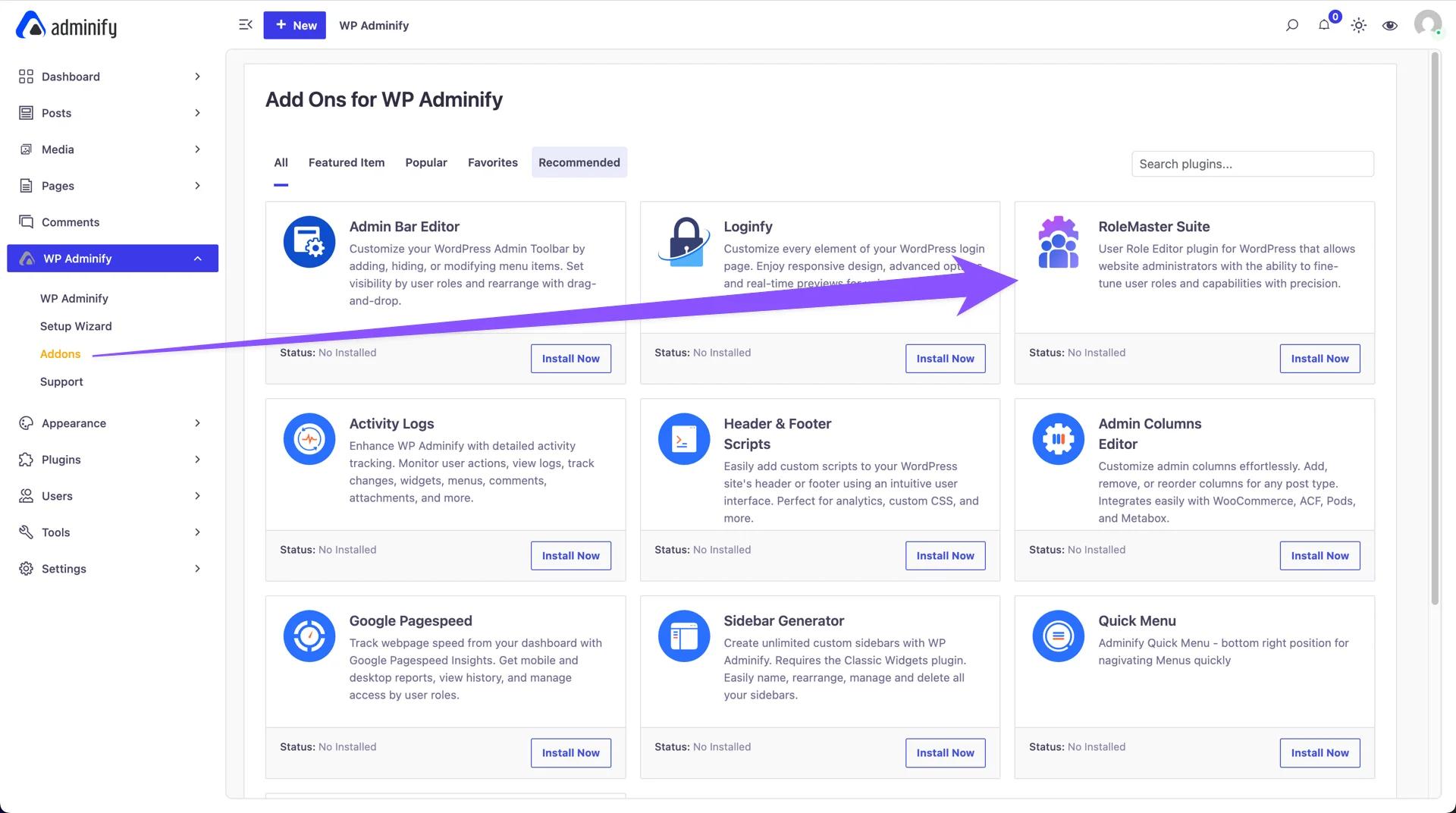
It will start the installation and activation within a few seconds.
Where to find the option panel?
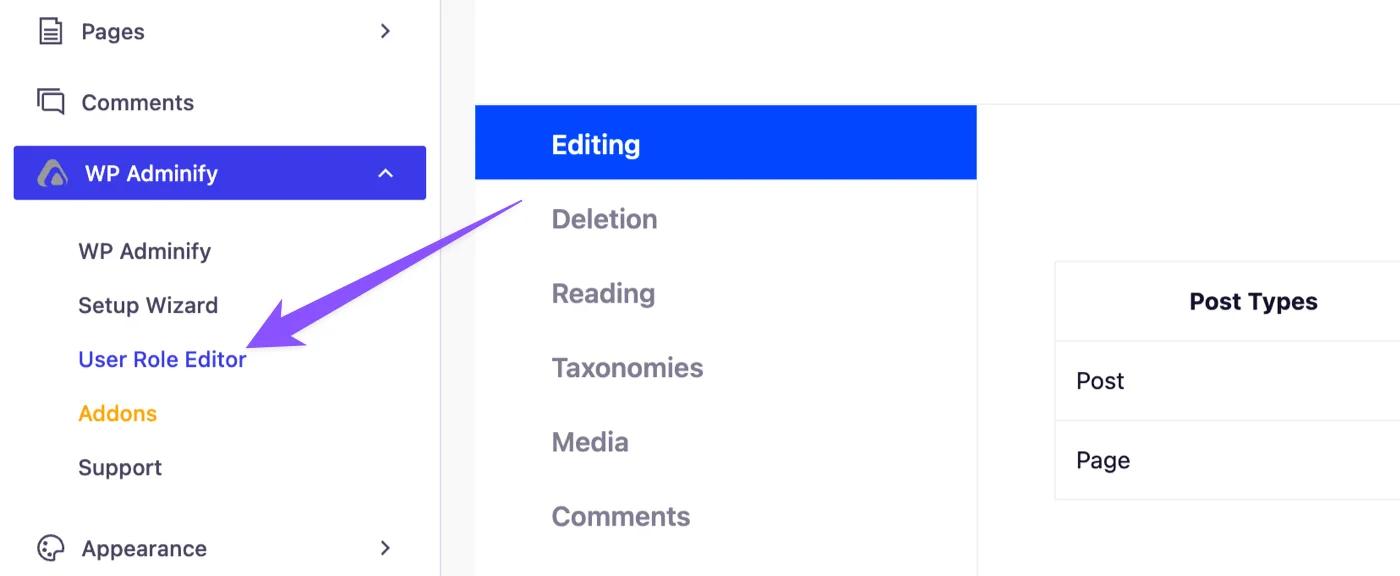
As soon as it’s complete, just reload your webpage. Click on WP Adminify > User Role Editor. You will notice the option panel for the RoleMaster suite plugin options.
Installation from WordPress Plugins Page
If you are not using WP Adminify plugin but want to use our RoleMaster Suite addon then follow the steps.
Login to your WordPress Dashboard, navigate to Plugins> Add New > Search for “RoleMaster Suite”.
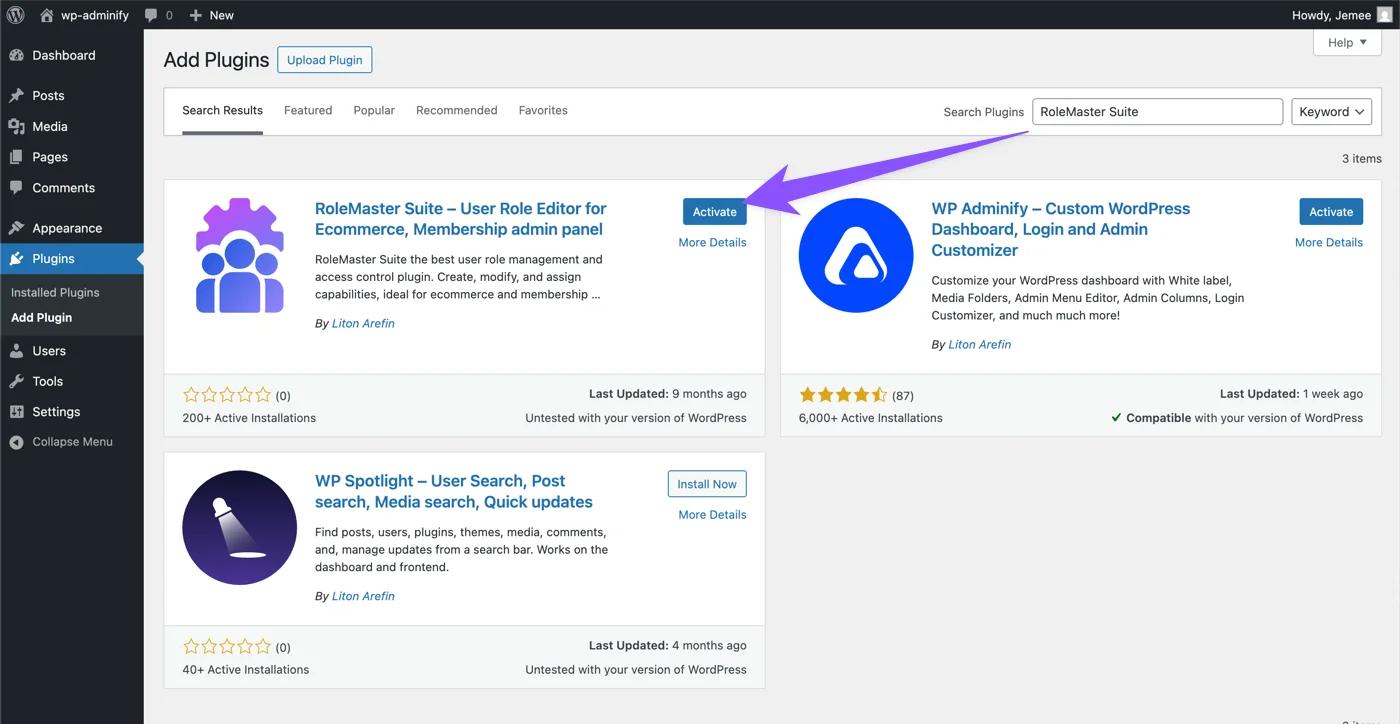
Now click on the install button, after finishing installation you will notice the activate button. Just active the plugin.
Where to find the option panel without WP Adminify?
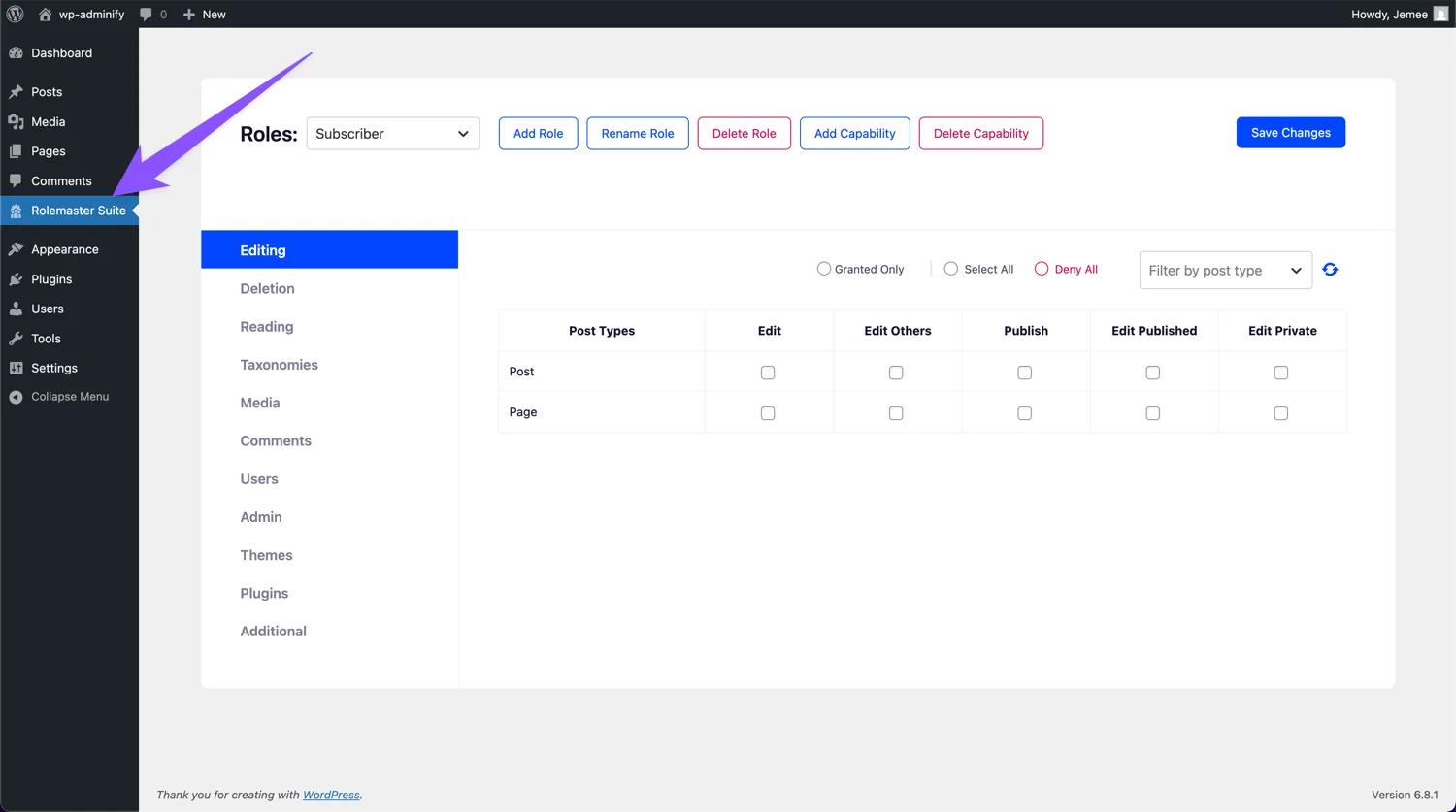
After finishing the activation make sure to reload the page and take a look at the Admin Menu area of your Dashboard, you will notice a new menu called “RoleMaster Suite”. Just click on this and you can access to the user role editor option panel.
Didn’t find what you were looking for? Get in touch!
Updated on Aug 12, 2026
Was this helpful to you?