
Activity Logs
Activity Logs Addon installation


Table of Contents
This addon developed by WP Adminify tea, and it helps you to track different types of activity on your WordPress Dashboard by different users. You must need WP Adminify plugin installed to work with Activity logs.
Installation from WP Adminify Addons page
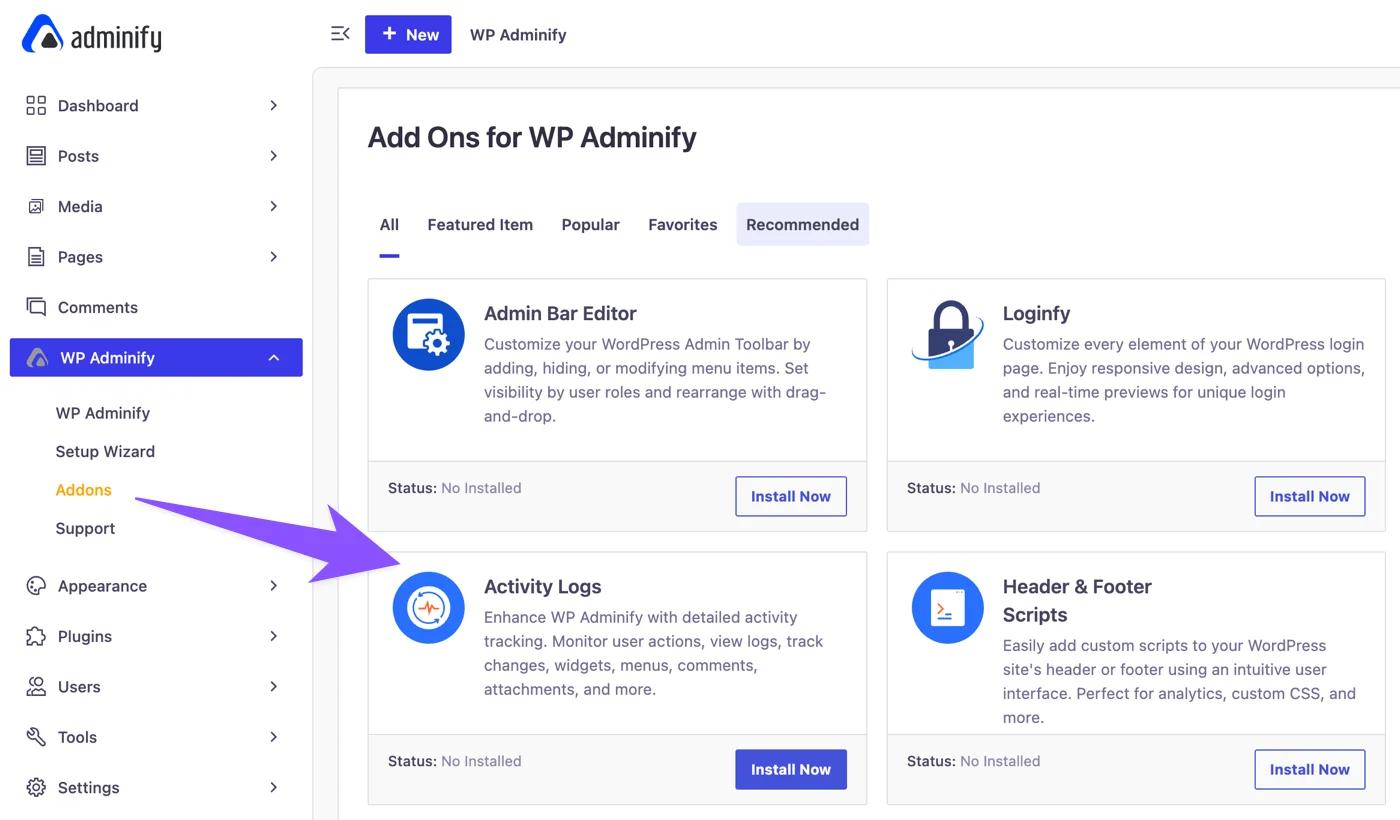
If you have installed WP Adminify plugin. Just navigate to WP Adminify > Addons. You will notice “Activity Logs” addon listed and there is a “Install Now” button.
It will start the installation and activation within a few seconds.
Where to find the option panel?
As soon as it’s complete, just reload your webpage. Click on WP Adminify > Activity Logs. You will notice the option panel for the Activity Logs plugin.

Didn’t find what you were looking for? Get in touch!
Updated on Aug 12, 2026
Was this helpful to you?