
WordPress Dashboard Dark Mode: Easy Toggle, Schedule & OS Aware
Improve focus, accesibility and be productive in Dark Environment
WordPress dark mode has never been easier. Compatible with all themes and plugins, WP Adminify’s dark mode gives you a modern look that goes easy with the eye.

Feeling strained by bright admin during late-night?
WP Adminify turns your Dashboard dark mode based on your preference. Get rid of eye strain and enjoy your modern WordPress Dashboard in dark mode.
Quick Dark Mode Switcher
Switch your WordPress custom dashboard to dark mode in a single click. Instant switching between light and dark themes without disrupting your workflow or refreshing your page.
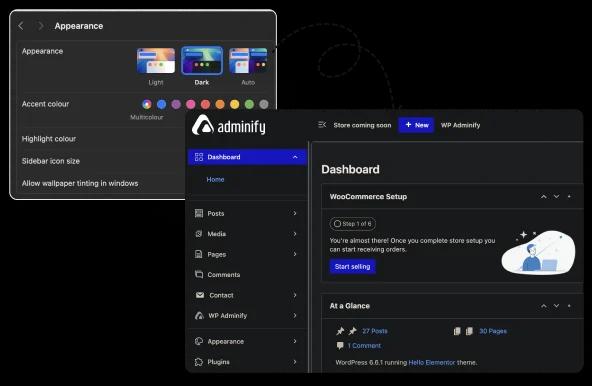
OS-Based Color Mode
Now you can synchronize your WordPress dashboard with your device’s color settings automatically. Enjoy a consistent dark mode experience on any device, whether on Windows, macOS, or mobile.
Schedule Dark Mode
Want a dynamic scheduling for dark mode? Now you can with WP Adminify. Less eye strains while working late hours.
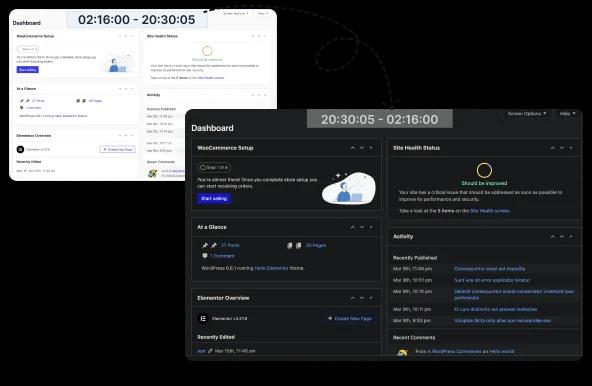
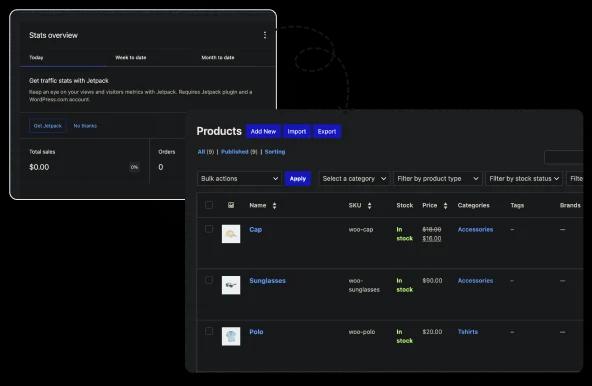
WooCommerce Compatible
WP Adminify’s dark mode is completely WooCommerce compatible. Best for dark-themed stores where you constantly need to work with different themes in frontend and backend.
Mode Based Custom Logo Upload
Maintain branding across light and dark themes by setting a custom logo for each mode. Strengthen your WordPress custom dashboard’s identity for clients and teams. Now you can add custom logo designs for light/dark mode. Keep your brand value intact while changing modes. No more broken logos when switching to dark mode.
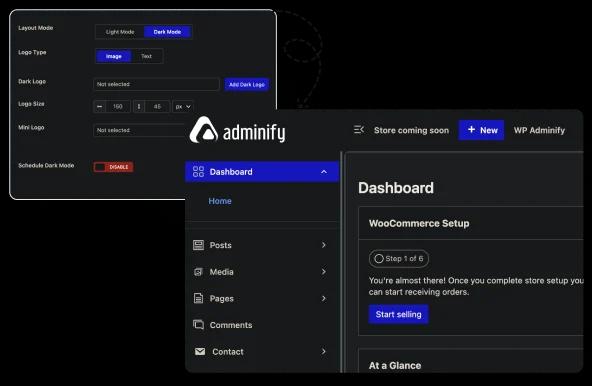
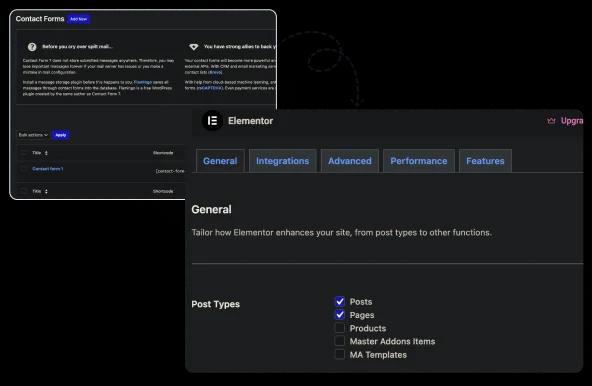
100 Percent Compatible With WordPress Themes and Plugins
Enable dark mode without compatibility worries. This feature ensures that your WordPress dashboard customizations work smoothly with any WordPress themes and plugins.
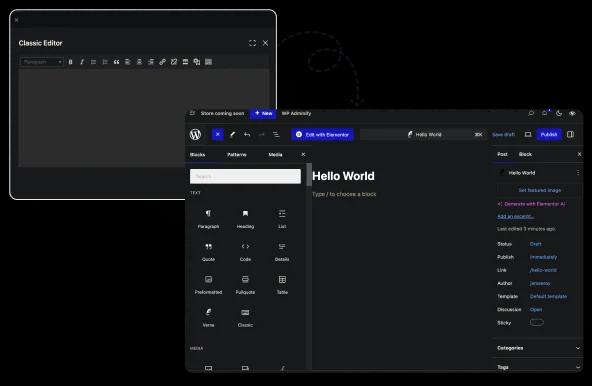
Default WordPress Editor Support
Enable dark mode even in WordPress editors. Enjoy global compatibility without broken elements with WP Adminify’s dark mode.
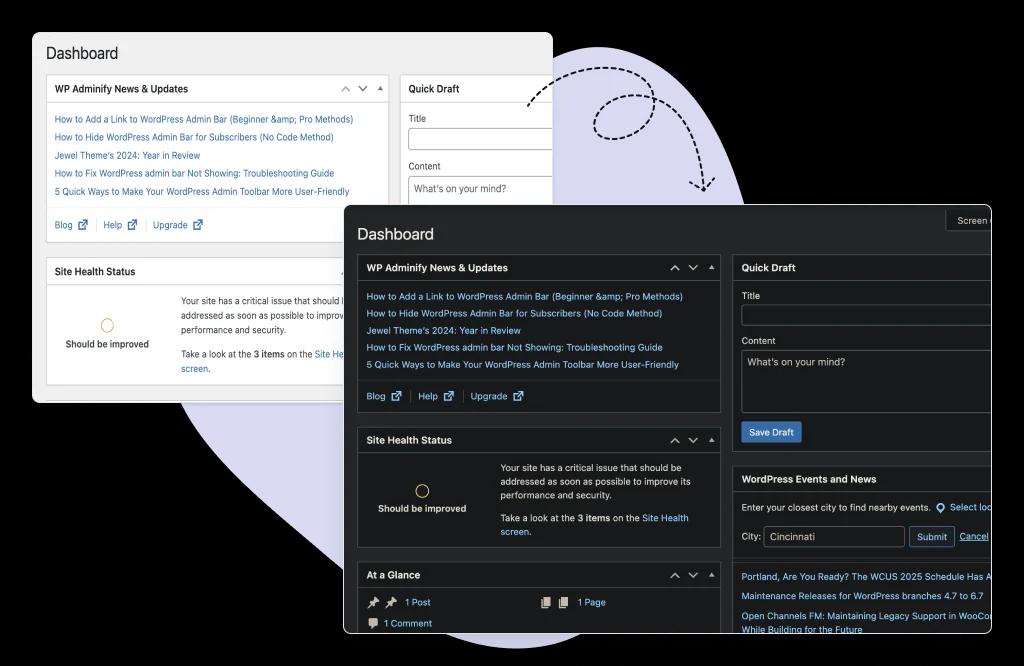
Default WP Admin Dark Mode support
You don’t have to use the Adminify UI to get dark mode. It works with your Default WordPress Dashboard. Disable the adminify ui from the customization option to stay with the default WordPress interface.

“The plugin is stable and does not affect performance, which is a significant advantage. ”

@gdimitrov
WordPress.org
"This plugin is very great: works fine, gives a very nice look to the WordPress Dashboard”

@peopleinside
WordPress.org
"This plugin lets me transform the UI, user-friendly, and fast, essential for a modern website backend."

Sascha Donelasci
Web Design Agency
“Support has been responsive and helpful, truly putting the customer first” , a rare quality these days.

Louis J Gleason
Developer & Creator
“I am totally blown away with all that WPAdminify can do! ALREADY WAY BEYOND EXPECTATIONS!!"

@shezoom
Startup
“Lot of functionalities and ability to, customize admin & login on WordPress, active support & updates.”

@Myllio
WordPress.org
Personal
79
/ Year- 1 Website
- Multisite Support
- "WP Adminify" Branding Removal
- Replace 50+ Plugins
- Client-Ready Dashboard
- 1 Year Support and Updates
- Custom Dashboard Widget
- Easy Menu Search
- Admin Menu Editor
Business
129
/ Year- 5 Websites
- Multisite Support
- "WP Adminify" Branding Removal
- Replace 50+ Plugins
- Client-Ready Dashboard
- 1 Year Support and Updates
- Custom Dashboard Widget
- Easy Menu Search
- Admin Menu Editor
Agency
299
/ Year- Multisite Support
- "WP Adminify" Branding Removal
- Replace 50+ Plugins
- Client-Ready Dashboard
- 1 Year Support and Updates
- Custom Dashboard Widget
- Easy Menu Search
- Admin Menu Editor
Lifetime Bundle
799.00
/ Lifetime- Use on up to Unlimited Websites
- Lifetime Updates and Support
 WP Adminify
 Loginfy
 WP Spotlight
 Header and Footer Scripts
 Quick Menu
 Admin Bar Editor
 Admin Columns Editor
Does WordPress admin dark mode change your website too?
No. WordPress has no built-in dark mode for the admin area, so it takes a plugin, and WP Adminify darkens the dashboard only. Your theme and your public pages are untouched. You can switch it on a schedule, follow your operating system setting automatically, or let each user choose, and it covers the block editor and WooCommerce screens.
That distinction catches people out, because most plugins with dark mode in the name do the opposite: they restyle the front end for visitors and leave wp-admin white. If you are searching for admin dark mode, you are almost certainly the person editing at 11pm, not the person browsing the site. Those are two different features and it is worth checking which one you are installing.
The half-finished version is the other common disappointment. A dark sidebar with a blinding white block editor is worse than no dark mode at all, because the contrast jump happens every time you open a post. Coverage matters more than the toggle: the editor, the media library, the plugins list and any WooCommerce screens all need to come along, and the setting should follow prefers-color-scheme so it changes when your Mac or Windows theme does.
WordPress Admin Dark Mode FAQs
We have mentioned some questions and our answers for WordPress Dark Mode.
What is WordPress Dark Mode and why is it important?
WordPress Dark Mode changes your background to a darker color with lighter text. This reduces your eye strain and improves readability in low-light conditions. It provides your dashboard with a modern look. On the other hand, it can help with accessibility and extend your battery life on OLED devices.
How do I enable Dark Mode in WordPress with WP Adminify?
Just navigate to your WordPress Dashboard and install the WP Adminify plugin. You will get the Dark mode by default. Take a look at the admin bar, you will notice a dark mode icon. Just click on this this choose dark mode.
Can visitors or users switch between light and dark mode on my site?
Yes, any user in your Dashboard can switch between dark and light mode with the switcher button. You can also enable the automatic schedule dark mode system.
Does Dark Mode improve accessibility?
Definitely Yes! Dark mode improves contrast for users with light sensitivity, dyslexia, or migraines. It can make your site's Dashboard more inclusive as it offers both dark and light modes for maximum accessibility.
Will Dark Mode affect my site’s SEO or speed?
No and never. The Dark Mode will not affect your site speed or SEO. It only adds a single CSS class inside your body, so it will never slow down your website. Dark Mode can provide a better user experience for your users.
Is Dark Mode compatible with Elementor, Gutenberg, and WooCommerce?
Yes. The Dark Mode works properly with page builders like Elementor, Gutenberg. Also works fine with any plugin like WooCommerce.
Can I schedule WordPress dark mode to turn on at night?
Yes. Set a start and end time and the dashboard switches on its own, so the late shift is dark and the morning is not. If you would rather not pick times, point it at your operating system instead and it follows the prefers-color-scheme setting your Mac or Windows machine already changes at sunset.
Can each user choose their own dark mode instead of the whole site?
Yes, and on a multi-author site it is the better default. The preference is stored per user, so one editor can work in dark while another stays on the light dashboard, and neither has to negotiate with the other. Combine that with the schedule or the OS sync and nobody has to think about it again.
Can I set Dark Mode as the default for all visitors?
Yes. When someone login on your WordPress Dashboard you can set the Dark mode as default. But when the user switch from dark to light mode it will be applied for that users only.
Does Dark Mode save battery life on mobile devices?
Yes. On OLED and AMOLED screens, dark pixel consume less power. So WordPress Dark Mode can help you extend your battery life.
How can I customize Dark Mode colors and styles?
WP Adminify lets you to change the default WordPress Dashboard UI. It should not be the dark mode. You can select custom color preset from the customize option and wisely change colors that suit you. Also if you want to customize the color for Dark Mode then use this .adminify-dark-mode class and CSS code. You can write the CSS code inside WP Adminify option panel.
Is Dark Mode available in the free version of WPAdminify?
Yes. The WordPress Dark Mode feature is available in free version of WP Adminify Plugin. With the pro version, you will get more features and control for Dark Mode.
Does this work with all WordPress themes and page builders?
Yes. The Dark mode works properly with any existing WordPress Themes and Page builders. Our system automatically detects light and dark colors and converts the colors into a suitable dark mode.
Can users switch between light/dark mode themselves?
Absolutely. Anyone can switch between light/dark mode without interfering with others configuration. It will store specific users preferences, and they don’t have to switch again from light to dark or dark to light mode.
Does it support keyboard shortcuts?
Yes. With the help of WP Spotlight, you can easily switch to dark mode and light mode with keyboard shortcuts. By default, it’s Option+Ctrl+D for Mac and Ctrl+Alt+D for Windows. But you can customize this shortcut yourself.
Can I schedule automatic dark mode?
Yes! You can set start/end time (e.g., 7 PM to 7 AM) for automatic Dark mode activation. Or there is option for automatic OS based dark mode. When your operating system stay on dark mode your Dashboard turns into dark mode automatically.
What if Dark Mode breaks my admin layout?
It should not break your WordPress Dashboard layout, as we have tested this with multiple themes and plugins. But still if you face any layout broken issue, just navigate to the WP Adminify option panel and disable the dark mode. Or contact us and we will instantly assist you.
Get Started with WP Adminify Today
We offer the best WordPress Dashboard Customization and maintenance feature to our users.
Rebrand the admin panel of personal or clients Dashboard within minutes.